#1e1e1e

VIDEO

How to create stunning stop motion animation.

Discover how to plan, shoot and edit stop motion animations that engage viewers and elevate your projects.

Explore {{premiere}}

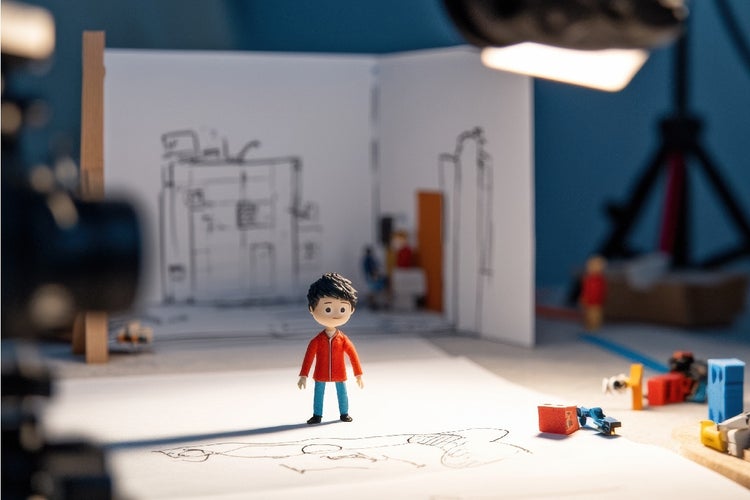
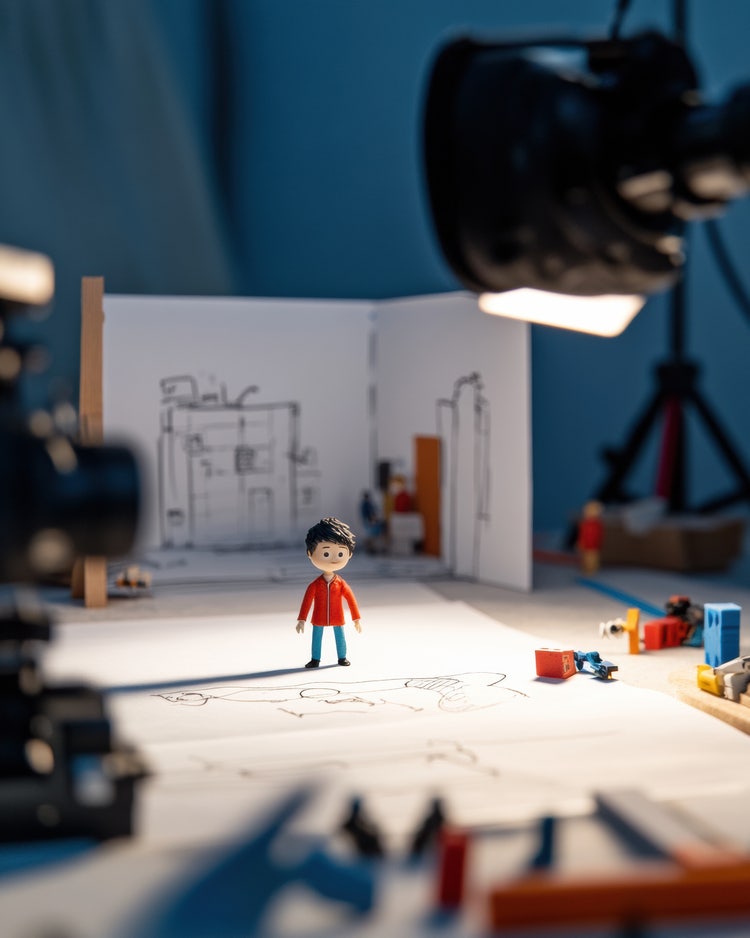
Stop motion animation setup with miniature props for DIY storytelling.
#FFFFFF

Stop motion animation transforms everyday objects into living characters through the simple principle of frame-by-frame capture. From clay figures to paper cut-outs, this versatile technique lets you craft whimsical stories, memorable adverts or engaging social media clips without large budgets or elaborate rigs.

In this guide, we explain what stop motion animation is, explore why use stop motion, and provide a detailed, step-by-step process for planning, shooting and post-producing your own stop motion films. You will learn best practices for lighting, stability and movement, receive troubleshooting advice, and discover creative use cases that show how Adobe Creative Cloud apps help you work efficiently.

What is stop motion animation?

Stop motion animation, also known simply as stop animation, is a filmmaking technique in which physical objects are moved in small increments between individually photographed frames. When played back at normal speed typically 24 frames per second—the objects appear to exhibit fluid, life-like motion.

  • Core principle
    • Capture a frame, move the subject slightly, capture the next frame, repeat
  • Frame rate
    • Standard cinema uses 24 fps; amateur or web animations often use 12–15 fps for a stylised effect
  • Object types
    • Clay or plasticine models (claymation)
    • Puppets with armatures
    • Paper cut-outs (2D stop motion)
    • Everyday items such as stationery or food
  • Distinct from time-lapse
    • Time-lapse speeds up real-time footage, whereas stop motion constructs motion from static stills

Tip: To achieve smooth motion, aim for at least 12 distinct frames per second. For a professional finish consider shooting at 24 fps if your camera and time permit.

#F5F5F5

Why use stop motion animation?

Stop motion offers unique advantages for creative professionals seeking to capture attention and convey messages memorably.

  1. Tactile authenticity: Viewers sense the craftsmanship and physical presence of real objects, creating an emotional connection
  2. Cost efficiency: Requires minimal equipment: a camera, tripod, lighting and Adobe Creative Cloud apps for post-production
  3. Creative flexibility: Objects of any shape and material can be animated; you are limited only by imagination
  4. Distinct visual style: The inherent imperfection and subtle flicker of stop motion create a handcrafted aesthetic that stands out in a sea of CGI
  5. Scalability: Simple social media clips can evolve into longer short films, advertisements or educational tutorials

Example: A freelancer used stop motion with everyday office supplies to promote productivity software in a 30-second Instagram Reel. The inexpensive shoot generated high engagement and client enquiries.

What equipment and materials do you need to start stop motion?

Gathering the right tools ensures your stop motion animation process is smooth and efficient.

  • Camera: DSLR or mirrorless with manual settings; smartphone with a dedicated stop motion app can suffice
  • Tripod or stand: Essential for maintaining consistent framing across all frames
  • Lighting: Continuous LED panels or softboxes; avoid flickering bulbs that can cause brightness shifts
  • Backdrop and set: Coloured paper, fabric, or printed scenery; build simple sets with cardboard or craft foam
  • Objects to animate: Clay, puppets, toys, paper cut-outs, or everyday items such as coffee mugs or stationery
  • Motion-control slider (optional): Enables smooth camera moves, adding production value
  • Remote shutter release or tethering: Reduces camera shake; tether to a laptop via Adobe Lightroom for instant review

Tip: Label your tripod head and camera controls with gaffer tape and a marker to quickly reset framing if you need to move or adjust the rig.

#F5F5F5

How to plan and storyboard your stop motion animation?

Effective planning minimises shoot time and post-production headaches.

1. Define your story and objective.

  • Identify the key message: product demo, tutorial, brand story or whimsical vignette

2. Write a concise script.

  • Keep narration or on-screen text short; allow 5–7 seconds per major action for viewer comprehension

3. Create a storyboard or shot list.

  • Sketch each scene panel with framing notes, character positions and camera moves

{{nbsp}}{{nbsp}}{{nbsp}} Number panels sequentially to track progress

4. Determine frame count and timing.

  • Calculate frames per second (e.g. 12 fps) and total length (e.g. 120 frames for a 10-second clip)

5. Organise assets and props.

  • Label and pre-cut paper elements; prepare clay characters in advance
  • Arrange props near the set in the shooting order

6. Plan audio elements.

  • Record voiceover script in Adobe Audition before shooting to guide timing
  • Select background music or sound effects to enhance mood

Troubleshooting advice: If the storyboard becomes too complex, break the animation into shorter segments and plan to merge them in post-production.

#F5F5F5
An illustrator sketching a storyboard scene for a stop motion animation, showing hand-drawn frames and character poses for a movie or cartoon.

How to shoot smooth stop motion animation.

Attention to consistency in lighting, camera position and subject placement is crucial.

1. Set up stable camera and lighting.

  • Position lights at 45-degree angles to minimise harsh shadows
  • Use diffusion material (white fabric or paper) to soften light

2. Lock camera settings.

3. Mark reference points.

  • Use tape to mark object base positions and set boundaries on the set

4. Animate in small increments.

  • Move the subject by 1–3 millimetres per frame; large jumps result in choppy motion
  • Maintain consistent movement speed by using a ruler or grid under the set

5. Capture each frame carefully.

  • Use a remote release or tethered capture to avoid touching the camera
  • Review every 20–30 frames to confirm alignment and lighting

6. Maintain frame rate consistency.

  • Keep interruption to a minimum; avoid moving or bumping the rig

Tip: Label each captured frame on-screen with a small timestamp overlay in-camera or via tethered software to track sequence and detect skipped frames.

#F5F5F5

Step-by-step guide to making your first stop motion film in India.

Creating your first stop motion animation does not require expensive equipment or formal training. With a clear idea, a few basic tools, and some patience, you can produce a compelling animation. This guide is designed for Indian creators looking to get started with simple, effective techniques.

#F5F5F5

1. Choose a simple idea.

Begin with a short, visual concept. It could be a clay character walking, a rangoli forming frame by frame, a pencil sketch coming to life, or even a cup of chai being made. Keep it straightforward to manage easily during production.

2. Write a basic script.

Outline the key actions in sequence. You do not need dialogue,just a visual breakdown of what happens first, next and last. This will help structure your shoot and avoid confusion later.

3. Gather your materials.

Use easily available items such as paper cut-outs, LEGO bricks, clay, buttons, or household objects. Many Indian creators rely on low-cost materials and creative solutions to build their sets. Keep a plain background to avoid distractions.

4. Set up your scene and lighting.

Use a well-lit area or set up a desk lamp. Soften harsh shadows with white paper or cloth as diffusion. Secure your props and camera mount with tape to prevent accidental movement during shooting.

5. Use a stable camera or phone mount.

Position your camera or phone securely using a tripod, phone stand, or even a stack of books. Avoid touching the camera directly. Use a remote shutter, timer or tethered software to capture frames smoothly.

6. Capture one frame at a time

Use a stop motion app or Adobe {{premiere}}’s frame capture tools. Move your subject in small increments (1–2 mm per frame) and shoot each frame carefully. For smooth motion, aim for 10 to 12 frames per second.

7. Edit your footage.

Import your frames into Adobe {{premiere}} or Adobe Express. Adjust timing, remove unwanted frames and add transitions if needed. Include voiceover or background music using Adobe Audition to bring the story to life.

8. Export and share your animation.

Export your final animation in a format suited to social platforms like Instagram Reels, YouTube Shorts or WhatsApp status. Optimise for mobile by keeping file size and resolution in mind.

Tip: Many Indian stop motion artists have created engaging content using just a smartphone and simple props. Focus on your story and experiment with materials around you. Your creativity is your strongest tool.
How to add personality and storytelling to your stop motion.

Beyond motion mechanics, compelling characters and narratives engage viewers emotionally.

  • Character design
    • Give simple facial features: eyes, mouth and eyebrows for clear expressions
    • Use interchangeable parts for mouth shapes or props (e.g. glasses, hats) to convey moods and actions
  • Pacing and rhythm
    • Combine faster sequences for action and slower ones for key emotional beats
    • Introduce pauses or hold frames at dramatic moments to heighten impact
  • Props and backgrounds
    • Rotate scenes to match narrative shifts (e.g. day to night using coloured gels)
    • Use miniature sets or real-life textures for authenticity
  • Voiceover and sound design
    • Record dialogue or narration that complements the visual pacing
    • Layer ambient sounds and foley effects in After Effects or {{premiere}}
  • Transitions and effects
    • Add simple camera zooms or pans with motion interpolation in After Effects
    • Use wipe or dissolve transitions for scene changes

Example: A video producer created a stop motion story of a seed growing into a plant. By holding the flower in place for two extra frames during full bloom, they emphasised the climax, eliciting a strong emotional response.

#F5F5F5

What troubleshooting steps will refine your stop motion animation?

Common issues can disrupt flow; below is a list of issues along with solutions.

1. Flickering brightness between frames.

  • Use consistent manual exposure settings
  • Apply the “deflicker” effect in {{premiere}} or After Effects

2. Subject drifting out of frame.

  • Mark precise base positions with grid tape beneath the set
  • Re-align using on-screen guides in tethered view

3. Jerky camera movements.

  • Ensure tripod legs are locked
  • Use motion-control tools or digital stabilization in post

4. Inconsistent frame count.

  • Keep a shot log and count frames on a notepad
  • Use labelled timestamp overlays for reference

5. Visible seams or taping on set.

  • Place seams outside the camera frame or cover with matching background material

6. Audio sync drift.

  • Edit narration in Audition to match frame count
  • Align audio clips precisely using waveform markers

Troubleshooting tip: Export a low-resolution draft of the animation early to spot issues before investing time in high-quality rendering.

The Creative Cloud icon prominently displayed, highlighting their role in streamlining creative production and post-production workflows.

From frame capture to final export: Stop motion in Creative Cloud.

Frame capture and editing in Lightroom.

  • Import JPG or TIFF image sequences
  • Apply batch colour correction and cropping to maintain consistency across frames

Assembly and timing in {{premiere}}.

  • Create a sequence at your desired frame rate; import stills and set each image to display for one frame
  • Apply a deflicker effect if needed for smoother playback

Audio mixing in Audition.

  • Edit voiceovers, ambient sound and foley effects
  • Export audio as WAV or MP3 for easy integration

Advanced effects in After Effects.

  • Add camera moves, pans, zooms, stabilisation or chroma keying to elevate composite sequences

Still image refinements in Photoshop.

  • Clean up backgrounds and remove rigs, seams or unwanted support elements before final render

Asset management with Creative Cloud Libraries.

  • Organise and store reusable assets like set backgrounds, character illustrations and audio clips for efficiency across projects

Collaboration and feedback.

  • Share {{premiere}} projects using Team Projects; invite time-coded comments on frame syncing and audio
  • Export interactive PDFs with embedded GIFs to streamline client approvals

Tip: Use clear naming conventions e.g. walkthrough_scene1_v01 to avoid confusion when managing multiple stop motion sequences.

#F5F5F5

Stop motion vs 2D animation: What works better for Indian brands?

Both stop motion and 2D animation are powerful storytelling tools, but choosing the right style depends on your brand message, audience, and budget. For Indian brands in particular, the choice also hinges on cultural appeal, speed of execution and platform strategy.

#F5F5F5

1. Visual impact and uniqueness.

  • Stop motion offers a tactile, handcrafted feel that stands out in a sea of digital content. It works especially well for FMCG products, food, crafts or children's brands, where charm and realism help build emotional connection.
  • 2D animation is more polished and scalable. It is better suited for explainer videos, fintech apps or educational content where clarity and consistency are key.

2. Cost and production time.

  • Stop motion, while budget-friendly in DIY formats, can be labour-intensive and harder to revise. However, the uniqueness of each frame often justifies the time spent, particularly for Instagram Reels or ads seeking high engagement.
  • 2D animation often has faster turnaround times, especially when templates or motion libraries are used. It is easier to revise text or visuals at scale, making it ideal for multilingual campaigns.

3. Cultural resonance.

  • Indian audiences respond well to visually rich, relatable content. Stop motion can tap into everyday Indian textures such as rangoli, clay, paper art or fabric, which adds authenticity.
  • 2D animation allows for customisation with regional characters, local languages and motion graphics that align with modern brand identities.

4. Platform performance

  • Stop motion performs well on visual-first platforms like Instagram and YouTube Shorts, where thumb-stopping visuals drive organic reach.
  • 2D animation excels in app tutorials, web banners and long-form content on YouTube, where informational clarity is essential.

Stop motion is ideal for building emotional appeal through handcrafted visuals, while 2D animation is better for delivering clear, scalable content that supports broader brand communication.

Discover the creative potential of stop motion animation.

Mastering stop motion animation empowers creative professionals to bring inanimate objects to life in captivating, handcrafted stories. By understanding what is stop motion animation, planning carefully, shooting with consistency, adding character and troubleshooting common challenges, you can produce compelling short films, adverts and social clips that resonate with audiences. Integrating your stop animation workflow within Adobe Creative Cloud not only boosts efficiency but also ensures professional-grade results, helping you grow your brand and impress clients. Pick up your camera, set up your scene and start animating today to discover the endless possibilities of stop motion.

Frequently asked questions.

What are some low-cost materials I can use for stop motion in India?

Common household items like clay, paper cutouts, Lego pieces and even kitchen utensils can be used creatively for stop motion. Art supply stores in India also offer affordable craft foam, modelling clay and miniatures.

Which Adobe app is ideal for editing stop motion sequences efficiently?

Adobe {{premiere}} is excellent for compiling stop motion frames, adjusting timing and adding transitions, audio and effects for a professional final result.

Can I use a smartphone to shoot stop motion animation?

Yes. Many smartphones today have high-resolution cameras and apps for manual frame-by-frame capture. You can then import these images into software like {{premiere}} for editing.

How do I create a stop motion animation with typography or text effects?

You can design text frames separately using Adobe Illustrator and then animate them manually or digitally in your stop motion project for added visual interest.

Are there Indian creators or communities focused on stop motion animation?

Yes. Platforms like Instagram and YouTube have Indian stop motion artists showcasing their work. You can also join communities such as Indian Animators or participate in online festivals like Chitrakatha or Anifest India.

How can I make stop motion look more cinematic using colour grading?

Adobe Lightroom allows you to batch edit your stop motion frames for consistent tones, exposure and mood, giving your animation a polished cinematic look. For more advanced features, check out the Adobe Photography plans that give you access to Lightroom and other powerful apps.

What should I consider when adding background music to my stop motion?

Ensure the tempo matches the rhythm of your animation. Use royalty-free Indian music for culturally relevant themes, and time sound cues with key movements for added impact.

Which Adobe app helps with designing custom backgrounds for stop motion sets?

Adobe Photoshop is great for creating or editing digital backdrops and printing them out for physical use in your stop motion scenes. Additionally, Adobe Stock can provide high-quality background images that you can incorporate into your animations.

Can I monetise stop motion animation as a freelancer in India?

Yes. Many brands and agencies are looking for unique content formats. You can pitch to advertising firms, content creators or use platforms like Upwork, Behance and Fiverr to find clients.

How can I improve storytelling in stop motion for Indian audiences?

Use culturally familiar props, regional music or folk themes to connect with Indian viewers. Keep narratives simple but relatable and ensure your visuals reflect local experiences or humour.

https://www.adobe.com/in/cc-shared/fragments/creativity-for-all/default

You may also like

Content as a Service v3 - video - Friday 18 July 2025 at 13:51

https://main--cc--adobecom.aem.page/cc-shared/fragments/seo-articles/do-more-premiere-pro-color-blade