Special pricing for India.

See plans

Creative Cloud Pro now available at a special price.

View plans and pricing

Save over 40% on Creative Cloud Pro for the first year.

Save today

VIDEO

How whiteboard animation is changing visual storytelling.

Explore how whiteboard animation brings ideas to life through simple visuals, clear narration and creative storytelling.
Explore Premiere

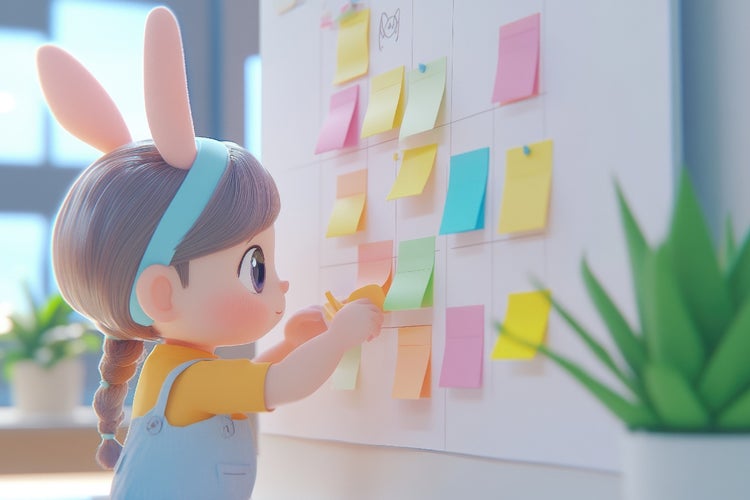
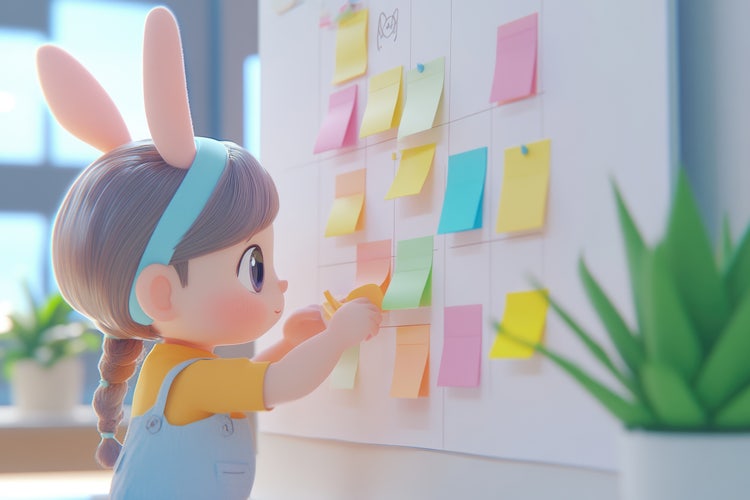
3D cartoon girl with bunny ears organises colourful sticky notes on a whiteboard, illustrating a whiteboard animation planning concept.

Whiteboard animation has emerged as a compelling medium for visual storytelling, combining the immediacy of hand-drawn sketches with clear narration to communicate complex ideas. Freelancers crafting explainer videos, small business owners designing marketing content, desktop publishers enhancing digital documents, and video producers refining client proposals can all benefit from the versatility and engagement of whiteboard animation.

In India, whiteboard animation is revolutionising visual storytelling, with more brands turning to it for innovative marketing campaigns, product explainers, and customer education initiatives. With the advent of intuitive whiteboard animation software and whiteboard video makers, creative professionals can work faster, produce polished results and justify their Creative Cloud investment through measurable return on investment (ROI).

In this article, we explore what whiteboard animation entails, examine the workflow of leading whiteboard animation makers, outline best practices for planning and structuring content, offer practical tips and troubleshooting advice, and showcase five creative use cases from social media videos to remote collaboration – demonstrating how this style is transforming visual communication.

What is whiteboard animation and why is it so effective?

Whiteboard animation, also known as white board animation, is a technique in which illustrations appear to be drawn in real time on a white background, accompanied by synced voiceover. This approach leverages several factors that boost engagement and comprehension:

  • Cognitive alignment
    • Viewers process hand-drawn visuals and narration simultaneously, reinforcing memory retention
    • Sketching concepts live mimics classroom teaching, invoking familiarity
  • Simplicity and focus
    • Minimalist black-and-white or limited-colour drawings remove distractions
    • Emphasis remains on the core message rather than ornamental effects
  • Emotional connection
    • The human touch of hand-drawn lines fosters authenticity and trust
    • Pace of drawing builds anticipation and curiosity
  • Versatility
    • Suitable for topics ranging from educational tutorials to product marketing
    • Can illustrate abstract concepts, processes and data flows with equal clarity

Tip: Use a clear, well-paced script to guide the drawing chronology; avoid overcrowding the board with too many elements at once.

How does whiteboard animation software work?

Modern whiteboard animation software and whiteboard video makers automate the drawing process, allowing creators to focus on story rather than frame-by-frame illustration. The typical workflow involves:

1. Script and storyboard creation.

  • Draft a concise script that segments your message into clear, sequential points
  • Sketch a simple storyboard indicating key visuals for each narrative segment

2. Asset preparation.

  • Either select pre-designed vector assets and characters from the software library or import custom artwork from Adobe Illustrator or Photoshop
  • Ensure assets have transparent backgrounds and consistent stroke weights

3. Timeline assembly.

  • Place voiceover audio on the timeline, either imported from Audition or recorded within the app
  • Align graphic assets to the audio track, defining draw-on and draw-off timings

4. Animation parameters.

  • Specify draw-on speed, line style and pause durations between elements
  • Adjust camera movements such as pans and zooms to follow the drawing action

5. Review and export.

  • Preview the synced animation and voiceover; refine timing to ensure legibility
  • Export as MP4, MOV or animated GIF, optimised for web, social platforms or presentation decks

Troubleshooting advice: If lines appear jittery, increase vector quality in export settings or switch to a larger canvas size to reduce aliasing.

What are the benefits of whiteboard animation?

Whiteboard videos offer a host of advantages for creative professionals aiming to grow their brand, streamline workflows and deliver professional-grade content. Key benefits include:

  • Enhanced comprehension.
    • Studies indicate that combining auditory and visual stimuli can boost information retention by up to 50 per cent
  • Cost-effectiveness.
    • Compared with full character animation or live-action shoots, whiteboard animation reduces production time and asset complexity
    • Utilises reusable digital assets and templates to accelerate project turnaround
  • Scalability.
    • Easily update or localise videos by substituting text and assets without re-recording live footage
    • Batch-produce multiple language versions by swapping voiceover tracks
  • Brand consistency
    • Customise colours, character styles and typography to align with brand guidelines
    • Maintain a unified look across training modules, marketing campaigns and internal communications
  • Accessibility
    • Combine clear visuals with professional voiceover for audiences of varying language proficiencies and learning preferences
    • Enhance videos with captions exported from Adobe Premiere or integrated caption tools

Example: A micro business owner used a whiteboard video maker to create a series of product explainer videos. By reusing a common character style and colour scheme, they delivered six videos in one week, reducing production cost by 40 per cent.

How to plan and structure whiteboard animations for maximum impact.

Successful whiteboard animations hinge on careful planning and content structure. Adopt the following approach:

1. Define your objective.

  • Identify the single most important takeaway for the viewer: problem-solution, process tutorial or brand story

2. Know your audience segments.

  • Freelancers value speed and DIY tools; highlight ease of use
  • Video producers require high customisation; emphasise integration with Adobe Premiere
  • Animators and graphic designers seek asset flexibility; showcase compatibility with Illustrator

3. Craft an engaging script.

  • Limit scripts to 150–200 words per minute to ensure clarity
  • Use active voice, simple sentences and direct calls to action

4. Storyboard visually.

  • Sketch rough frames on paper or in Photoshop to map visual flow
  • Allocate 5–7 seconds per key point, adjusting for complexity

5. Select and organise assets.

  • Use vector characters, icons and text blocks stored in Creative Cloud Libraries
  • Group related assets in folders for quick timeline access

6. Sync drawing and narration

  • In whiteboard animation maker timelines, drag asset layers to match audio cues
  • Insert pauses or “white” frames to allow viewers to absorb information

7. Incorporate branding elements

  • Introduce logo animation at start and end, using whiteboard video maker title templates
  • Apply corporate colour palette to accents and call-out boxes

Tip: Run a test audience review with two or three colleagues using shared link previews; gather feedback on pacing, clarity and visual appeal.

What practical tips ensure high-quality whiteboard animation?

To elevate your whiteboard animation, consider these professional-grade techniques:

  • Consistent stroke weight: Set a uniform line thickness (for example, 2 pt) across all assets to maintain visual harmony
  • Limited colour palette: Use one or two brand colours sparingly to highlight key elements, preserving the classic black-and-white aesthetic
  • Audio quality: Record voiceover in a quiet room using a condenser microphone and Audition for noise reduction and compression
  • Dynamic pacing: Vary draw speed to match narrative emphasis: slower for crucial points, faster during transitions
  • Camera movement: Employ subtle pans and zooms to direct viewer focus, but avoid abrupt shifts that distract from the drawing action
  • Clear typography: Choose sans-serif fonts such as Arial or Helvetica for readability; keep text blocks brief and bold
  • Reuse and repurpose: Export key frames as PNGs for social media cuts or thumbnail graphics

Example: A desktop publisher created an internal training series using whiteboard animation software. By reusing character assets and audio tracks, they reduced production time per module from two days to six hours.

What troubleshooting steps help resolve common issues?

Even with robust software, you may face obstacles. Apply these solutions to the most frequent challenges:

1. Audio-video sync drift:

  • Divide audio track into smaller clips and align individually
  • Enable “snap to frame” in timeline settings

2. Jarring camera moves:

  • Use easing curves for pans and zooms
  • Preview at full speed to assess smoothness

3. Jittery drawing lines:

  • Increase vector resolution or canvas size
  • Enable “smooth path” or “stabilise stroke” features

4. Overcrowded scenes:

  • Break content into shorter segments
  • Introduce scene transitions or blank frames for visual rest

5. Voiceover volume inconsistency:

  • Normalise audio levels in Audition
  • Apply a compressor and limiter for uniform loudness

6. Missing assets after import:

  • Consolidate all custom assets into one folder before import
  • Relink missing files via the media panel

Troubleshooting tip: Always keep a backup of your project file and associated assets; use Creative Cloud’s version history to revert if necessary.

Why whiteboard animation is ideal for Indian SMEs and content creators?

Whiteboard animation serves diverse storytelling needs across media. Below are five inspiring examples relevant to creative pros in India:

1. Social media videos.

  • Application: Produce 60-second explainer clips for Instagram and LinkedIn, combining rapid sketch sequences with punchy voiceover
  • Benefit: Captures attention during autoplay and drives higher engagement than text-only posts

2. Voiceovers for reels or animations.

  • Application: Sync whiteboard visuals with short-form audio narratives for YouTube Shorts and TikTok, using tempo changes to match music beats
  • Benefit: Boosts shareability and brand recall through a distinctive visual style

3. Short-form branded content.

  • Application: Create promotional teasers for product launches, illustrating key features in a concise, engaging format
  • Benefit: Delivers complex information in under 30 seconds, ideal for audience with limited attention spans

4. Narrated client proposals.

  • Application: Embed whiteboard animations into PowerPoint decks, animating diagrams and processes to clarify project plans
  • Benefit: Enhances persuasion by visually guiding stakeholders through concepts, reducing follow-up questions

5. Remote collaboration via document sharing

  • Application: Share draft animations via Creative Cloud Libraries or Adobe XD links; invite comments directly on frames and assets
  • Benefit: Streamlines feedback loops across time zones, ensuring all team members review the same version

Example: A micro business owner in Delhi used a whiteboard video maker to pitch a new service model. The animated proposal video reduced meeting time by half and secured client approval in the first round.

From script to delivery: Your whiteboard animation workflow in Creative Cloud?

Using Adobe Creative Cloud apps in tandem boosts efficiency, ensures consistency and simplifies collaboration. Here’s how to optimise your production process step by step:

1. Script writing with InCopy.

  • Draft and refine scripts collaboratively with editors, using tracked changes and comments to streamline feedback.

2. Asset creation in Illustrator and Photoshop.

  • Design custom icons, characters and backgrounds. Export as SVG or transparent PNGs for easy animation and layering.

3. Voiceover recording in Audition.

  • Record clean, professional audio using noise reduction, EQ and compression. Export as WAV or MP3 for flexible use.

4. Animation in whiteboard software.

  • Import designed assets and voiceovers. Sync timing, refine transitions and control camera movements.

5. Video editing in Premiere.

  • Arrange animated segments into a cohesive flow. Add music, lower-thirds, captions and transitions to enhance impact.

6. Motion graphics in After Effects.

  • Layer in animated text, effects or overlays. Use dynamic linking to sync changes directly with Premiere timelines.

7. Asset storage with Creative Cloud Libraries.

  • Tag, organise and share your assets across teams. Ensure everyone works from the same approved design elements.

8. Review and delivery via Acrobat or Adobe XD.

  • Export PDF storyboards or interactive mockups. Collect comments and approvals directly in-platform to finalise delivery.

Pro tip: Use Creative Cloud Desktop to keep libraries up to date and ensure all collaborators have the latest versions of shared assets.

Transform your storytelling with engaging whiteboard animation.

Whiteboard animation remains a powerful tool for creative professionals seeking to convey ideas with clarity, engagement and style. By harnessing modern whiteboard animation software and whiteboard animation makers, you can produce high-quality whiteboard videos that educate, entertain and persuade. Whether you work as a freelancer, micro business owner, desktop publisher, video producer, animator, graphic designer or multimedia artist in India, mastering this technique will help you grow your brand, streamline production workflows and justify your Creative Cloud investment with compelling, results-driven visual storytelling. Embrace whiteboard animation today to transform your messages into memorable, hand-drawn experiences.

Frequently asked questions.

You may also like