
Bring your creative direction together with Adobe Firefly.
Adobe Firefly Boards is an AI-powered mood board maker that lets you create and refine mood boards on one digital canvas. Upload your own images, search Adobe Stock, or generate new visuals from prompts, then arrange everything together to explore ideas, define your creative direction, and share or refine your concepts.
Grow your skills while you create.
It’s easy to learn new creative processes, get ideas down and take designs further with Quick Guides in Boards.
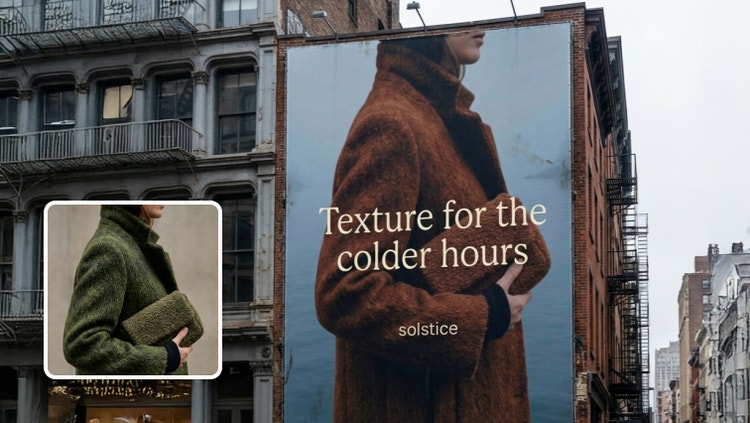
Make a branded mockup.
Apply your logos, colours and imagery to create polished visuals all in one workspace. See how quickly you can bring your brand to life.
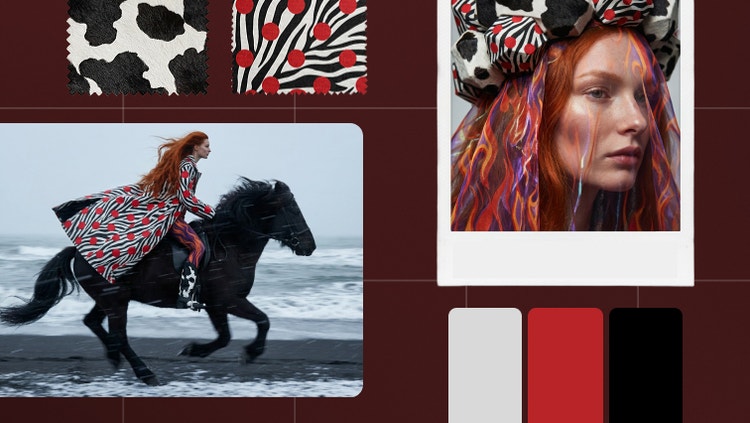
Curate your fashion mood board.
Bring your style to life in a hands-on design playground. Experiment with colours, textures and silhouettes to define a clear visual direction.

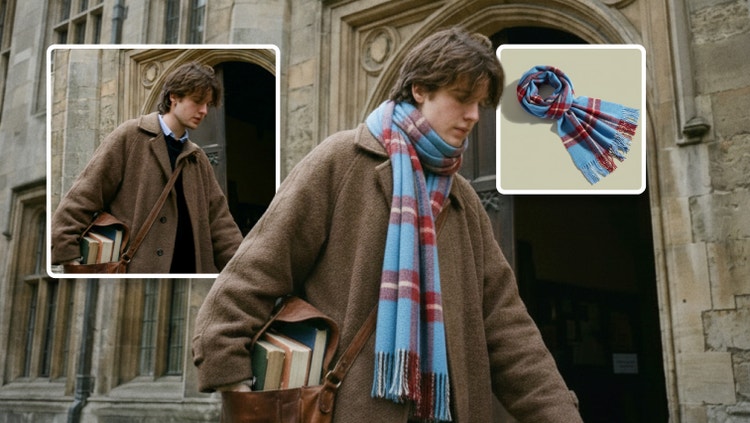
Test out looks with virtual try-on.
Place apparel and accessories on models with realistic lighting and detail. Test looks, explore variations and showcase products professionally.
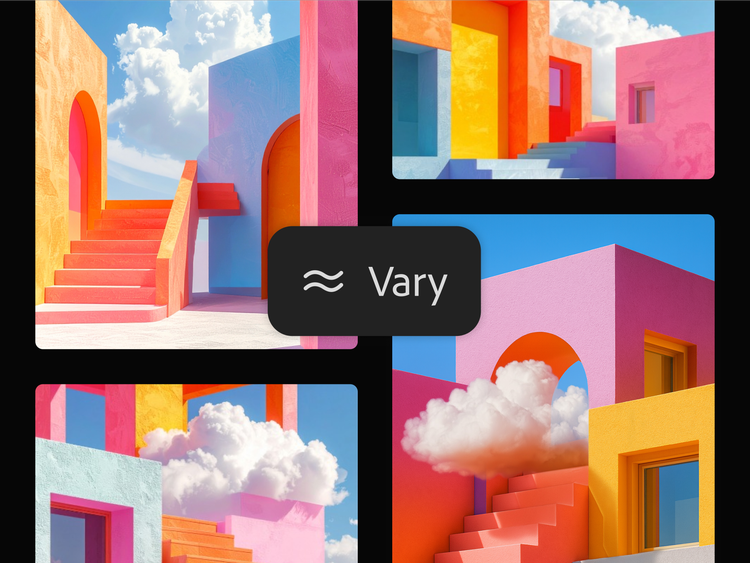
Create mood board concepts with confidence.
The magic of a mood board lies in customisation and creative exploration. With the help of a mood board generator, you can define and refine your vision quickly — no second-guessing or endless revisions. Use generative AI to bring your ideas to life with clarity and confidence. Need inspiration? Start with a mood board example or template to see what’s possible, then make it your own.
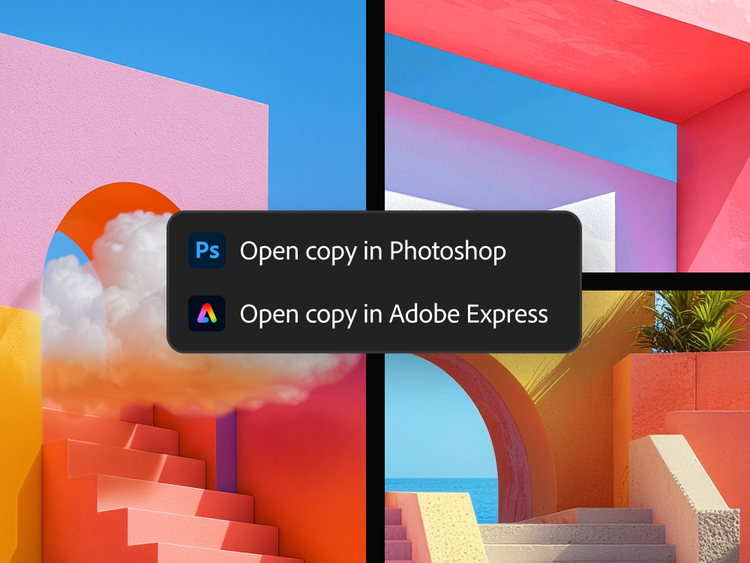
Use mood board maker with your favourite Adobe apps.
Bring your online mood board to life with Adobe Express and Adobe Photoshop design tools. Everything stays connected, creative and completely yours.
- Easily find and add images to your mood board from Adobe Stock.
- Explore endless creative options with Firefly’s generative AI and fine-tune every detail in the apps you already use.
- Keep everything in sync by linking to your Adobe documents so updates flow automatically from your files to your Boards.
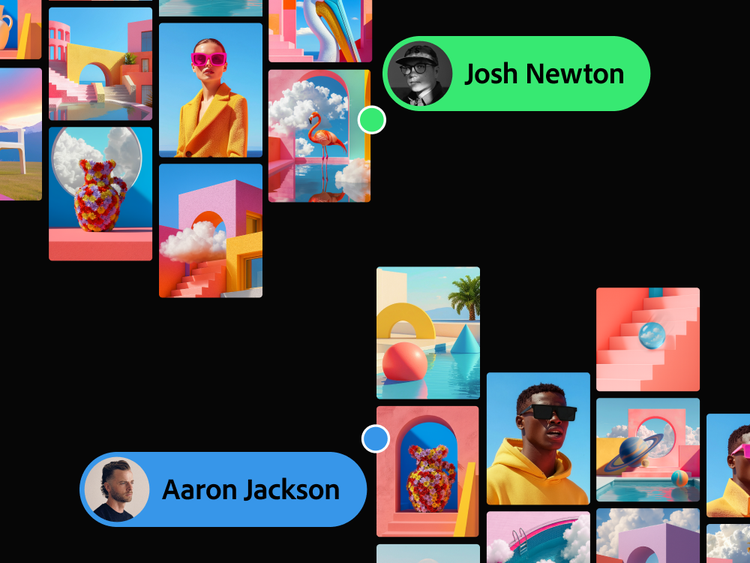
Inspiring imagery all in one digital canvas.
Firefly Boards is the perfect tool for marketers, content creators and more to achieve faster team alignment. Everything you need to create a customised mood board, from inspiration to iteration, lives on a single, infinite canvas. Upload your images and sketches, pull from Adobe Stock or generate from scratch to shape your brand, fashion concepts, interior design ideas and more — without ever leaving the flow state.
Mood board maker that speaks over 30 languages.
Firefly Boards is now available in 30+ languages worldwide, providing more opportunities than ever to work across continents and time zones with Firefly's mood board maker. Collaboration has never been easier and with more partner models to choose from, you have the creative control to bring your best ideas to life.
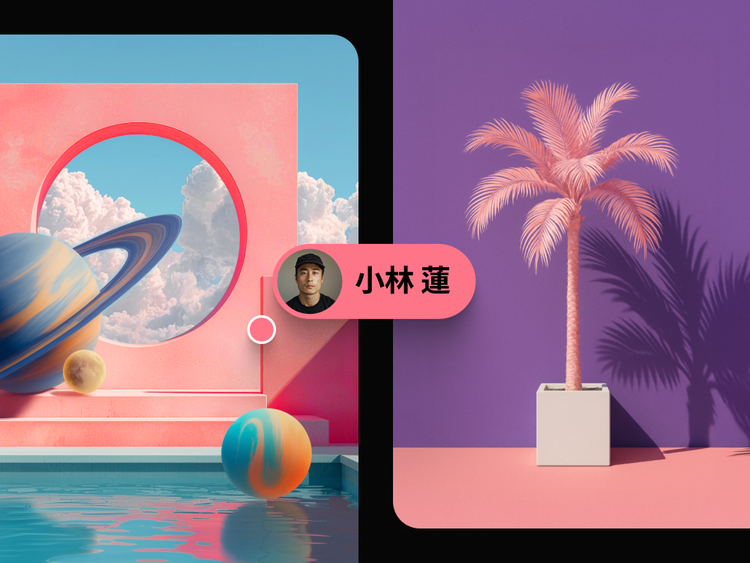
Create mood boards for any project.
Leverage a mood board maker to organise ideas, curate inspiration, and build a collaborative workspace that sparks creativity.
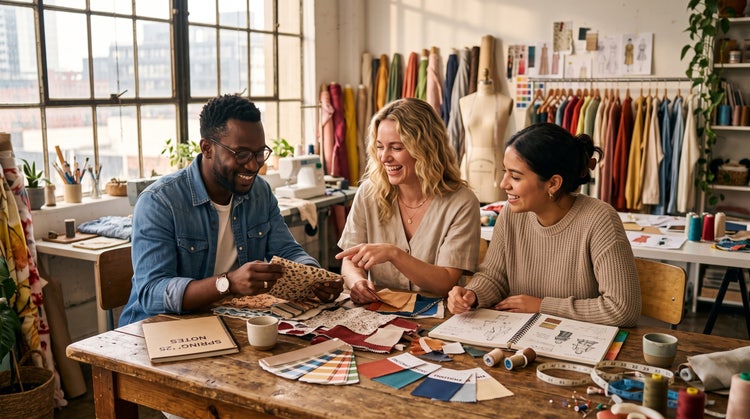
Fashion
Fabric swatches, patterns, textiles, and visual inspirations curated for collections and campaigns.
Interior design and renovation
Colour palettes, materials, furniture, and décor references gathered into cohesive design concepts.
Events
Themes, décor ideas, floral arrangements, lighting concepts, and styling references organised in one place.
Editorial and publishing
Photography styles, illustrations, typography, and layout inspirations curated for creative projects.
How to make a mood board with Boards in Firefly.
It’s easy to get started. Open Firefly Boards and use the mood board maker to explore, design and create a mood board in minutes.
- Gather visual mood board elements.
Every great mood board begins with inspiration. Choose the images, colours and materials that spark ideas and reflect the style you want to explore.- Collect images, colour swatches and text that align with your vision.
- Import your own assets, use Photoshop, Illustrator files and Adobe Stock images or generate new visuals with Firefly.
- Add images to the mood board maker canvas.
Open up a new digital mood board canvas using Firefly Boards to start transforming rough ideas into rich, dynamic visuals.- Go to Firefly Boards and select Create new.
- Use the Import option to add your own images and files.
- Search and add photos from Adobe Stock using the right toolbar.
- Generate images with text prompts using the prompt bar at the bottom.
- Generate variations or remix your mood board visuals.
Expand your ideas with Firefly’s creative tools. Use AI-powered features to remix, refine and develop your mood board style.- Remix multiple images: Select multiple images from the canvas and click the remix button that appears above the selection to combine all of the images and generate a new set of variations.
- Use style references: In the prompt bar, select the eyedropper icon and use the Style Reference feature to apply styles to a new generation.
- Use composition reference: In the prompt bar, select the eyedropper icon and use the Structure Reference feature to guide the layout and structure of generated images to the selected image.
- Extract sub-prompts: In the prompt bar, select the eyedropper icon and choose from the list of auto-generated text prompts describing individual image elements to add directly to a generation.
- Edit and adjust your mood board images.
Fine-tune the details of your digital mood board to match your vision. Firefly makes it easy to edit, reframe and polish every element of your mood board.- Select an image to access tools like Generative Fill, Expand, Remove Background, Cut, Copy and Flip.
- Select multiple images to activate Arrange and Align options.
- Add and edit text.
When Text can help to guide your audience through the mood board’s narrative. Use it to add titles, labels or creative prompts.- Use the Text option in the left toolbar to place text fields.
- Edit fonts, colours and styles in the Properties panel.
- Add and edit shapes to support your mood board design.
Shapes are a subtle but powerful way to structure your layout and highlight key elements in your digital mood board.- Choose the Shape tool in the left toolbar to draw boxes, circles or lines.
- Adjust their appearance using the Properties panel.
- Arrange and refine your mood board layout.
Now that you have visualised the overall feel and elements of your mood board, use artboards to arrange and refine them to perfection.- Create artboards using the Artboard icon in the left toolbar.
- Drag and drop assets inside the artboard.
- Select multiple elements and add them to a single artboard.
Define your creative direction before collecting assets.
Before adding images and inspo, write down 3-5 keywords that describe the desired mood or aesthetic. Deciding if you want modern, vibrant, handcrafted, and premium can help guide asset selection and prevent the board from feeling scattered.
Focus on a few strong references.
Avoid filling your moodboard with every image you find inspiring. Instead, choose a smaller set of visuals that clearly represent the style, colour palette, and mood you're aiming for. A curated selection often communicates ideas more effectively than a large collection of unrelated images.
Go beyond photos.
The best moodboards include more than just imagery. Add colour swatches, typography samples, textures, patterns, and materials to create a fuller creative direction. For example, a mood board for an Indian luxury brand could include terracotta colour palettes, Banarasi silk textures, serif typography, and architectural details inspired by jharokha windows.
Collaborate and gather feedback early.
Share your mood board throughout the creative process rather than waiting until it's finished. Feedback on visual direction, colours, or themes is easier to address at the moodboard stage than later in production. Early collaboration helps ensure everyone is aligned before design work begins.
Brand and marketing teams.
A campaign brief often starts as a handful of scattered references pulled from different decks and tabs. Pulling those into one board, alongside a few generated images to fill the gaps, gives a team a single visual direction to align on before a single asset gets made.
Content creators.
A feed or channel needs to look like one thing, not ten different moods from ten different weeks. Building a board of colours, textures and reference images upfront makes it easier to keep every new post, thumbnail or set looking like it belongs together.
Event and wedding planners.
A theme is easier to sell to a client with pictures than with words. Combining florals, table settings, colour palettes and venue shots into one board turns a vague idea into something a client can actually approve.
Everyday creators.
A room makeover, a capsule wardrobe or a gift idea usually starts as a dozen saved screenshots with no order to them. Pulling everything into one board, and generating a few extra images to round it out, turns scattered inspiration into an actual plan.

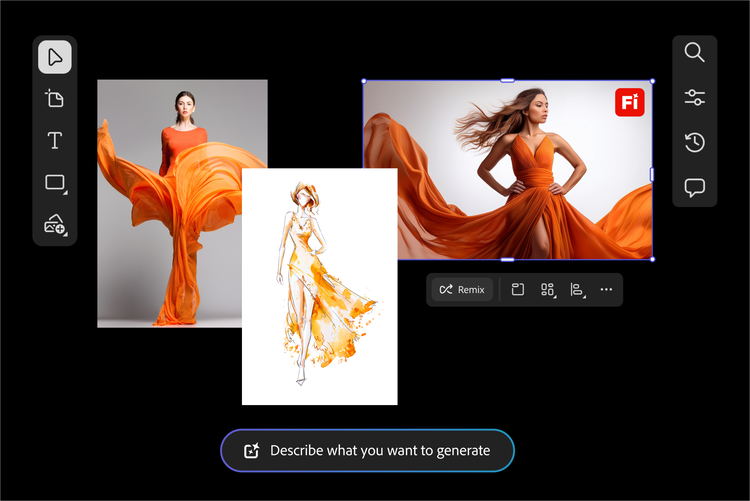
Create magic faster with mood board templates.
Jump right into designing your mood board with templates. Whether you’re designing for fashion, branding or interior spaces, templates give your ideas structure so you can focus on creativity. Use a mood board generator to quickly build on a template and customise it to match your vision. Scroll down to explore mood board examples and find a starting point that sparks inspiration.
Fashion and jewellery mood board
Set the tone for a collection, campaign or personal style with a fashion-focused digital mood board. Start with a template tailored for runway, editorial or seasonal looks, then customise it with your colours, textures and silhouettes. Whether you’re designing for an earthy bridal theme or bold streetwear, templates help you to move fast while keeping your aesthetic clear and cohesive.
Interior design and furniture mood board
Visualise a space before creating it with a template made for interiors. Whether you’re designing a midcentury sitting room or a sleek, modern office, start with a layout that helps organise your colours, materials and furniture ideas. Use generative AI to expand and refine your concept and to create a flexible, fully customisable mood board that fully expresses your style story.
Remix content from the community.
Discover Firefly prompts to remix and submit your own images to the gallery.
Mood board maker FAQs
What is a mood board?
What is the best tool to create a mood board?
Who is a mood board generator for?
Is Adobe Moodboard free?
What is Firefly Boards?
How does Firefly Boards use AI for its mood board maker?
How do you create a mood board online using Firefly Boards?
How do you combine or remix images in Firefly Boards?
Once you have gathered the inputs for your mood board, you can easily edit, generate variations or remix images.
- Remix multiple images: Select multiple images from the canvas as inputs to auto-compose a text prompt that combines all of the images and generates a new set of image variations.
- Use style references: Match the style of the generated images to the selected style of your digital mood board.
- Use composition reference: Guide the layout and structure of generated images to the selected image.
- Extract sub-prompts: List the auto-generated text prompts based on the selected image and choose one to add directly to the text prompt.
How do you edit mood board images in Firefly Boards?
Select an image on the canvas and use the following editing and adjustment options:
- Prompt: Open the prompt bar showing the prompt and generation settings used and edit the prompt and other inputs like style or structure references and styles to enhance your generation.
- Edit: Use the Generative fill and Generative expand capabilities to edit the image.
- Remove background: Remove the background of the image.
- Find similar inspiration: Opens the Search panel and displays similar images available on Adobe Stock to match your mood board style.
- Cut, copy or duplicate the image or paste any copied elements.
- Rearrange, delete and flip the image.
- Download: Download the image to your local device.
- Open in: Open the image in Photoshop on the web or Adobe Express.
You can also further refine images in one click with our AI photo editor.