


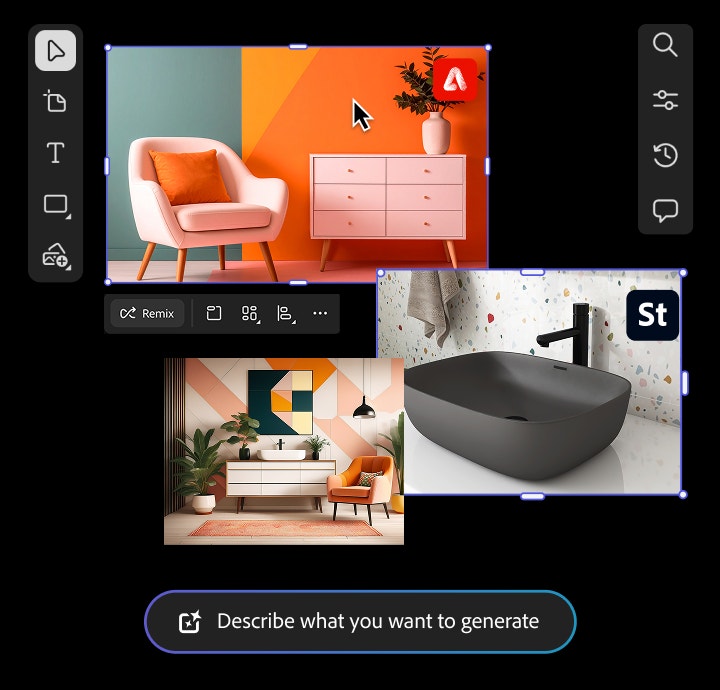
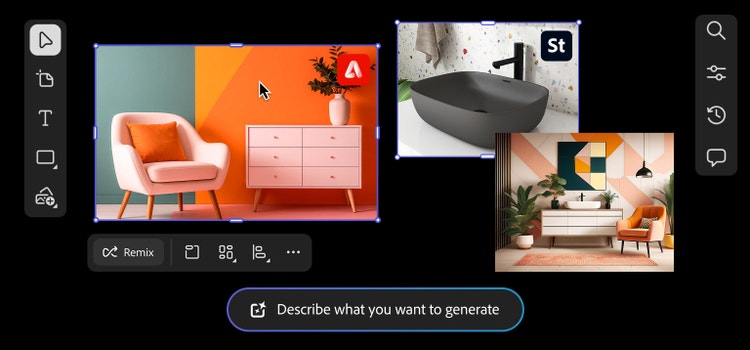

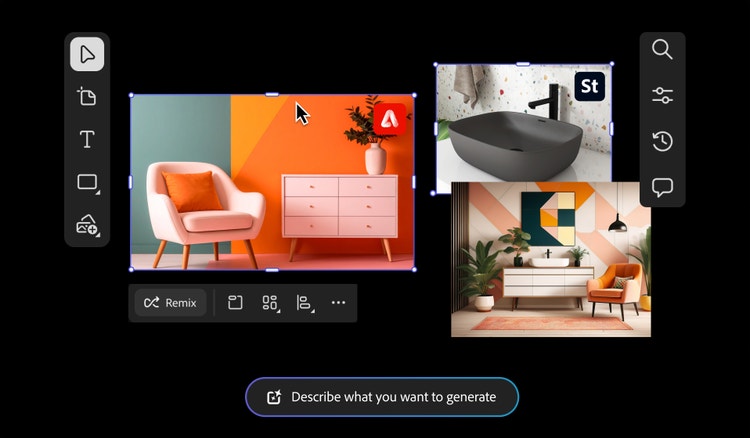
What is a mood board in interior design?
An interior design mood board is a visual planning tool used to explore, organize, and communicate a design concept for a space. It brings together colors, textures, furniture styles, lighting, materials, and decor references in one cohesive layout. Whether you’re a professional designer mapping out a client’s vision or a homeowner planning a renovation, a digital mood board makes it easy to collect ideas and define the mood and style of a room.

By using the mood board maker powered by Firefly, you can quickly and easily experiment with layouts, mix and match finishes, and refine your concept before making big decisions. Whether you’re starting from scratch or reimagining an existing space, a mood board can spark creativity, help align creative concepts, and create clear design goals.
Why designers love interior design mood boards.
A mood board for interior design is a valuable tool in a designer’s process. It helps turn abstract ideas into clear visual direction, making it easier to align with clients, pitch concepts, and set the tone for a space. Designers use mood boards to explore how materials, textures, lighting, and color palettes work together before committing to a final plan.
From experimenting with layout options to refining the overall aesthetic, mood boards are a fantastic collaborative tool that provides designers with a flexible and creative way to organize and evolve their vision.

Key elements of an interior design mood board.
A mood board for interior design is a valuable tool in a designer’s process. It helps turn abstract ideas into clear visual direction, making it easier to align with clients, pitch concepts, and set the tone for a space. Designers use mood boards to explore how materials, textures, lighting, and color palettes work together before committing to a final plan.
From experimenting with layout options to refining the overall aesthetic, mood boards are a fantastic collaborative tool that provides designers with a flexible and creative way to organize and evolve their vision.
- Color palette
- Textures, patterns, and materials
- Furniture references
- Floor plans or spatial layout images
- Lighting and window inspiration
- Fabric or textile swatches
- Product screenshots or vendor imagery
Putting together your mood board for interior design.
The best type of interior design mood board for your project depends on your working style. You can create a physical mood board for interior design made with printed images, fabric samples, and paint chips that you can move around or replace manually. Or choose a digital mood board for speed, flexibility, and ease of updating or sharing ideas. Both methods help organize your vision and speed up the creative collaboration process.
Go old school with a physical mood board.
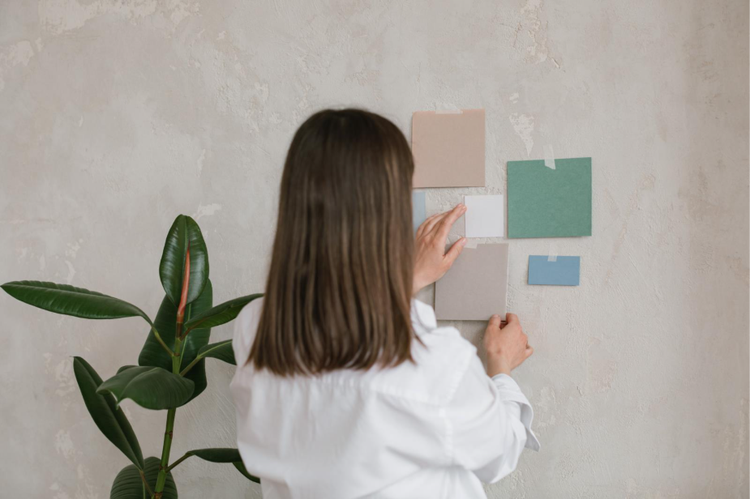
If you love working with your hands or already have a collection of photos, fabric swatches, paint chips, or magazine clippings, a physical mood board can be a satisfying way to build your vision. Using poster board, cardboard, or any sturdy surface, you can pin or glue your materials in place to create a tangible design reference.
This method leans into the tactile side of the creative process, but it can also be time-consuming and complicated to edit. A digital mood board is flexible, allowing for faster updates and easier sharing with clients or stakeholders, making it a more efficient (and often more fun) way to bring your interior design ideas together.
Iterate quickly with digital interior design mood boards.
A digital interior design mood board is a faster and more flexible way to explore and refine your vision. Unlike physical boards, digital versions make it easy to adjust layouts, swap out ideas, and share concepts with clients or collaborators in real time. They also open up a world of inspiration, providing access to an endless array of online images, styles, and design elements.
Use tools like Adobe Stock or Firefly’s text-to-image generation to instantly add new ideas to your board without printing or pinning. Generative AI lets you easily experiment with color and material combinations without using up physical samples.
Benefits of digital mood boards include:
- Access to thousands of materials and decor images through Adobe Stock or Firefly AI tools.
- Rearrange or update interior design layouts easily with new materials, styles, and furnishings.
- Mix, match, and test colors and textures without using physical swatches.
- Create and customize inspiration images using generative AI text-to-image prompts.
- Quickly align with collaborators on style and design.
Get inspired with interior mood board examples.
Explore how different styles come to life with interior design mood board examples. From clean, minimalist to bold, maximalist layers, each board showcases a unique way to shape the look and feel of a space.
Tips for styling your mood board.
A well-designed mood board for interior design is more than a collection of ideas — it tells a story. Whether you’re curating a digital layout or working with physical materials, the way you arrange your elements can shape the entire feel of the space you’re designing.
Use these tips to get started mood boarding:
- Start with more inspiration than you think you need, then refine your vision.
- Group items by theme, color, or room.
- Avoid crowding elements too closely together. Let your designs breathe.
- Scan physical materials and swatches to add them to your digital layout.
- Include a few “wild card” visuals to push your concept in unexpected directions.
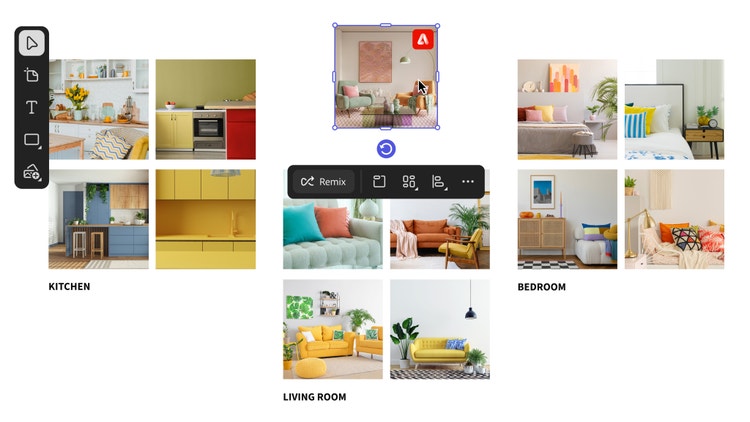
Visualize, mix, and match with interior design mood boards.
Interior design mood boards make it easy to explore ideas and design styles, helping to develop a clear creative direction. With Adobe Firefly, you can experiment freely — mixing materials, testing color palettes, and generating custom inspiration images in minutes. Whether you’re starting from a blank canvas or remodeling an existing space, the process is fast, flexible, and made to inspire creativity.
Create interior design mood boards in a snap.
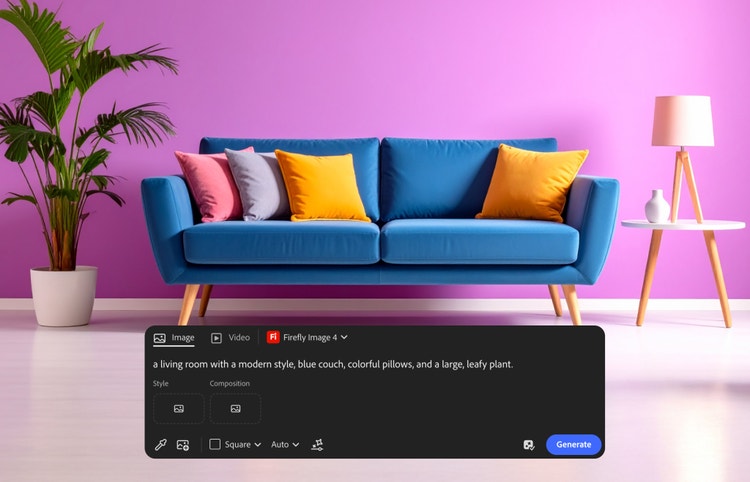
Designing a mood board for interior design has never been easier. With Firefly Boards, you can quickly generate custom images using text prompts or browse thousands of design assets for inspiration. From colors and furniture to textures and layouts, everything you need to bring your vision to life is readily available.
Get inspired with mood board examples.
Browse curated layouts to overcome creative block and spark new ideas for style, image placement, and overall flow when you’re building an interior design mood board. Use mood board examples as a starting point, then refine them into your unique creative vision.
How to create a mood board for interior design.
It’s easy to get started with Firefly Boards. Use the mood board maker to explore styles, organize ideas, and create an interior design mood board in minutes.
- Gather visual elements for your interior design mood board.
Start by collecting visuals that express the mood, function, and style of the space you’re designing. You can upload photos of rooms, layouts, or finishes that inspire you or import your own design references, fabric swatches, or paint samples. Use Adobe Stock or Firefly’s text-to-image feature to generate unique visuals that fit your concept. - Add your images to the mood board maker canvas.
Once you’ve collected your inspiration, it’s time to build your digital mood board. Use the drag-and-drop canvas in Firefly Boards to create a layout of your ideas.- In Firefly Boards, click “Create new” to start your board.
- Import saved images or drag in reference photos.
- Search Adobe Stock for furniture, materials, or color palette ideas.
- Generate custom images using prompt-based text-to-image tools.
- Generate variations or remix your interior visuals.
Explore creative possibilities with generative AI powered by Firefly. Refine your aesthetic or experiment with new directions and styles all within your board. You can select multiple items to remix and generate fresh visual options or use Style Reference to quickly apply a new look to existing assets. - Edit and adjust your mood board images.
Use the built-in editing tools to refine your vision and fine-tune your board as needed. Simply click on an image to access tools such as Generative Fill, Expand, Remove Background, Cut, or Flip. - Add and style text to guide your design story.
Text can be a helpful way to label rooms, note pricing and materials, or name specific colors or products. Use the Text tool on the left toolbar to add labels or notes, then adjust the font, size, and text color using the Properties panel for a clean, cohesive look. - Arrange and refine your interior design mood board layout.
With your content in place, use artboards to create clear sections for different rooms, styles, or product sets. Click the Artboard icon to add sections to your board, then drag assets into artboards to visually group items.
Once your mood board for interior design is complete, it’s easy to share it with clients, collaborators, or friends right from the mood board maker in Firefly Boards.
FAQs about interior design mood boards.
Firefly features you may also like
Create a mood board with Firefly Boards
Quickly visualize ideas with the new Firefly Boards mood board maker, the generative AI-first approach to mood boarding.
AI storyboard generator
Plan scenes, design characters, and create shot sequences with consistency for pre-production using the AI storyboard generator powered by Firefly.
Explore mood board examples
From fashion to branding to interior design, mood board examples offer a starting point for every creative process.
Generate AI images with Adobe Firefly
Bring your ideas to life with Firefly’s Text to Image, Adobe's online AI image generator.

