How to start and promote your pet sitting business with Adobe Express: A step-by-step guide.
Are you ready to make your mark in the world of pet sitting? This guide will give you all the tools, tips, and insights you need to start your dog sitting business or cat sitting business on the right paw!




Actor James Cromwell once said: “Pets are humanising. They remind us we have an obligation and responsibility to preserve and nurture and care for all life.”
If you agree, you might have – at some point in your life – asked yourself: Why not spend MORE time with pets? And if you aren’t one of the lucky people who already work with animals, your next thought might have been: Why shouldn’t I work with them?
One way to integrate more dog or cat time into your life is to start a pet sitting business. Many pet owners rely on sitters to look after their fur-bulous friends while at work or on holiday – so the demand for this kind of service is high. In addition, you don’t need any special qualifications, expensive equipment, a pet barn, or other investments to start out as a cat or dog sitter – the only things you need are to be mobile and knowledgeable about animals. If you’re serious about starting your own business as a pet sitter or want to work part-time or even alongside your actual job in that capacity, you should give this idea some thought. After all, being a successful dog sitter or cat sitter doesn’t come out of nowhere. From setting up a business plan to promoting your business, there are some steps you have to take to become successful. If you’re still determined to become a pet sitter, keep reading – because, in this article, we’ll tell you how Adobe Express can help you get your pet sitting business up and running.
Write a business plan for your pet sitting business.
Spending time with cute animals is undoubtedly the highlight of a pet sitting business. But there’s more to a successful business than caring for your clients’ pets. So, if you want to go all in with your dog or cat sitting business, it’s essential to do some strategic groundwork – namely, write a business plan. Developing a clear vision and strategy for your pet sitting service will help you establish realistic goals and build a sustainable business. Here are some key points to consider while doing so:
- Define your services: Decide on the services you want to offer. Are you focusing solely on dog or cat sitting, or will you provide additional options like dog walking, overnight care, or pet sitting for other animals? This choice depends on your experience and how you want to structure your business.
- Set your working hours: Consider if you want your pet sitting to be a full-time venture or a side business (if the latter, work out how to combine your part-time job with your main job and still have enough free time). Determine when you’ll be available for clients, whether that’s weekdays, weekends, or overnight stays, and ensure your schedule is flexible enough to meet the demand.
- Find your niche: A business niche is a specialised or focused area of a broader market. Think about your niche – do you want to specialise in caring for only dogs, cats, or other kinds of animals, such as pets with special needs? Alternatively, offering a range of services can attract a broader clientele and help you cater to more pet owners.
- Research legal and financial requirements: Last, but not least, familiarise yourself with local regulations, licences, and insurance requirements. You may need public liability insurance, a pet sitter licence, or pet first aid training. Taking care of these essentials early on ensures your business is compliant and professional from the start.
Develop a strong marketing plan for your pet sitting business.
Your business plan is done – but the planning part is not over yet. Now, it’s time to think about promoting your pet sitting business. Letting the world know about your business, gaining new clients, and turning existing clients into long-term customers is another essential for a successful business. A well-crafted marketing plan helps you stay organised, allocate resources effectively, and measure the success of your marketing efforts. Key components of a marketing plan include:
- Goals: Start by defining what you want to achieve with your marketing. This could be things like increasing awareness of your business or getting more clients.
- Audience: Who are you hoping to attract? Busy professionals, families, or elderly pet owners? Knowing your target demographic will help you tailor your marketing approach and understand what services they’ll likely need. This thought is also related to your business niche.
- Competition and USP: Find out what other dog sitters or cat sitters in your area are offering and look for ways to differentiate yourself. Could you provide unique services like extended sitting hours, training add-ons, or a personalised experience? Understanding the market will help you carve out your niche.
- Marketing channels: Decide where you’ll promote your business. Focus on channels your target audience uses, such as social media platforms (Instagram, Facebook), local advertising, or flyers. You don’t need to be everywhere – just focus on a few places where you can connect with your audience effectively.
- Content and messaging: Your message should reflect your brand’s personality and show how you can meet your customers’ needs. This can include what you post on social media, the tone of your website content, or the messaging on any ads.
- Budget: Determine how much you’re willing to spend on marketing. Even with a small budget, you can still create effective marketing, especially with the help of free tools such as Adobe Express.
- Success tracking: Figure out how you’ll measure success. For a small business, tracking simple things like website visits, social media engagement (likes, shares, comments), or the number of new customers is a great start.
Adobe Express provides a range of user-friendly tools to streamline your marketing endeavours. Whether you want to create professional business cards, whip up eye-catching flyers, churn out engaging social media posts, or even build a website, Adobe Express has got you covered with all the essentials to put your pet sitter business in the spotlight. In the upcoming section, we’ll walk you through the crucial steps for marketing your pet sitting service.
Build a branding for your cat sitting or dog sitting business.
Getting the strategic basics in place might seem a bit dry, but once that’s done, it’s time to move on to something more exciting: creating a brand identity for your pet sitting business. Think of your brand as the personality of your business – the impression pet owners will remember when they first come across your services, whether it’s on social media, a business card, or a flyer. Branding is all about consistency. By using the same colours, fonts, and overall style across all your marketing materials, you create a look that’s not only professional but also memorable. Adobe Express can help you with that by providing tools that make it easy to replicate your business’s design elements, so your cat or dog sitting business stands out and looks polished from the get-go. Here’s how it works:
- Start by opening Adobe Express.
- Head to the “Brands” section and initiate a new brand setup. Choose a name for your branding.
- Choose a colour palette that fits your pet sitting business’s character. Select a few primary colours to use consistently across all marketing materials – from business cards to social media content.
- Explore Adobe Fonts to find fonts that align with your business's tone. Adobe Express also lets you upload custom fonts if you have a specific design in mind.
- In the “Templates” section, save templates for future reference. You’ll discover designs for flyers, social media posts, and more. By keeping your favourite templates, you’ll ensure that all your marketing materials maintain a consistent look, making it quicker and easier to produce new content later.
- Don’t forget to add your logo to the brand kit. If you haven’t created a logo for your pet sitter service yet, Adobe Express offers a free logo maker to help you design one. In the next section, we’ll walk you through the process, so stay tuned!
recipe
Create a professional logo for your pet sitting business.
Designing a logo is one of the initial steps of turning your pet sitting venture into a standout brand. An individual, meaningful logo builds trust and credibility, allowing potential clients to easily recognise your business. It’s often the first thing people encounter, whether on social media, your website, or marketing materials. Don’t worry – you don’t have to be a designer to do so. The logo maker by Adobe Express allows you to design your own logo in just a few easy steps. Not only is it fast and straightforward, but the logo maker is free for everyone. Let us guide you through the steps:
- Open the free logo maker and click “Create Now” to kick off your logo design.
- Enter your pet sitting business’s name and, if you’d like, a short tagline. Then, click “Next” to move on.
- Select a design style that suits your brand. Think about whether you want a warm, friendly look, perhaps with playful elements, or something more classic and professional.
- Choose an icon that reflects your pet sitting service – such as a paw print.
- Browse through the templates and find one that you like.
- Personalise your logo with fonts and colours. Experiment with various combinations until you find a look that best represents your business. If you’ve already established a brand style for your pet sitter business, incorporate your brand colours and fonts to ensure everything works together seamlessly.
- Use the online editor to fine-tune your logo. Adjust text size or move elements around to make your logo unique.
- Save and download your new logo to use across all your marketing materials – from business cards and flyers to your website and social media profiles.
recipe
Design memorable business cards for your pet sitting enterprise.
Nothing says “professional” like business cards do – so if you want your dog sitter business or cat sitter business to be taken seriously, this is another step you shouldn’t skip. Business cards project professionalism and provide potential clients with a convenient way to reach you. They’re also a great tool for networking on the go, giving clients an easy way to recommend your services to friends or family. Adobe Express simplifies the process with a range of customisable business card templates designed specifically for small businesses, making creating professional business cards straightforward and cost-effective. Here’s how to get started:
- Open Adobe Express.
- Browse the free business card templates available and select a template that fits your business’s style.
- Add your logo and customise the design with colours or images that match your brand and your pet sitting business’s personality.
- Personalise the card further by adding relevant details, such as your phone number, email, website, and social media handles.
- Use the free QR code generator to create a code that links directly to your website or booking page, and add it to your business card. This is a quick and easy way for clients to access more information about your pet sitting services.
- Print your cards at home – or use a professional print service to give them a more polished look with high-quality paper.
- Share your business cards in the community. Hand them out at local events, or ask nearby cafés, vets, and pet shops if they’ll display them. The more places you leave them, the more opportunities you’ll have to attract new clients.
Use flyers to draw attention to your services as a pet sitter.
Let’s stick to the print marketing materials: flyers are a highly effective, low-cost way to promote your pet sitting business and reach local dog and cat owners. A well-designed flyer grabs attention and conveys important information about your pet sitter business, so it’s important to make it visually appealing, with a clear message and visible contact information. By placing your pet sitting flyers in strategic locations – like veterinary practices, pet shops, community centres, or parks frequented by dog owners – you can attract new clients in your area. Adobe Express makes it easy for you to create professional flyers that help you stand out and build awareness for your pet sitting business, all without requiring advanced design skills. Just follow these steps:
- Open Adobe Express.
- Browse the flyer templates available. Select one that suits your business’s look and feel as a base for your pet sitting business flyer design. You can also start with a blank flyer.
- Add visuals and custom elements. Include your logo and use images of cute dogs or cats to catch potential clients’ attention. Adjust the colours to your branding, giving your flyer a cohesive look.
- Include relevant details about your pet sitter services. Make sure to add your business name, contact details, and a brief description of what you offer. To make it easy for clients to get in touch, consider a tear-off section with your phone number or a QR code that links directly to your website or booking page.
- Save and print your flyer (you can easily do this at home with a standard printer), then distribute it in your local community.
recipe
Design a website to promote your pet sitting business in no time.
We’ve covered the most important print marketing materials – now, let’s move on to all things digital. First up is your pet sitting business’s own website. A website serves as the first point of contact for potential clients and is accessible from anywhere and at any time, giving pet owners a chance to learn about your services, view your prices, check your availability, and read customer reviews whenever they need. In other words, it’s indispensable for your pet sitting business. If web design isn’t your expertise, don’t worry – Adobe Express allows you to create a professional-looking website that showcases your services as a pet sitter and helps build credibility and trust with potential clients, all without needing any web design skills. Here’s how to set up your very own website:
- Log into Adobe Express (or sign up for free, if you don’t have an account yet) and select “Create now” to start building your site.
- Use the “+” symbols to add different elements. You can build any layout you like.
- Select your brand kit in the menu bar to use your brand fonts and colours.
- Customise your site with images and all the essential information. Be careful to use a good mix of texts and visuals. Include engaging photos of cats and dogs, a description of your services, and important details such as your contact information, service offerings, and pricing. You can also add buttons, videos, and testimonials from past clients to make the page more dynamic.
- Preview your site to ensure everything looks just right before it goes live.
- Share your website by clicking “Share” to generate a unique URL. This link can be shared across social media or included in other marketing materials like newsletters and flyers.
Tip: Be aware that this tool helps you to create a basic website. If you want to add anything fancy, such as a calendar with booking features, you might want to hire a professional web designer. But if you’re just starting out, you probably won't need anything that advanced – just use your email or phone number to allow people to make bookings.
Grow your pet sitting business with the help of social media.
To grow your pet sitting business beyond your local community, social media can be an invaluable tool. Platforms like Facebook, Instagram, YouTube, and TikTok help you extend your reach, allowing you to connect with a wider audience, including those who may not see physical advertisements, such as your flyers or business cards. Each social media platform has unique benefits, so start by choosing one that aligns with your goals. Here’s a quick breakdown of the pros and cons for each platform:
- Instagram: Ideal for showcasing your pet sitter business visually. Instagram Stories and Reels allow you to share quick updates, behind-the-scenes glimpses, and even client testimonials, helping you build a loyal community of cat and dog lovers. But be aware that Instagram success requires regular posting and high-quality visuals, which can be quite time-consuming to produce.
- Facebook: Great for building local connections and reaching specific demographics through targeted ads. Facebook groups are also excellent for connecting with local dog and cat owners. However, organic reach on Facebook can be limited, meaning it may take time to build a large audience unless you invest in ads. Managing a group or page can also require consistent engagement to maintain interest.
- TikTok: Excellent for reaching a younger audience. TikTok’s algorithm favours fresh content, so there’s strong potential for organic growth. It’s a great way to capture attention with fun, quick clips of your daily pet sitter activities. But: content on TikTok moves fast, so it requires regular posting and a creative approach.
- YouTube: Perfect for establishing credibility and showcasing your expertise through longer videos, such as dog care tips or cat sitting vlogs. However, video production takes time and effort, and high-quality videos may require additional equipment.
Once you’ve selected the platform(s) that best suits your pet sitting business, build your presence by regularly sharing engaging content. This is where the Adobe Express Content Scheduler comes in handy: this tool can streamline your social media game, allowing you to plan and schedule posts in advance. Here’s how to use it:
- Open the Content Scheduler in Adobe Express.
- Click “Start now” and log in to your account or sign up for free.
- If you use the Content Scheduler for the first time, connect your social media accounts.
- Use the calendar to schedule posts by selecting the dates and times you want the content to go live.
- Create your posts with images or videos.
- Don’t forget your caption. Adobe Express’s AI tools can generate captions for you – just add a few text prompts, and it’ll handle the rest.
- Save your posts as drafts, publish them, or schedule them for specific times, keeping your business visible and active online.
How to bring your pet sitting business designs to life.

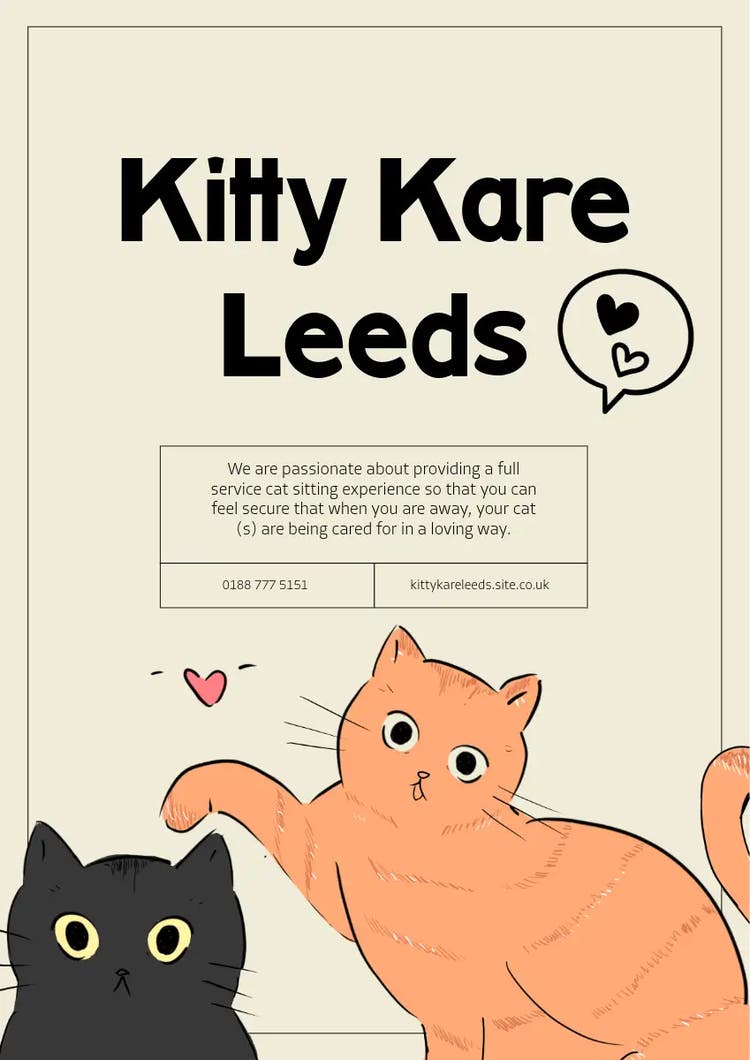
Design social media content for your cat sitting or dog sitting business.
Social Media marketing setup? Check. Now, it’s time to focus on creating content. As stated before, eye-catching visuals are essential here – just like the value of your content. To attract cat owners and dog owners and convince potential clients to choose your pet sitting services, your content needs to be visually appealing and informative or entertaining. Here’s how to use Adobe Express to create interesting, eye-catching social media posts:
- Open Adobe Express.
- Browse the social media templates. You’ll find thousands of professionally designed templates for TikTok videos, Instagram stories, Facebook posts, or even funny dog memes or cat memes.
- Choose a template and start customising. Add your own videos or photos, add text, include your business logo, and experiment with cute, animal-related graphics. Adobe Express gives you access to over a million royalty-free Adobe Stock photos, videos, music tracks, and design elements, so you can find the perfect content to represent your pet sitting business.
- Ready to post? Share your finished directly to your social media channels or use the Content Scheduler to plan your posts.
recipe
Utilise AI to market your pet sitting business.
Photos, videos, graphics: Visual content is essential in marketing. But when you’re running a busy pet sitting business, finding time to shoot and edit high-quality photos for social media can be a challenge. The solution? Let AI be your content creation assistant. With its AI-powered features, Adobe Express makes it easy to create and enhance professional visuals. This is what you can do:
- Text Effects: Easily transform your words into captivating visuals with Adobe Express’s text effect generator. Enter a short description and watch as your text is brought to life with unique textures, colours, and styles that make it stand out – perfect for creating eye-catching social media posts or flyers that highlight your services as a cat sitter or dog sitter.
- Text to Image: Need an image for a flyer, social media post, or ad? Just type a description into the Text to Image field, and Adobe Express will generate a custom image for you.
- Animate from Audio: Bring your marketing content to life by turning audio into animated characters. Use your voice or an audio file to create fun animations, ideal for sharing on social media to engage pet owners and showcase the personality behind your business.
Discover more you might like.
How to start and market a UK business
How to start a babysitting business
How to start a bakery business
How to start a beauty salon business
How to start a candle making business
How to start a dog walking business
How to start a floristry business
How to start a hairdressing business
How to start a jewellery making business
You might also like...