Introduction: Build a recognizable Style Kit so every post feels like you
[Cyn Lagos]: What if people could tell a post was yours just by looking at it?
Today I'll help you build a consistent look so every post feels like stepping into your world.
Hi, I'm Cyn Lagos.
I'm an artist exploring mediums like design, photo, and video.
And today I'm your visual mentor.
Together, we'll explore a simple way to turn your vibe into a repeatable edit with a two-step style kit in Photoshop mobile so your posts feel unmistakably yours.
Turn your aesthetic into a repeatable system
First step - know your vibe.
Let's stick it up by picking two words that describe that feeling that you want people to experience every time they see your work.
My two words are these: groovy and imperfect.
Let's start your edit with your favorite image from your camera roll.
Now find a texture that reinforces the words you've chosen.
This is where intention matters.
For me, grain adds tension and tactility for my viewers' experience.
It adds imperfection and character without stealing the focus.
Next, let's add a shape.
A shape is a signature cue.
It helps your community recognize your post at a glance, even when the photo changes.
Think of it as a memorable mark.
Circles feel friendly.
Lines feel minimalist.
Angles feel adventurous. to find yours, open Adobe Stock and browse for a shape that shapes the tone of your chosen words.
My words are groovy and imperfect, so I think of circle patterns, lines, and glass ridges, geometric patterns, or whatever feels like your world.
Import it into Photoshop mobile and place it on top of your image.
Then, to make it feel integrated, not pasted, select the layer pattern and use blend modes to find an alternate look for whatever vibe you're feeling that day.
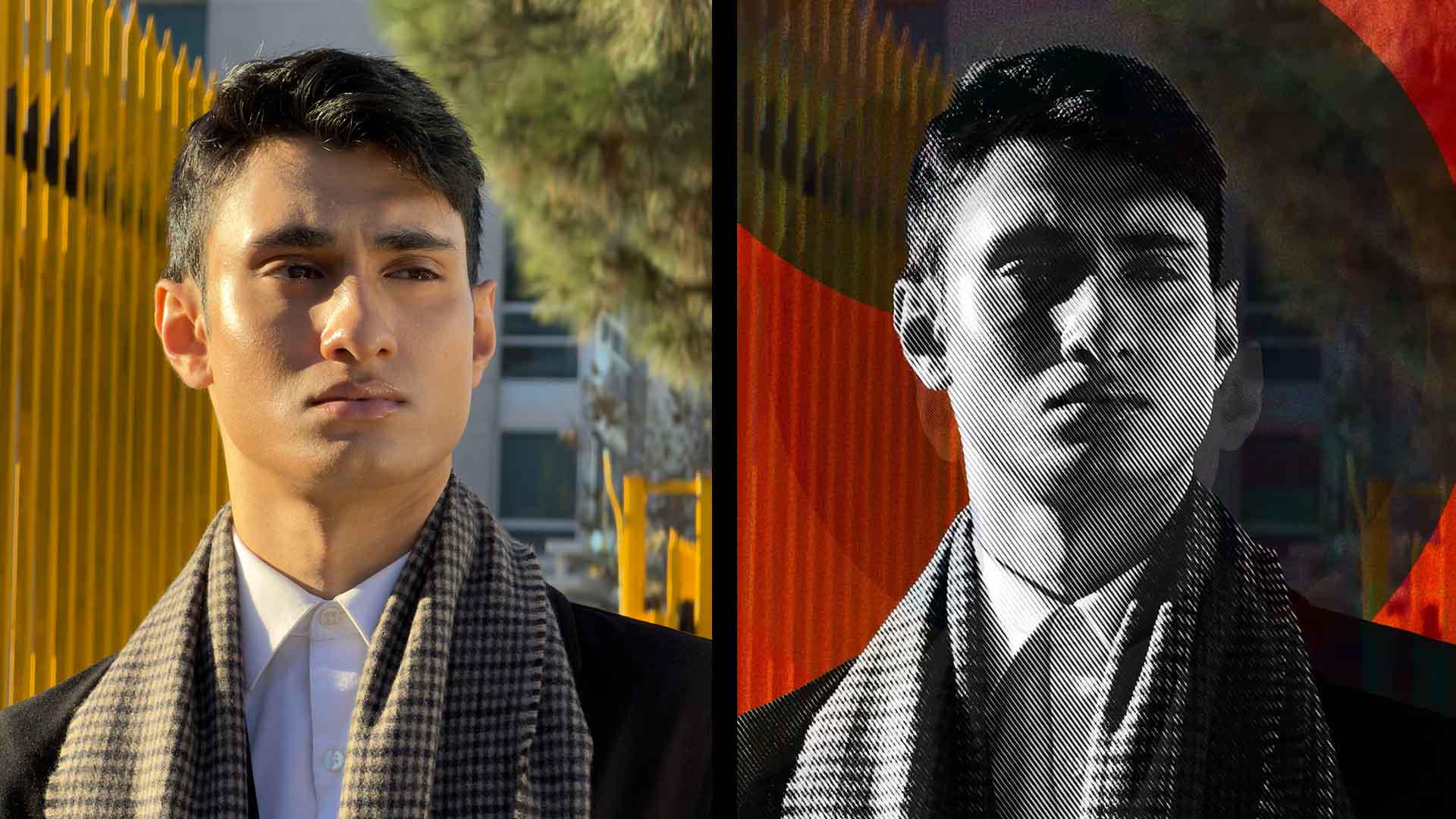
Finally, duplicate your main image and place it above your style kit.
Hit Remove background to keep only your subject.
And now your style is your backdrop, supporting your whole look.
Finish by experimenting with effects and add a little noise to your subject layer to keep everything cohesive.
Or go bold with a halftone texture for extra drama.
Save time by making reusable templates
Now, this is my time-saving tip: Here's how you can make a template.
Turn off your original image and save your vibe as a PNG.
This way, you can blend it into a brand-new photo later.
Now continue to experiment in Photoshop mobile and let your style show up louder. [laughs]