
Adobe

This unlicensed Adobe app will be disabled soon
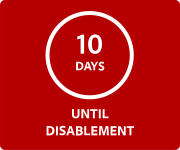
Unlicensed apps may contain malware that expose your files and personal data to security risks. Adobe provides a 10-day grace period to resolve this issue with exclusive discounts on replacement apps.
Replace unlicensed apps in 3 steps
1. Select a plan
Make sure to purchase Adobe apps or start a free trial before uninstalling so you don’t lose access to exclusive discounts.
2. Uninstall unlicensed apps
Remove unlicensed apps from your device.
3. Install genuine Adobe apps
Install genuine Adobe apps to access your apps and always get the latest updates.
If you’re not ready to try for free and want reminders to stop, you can simply uninstall the non-genuine app.
Switch to genuine Adobe apps and save today

Save over 40% off regular prices—our lowest price anywhere.
Get discounts exclusively for switching to genuine that aren’t available anywhere else

See what you’re missing with a 7-day free trial
Try the latest features for creativity and collaboration with a risk-free trial
Get the best that Adobe has to offer with genuine apps
1. Unlicensed apps may include security vulnerabilities and harmful malware that can put your work at risk.
2. Only genuine Adobe apps can provide —
- Ongoing access to support and the latest security updates
- On-the-go mobile versions of Photoshop, Illustrator, and more
- Auto-save and Adobe cloud storage for easy access to your files and libraries from any device