Die Datei muss im Format JPEG (JPG), PNG oder WEBP vorliegen und darf maximal 100 MB groß sein.
Durch das Hochladen deines Fotos oder Videos stimmst du den Nutzungsbedingungen und der Datenschutzrichtlinie von Adobe zu und bestätigst, dass du mindestens 18 Jahre alt bist.
Die Datei muss im Format JPEG (JPG), PNG oder WEBP vorliegen und darf maximal 100 MB groß sein.
Durch das Hochladen deines Fotos oder Videos stimmst du den Nutzungsbedingungen und der Datenschutzrichtlinie von Adobe zu und bestätigst, dass du mindestens 18 Jahre alt bist.
Die Datei muss im Format JPEG (JPG), PNG oder WEBP vorliegen und darf maximal 100 MB groß sein.
Durch das Hochladen deines Fotos oder Videos stimmst du den Nutzungsbedingungen und der Datenschutzrichtlinie von Adobe zu und bestätigst, dass du mindestens 18 Jahre alt bist.
Die Datei ist größer als 100 MB.
Die Anfrage konnte nicht verarbeitet werden
Dieser Dateityp kann nicht verarbeitet werden. Bitte versuche es noch einmal.
Es kann jeweils nur eine Datei hochgeladen werden.
Das Bild ist kleiner als die Mindestauflösung (512 x 512 Pixel). Passe die Größe an und versuche es erneut.
cgen
promoid=QTV3NS2W&mv=other
style
dark
Schaffe mehr Platz mit KI-gestützter Bilderweiterung.
Mit wenigen Klicks und einfachen Text-Prompts in Adobe Firefly können Kreative ein Bild über seine ursprünglichen Grenzen hinaus erweitern – und so völlig neue Möglichkeiten für Bildausschnitt und Komposition entdecken. Nutze „Generatives Erweitern“ kostenlos, um neuen, hochwertigen Content zu erstellen, der sich nahtlos ins bestehende Bild einfügt – mit automatischer Anpassung von Licht, Perspektive und Stil.
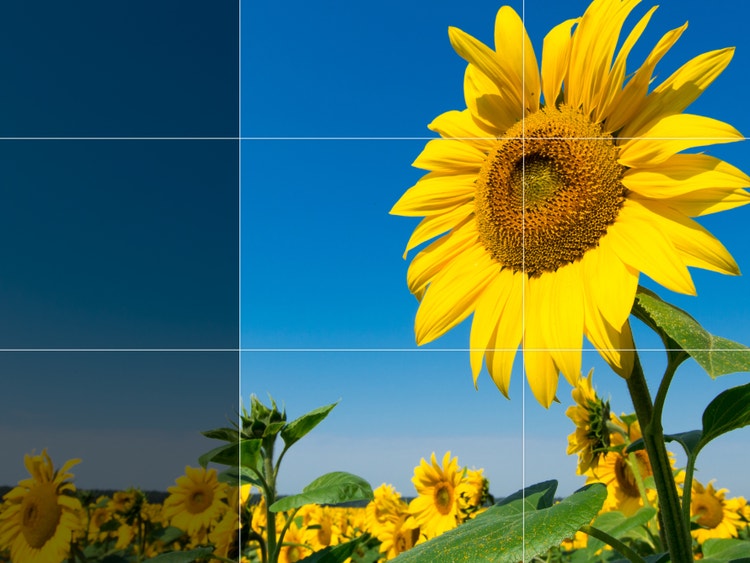
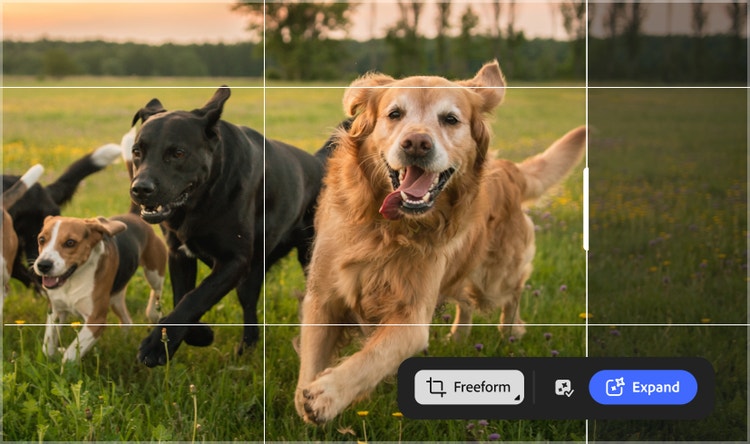
Mache mit „Generatives Erweitern“ Schluss mit starren Formaten. Du kannst z. B. quadratische oder 4:3-Bilder in 16:9 für YouTube-Thumbnails oder 9:16 für eine Instagram-Story umwandeln und sogar aus einem Porträt im Hochformat eine Querformataufnahme für ein Hero-Banner auf deiner Website machen.
Bilder mit KI erweitern und so Platz für andere Elemente schaffen.
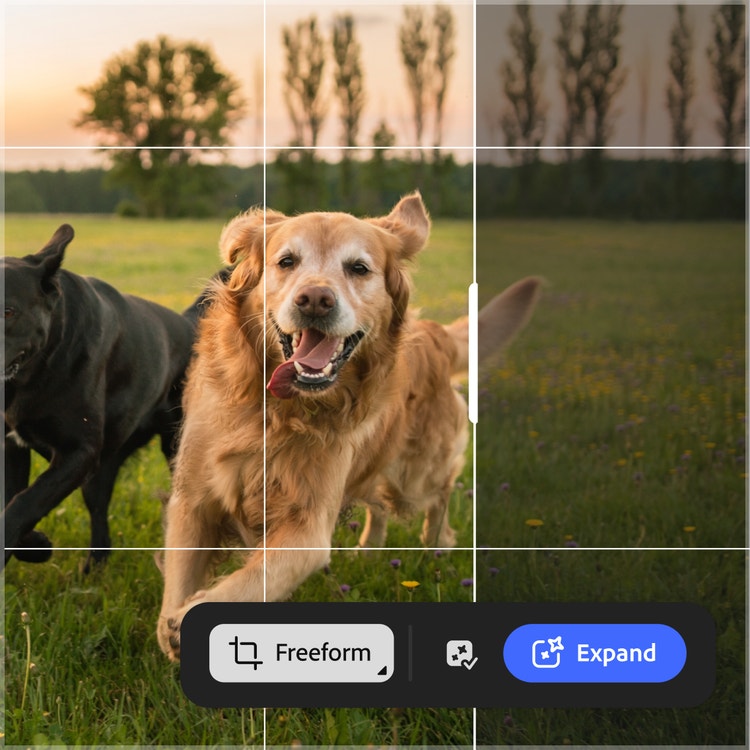
Profis in den Bereichen Design und Marketing kennen das Gefühl, eine fast perfekte Aufnahme zu haben, die nur etwas zu klein ist. Mit „Generatives Erweitern“ kannst du Platz um dein Motiv schaffen, etwa um Text einzublenden oder eine Komposition natürlicher wirken zu lassen.
Mit Text-Prompts und der Bilderweiterung völlig neue Szenen schaffen.
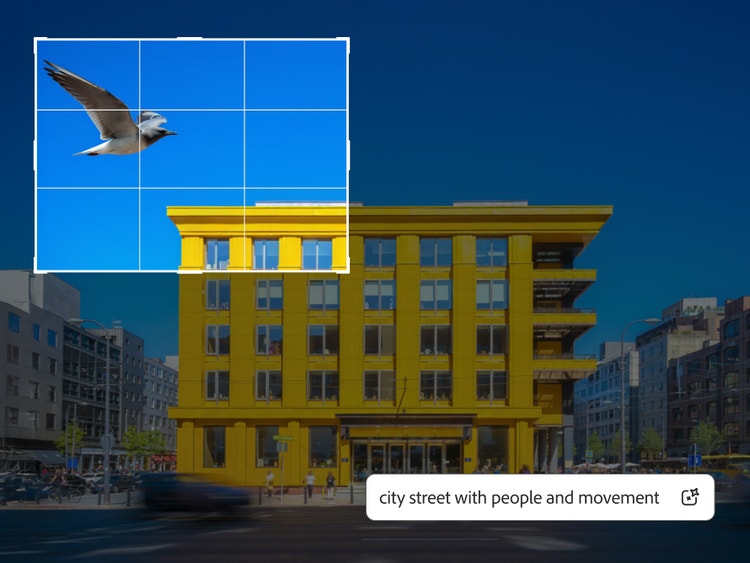
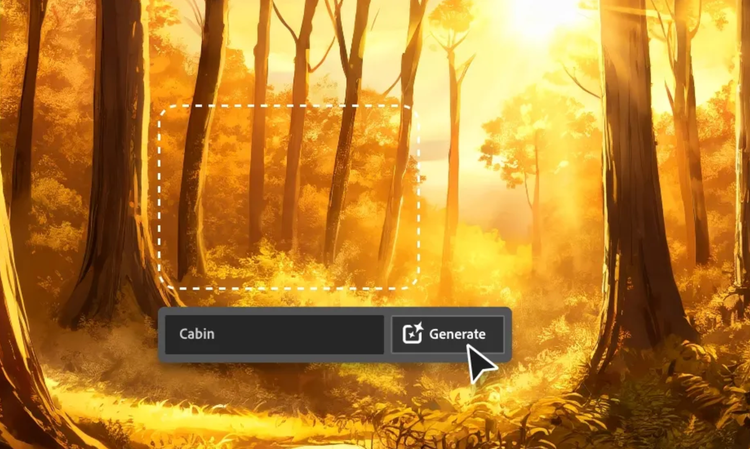
Jetzt kannst du deine Landschaftsaufnahmen mühelos erweitern oder den Fokus völlig neu setzen. Beschreibe einfach kurz, wie die zusätzliche Fläche gefüllt werden soll, und klicke auf „Generieren“. Ob tief im Wald, in einer belebten Metropole oder inmitten einer Sci-Fi-Welt – platziere dein Motiv genau dort, wo du es haben willst.
So erweiterst du Bilder in Firefly mithilfe von KI.
Als Erstes musst du dich mit deiner Adobe-ID bei Adobe Firefly anmelden. Wenn du noch kein Konto hast, lege kostenlos ein neues an. Öffne den Foto-Editor, indem du auf die Schaltfläche „Bild bearbeiten“ klickst.
Im Bild-Editor kannst du auf der Registerkarte „Generieren“ ein zuvor generiertes Bild auswählen oder auf „Bearbeiten“ klicken, um deine eigenen Bilder hochzuladen.
Das Menü für Schnellaktionen findest du auf der linken Seite des Fensters „Bearbeiten“. Klappe das Menü auf und wähle „Generatives Erweitern“ aus.
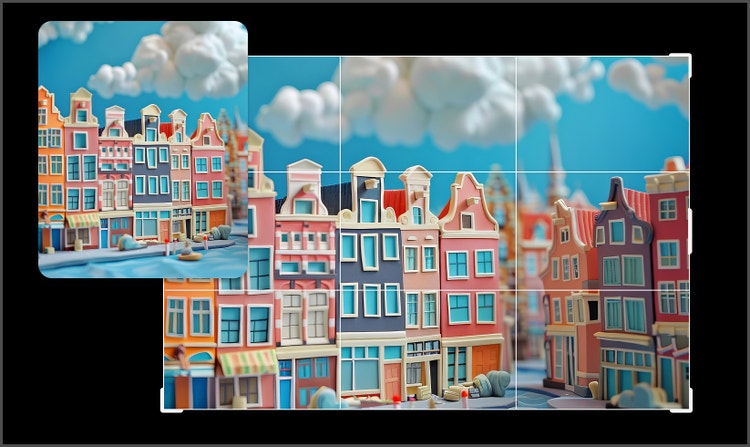
Wähle ein voreingestelltes Seitenverhältnis aus oder ziehe die Ränder des Bildes.
Klicke auf „Generieren“. Der erweiterte Bereich wird mit neuem Inhalt gefüllt, der nahtlos mit dem Originalbild verschmilzt.
Gib eine einfache Beschreibung wie „sonniger Tropenstrand“ in das Prompt-Feld ein, um den gewünschten Output zu generieren.
Die Vorteile von Adobe Firefly als Tool zur Bilderweiterung.
Mit der KI-Bilderweiterung kannst du Bilder über den ursprünglichen Rand hinaus erweitern. Firefly ist dafür die perfekte Wahl: Die KI fügt neue Inhalte so nahtlos ein, dass sie perfekt mit deinem Original verschmelzen. Die Vorteile im Überblick:
„Generatives Erweitern“ ermöglicht es dir, ein Bild über seine ursprünglichen Ränder hinaus zu erweitern, indem automatisch neue, passende Inhalte generiert werden. So änderst du mühelos Seitenverhältnisse oder fügst Hintergründe hinzu, ohne zuschneiden oder manuell nachbearbeiten zu müssen.
Ja. Bilder, die mit Firefly-Modellen ohne Beta-Kennzeichnung erstellt wurden, sind für gewerbliche Zwecke nutzbar.
Firefly ist hierfür die ideale Wahl. Das Feature „Generatives Erweitern“ erweitert Bilder intelligent über ihre ursprünglichen Ränder hinaus. Dabei werden realistische, kontextbezogene Inhalte hinzugefügt, während Aussehen und Komposition des Originals erhalten bleiben. Der Prozess ist nicht-destruktiv, lässt sich einfach mit oder ohne Prompts steuern und ist in die Kreativ-Tools von Adobe integriert – für ein schnelles und zuverlässiges Anpassen der Bildgröße in verschiedenen Formaten und Anwendungsbereichen.
Ja, du kannst die KI-Bilderweiterung von Adobe Firefly kostenlos nutzen – du benötigst lediglich ein Adobe-Konto. Mit einem kostenlosen Konto erhältst du täglich kostenlose Generierungen, um Bildränder mithilfe von KI zu erweitern und neuen Content hinzuzufügen, der sich nahtlos ins Original einfügt. Weitere Infos zur kostenlosen Nutzung von Adobe Firefly. Für eine intensivere Nutzung und den Zugriff auf zusätzliche Funktionen kannst du auf eine kostenpflichtige Abo-Variante umsteigen.
Ja. „Generatives Erweitern“ ermöglicht es dir, ein Bild an verschiedene Seitenverhältnisse anzupassen, etwa 1:1 für Instagram, 9:16 für Reels oder 16:9 für Präsentationen. Dabei bleibt das ursprüngliche Motiv unverändert.
Verwende „Generatives Erweitern“, wenn du die Fläche eines Bildes nach außen erweitern möchtest. „Generatives Füllen“ ist die richtige Wahl, um Inhalte innerhalb des Bildes zu ersetzen oder zu entfernen. Das heißt: Durch Erweitern vergrößerst du den Raum um das Motiv und durch Füllen bearbeitest du Inhalte im bestehenden Rahmen.
Das beste KI-Tool zur Erweiterung vergrößert ein Bild über seine ursprünglichen Ränder hinaus, ohne Beleuchtung, Perspektive und Stil zu verändern. Das Modell „Firefly Fill & Expand“ ist direkt in den Workflow zur Bildbearbeitung integriert und macht es einfach, Bilder für Social Media, Präsentationen, Druck-Layouts oder Breitbildformate anzupassen. Du kannst es mit anderen Tools wie „Generatives Entfernen“ und „Generatives Hochskalieren“ zusammen verwenden und so Bilder in hoher Qualität erweitern, optimieren und exportieren, ohne die Plattform zu wechseln.
Seite teilen.
style
xxxl spacing bottom
Weitere Firefly-Tools kennenlernen.
style
Show-4-desktop, s spacing top, xxl spacing bottom
background
#F0F0F7
Adobe Firefly
Kreative KI hat das nächste Level erreicht: mit den neuesten Features für Bilder, Video, Audio und Vektorgrafiken.
You can control how Adobe websites use cookies and similar technologies by making choices below. But note that if you disable cookies and similar technologies entirely, Adobe websites may not function properly.
Cookies are small text files stored by your web browser when you use websites. There are also other technologies that can be used for similar purposes like HTML5 Local Storage and local shared objects, web beacons, and embedded scripts. These technologies help us do things like remembering you and your preferences when you return to our sites, measure how you use the website, conduct market research, and gather information about the ads you see and interact with.
You can make choices in the menu below about what cookies and other technologies you want us to use on Adobe sites when you visit them from this browser. You can always change those choices later by clicking on the Cookie Preferences link at the bottom of the page.
If enabled:
We can improve your experience by tailoring the site and the content to things we think might be of interest
We can better keep track of your preferences — like what language you prefer to use
We will better understand your likely interests so we can provide you more relevant Adobe ads and content on non-Adobe websites and in non-Adobe apps
It will help us improve the performance of our website and those of our partners who use the Adobe Experience Cloud
If disabled:
We won’t be able to remember you from session to session so the experience may not be tailored to your interests
You’ll still have access to the content of the site but certain features that depend on cookies may not function
You’ll still see ads, they just may not be as relevant to you
General information
You can control how Adobe websites use cookies and similar technologies by making choices below. But note that if you disable cookies and similar technologies entirely, Adobe websites may not function properly.
Cookies are small text files stored by your web browser when you use websites. There are also other technologies that can be used for similar purposes like HTML5 Local Storage, web beacons, and embedded scripts. These technologies help us do things like remembering you and your preferences when you return to our sites, measure how you use the website, conduct market research, and gather information about the ads you see and interact with.
You can make choices in the menu below about what cookies and other technologies you want us to use on Adobe sites when you visit them from this browser. You can always change those choices later by clicking on the Cookie Preferences link at the bottom of the page.
If enabled:
We can improve your experience by tailoring the site and the content to things we think might be of interest
We can better keep track of your preferences — like what language you prefer to use
We will better understand your likely interests so we can provide you more relevant Adobe ads and content on non-Adobe websites and in non-Adobe apps
It will help us improve the performance of our website and those of our partners who use the Adobe Experience Cloud
If disabled:
We won’t be able to remember you from session to session so the experience may not be tailored to your interests
We’ll still count your use of our site and services
You’ll still have access to the content of the site but certain features that depend on cookies may not function
You’ll still see ads, they just may not be as relevant to you
Operate the site and core servicesOperate site and measure engagement
Always active
These cookies are required, and they are used to enable the site and related services core functionality. Without them the site could not operate, so they cannot be disabled.
These cookies enable the site and related services’ core functionality and collect statistics about user engagement, such as counting active use to help us understand trends. These cookies cannot be disabled.
Measure performance
These cookies are used to analyze site usage to measure and improve performance. Without them Adobe cannot know what content is most valued and how often unique visitors return to the site, making it hard to improve information we offer to you.
These cookies are used to analyze site usage to measure and improve performance. Without them Adobe cannot know what content is most valued, making it hard to improve information we offer to you.
Extend functionality
These cookies are used to enhance the functionality of Adobe sites such as remembering your settings and preferences to deliver a personalized experience; for example, your username, your repeated visits, preferred language, your country, or any other saved preference.
Personalize advertising
These cookies are used to enable Adobe and our partners to serve ads more relevant to your interests. Without them you will still see ads, but they might not be as relevant to you.
Performance Cookies
ConsentLeg.Interest
All Consent Allowed
Adobe Firefly
Einen Augenblick bitte. Du wirst gleich zu Firefly weitergeleitet.