Acrobat
What is invoicing software and how does it streamline payment processes for businesses?
Learn how invoicing software helps businesses save time, get paid faster, and manage billing with greater accuracy and ease.
Published by Adobe Acrobat India on 15 July 2025
JUMP TO SECTION
How does invoicing software improve payment processing?
What features should businesses look for in invoicing software?
What types of businesses benefit most from using an invoicing program?
What are common invoicing software challenges, and how can they be addressed?
How do invoicing systems improve financial accuracy?
How can invoicing software improve cash flow?
What’s the difference between invoicing software and general accounting software?
What is invoicing software?
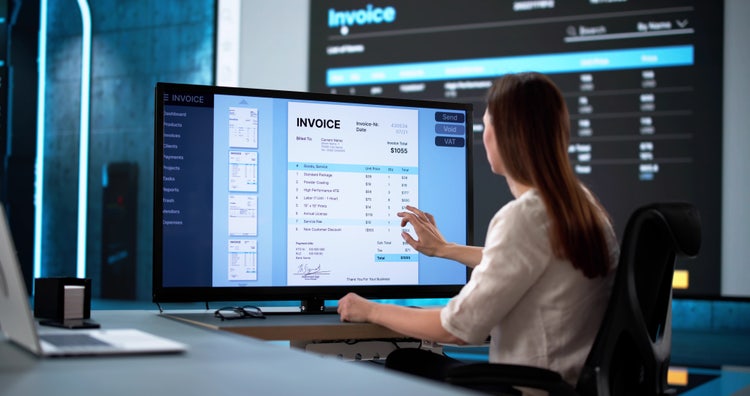
Invoicing software is a digital tool that enables businesses to create, send, manage, and track invoices electronically. Also referred to as an invoice system or invoice program, this software reduces the need for manual data entry by automating much of the invoicing workflow. It also enhances accuracy and helps maintain organised financial records.
Instead of building each invoice from scratch, a user can select a saved template, add billable services, apply taxes or discounts, and send the invoice to a client in minutes. Invoices software typically includes reporting dashboards, client databases, payment integration, and automated reminders that eliminate guesswork and reduce admin.
For example, a freelance consultant can use an invoicing system to issue a monthly retainer invoice with pre-filled client details, a recurring due date, and a direct payment link. The software can send follow-up reminders if the invoice is not paid on time, reducing the need for manual chasing.
Adobe Acrobat helps businesses set up and customise professional PDF invoices using pre-built or personalised templates. With fillable invoice templates, users can enter itemised details, totals, and payment terms while maintaining a polished and brand-consistent appearance.
How does invoicing software improve payment processing?
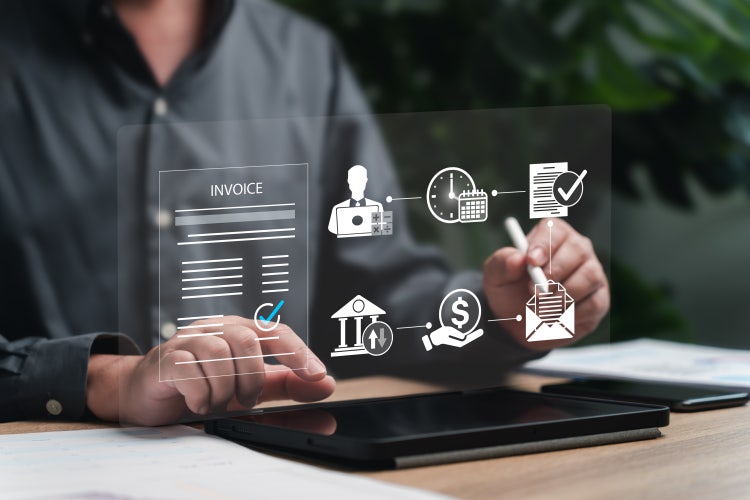
Invoicing software streamlines payment processes by replacing slow, manual steps with efficient, automated workflows. This results in quicker invoice generation, faster approvals, and timely payments. Here's how software for billing improves efficiency and reduces friction:
- Reduces manual entry through saved templates and client databases
- Sends invoices instantly via email or integrated platforms
- Tracks invoice views, statuses, and overdue payments in real time
- Automates reminders to follow up on unpaid invoices• Links to payment gateways for quicker settlement
By using billing and invoicing software, businesses can issue invoices immediately after a job is completed or a product is delivered. This speeds up cash flow and reduces the risk of missed billing cycles.
For example, using Adobe Acrobat’s PDF editor, users can update invoice terms, add digital signatures, or annotate clarifications before sending, ensuring everything is clearly communicated.
What features should businesses look for in invoicing software?
Not all invoicing systems are created equal. To maximise value and usability, the best business invoice software should include a combination of automation, customisation, and compatibility features. Here are essential capabilities to look for:
- Customisable templates that reflect your branding
- Payment tracking with real-time updates
- Automated reminders and recurring invoice setup
- E-signature integration for faster approvals
- Secure PDF export and sharing
- Multi-currency and tax support
- Cloud access for mobile invoicing
- Integration with accounting or CRM tools
For example, a design agency working with international clients might prioritise multi-currency support and cloud access. A small retailer might look for automatic tax calculation and bulk invoice creation. Using Adobe Acrobat’s e-signature tools, you can easily request a client signature on an invoice or accompanying contract, speeding up approvals and reducing legal ambiguity.
What types of businesses benefit most from using an invoicing program?
Invoicing software is versatile enough to support businesses of all sizes and sectors. From sole traders to established firms, any organisation that needs to bill clients can benefit from an automated solution. The following types of businesses often see the greatest impact:
- Freelancers and consultants issuing project-based invoices
- Small businesses managing regular or ad hoc billing
- Service providers needing recurring invoicing for retainers
- E-commerce sellers issuing post-purchase invoices
- Agencies handling multiple client accounts with varied terms
- Field-based professionals generating invoices on-site
An accountant working with monthly clients, for instance, can use a business invoice software system to automate recurring invoices and sync payment data with tax reports. By creating a process to send professional documents using Adobe Acrobat’s secure sharing, teams can ensure invoices reach the right recipients with restricted access and version control.
What are common invoicing software challenges, and how can they be addressed?
While invoicing software greatly simplifies billing, users may occasionally encounter challenges related to setup, formatting, or system integration. Understanding these in advance helps avoid frustration.
1. Initial setup complexity.
Some invoice programs may seem overwhelming at first due to extensive options or integrations.
Tip: Start by using default templates and gradually explore advanced features.
2. Formatting inconsistencies across platforms.
Invoices may look different depending on how they are opened.
Tip: Always preview your invoice and export it as a PDF for reliable formatting. Acrobat’s tools help standardise this experience.
3. Payment mismatches or reconciliation delays.
Without bank feed integration, it can be hard to match payments with invoices.
Tip: Use invoices software that supports status tracking and manual reconciliation features..
4. Client resistance to digital invoicing.
Some clients may prefer traditional methods.
Tip: Use an invoicing software that can also export print-friendly PDFs.
5. Managing multiple invoice versions.
Email threads with edits can get messy.
Tip: Use document tracking tools or consolidate versions with Acrobat’s PDF combine feature for cleaner record-keeping.
How do invoicing systems improve financial accuracy?
Accuracy is vital in financial operations, and invoicing software dramatically reduces the risk of human error. Mistakes in manual invoicing, such as incorrect calculations, duplicate entries, or missing line items, can lead to disputes and delays.
A digital invoicing system ensures:
- Automated tax and discount calculations
- Unique invoice numbers to avoid duplicates
- Real-time checks against client details
- Consistent formatting and itemisation
- Pre-validated templates to reduce data entry errors
By eliminating spreadsheet formulas and copy-pasting, a business invoice software reduces risk while saving time. This is particularly useful when dealing with large volumes of invoices or multiple service lines. To further reduce errors, use Adobe Acrobat’s form filler to turn invoice templates into fillable documents, ensuring consistent data entry by anyone on your team.
How can invoicing software improve cash flow?
Invoicing software directly supports healthy cash flow by accelerating the billing process, reducing overdue payments, and providing visibility into outstanding amounts. The faster an invoice is created and delivered, the sooner it can be paid.
- Automated reminders prompt clients to pay
- Faster delivery reduces invoice turnaround time
- Tracking tools flag outstanding balances
- Payment gateway links allow instant settlement
- Real-time insights help forecast revenue gaps
For instance, a marketing agency can set invoices to be sent immediately after deliverables are approved and add a payment button to reduce friction. By streamlining this process using Adobe Acrobat’s compress PDF tool, even large invoices with embedded content can be sent quickly and without issue.
What’s the difference between invoicing software and general accounting software?
While both invoicing software and accounting platforms manage financial data, they serve different purposes. Invoicing software focuses on issuing and managing invoices, while accounting platforms cover broader functions such as expenses, payroll, bank reconciliation, and financial reporting.
Choose invoicing software when:
- You primarily need to issue, track, and follow up on invoices
- You want lightweight, focused billing features
- Your current accounting tool lacks custom invoice options
Many businesses use both systems together. For example, invoices created in Adobe Acrobat can be saved and uploaded into accounting platforms for reconciliation and reporting.
Turn invoicing into a growth tool with the right software.
Invoicing software has become essential for modern businesses seeking speed, accuracy, and financial control. Whether you're a freelancer chasing payments or an enterprise with complex billing cycles, the right invoicing program can significantly reduce admin, improve customer experience, and keep your cash flow healthy. With features like automation, reminders, mobile access, and e-signature support, an invoicing system allows you to focus more on growth and less on chasing invoices.
Adobe Acrobat’s range of document tools makes it easy to create, customise, share, and track professional invoices in secure, editable PDF format. From streamlining internal approvals to simplifying client communication, its tools help turn your billing into a seamless, trustworthy process.
From first invoice to final payment, a smart invoicing system is no longer a luxury - it’s a necessity.
Frequently asked questions.
Can invoicing software handle multiple businesses from one account?
Is it possible to accept partial payments through invoicing software?
Can I schedule invoices to be sent at a future date?
Does invoicing software support barcode or QR code integration?
Can I create multilingual invoices using invoicing software?
Does invoicing software allow for tipping or adding a gratuity?
Can I track time and convert it directly into an invoice?
Will I be notified when a client opens an invoice?
Can I apply discounts or promotional pricing automatically?
Is it possible to link expense receipts to invoices?
More resources
https://main--dc--adobecom.hlx.live/dc-shared/fragments/roc/blog/business/do-more-with-acrobat-blade
caas:business-unit/document-cloud,caas:products/acrobat,caas:content-type/article, caas:topic/invoices,
caas:topic/digital-workflows-and-enrollment,
caas:topic/document-management,
caas:topic/fill-&-sign,
caas:topic/request-signatures,
caas:topic/business-impact