Acrobat
Get the power — learn why and how to convert files to PDF with Adobe Acrobat.
Learn how you can convert to PDF online, in an app and more tips for becoming a PDF pro with Adobe Acrobat.


Acrobat
Learn how you can convert to PDF online, in an app and more tips for becoming a PDF pro with Adobe Acrobat.

JUMP TO SECTION
Discover the power — learn why PDF files work
Explore the power — consider different PDF applications
Use the power — find out how to convert files to PDF
Share the power — discover ways to share and store your converted PDFs
Expand the power — follow extra tips for converting files to PDF
Portable Document Format files or PDFs, have become the universal go-to for sharing and archiving documents. Why? PDFs are powerful. There is a myriad of benefits to using them.
File formats can make or break your productivity. Have you ever received a digital document that looked completely different on your computer compared to how the sender or creator intended it to look? Or struggled with a document that refused to open on your device because you didn’t have the same software? Or spent hours looking through stacks of paper for a document you know you’ve got in printed form? If so, you're not alone. The solution to these common frustrations is simple — convert your files to PDF. Once you do it, you’ll wonder how you ever managed without it.
Some of the benefits of creating and converting files to PDFs are —
Choosing a PDF application is like picking out the right tool for a job - you want something that gets the job done efficiently and maybe even adds a little extra flair. So, how do you choose the ideal PDF application? Look for one that has the features you want, one that handles your documents securely and respects your privacy. Adobe offers various Acrobat solutions built to suit diverse needs and levels of expertise.
Consider these factors when you’re choosing your application to convert documents to PDF files —
The ability to convert files into PDF has become an everyday skill that is just as essential as navigating the Internet and sending emails — and it’s often something you find yourself doing when you’re engaging in either of those activities. Whether you're a working professional, student or teacher or streamlining your digital files at home, converting files to PDFs is a valuable skill to have in your toolkit.
Step 1 — Prepare your file.
Before you convert your file, get it looking the way you want, whether it’s a Word document, Excel spreadsheet, PowerPoint presentation or image, in the original application. You can edit PDFs after they are converted. But to do a straightforward conversion with no further tweaking to the content, create and edit your document in your original application before converting.
Step 2 — Choose your method.
There are various methods you can use to convert files to PDFs. Explore how to use each and choose the one that suits your needs and the way you work with other applications.
Step 3 — Perform the PDF conversion.
Follow this guidance to convert files to and from PDF files with Adobe Acrobat. If you’ve got multiple files and want to save time, check out how batch convert multiple files into PDFs too.
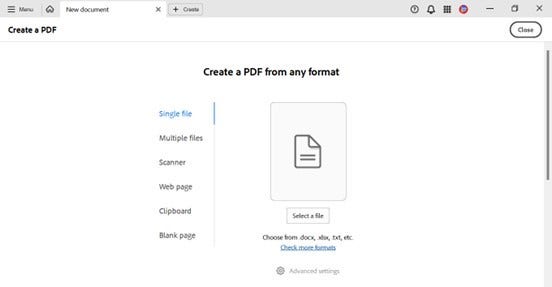
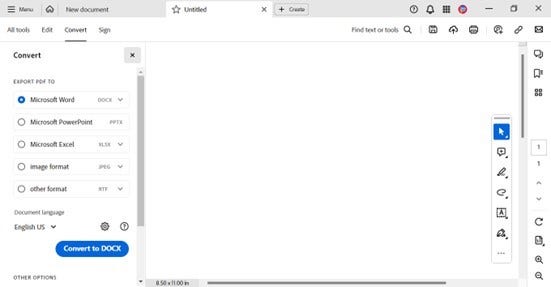
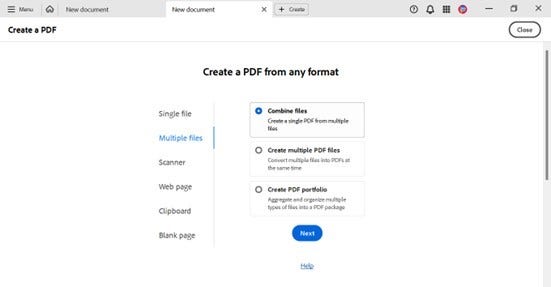
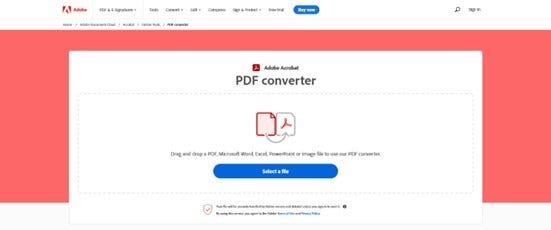
After the PDF conversion is complete, take a moment to review your newly created PDF. Check that everything looks as you intended and the security and print settings are set to your standards. Test how others might see your PDF in the free Adobe Acrobat Reader
You can save and share your PDF from directly within Adobe Acrobat products
Keep expanding your skills when converting PDF files and learn how to create documents that suit the standards and requirements needed by your profession, environment and the devices and platforms you use.

Some additional tips to help you to convert files to PDF effectively and become a PDF pro are —