
Acrobat
How to validate digital signatures in PDFs using eMudhra: A complete guide.
Learn how to validate digital signatures in PDFs using eMudhra and Adobe Acrobat to ensure authenticity, security, and legal compliance.
Published by Adobe Acrobat India on 9 July 2025
Fill & Sign, Digital Signature, Electronic Signature, Security
JUMP TO SECTION
How do you validate digital signatures in PDFs using eMudhra?
Alternative method: Using eMudhra’s online validation tool
What are digital signatures and electronic seals?
Legal validity of digital signatures in India
What are the advantages and challenges to consider when using an electronic signature?
What are the common challenges when verifying digital signatures?
Signing documents manually is inefficient and time-consuming. To streamline document authentication, the Indian government has legally authorised electronic signatures, enabling businesses and individuals to sign documents securely. Digital signatures offer tamper-proof verification, encryption, and legal validity, making them an essential component of India’s digital transformation.
This guide explains how to validate digital signatures in PDFs using eMudhra, their legal framework, and how Adobe Acrobat simplifies digital signing.
Key takeaways.
- Validate digital signatures using Adobe Acrobat or eMudhra’s online tool to ensure authenticity and document integrity.
- Digital signatures are legally recognised in India under the IT Act 2000 and supported by regulatory frameworks.
- Digital signatures enhance security by preventing tampering and confirming the signer’s identity with encryption.
- Some organisations still require physical signatures and revoked or expired certificates need revalidation.
- Adobe Acrobat simplifies digital signature validation and ensures compliance with Indian legal standards.
How do you validate digital signatures in PDFs using eMudhra?
eMudhra is one of India’s leading Certifying Authorities (CAs), offering trusted digital signature certificates (DSCs) for secure electronic transactions. If you receive a digitally signed PDF, it’s important to validate the signature to confirm its authenticity, legal compliance, and integrity.
Steps to validate digital signatures using eMudhra in Adobe Acrobat:
-
Open the PDF in Adobe Acrobat – launch the document and look for the digital signature at the bottom of the file.
-
Click on the signature panel – A notification will indicate whether the signature is valid, unknown, or invalid.
-
Check the signer’s identity – Click “Signature Properties” to verify details such as:
- Certifying Authority (CA): Ensure it is issued by eMudhra.
- Timestamp: Confirms when the document was signed.
- Signature status: Should display valid and unaltered.
- Validate the signature – Click “Validate Signature” to check for authenticity. If Adobe Acrobat doesn’t recognise the signature, manually add eMudhra’s root certificate.
- Ensure document integrity – If the validation is successful, the PDF is legally binding. If not, the document may have been altered after signing.
Tip: If the signature status shows "Unknown", download the eMudhra root certificate from eMudhra’s official website and add it to your Trusted Certificates List in Adobe Acrobat.
Alternative method: Using eMudhra’s online validation tool.
- Visit the eMudhra website and go to the digital signature validation tool.
- Upload the digitally signed PDF to check its authenticity.
- Verify the certificate details to ensure it’s valid and has not expired or been revoked.
Tip: Regularly updating your Adobe Acrobat and eMudhra certificates ensures seamless validation of digital signatures.
What are digital signatures and electronic seals?
A digital signature is an encrypted electronic signature that guarantees a document’s authenticity and integrity. Unlike handwritten signatures, digital signatures use cryptographic algorithms to prevent tampering.
Why use digital signatures?
- Secure and legally binding: recognised under the IT Act, 2000.
- Prevents tampering: any modifications after signing invalidate the document.
- Ensures authenticity: confirms the signer’s identity with a digital signature certificate (DSC).
What are electronic seals?
Electronic seals function similarly to digital signatures but are used by companies and organisations rather than individuals. They verify the origin and authenticity of documents issued by a business or government entity.
Example: A bank may apply an electronic seal to confirm the authenticity of its official loan documents.
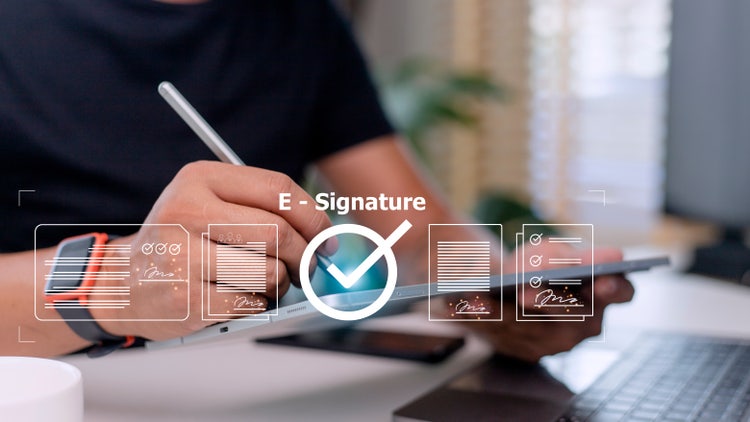
Legal validity of digital signatures in India.
The Information Technology (IT) Act, 2000 governs the legal acceptance of electronic signatures in India. To be legally binding, a digital signature must meet security and compliance standards.
Key regulations supporting digital signatures.
- Companies Act, 2013: Allows digital signatures for financial statements, business agreements, and legal contracts.
- GST Act, 2017: Authorises e-signatures for tax filings and documentation.
- Digital Personal Data Protection Act, 2023: Ensures data security and legal compliance for digital transactions.
Note: While digital signatures are widely accepted, some documents cannot be signed electronically, such as wills, trust deeds, and negotiable instruments.
What are the advantages and challenges to consider when using an electronic signature?
Advantages of digital signatures.
- Legally recognised: Accepted under Indian law.
- Enhances security: Uses encryption and certificates to prevent fraud.
- Convenient and fast: Enables remote signing from any location.
- Cost-efficient: Reduces printing, scanning, and courier expenses.
Challenges of digital signatures.
- Technical requirements: Users need to set up and validate a DSC.
- Limited acceptance: Some government departments still require physical signatures.
- Security risks: If not validated properly, fake digital signatures can be misused.
Tip: Use Adobe Acrobat and eMudhra for secure, legally valid digital signing.
What are the common challenges when verifying digital signatures?
Challenges of digital signatures.
- Technical requirements: Users need to set up and validate a DSC.
- Limited acceptance: Some government departments still require physical signatures.
- Security risks: If not validated properly, fake digital signatures can be misused.
Tip: Use Adobe Acrobat and eMudhra for secure, legally valid digital signing and verification.

Be productive anywhere.
Want to discover even more PDF features? Try Acrobat's online tools for free in your browser.
Frequently asked questions.
Can I validate a digital signature on a scanned PDF?
Yes, but scanned PDFs are image-based and do not retain digital signature metadata. To validate a digital signature:
- Ensure the PDF was signed digitally, not just a scanned version of a physically signed document.
- Use Optical Character Recognition (OCR) in Adobe Acrobat to extract text before verifying authenticity.
- If a scanned document requires a legally recognised digital signature, ask the sender to sign it electronically using Adobe Acrobat.
Tip: If a signature appears as an image, it is not a true digital signature and cannot be validated.
How do I know if a digital signature has been revoked?
A revoked digital signature means the issuing Certifying Authority (CA) has declared it invalid. To check:
- Open the PDF in Adobe Acrobat and click the signature panel.
- Look for a message stating "This signature has been revoked."
- Cross-check with eMudhra’s certificate revocation list (CRL) to confirm the signature’s status.
- Contact the signer or issuing CA if you suspect an issue.
Tip: A revoked signature means the document is no longer valid for legal or business transactions.
Can I verify digital signatures in bulk for multiple PDFs?
Yes, if you handle multiple signed documents, you can bulk-verify digital signatures in Adobe Acrobat:
- Open Adobe Acrobat Pro and navigate to Batch Processing.
- Select multiple PDFs and apply the "Validate Signatures" tool.
- Acrobat will scan all files and generate a verification report.
Tip: Bulk validation is useful for legal, banking, or corporate documents that require auditing.
What happens if a digitally signed document is modified after signing?
If a document is altered after signing, the digital signature becomes invalid.
- Adobe Acrobat will display a warning: "This document has been modified after signing."
- Tampering detection is built into digital signatures to ensure document integrity.
- If an update is necessary, request the original signer to re-sign the document.
Tip: To protect against accidental modifications, enable "Read-Only" mode in Adobe Acrobat after signing.
Do digital signatures expire?
Yes, digital signatures are linked to Digital Signature Certificates (DSCs), which have expiry dates (typically 1–3 years).
- When a DSC expires, documents signed with it remain valid, but new signatures require certificate renewal.
- To check a signature’s expiry:
- Open Adobe Acrobat, go to Signature Properties, and check the validity period.
- Renew your eMudhra DSC before expiry to ensure seamless document signing.
Tip: Set reminders for DSC renewals to avoid issues with signing new documents.
Can I use a digital signature for international transactions?
Yes, but the acceptance of digital signatures varies by country.
- India: Governed by the IT Act, 2000, and eMudhra’s digital signatures are legally recognised.
- United States & EU: Recognise digital signatures under eIDAS (EU) and the ESIGN Act (US).
- Some countries require specific Certifying Authorities (CAs) for international recognition.
Tip: If signing cross-border contracts, ensure the recipient country recognises your CA’s digital certificate.
How do I migrate a digital signature to a new computer?
If you change computers, you must transfer your Digital Signature Certificate (DSC):
- Export your DSC file (.pfx or .p12 format) from your old computer.
- Import it into Adobe Acrobat on your new device under "Digital IDs" > "Add Digital ID."
- Ensure you update the certificate password to maintain security.
Tip: Backup your DSC to a secure USB or cloud storage to prevent data loss.
What’s the difference between a digital signature and an e-signature?
Though often confused, digital signatures and e-signatures are different:
Digital signature features:
- Uses encryption and certificates for security.
- Legally validated by Certifying Authorities (CAs).
- Suitable for contracts, banking, and tax filings.
E-signature features:
- Provides basic electronic approval.
- No formal identity verification required.
- Commonly used for internal approvals and agreements.
Tip: Use digital signatures for legal compliance and e-signatures for general business approvals.
Can I use eMudhra’s digital signature on mobile devices?
Yes, but you need a compatible mobile app.
- Adobe Acrobat Mobile allows viewing and verifying digital signatures.
- eMudhra’s mobile application lets you sign and manage DSCs.
- Some transactions may still require desktop access for advanced signing.
Tip: Use Adobe Acrobat's cloud-based services to access signed documents from anywhere.
What should I do if my digital signature is not recognised in Adobe Acrobat?
If Adobe Acrobat does not recognise your digital signature:
- Check if eMudhra’s root certificate is installed under "Trust Manager" > "Certificates."
- Ensure your DSC is valid and has not expired.
- Manually add eMudhra’s CA certificate by importing it from eMudhra’s official website.
- Contact eMudhra support if issues persist.
Tip: Keeping your Adobe Acrobat and security certificates updated prevents validation issues.