Creativity for all
Photography, video, graphic design, illustration and so much more. Everything you need, wherever your imagination takes you.


PHOTOGRAPHY
Master the art of silhouette photography with tips on lighting, camera settings and editing to create striking visual stories.
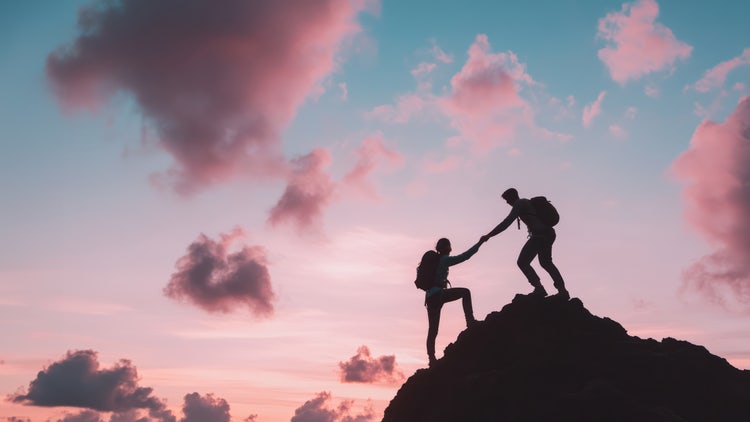
TABLE OF CONTENTS
What is silhouette portrait photography?
Why use silhouette photography in creative work?
What equipment do you need for silhouette shots?
How to create a silhouette shot using natural light
How to create studio-style silhouette portraits with artificial light
Composition tips for powerful silhouette portraits
How to edit silhouette photography in Lightroom and Photoshop
Real-time use cases for silhouette photography
How Creative Cloud helps you elevate silhouette photography
Create striking visuals with silhouette portrait photography
In a world full of visual noise, silhouette photography offers something rare - simplicity, mystery and impact. By leveraging strong contrast between light and dark, silhouette portraits allow shapes to tell the story. This technique strips away detail to focus purely on outline and emotion, making it especially powerful in creative storytelling. For photographers, designers, and content creators in India, learning how to master a silhouette photo is a valuable way to add drama and sophistication to your creative portfolio.
This guide breaks down how to capture the perfect silhouette shot, explains camera settings and silhouette lighting photography techniques, and walks you through editing workflows in Adobe Lightroom and Photoshop to give your images a polished, professional finish.
A silhouette photograph captures a subject as a dark shape against a brightly lit background. In portraiture, this technique focuses on the outline of a person rather than their facial features, using light and shadow to create mood and visual intrigue. Example - A dusk photography capturing the silhouette of a girl against a glowing sunset sky creates a moment of quiet beauty and timeless emotion.
Example: A profile of a person standing against a sunset, their figure darkened while the sky explodes in colour, is a classic silhouette photo.
For creative professionals, silhouette photography is more than a stylistic choice—it’s a strategic tool that can:
Use case: A multimedia artist used silhouette portraits as title cards between animated segments in a mental health awareness reel, adding both visual rhythm and emotional depth.
You don’t need advanced gear to create effective silhouettes, but some tools will improve your control.
Recommended gear:
Tip: If using a phone, apps like Adobe Lightroom Mobile allow manual exposure control—critical for silhouette success.
Natural light, especially during golden hour or blue hour, is ideal for silhouette work.
Step-by-step:
Troubleshooting tip: If the subject is not dark enough, decrease exposure compensation or narrow your aperture.
Controlled lighting can help you create camera silhouette images in a studio setup.
Setup:
Camera settings:
Studio tip: Use side lights or coloured gels behind the subject to add drama or branded colour tones.
Silhouette images rely heavily on form and structure. Good composition is critical.
Techniques:
Tip: If your subject is holding an object (umbrella, camera, instrument), position them so the outline is clear and easily readable.
The editing phase can enhance contrast, colour, and clarity to bring out the best in your silhouette photography.
Tip: Save your silhouette editing preset in Lightroom to create a consistent aesthetic across a campaign or client series.
Example: A graphic designer and video producer created a silhouette-style intro sequence for a music artist's reel, sharing files through Creative Cloud for remote feedback and final delivery.
Adobe’s integrated apps support every stage of your silhouette photography process, from capture to final export, making it easier to produce polished, high-impact results.
Tip: Use Lightroom Mobile during the shoot to preview silhouette exposure in real time. This helps you adjust lighting and framing before editing begins.
Silhouette portrait photography is a visually powerful tool for creatives seeking to evoke emotion and elegance through minimalism. By understanding how to control light, shape and exposure, you can craft compelling silhouette shots whether you’re working outdoors with natural light or in a studio with controlled silhouette lighting photography setups. With Adobe Creative Cloud’s suite of apps - from Lightroom for adjustments to Photoshop for creative editing - you can confidently refine your silhouettes into polished visual statements. For creative professionals in India, this technique adds a versatile and timeless aesthetic to your design, branding and storytelling work. Start experimenting with light and shadow, and turn simple outlines into stunning content.
Photography, video, graphic design, illustration and so much more. Everything you need, wherever your imagination takes you.

Based on your location, we think you may prefer the United States website, where you'll get regional content, offerings, and pricing.