#1e1e1e

VIDEO

From ideation to final cut: Create stunning videos with Adobe Dynamic Link.

Unlock the full potential of Adobe Creative Cloud to create videos faster and smarter. Learn how Firefly, Photoshop, After Effects, and Premiere work together with Dynamic Link for seamless editing from concept to final cut.

Explore Creative Cloud

Various video production tools on a table: camera with mic and laptop and desktop with video editing apps.
#FFFFFF

Why speed matters in modern video editing.

Creating professional-quality videos can feel like a massive undertaking. This is especially true when you’re producing multiple videos per month. Have you ever wondered how top creators manage it without burning out? The secret lies in Adobe Creative Cloud.

As Ocus from Aevy Video School explains, “One of our most common questions is: how are we able to produce so much? And the answer is Adobe Creative Cloud.”

With a seamless ecosystem connecting AI-powered content generation, Photoshop, After Effects, and Premiere, Adobe lets creators bring their visions to life with minimal friction.

In this guide, we’ll explore how you can leverage these tools, including Adobe Dynamic Link, to go from idea to final cut in the fastest, most clever way possible.

The challenges of modern-day video production.

Video production today is a complex puzzle. Here are some of the challenges that many creators, especially social media influencers, small studios, and freelancers in India, face today:

  • Managing multiple assets across apps: From AI-generated images to audio tracks, keeping everything organised is tough.
  • Time-consuming exporting and importing: Switching between apps and exporting files repeatedly can cost hours per project.
  • Tedious edits: Minor tweaks often require going back and forth between multiple programs, which can disrupt workflow.

These challenges are amplified when producing high-volume content, like YouTube Shorts, Instagram Reels, or promotional videos for brands.

Ocus from Aevy Video School highlights this, “Currently, we are pushing out 25 short-form videos a month: multiple long-form videos, multiple live streams. And all of this requires a lot of animation, design, and editing.”

The question is: how do they keep up? It’s simple: a streamlined Adobe Creative Cloud workflow that prioritises speed, flexibility, and creativity.

Adobe Dynamic Link connects Photoshop, After Effects, Premiere, and other Adobe apps in real-time.

In the past, sharing media assets among post-production applications meant constantly rendering and exporting files from one program before importing them into another. This meant that every small adjustment to the original asset required yet another round of exporting, rendering, and creating new versions of the same file. Overall, this process was time-consuming and inefficient.

Adobe Dynamic Link eliminates all of that friction across all Adobe apps. This seamless integration streamlines the entire workflow, allowing creators to focus on storytelling rather than technical repetition. It saves hours of production time while maintaining a smooth, uninterrupted creative flow.

Ocus from Aevy Video School explains how Adobe Dynamic Link helps his processes, “I don’t have to sit here and export each image manually. I can directly take this Photoshop file and drop it into After Effects and get to animating.”

What does a streamlined Creative Cloud workflow look like?

A creative working on a laptop, leveraging video and image editing apps with AI to produce content.

With Adobe Creative Cloud, your entire process — from concept to final cut — flows effortlessly through connected tools like Firefly, Photoshop, After Effects, and Premiere. Here’s how it works in action

Generate visuals with Adobe Firefly.

Every video starts with an idea. With Adobe Firefly, you can turn that idea into reality by generating AI-powered images and visual assets in seconds. By using descriptive prompts for colour, lighting, and style, creators can generate backgrounds and scenes that match their vision. Multiple variations make it easy to refine your concept before moving on to production.

Refine and customise in Photoshop.

Once you’ve created your visuals, bring them into Adobe Photoshop to fine-tune the details. Features like Generative Fill, Generative Expand, and Generate Background make it easy to manipulate photos exactly as you want.

Animate in After Effects.

Next, use Adobe After Effects to bring your static visuals to life. Simply import your Photoshop files via Dynamic Link and start animating individual layers with motion graphics and effects. Because the apps are connected in real time, your animations always stay in sync with the latest edits from Photoshop. This saves time, reduces errors, and keeps your creative momentum flowing.

Edit and finalise in Premiere.

Finally, take your animated sequences into Adobe Premiere to assemble the story. Here, you can combine multiple clips, add transitions, fine-tune audio, and colour grade your footage for the perfect finish.

This connected workflow empowers creators to move from ideation to final cut without breaking the creative flow or wasting time on repetitive exports.

Why is it important to invest in quality creative apps?

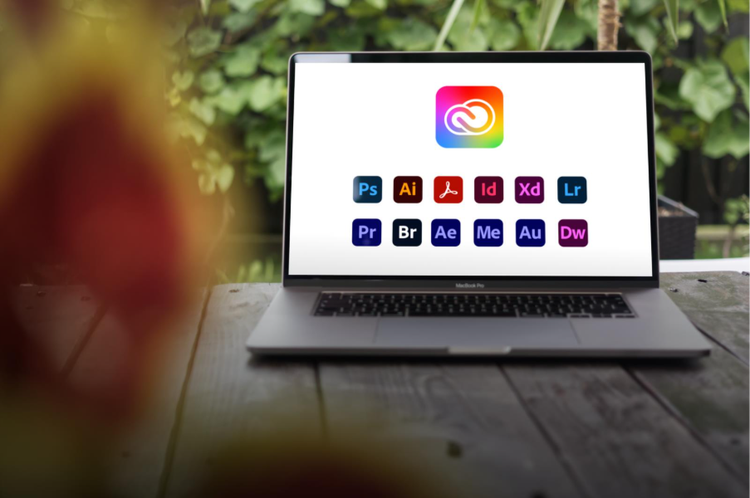
A laptop screen showing different Adobe Creative Cloud apps.

Your tools directly shape and affect your output. It only makes sense to incorporate only the highest quality tools in your workflow to ensure reliability, speed, and creative flexibility in your everyday tasks. Plus, unlike free or non-genuine alternatives, professional tools like Creative Cloud apps are optimised for performance to give users smooth playback, accurate colour rendering, and compatibility across devices and formats.

Most importantly, genuine creative apps keep your workflow future-ready. Regular updates introduce new AI-powered tools, automation features, and efficiency boosts that continually evolve with industry trends. This means less time wrestling with technical limitations and more time scaling your video content across platforms.

Ocus from Aevy Video School puts it this way, “As a creative, it is incredibly important for you to invest in tools that allow your creativity to flourish with the least friction possible—and you can do that with Adobe Creative Cloud.”

Video production tips for better results.

  • Optimise your system. Ensure your computer has enough RAM and GPU power for smooth rendering.
  • Try batch processing. Learn to edit multiple assets at once to make it easier to stick to your content calendar.
  • Explore collaborative cloud storage. Share projects in real-time with teammates, minimising version control issues.
  • Experiment with AI. Generate visuals, backgrounds, or animation templates to save time on manual creation.

Frequently asked questions.

Adobe Dynamic Link connects Photoshop, After Effects, Premiere, and other Creative Cloud apps in real time. Instead of exporting and importing files repeatedly, any changes you make in one app automatically update across others. This saves time, reduces errors, and keeps your creative workflow smooth.

How can I speed up video editing in Premiere?

You can speed up editing by using features like auto captions, batch exporting, and linked animations via Dynamic Link. Optimising your system, leveraging AI-generated visuals, and using keyboard shortcuts can further streamline your workflow.

How do I generate AI visuals for videos using Adobe Firefly?

Adobe Firefly allows you to create AI-powered images and assets by typing descriptive prompts about colour, lighting, style, or objects. You can generate multiple variations, select the best one, and then refine it further in Photoshop or After Effects.

Can I collaborate with team members who don’t have Adobe Creative Cloud?

Yes, you can export project files and manually upload them to a shared drive, but full real-time collaboration and Dynamic Link functionality require all collaborators to have Adobe Creative Cloud accounts.

What’s the best way to integrate audio with AI-generated visuals?

You can import audio tracks into Premiere and sync them with animations from After Effects. You can also leverage tools like Adobe Audition to create, mix, and design your own sound effects.

https://main--cc--adobecom.aem.page/cc-shared/fragments/creativecloud/all-apps/ccpro-testimonials

You may also like

Content as a Service v3 - file-type photo collection - Tuesday 9 December 2025 at 13:47

https://main--cc--adobecom.aem.page/cc-shared/fragments/seo-articles/do-more-premiere-pro-color-blade