#1e1e1e

VIDEO

How AI voiceovers are revolutionising audio production.

Discover how AI voiceover technology helps you speed up production, reduce costs and deliver polished, professional audio.

Explore {{premiere}}

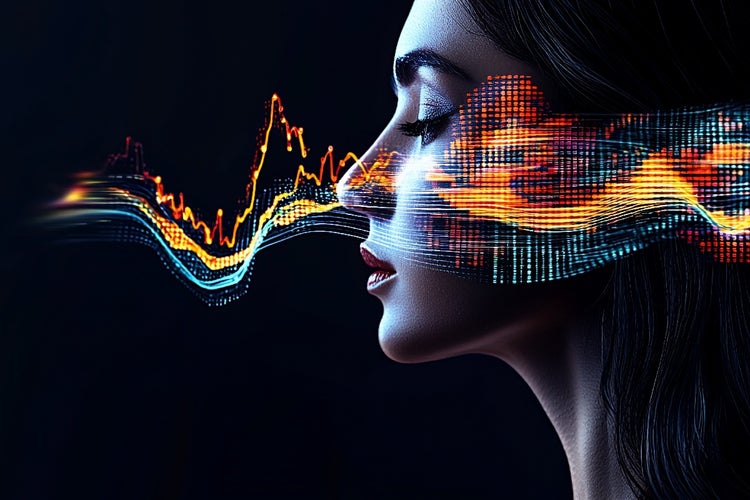
Digital voice visualisation illustrating AI voiceover technology converting text into waveform speech output.
#FFFFFF

Artificial intelligence is transforming the way audio content is created. From social media snippets to full-length narrations, AI voiceover technology is providing creative professionals with an efficient, cost-effective and versatile solution.

In India, AI audio production is on the rise, breaking language barriers through AI voiceovers in regional languages, making content more accessible to diverse audiences. Adobe AI Audio, integrated into Creative Cloud, offers seamless access to powerful ai voice over tools, helping users work faster, deliver polished results and justify software investments through clear ROI.

In this article, we explore what ai voiceover means, how to make ai voice over tracks with Adobe AI Audio, creative use cases, troubleshooting advice and ethical considerations.

What is AI voiceover technology?

AI voiceover (also referred to as voice over AI) uses machine-learning models to generate natural-sounding speech from text input. These systems analyse vast datasets of recorded human speech to understand pronunciation, intonation and emotional nuances.

  • Text-to-speech engines convert written scripts into audio files
  • Neural networks learn patterns in pitch, rhythm and accent
  • Custom voice cloning features mirror specific vocal styles
  • Multilingual support enables output in dozens of languages
  • Tone controls adjust formality, energy level and pacing

Key components of AI voiceover systems.

  1. Speech synthesis module – Renders waveform audio
  2. Prosody engine – Controls emphasis, pauses and inflection
  3. Voice library – Offers pre-trained voices or custom voice clones
  4. API/connectivity – Integrates with audio workstations and Adobe AI Audio tools
#F5F5F5

Why are AI voiceovers transforming audio production?

Voice over AI accelerates audio workflows and unlocks new creative possibilities. Traditional voice-actor bookings involve scheduling, recording sessions and audio editing. AI removes most logistical hurdles.

  • Speed – Instant audio generation from text
  • Cost-efficiency – No per-minute recording fees
  • Scalability – Produce dozens of variations in minutes
  • Consistency – Uniform tone across multiple assets
  • Accessibility – Multi-language output without hiring native speakers
  • Flexibility – Adjust script, tone or language with minimal effort
#F5F5F5

Benefits for creative professionals.

AI voiceover is empowering Indian creators to produce multilingual content at scale, enabling them to reach diverse regional and global audiences. Here are some of the key benefits for creative professionals:

  • Freelancers can offer competitive per-project pricing
  • Micro business owners save on production budgets
  • Desktop publishers integrate narration without external vendors
  • Video producers generate placeholder voice tracks during editing
  • Animators synchronise AI voice to character lip-sync
  • Graphic designers add narrated tutorials to portfolios
  • Multimedia artists create immersive experiences with minimal overhead

How to make AI voiceover tracks with Adobe AI Audio.

Adobe AI Audio within Creative Cloud streamlines the process of generating voice over AI narrations. Follow these steps to produce a professional AI voiceover.

  1. Open Adobe {{premiere}} or Adobe Audition
  2. Select ‘Generate Voiceover’ under the AI Audio panel
  3. Choose a pre-trained voice or import a custom voice model
  4. Paste or type your script into the text field
  5. Set language, accent and tone parameters
  6. Preview the AI voiceover and adjust prosody settings
  7. Export the audio file in your preferred format (WAV, MP3, AAC)
  8. Drag the file onto your timeline for editing and synchronization

Tip: Use short paragraphs and clear punctuation in your script to improve speech clarity and naturalness.

#F5F5F5

Smart ways to use AI voiceovers across your creative projects.

AI voiceover can be applied across a wide range of projects. Below are five illustrative scenarios.

1. Social media videos.

  • Platform-specific formats: Generate vertical or square-format narrations for Instagram Reels, YouTube Shorts and TikTok
  • Quick iterations: Test multiple hooks and intros to determine highest engagement
  • Language localisation: Produce versions in Hindi, Tamil, Bengali or other regional languages

2. Voiceovers for reels or animations.

  • Character differentiation: Use multiple AI voice styles to represent distinct characters
  • Efficient revisions: Tweak dialogue and regenerate audio without re-booking talent
  • Automated lip-sync: Import into Adobe Character Animator for near-instant lip movements

3. Short form branded content.

  • Product highlights: Narrate 15-second ads for Facebook or LinkedIn campaigns
  • Template reuse: Save branded intro/outro clips for consistent identity
  • Cost control: Produce dozens of ads in multiple languages within a single budget

4. Narrated client proposals.

  • Professional delivery: Embed AI voiceover into PDF or PowerPoint presentations
  • Accessibility compliance: Provide audio alternatives for stakeholders with visual impairments
  • On-brand voice: Clone a company spokesperson’s voice for consistent messaging

5. Remote collaboration via document sharing.

  • Script reviews: Share narrated drafts with clients via Adobe Document Cloud
  • Time-zone independence: Enable asynchronous feedback on voiceover scripts
  • Version tracking: Maintain separate audio versions for each revision

What are the key benefits of using AI voiceovers?

AI voiceover technology delivers distinct advantages for efficiency, creativity and ROI.

  • Reduced turnaround times – Generate final voiceovers in minutes rather than days
  • Elimination of studio costs – Avoid fees for recording space, equipment and talent
  • Reusable assets – Store AI voice models for future projects
  • Consistent branding – Maintain uniform vocal tone across campaigns
  • Rapid A/B testing – Compare different scripts and voices without re-engaging talent
  • Seamless updates – Instantly modify date-sensitive or location-specific content
#F5F5F5

What are common troubleshooting steps for AI voiceover issues?

Despite advanced capabilities, AI voiceover may require fine-tuning. Use the following guidance to resolve typical challenges, with each issue followed by two possible solutions.

1. Choppy or robotic speech.

  • Shorten sentences and add commas to guide prosody
  • Increase prosody settings in Adobe AI Audio panel

2. Mispronounced words.

  • Add phonetic spelling in parentheses
  • Use SSML tags to force correct pronunciation

3. Monotone delivery.

  • Adjust ‘Energy’ or ‘Expressiveness’ parameters
  • Select a more dynamic AI voice profile

4. Background noise or artefacts.

  • Regenerate with higher audio quality setting
  • Apply noise reduction effects in Audition

5. Sync mismatches with on-screen visuals.

  • Export AI voiceover with time-code markers
  • Use waveform view to align key words

6. Language/regional accent not matching brief.

  • Choose regional variant (Indian English, British English, etc.)
  • Provide accent notes in script

Troubleshooting tip: Always preview a short clip before exporting the full narration to catch issues early.

What ethical considerations and limitations apply to AI voiceovers?

As with any AI-driven tool, responsible use is essential. Be mindful of the following points.

1. Consent for voice cloning.

  • Obtain explicit permission when using a real person’s voice data
  • Disclose the use of AI voiceover in client deliverables if required

2. Authenticity vs automation.

  • Avoid presenting AI voiceovers as human recordings when accuracy matters
  • Use human voice actors for sensitive or highly emotive content

3. Intellectual property.

  • Confirm licensing terms for pre-trained AI voices in Adobe AI Audio
  • Do not infringe on third-party voice-talent agreements

4. Bias and inclusivity.

  • Test voices across gender, accent and age variations
  • Ensure AI voice libraries represent diverse communities

5. Quality expectations.

  • Recognise that AI may struggle with sarcasm, humour or subtle emotional shifts
  • Reserve nuanced performances for professional voice actors when needed
#F5F5F5

Improving efficiency and reach with AI voiceovers.

Creative professionals must justify tool costs by demonstrating tangible returns. AI voiceover contributes to business objectives in several ways.

  • Faster project delivery leads to increased client capacity
  • Lower production budgets free resources for marketing or talent recruitment
  • Multilingual outputs expand reach into new markets without incurring translation recording fees
  • Consistent brand identity enhances recognition and trust
  • Data-driven optimisation enables split-testing of voice styles for higher engagement

Example ROI calculation:

In India, hiring a professional voice actor for a 2-minute script can cost anywhere between ₹3,000 to ₹8,000, depending on the language and experience. In contrast, AI voiceover tools available through subscriptions like Adobe Creative Cloud significantly reduce this cost. For creators delivering 10 to 15 projects a month, the annual savings can easily exceed ₹1.5 to ₹2 lakh. This represents a substantial return on investment and frees up budget for growth initiatives such as marketing, upskilling or talent acquisition.

How to seamlessly integrate AI voiceovers into your production process.

Maximise efficiency by embedding AI voiceovers into your production process. Here's how to structure your workflow:

  • Set up project templates: Use {{premiere}} or After Effects to create templates with placeholder audio tracks for faster setup.
  • Collaborate on scripts: Draft and refine scripts in Adobe InCopy or Google Docs to ensure clarity before voice generation.
  • Organise audio versions: Assign version numbers to each AI-generated voiceover file to track changes and iterations easily.
  • Automate batch output: Use Adobe ExtendScript or Creative Cloud APIs to generate multiple voiceovers at once, saving time on manual production.
  • Facilitate reviews: Share voiceover drafts via Creative Cloud Libraries or Adobe Document Cloud to collect approvals or feedback from stakeholders.
  • Polish with audio mastering: Import files into Adobe Audition for EQ adjustments, compression and final mastering.
  • Export and deliver: Finalise your voiceover tracks in {{premiere}} or Audition, then export for delivery to clients or collaborators.
#F5F5F5

Unlock the future of audio production with AI voiceover.

AI voiceover and Adobe AI Audio are reshaping audio production for creative professionals in India and beyond. By harnessing ai voice over tools, users can work faster, reduce costs and deliver high-quality, consistent results across multiple formats and languages. Whether you are a freelancer, micro business owner or multimedia artist, AI voiceover empowers you to scale your services, justify tool investments and stay ahead in a competitive market. Embrace voice over AI today to unlock new levels of productivity and creativity in your audio projects.

Frequently asked questions.

Yes, using AI-generated voices is legal in India, provided the content does not violate copyright laws, impersonate individuals without consent or spread misinformation. When using Adobe Creative Cloud's AI tools, you’re working within a trusted platform that follows global ethical and legal standards for AI usage.

Can I use AI voiceovers for YouTube videos in India?

Yes, you can use AI voiceovers for YouTube videos in India. Many creators are leveraging AI voice tools to produce tutorials, explainers, reviews and multilingual content efficiently. Just ensure you have the appropriate rights or licences for the voice model or software you are using, especially for commercial use.

Can AI voiceovers mimic Indian accents?

Yes, many AI voiceover tools, including those in Adobe Creative Cloud, offer voices that reflect Indian English accents and regional variations. This helps creators produce content that sounds natural and relatable to local audiences, breaking language and accessibility barriers across India.

What role does AI voiceover play in boosting regional content creation in India?

AI voiceover tools allow content creators to produce audio in multiple Indian languages and dialects, making it easier to reach regional audiences with personalised and culturally relevant messaging. With tools like Adobe Creative Cloud, creators can access a range of applications to complement their voiceover content and enhance the overall quality of their projects.

Can Adobe Creative Cloud apps be used to enhance AI-generated voiceovers?

Yes. Apps like Adobe Audition provide advanced sound editing features such as noise reduction, voice levelling, and reverb control to make AI-generated voiceovers sound polished and professional. Additionally, Adobe Stock offers a range of sound effects and royalty-free audio to elevate the final product.

Is AI voiceover suitable for Indian e-learning and edtech platforms?

Definitely. With India’s rapidly growing digital education market, AI voiceovers can deliver consistent and scalable narration across languages. They are especially useful for explaining complex topics in localised formats. For platforms looking to integrate advanced audio features, Adobe {{premiere}} offers an ideal solution for seamless video and voiceover editing.

How can small Indian creators integrate AI voiceovers into their video workflows?

Independent creators can quickly generate AI audio and combine it with visuals using Adobe {{premiere}}, allowing for high-quality video production without the need for a large team. Those looking to expand their creative toolkit can also access a comprehensive suite of apps with a Creative Cloud subscription.

What are the best practices for mixing AI voiceovers with music and sound effects?

Ensure that the voiceover doesn’t clash with background audio. Adjust levels carefully and consider apps like Adobe Audition for precision mixing, equalisation, and mastering. You can find a variety of sound assets in Adobe Stock, which can be used to complement your AI voiceovers.

Can AI voiceovers support compliance in Indian government and corporate communication?

Yes. They help maintain consistent messaging and pronunciation across multiple regional languages, making them ideal for training modules, internal communication, and public awareness content.

What’s the impact of AI voiceovers on turnaround time for social media campaigns in India?

They significantly reduce production time, allowing brands to quickly generate language-specific content for festivals, trends, or product launches. This agility is key in India’s fast-paced digital landscape.

How do I maintain a consistent brand voice using AI-generated narration?

Use Adobe Creative Cloud Libraries to save and reuse brand assets, audio templates, and script formats, ensuring brand consistency across platforms and campaigns.

Can I edit or improve AI voiceovers post-generation?

Yes. Once generated, AI voiceovers can be refined using audio tools or imported into editing platforms like Adobe {{premiere}} for syncing, pacing, and fine-tuning.
It’s important to check the licensing terms of both the AI voice and any accompanying assets. Always use properly licensed music and effects, such as those available via Adobe Stock, to stay compliant.

https://www.adobe.com/in/cc-shared/fragments/creativity-for-all/default

You may also like

Content as a Service v3 - video - Friday 18 July 2025 at 10:05

https://main--cc--adobecom.aem.page/cc-shared/fragments/seo-articles/do-more-premiere-pro-color-blade