



Free AI Photo Restoration: restore old photos online.
Upload a damaged or faded photo and Adobe Firefly restores it with a text prompt, free to start. Repair tears, scratches and fading, colourise black and white photos and bring old family pictures, historical images and marketing archives back to life, all without losing the original feel of the photo.


Tap to upload an image.
File must be JPEG, JPG or PNG or WEBP and up to 40 MB
By uploading your image or video, you agree to the Adobe
Terms of Use and Privacy Policy
Tap to upload an image.
File must be JPEG, JPG or PNG and up to 40 MB
By uploading your image or video, you agree to the Adobe
Terms of Use and Privacy Policy
Drag and drop an image
to try it today.
File must be JPG or PNG
and up to 40 MB
By uploading your image or video, you agree to the Adobe
Terms of Use and Privacy Policy
- File size larger than 40 MB
- Unable to process the request
- We are unable to process this file type. Please try again.
- Only one file can be uploaded at a time.
- Image is smaller than the minimum dimensions (512 x 512 pixels). Please resize and try again.
- promoid=4X3B8PFS&mv=other
Bring old photos back to life with AI.
AI photo restoration uses artificial intelligence to repair and enhance damaged, faded or discoloured photos by restoring details, textures and colours. It can help fix common imperfections such as tears, scratches, spots and colour loss without extensive manual retouching. With Adobe Firefly’s AI photo restoration tools, you can restore old family photos, archival images and historical pictures while preserving the look and feel of the original image.
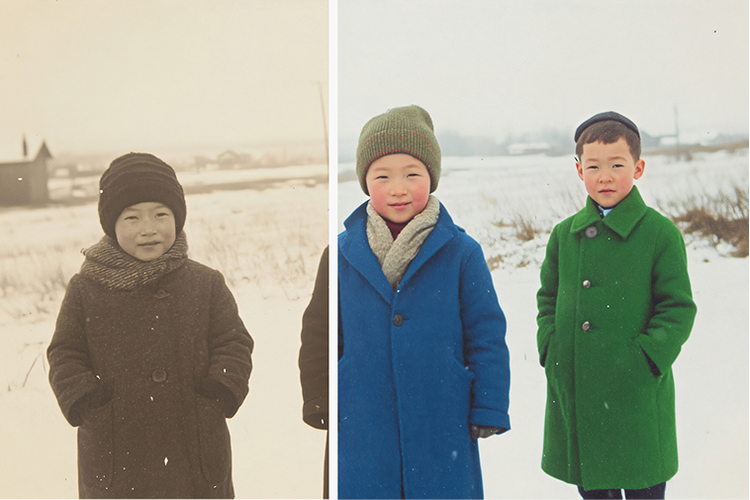
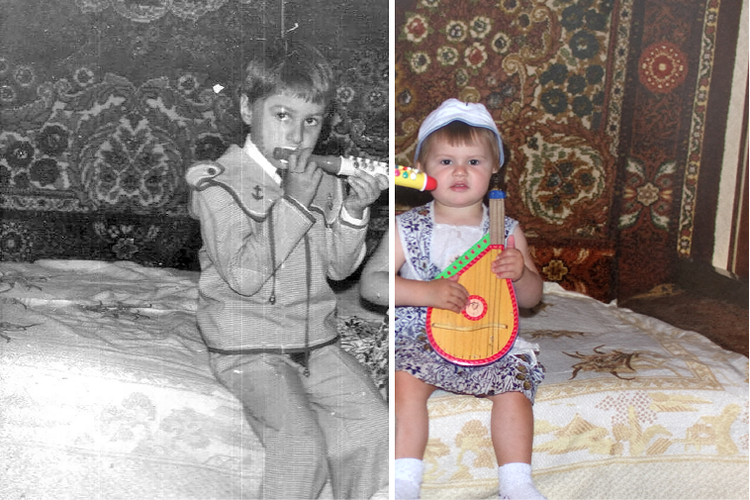
Colourise old black-and-whites.
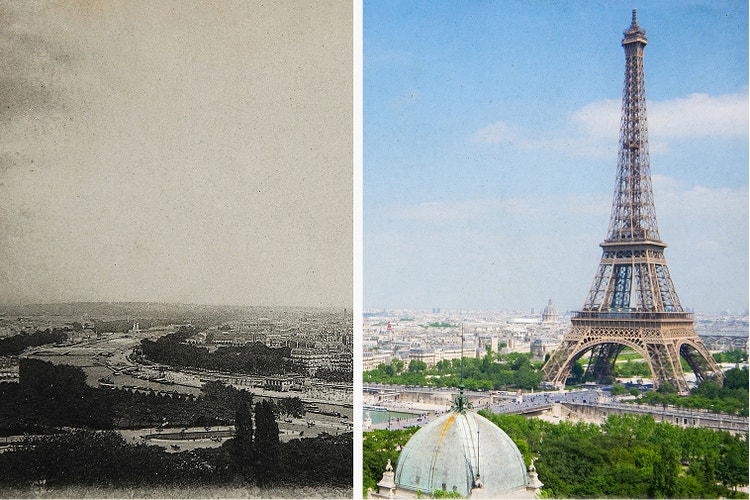
Sharpen faded photos for marketing campaigns.
AI photo restoration has never been easier.
You don’t need advanced editing skills to quickly fix old or damaged images using Firefly generative AI. Firefly analyses texture, lighting and patterns from historical photographs to restore details, repair damage and enhance image quality automatically.
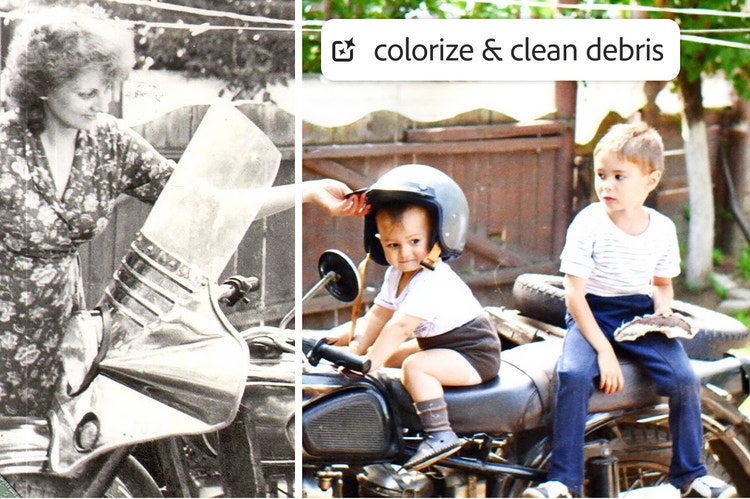
Repair photographs to remove years of wear and tear.
If you’ve got old pictures, restoration takes just a few steps with Firefly. Use photo editing features like Generate Image and Generative Fill to fix everything from tears and scratches to spots and colour fading, performing complex edits in no time.
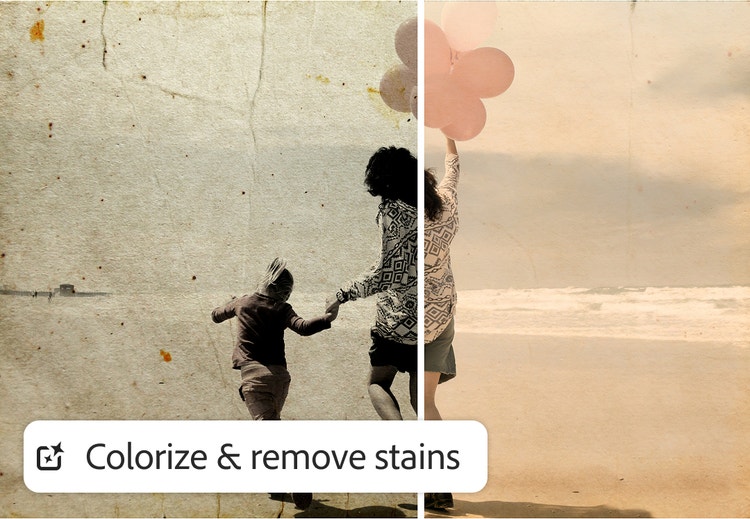
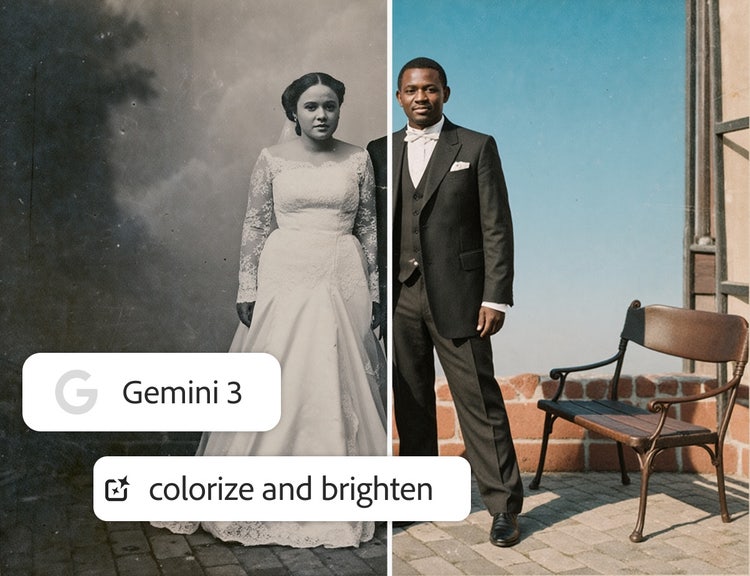
Perform AI photo restoration without losing the original feel.
When you use Firefly to repair photographs, you can count on it to help you to maintain the integrity of scenes, facial features and object details. And you can access partner models like Gemini 3 right inside Firefly to ensure high character accuracy in signage and other text elements.
Bring faded colours and black-and-whites to life.
Restore vibrancy and detail to dull or monochrome images. Simply upload your images and use simple text prompts to request old picture restoration with natural colour — no overprocessing.
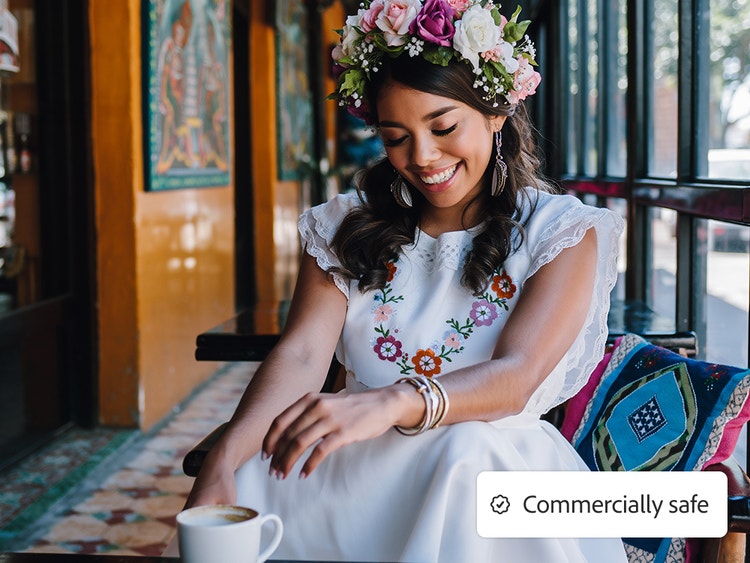
Count on commercially safe AI photo repair.
Firefly models are built for commercial use, so you can repair photographs for marketing or advertising projects without worrying about copyright issues or usage rights. Learn more about the ethical principles that guide Adobe’s AI development.
Restore photos without losing what made them special.
Repair, colourise and enhance photos for family archives, marketing campaigns, publishing and creative projects.
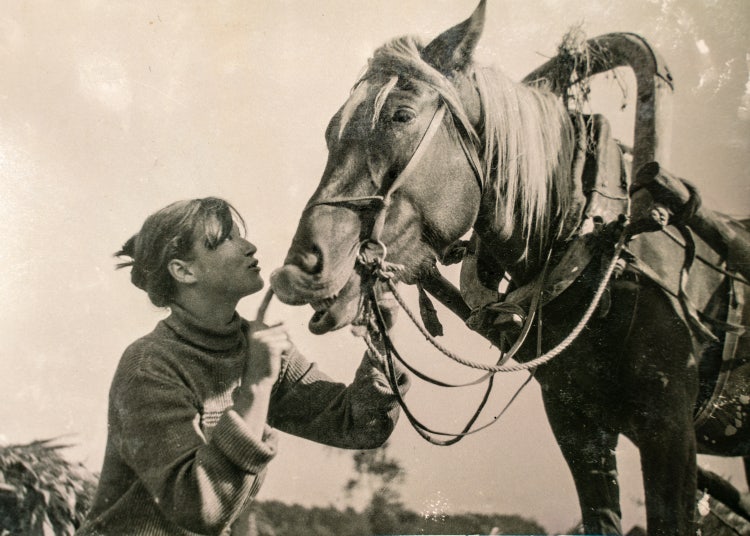
Perform AI photo restoration without losing the original feel.
- Family photos and keepsakes — Torn, faded or water damaged family photos restored and brought back to life for albums, frames and gifts.
- Historical and archival images — Old black and white or sepia photographs colourised and repaired for museums, archives and research projects.
- Marketing and publishing — Faded or low quality product and brand photography sharpened and restored for campaigns and print.
- Genealogy and personal projects — Inherited photos and family history images repaired to preserve memories across generations.
Bring back detail without losing the original character of the photo.
Discover how to prompt AI photo restoration for repairs that look natural, not overprocessed.
Start with the highest resolution scan available.
The more detail Firefly has to work with, the more accurately it can rebuild texture and colour. A low resolution photo of a photo will limit the final quality. For example, scan at a higher resolution rather than photographing the print with a phone in poor light.
Describe the specific damage you want fixed.
Naming the exact issue, such as tears, scratches, fading or spots, helps the tool target repairs precisely instead of altering the whole image. For example, “repair the tear across the top left corner” instead of “fix this photo”.
Restore in stages for heavily damaged photos.
Tackling major damage first, then refining colour and fine detail in a second pass, usually produces a more natural result than trying to fix everything at once.
Keep colourisation prompts realistic.
Describing plausible, period appropriate colours, such as muted 1960s tones, helps avoid an overprocessed or artificial look when colourising black and white photos.
How to repair photographs with Firefly.
In just a few steps, you can easily breathe new life into old or damaged photos using simple text prompts and Firefly image generation tools.
- Open the AI image generator in Firefly.
To get started, log in to Adobe Firefly with your Adobe ID or create a free account if you don’t have one. Then choose the Generate Image feature to perform old picture restoration. - Upload an image and write a text prompt to start AI photo repair.
In the prompt field, type a clear description of how you’d like your old photo enhanced. Start with at least five words for the best results, such as “erase the scratches and spots in this photo” or “bring the colour back to this faded picture.” - Generate your AI image.
Click Generate and wait a few seconds for the AI photo restoration to happen. - Refine, edit and regenerate.
Firefly is a powerful old photo enhancer, but even if you’re happy with your results you may want to see more variations. You can refine your image by tweaking your prompt or adjusting the Firefly settings for a fresh result. - Download and share your restored photo.
Once you’re happy with the result, you can download it, copy it to your clipboard, share it on social media or create a high-quality print suitable for framing.
Built for studios, archives, brands and family albums alike.
See how creative teams and everyday creators use AI photo restoration across different projects.
Photographers and photo studios
Studios use AI photo restoration to repair damaged client prints and archives quickly, without manual retouching for every image.
Marketing and brand teams
Teams restore and sharpen faded or low resolution product and brand photography for campaigns, print and archive reuse.
Museums, archives and publishers
Institutions use it to repair and colourise historical photographs for exhibitions, research and publication.
Everyday creators
Individuals restore inherited family photos, damaged prints and old memories to preserve and share with family, free to start.
Why choose Firefly for AI photo restoration?
AI photo restoration uses machine learning models trained on millions of images to repair damage, restore faded colours and reconstruct missing details in old or deteriorated photographs. Adobe Firefly applies this technology to enhance photos while preserving the original structure, lighting and artistic intent. You’ll get the following benefits:
- Realistic restoration: Whether you want to enjoy personal memories or turn vintage shots into marketing campaign images, Firefly generative AI models offer reliable, high-quality restoration of old pictures.
- Seamless Adobe Photoshop integration: Quickly bring your restored photos into the industry-standard image editor to add finishing touches and get pixel-perfect output.
- Trusted technology: When you choose Firefly as your old photo enhancer, you can achieve archival quality. You can also rest assured that results from Firefly models are safe for commercial use.
Discover even more features.
Questions about AI photo restoration? We have answers.
The best AI photo restoration tool should let you repair old or damaged images by fixing scratches, restoring colour and enhancing detail while keeping the original look intact. The Firefly Image model gives you clean, high-quality results that bring aged or imperfect photos back to life without losing their character.
Firefly can handle damage like tears, scratches, creases, fading colour, spots, dust and stains. It can restore old black-and-white photos, old pictures with faded colours and more recent photos of poor quality. Firefly supports standard image formats for AI photo repair, like JPEG, PNG and TIFF and it can work with PDFs and other images from scanned prints.
Yes. Firefly can restore faded colour photos and intelligently colourise black-and-white images with natural-looking results. Old picture restoration has never been faster or easier.
The final repaired photograph is high-quality and print ready, with a maximum resolution for downloaded images at 2000 x 2000 pixels in either JPEG or PNG format.
Your data is secure and private. Adobe does not train its AI models on your personal content and your images are kept confidential. Learn more about Adobe’s approach to data and privacy with Firefly.
Yes, you can use Adobe Firefly for AI photo restoration for free with a free Adobe account. If you have a free account, you’ll get free daily generations to try restoring and enhancing old or damaged photos using AI tools. Learn more about using Adobe Firefly for free. Upgrade to a paid plan for higher-volume use and access to additional restoration features.
Yes, you can use outputs generated by the Firefly AI photo restoration knowing that they are commercially safe. Adobe developed the Firefly family of models to be commercially safe and to prevent them from creating content that infringes copyright or intellectual property rights. Adobe focuses on training its models in a way that is responsible and respects the rights of creators. We deploy safeguards at each step (prior to training, during generation, at prompt and during output) to ensure Adobe Firefly models do not create content that infringes copyright or intellectual property rights and that it is safe to use for commercial and educational work. In addition, Adobe provides intellectual property indemnification for enterprise customers for content generated with Adobe Firefly.
Learn more about generative AI.
What is AI art and how is it made?
Generative AI is quickly becoming a vital tool for artists. Read on to learn about what generative AI art is, how to create it and how you can use it in your practice.
AI for graphic designers.
Learn about the AI tools available to graphic designers and how they can help you be more productive and take your work in surprising directions.
How generative AI works: From training to output.
Generative AI is all over the headlines and that’s not empty hype. This new technology is likely to be part of your life soon — if it’s not already. Learn how generative AI works and start streamlining your workflow.
A creative revolution: The top three use cases for AI art.
Discover the many applications of AI art and how it’s transforming the creative landscape.


