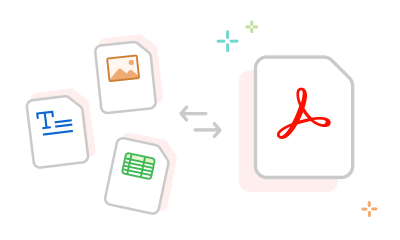
Lengvai ir nemokamai konvertuokite populiarius failų formatus („Word“, „Excel“, „PowerPoint“, vaizdus ir daugiau) į PDF formatą ir atvirkščiai.
Kaip konvertuoti failus internetu
Naudokite internetinį „Acrobat“ failų keitiklį, kad dokumentus konvertuotumėte į jums reikiamą formatą – nesvarbu, ar kuriate PDF failą ar jį konvertuojate į redaguojamą failą.
Atlikite šiuos paprastus veiksmus:
Spustelėkite viršutinėje dalyje esantį mygtuką „Pasirinkti failą“ arba nuvilkite failą į įkėlimo sritį.
Įkelkite failą jį pasirinkę įrenginyje arba nuvilkdami tiesiai į keitiklį.
„Acrobat“ apdoroja failą ir jį konvertuoja per kelias sekundes.
Atsisiųskite konvertuotą failą arba tęskite darbą su juo naudodami internetinius „Acrobat“ įrankius.
style
background
#FFF
Daugiau būdų dirbti su PDF failais
Išbandykite mūsų internetinius įrankius PDF failų konvertavimui, glaudinimui ir sujungimui – „Acrobat“ gali viską.
Turite klausimų apie failų keitiklį? Galime atsakyti.
„Acrobat“ palaiko konvertavimą tarp PDF ir daugelio populiarių failų tipų, įskaitant „Microsoft Word“, „Excel“, „PowerPoint“, JPG, PNG ir kitus palaikomus dokumentų bei vaizdų formatus.
Ne. „Acrobat“ failų keitiklis veikia žiniatinklio naršyklėje, todėl failus galima konvertuoti internetu neatsisiunčiant ir nediegiant jokios papildomos programinės įrangos.
Taip. Konvertuojant išsaugomas originalus dokumento formatavimas, išdėstymas, šriftai ir vaizdai. Tačiau kai kurie sudėtingesni formatavimo elementai, interaktyvūs komponentai, makrokomandos, įterpta multimedija ar nepalaikomi šriftai gali būti atvaizduoti kitaip nei originaliame dokumente.
Taip. Failus galima konvertuoti išmaniuoju telefonu ar planšetiniu kompiuteriu naudojant palaikomą žiniatinklio naršyklę – todėl galite dirbti visur, kur tik bebūtumėte.
„Adobe“ failų konvertavimui naudoja saugų internetinį apdorojimą. Daugiau informacijos apie failų tvarkymą, saugojimą ir privatumo užtikrinimo praktikas galite rasti peržiūrėdami „Adobe“ saugos ir privatumo politiką.
style
l spacing
Išbandykite mūsų nemokamą failų keitiklį
Greitai konvertuokite dokumentus nediegdami jokios papildomos programinės įrangos. „Acrobat“ padeda lengvai konvertuoti tarp populiarių failų formatų išsaugant turinio kokybę.
background
#f8f8f8
style
background
#f8f8f8
style
xl spacing, three-up
Konvertuokite failus kasdieniam darbui
Nesvarbu, ar atnaujinate ataskaitas, ruošiate pristatymus, bendrinate sutartis, ar tvarkote įrašus – tinkamo formato naudojimas padeda efektyviau dirbti skirtingais įrenginiais ir programomis.
Išsaugokite dokumentų kokybę
Failų keitiklis sukurtas taip, kad konvertuojant būtų išsaugomas formatavimas, šriftai, vaizdai, lentelės ir išdėstymas. Rezultatai gali skirtis priklausomai nuo dokumento sudėtingumo, įterptųjų šriftų, nepalaikomų funkcijų ar nuskaityto turinio.
Naudokite failų turinį pakartotinai
Nereikia pradėti nuo pat pradžių. Konvertuokite turinį iš vieno failo formato į kitą ir sutaupykite laiko kitam projektui.
Dirbkite su populiariais failų tipais
Konvertuokite tarp PDF ir dažniausiai naudojamų formatų, įskaitant „Microsoft Word“, „Excel“, „PowerPoint“, JPG, PNG ir kitus. „Acrobat“ suteikia lankstumo nepridėdama papildomų žingsnių į darbo seką.
Bendrinkite failus užtikrintai
Pasirinkite formatą, geriausiai tinkantį gavėjams. Konvertuokite failus į PDF formatą patikimam peržiūrėjimui arba eksportuokite PDF failus į redaguojamus formatus, kai reikia atlikti pakeitimų.
Dirbkite be trukdžių
Atlikę konvertavimą, prisijunkite ir tęskite darbą: redaguokite, tvarkykite, glaudinkite, sujunkite, pasirašykite arba bendrinkite failus naudodami internetinius „Acrobat“ įrankius.
Naudokitės „Acrobat“ įrankiais nemokamai
Prisijunkite ir išbandykite daugiau kaip 25 įrankius, skirtus, pvz., failams konvertuoti arba glaudinti
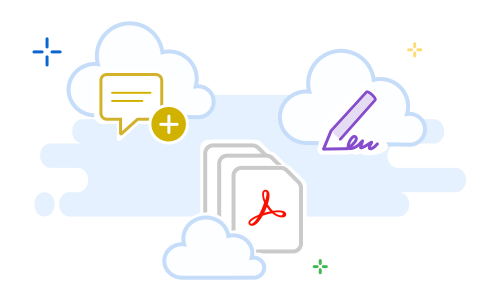
Pridėkite komentarų, pildykite formas ir pasirašykite PDF failus nemokamai
Saugokite savo failus internete ir pasiekite juos iš bet kokio įrenginio
Išbandykite šiuos internetinius „Acrobat“ įrankius
style
Center
background
#fbfbfb
style
Center
background
#fbfbfb
style
Center
background
#fbfbfb
Cookie Settings
General information
You can control how Adobe websites use cookies and similar technologies by making choices below. But note that if you disable cookies and similar technologies entirely, Adobe websites may not function properly.
Cookies are small text files stored by your web browser when you use websites. There are also other technologies that can be used for similar purposes like HTML5 Local Storage and local shared objects, web beacons, and embedded scripts. These technologies help us do things like remembering you and your preferences when you return to our sites, measure how you use the website, conduct market research, and gather information about the ads you see and interact with.
You can make choices in the menu below about what cookies and other technologies you want us to use on Adobe sites when you visit them from this browser. You can always change those choices later by clicking on the Cookie Preferences link at the bottom of the page.
If enabled:
We can improve your experience by tailoring the site and the content to things we think might be of interest
We can better keep track of your preferences — like what language you prefer to use
We will better understand your likely interests so we can provide you more relevant Adobe ads and content on non-Adobe websites and in non-Adobe apps
It will help us improve the performance of our website and those of our partners who use the Adobe Experience Cloud
If disabled:
We won’t be able to remember you from session to session so the experience may not be tailored to your interests
You’ll still have access to the content of the site but certain features that depend on cookies may not function
You’ll still see ads, they just may not be as relevant to you
General information
You can control how Adobe websites use cookies and similar technologies by making choices below. But note that if you disable cookies and similar technologies entirely, Adobe websites may not function properly.
Cookies are small text files stored by your web browser when you use websites. There are also other technologies that can be used for similar purposes like HTML5 Local Storage, web beacons, and embedded scripts. These technologies help us do things like remembering you and your preferences when you return to our sites, measure how you use the website, conduct market research, and gather information about the ads you see and interact with.
You can make choices in the menu below about what cookies and other technologies you want us to use on Adobe sites when you visit them from this browser. You can always change those choices later by clicking on the Cookie Preferences link at the bottom of the page.
If enabled:
We can improve your experience by tailoring the site and the content to things we think might be of interest
We can better keep track of your preferences — like what language you prefer to use
We will better understand your likely interests so we can provide you more relevant Adobe ads and content on non-Adobe websites and in non-Adobe apps
It will help us improve the performance of our website and those of our partners who use the Adobe Experience Cloud
If disabled:
We won’t be able to remember you from session to session so the experience may not be tailored to your interests
We’ll still count your use of our site and services
You’ll still have access to the content of the site but certain features that depend on cookies may not function
You’ll still see ads, they just may not be as relevant to you
Operate the site and core servicesOperate site and measure engagement
Always active
These cookies are required, and they are used to enable the site and related services core functionality. Without them the site could not operate, so they cannot be disabled.
These cookies enable the site and related services’ core functionality and collect statistics about user engagement, such as counting active use to help us understand trends. These cookies cannot be disabled.
Measure performance
These cookies are used to analyze site usage to measure and improve performance. Without them Adobe cannot know what content is most valued and how often unique visitors return to the site, making it hard to improve information we offer to you.
These cookies are used to analyze site usage to measure and improve performance. Without them Adobe cannot know what content is most valued, making it hard to improve information we offer to you.
Extend functionality
These cookies are used to enhance the functionality of Adobe sites such as remembering your settings and preferences to deliver a personalized experience; for example, your username, your repeated visits, preferred language, your country, or any other saved preference.
Personalize advertising
These cookies are used to enable Adobe and our partners to serve ads more relevant to your interests. Without them you will still see ads, but they might not be as relevant to you.
Performance Cookies
ConsentLeg.Interest
All Consent Allowed
„Adobe Acrobat“
Palaukite akimirką, kol perkelsime jus į acrobat.adobe.com