https://main--cc--adobecom.aem.live/cc-shared/assets/img/firefly.svg Adobe Firefly

Create a free Christmas profile picture with Adobe Firefly.
Upload a photo of yourself and describe the festive look you want, from a cozy red sweater to soft snow and twinkling lights. Adobe Firefly will apply it while keeping your face recognizable, with free daily generations.


Or tap here
File must be JPEG (JPG), PNG, or WEBP and up to 100MB.
By uploading your image, you agree to the Adobe Terms of Use and Privacy Policy and confirm you are 18 years of age or older.
https://main--cc--adobecom.aem.live/cc-shared/assets/svg/s2-icon-upload-20-n.svg Upload your photo
Or tap here
File must be JPEG (JPG), PNG, or WEBP and up to 100MB.
By uploading your image, you agree to the Adobe Terms of Use and Privacy Policy and confirm you are 18 years of age or older.
https://main--cc--adobecom.aem.live/cc-shared/assets/svg/s2-icon-upload-20-n.svg Upload your photo
Or drag and drop here
File must be JPEG (JPG), PNG, or WEBP and up to 100MB.
By uploading your image, you agree to the Adobe Terms of Use and Privacy Policy and confirm you are 18 years of age or older.
- File size larger than 100MB
- Unable to process the request
- We are unable to process this file type. Please try again.
- Only one file can be uploaded at a time.
- Image is smaller than the minimum dimensions (512 x 512 pixels). Please resize and try again.

{{nbsp}}
Give your profile picture some holiday spirit.
A Christmas profile picture takes the photo you already have and gives it a seasonal update, from a cozy sweater and soft string lights to a light dusting of snow. Upload a photo, describe the mood you want, and Adobe Firefly will apply it for free while keeping you looking like you.
Keep your face, add the holiday spirit.
Your identity stays exactly the same. Describe the Christmas mood you want, whether that is a classic red and green palette or a softer frosty blue, and Adobe Firefly changes the styling and background without touching your features.

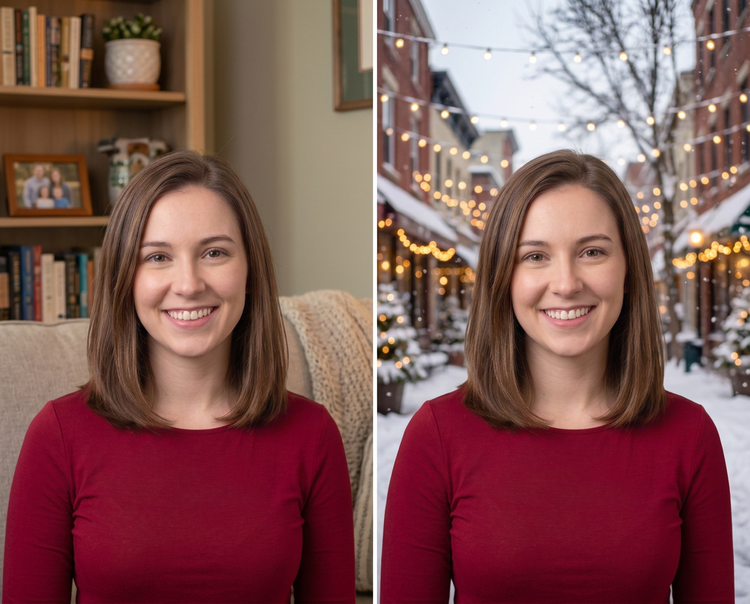
Swap in a winter backdrop in moments.
Replace a plain or busy background with a cozy fireplace scene, a snow-dusted street, or a wall of twinkling lights. Describe what you want and Adobe Firefly fills it in, keeping your subject sharp against the new background.
Fine-tune the details.
Use Remove Object to clean up small distractions like stray hair or clutter, then adjust lighting and color balance until the look feels finished. Adobe Firefly keeps your original photo intact while you experiment.

How to create a Christmas profile picture with Adobe Firefly.
Step 1
Upload your photo.
Step 2
Replace or clean up your background.
Step 3
Refine your image.
Step 4
Save and share.
Steps on how to generate a Christmas profile picture using Adobe Firefly Edit Image.
PT4M
firefly

Precise creative control
Your face stays yours, the styling is what changes. Adjust the palette, lighting, and festive details until the look matches how you want to celebrate, then keep refining without touching your original photo.

Top AI models, all in one place
Adobe Firefly pairs its own models with top partner models from FLUX, Google, OpenAI, and others in a single creative studio. Compare a few different takes on your Christmas profile picture, then polish your favorite with precision tools.

Your complete creative studio
A quick photo update is just the start. Generate your Christmas look, refine it with precision tools, and land on a version you are happy to use everywhere the season takes you.

Built for creators
Get fast results when you need them, using intuitive tools that automate common image edits. Dial in the details with precision tools when details matter. Firefly adapts to the way you create.