https://main--cc--adobecom.aem.live/cc-shared/assets/img/firefly.svg https://main--cc--adobecom.aem.live/cc-shared/assets/img/ff-lockup-f4.svg | Adobe Firefly
Free AI professional headshot generator.
Turn a photo of yourself or your team into a polished, professional headshot with Adobe Firefly. Use it on profiles, websites, company directories, and more.
Or tap here
File must be JPEG(JPG), PNG, or WEBP and up to 100MB.
By uploading your image, you agree to the Adobe Terms of Use and Privacy Policy and confirm you are 18 years of age or older.
https://main--cc--adobecom.aem.live/cc-shared/assets/svg/s2-icon-upload-20-n.svg Upload your photo
Or tap here
File must be JPEG(JPG), PNG, or WEBP and up to 100MB.
By uploading your image, you agree to the Adobe Terms of Use and Privacy Policy and confirm you are 18 years of age or older.
https://main--cc--adobecom.aem.live/cc-shared/assets/svg/s2-icon-upload-20-n.svg Upload your photo
Or drag and drop here
File must be JPEG(JPG), PNG, or WEBP and up to 100MB.
By uploading your image, you agree to the Adobe Terms of Use and Privacy Policy and confirm you are 18 years of age or older.
- File size larger than 100MB
- Unable to process the request
- We are unable to process this file type. Please try again.
- Only one file can be uploaded at a time.
- Image is smaller than the minimum dimensions (512 x 512 pixels). Please resize and try again.
https://main--cc--adobecom.aem.live/cc-shared/assets/img/product-icons/svg/firefly-80.svg
{{nbsp}}
Generate headshot | Generate headshot free AI professional headshot
https://main--cc--adobecom.aem.live/cc-shared/assets/img/product-icons/svg/firefly-80.svg
Adobe Firefly
Generate headshot | Generate headshot free AI professional headshot
https://main--cc--adobecom.aem.live/cc-shared/assets/img/product-icons/svg/firefly-80.svg
Adobe Firefly
The next evolution of creative AI is here for all your ideas, with image, video, audio, and vector tools.
Generate headshot | Generate headshot free AI professional headshot
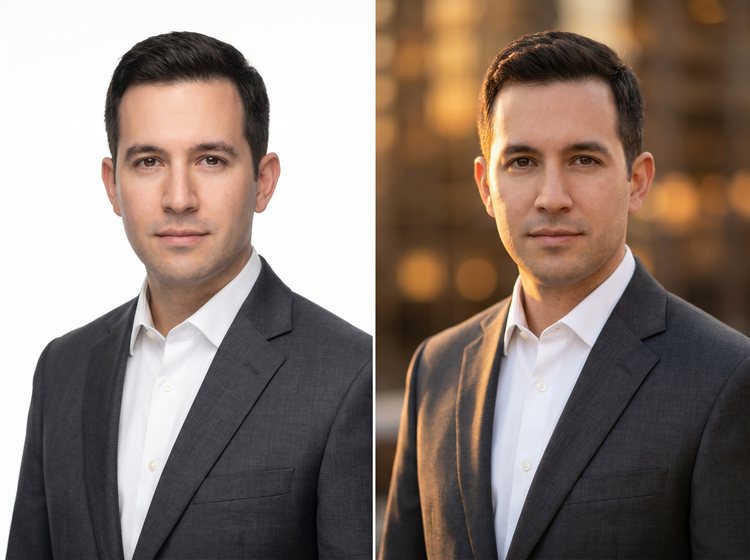
Create a studio-quality professional headshot.
Transform an existing photo of yourself or your coworkers into a polished, professional headshot with Adobe Firefly. Upload a reference photo and describe the look you want. Adobe Firefly generates a refined result with granular control over lighting, background, attire, and style.
Describe your headshot, then generate it.
Upload a reference photo so Adobe Firefly knows what you look like. Then type a description. Include attire, background color, lighting mood, and style. Adobe Firefly will generate a headshot. Iterate on your prompt to refine the look until it matches your personal or brand standard exactly.
Control every detail of the final look.
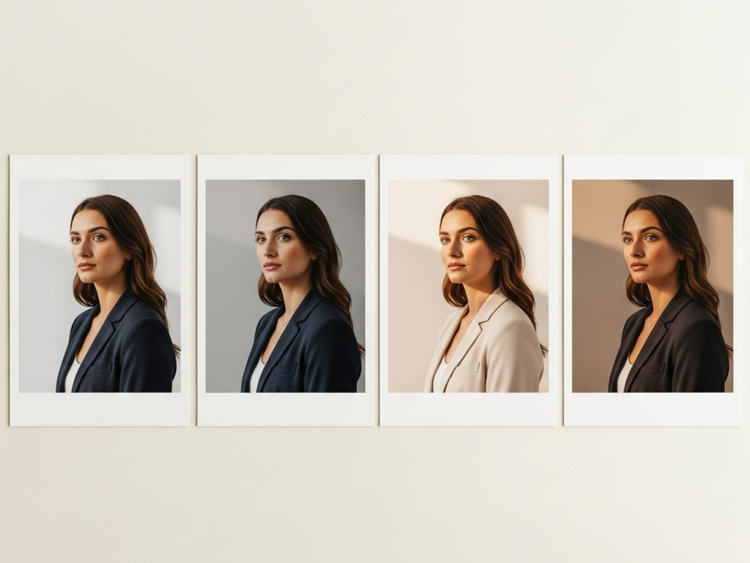
Whether you need a clean white background for a corporate headshot or a warmer look, the style controls in Adobe Firefly give you the precision to get there without guesswork.
Apply a consistent style for your whole team.
Create headshots with a consistent visual style, even if the photos provided have different settings or were taken over the years with different lighting and backdrops. Use Adobe Firefly to apply matching backgrounds and similar lighting and framing for a cohesive look.
Take your AI professional headshot further.
Adobe Firefly allows you to generate your professional headshot while staying connected to the full Adobe ecosystem for finishing touches. Refine with Photoshop on the web for precise retouching, or jump into Adobe Express to apply design elements or use it in templates, all in one seamless workflow.
How to generate a professional headshot with Adobe Firefly.
Step 1
Open Adobe Firefly and select Generate Image.
Step 2
Upload a reference photo and describe your headshot.
Step 3
Generate and review your results.
Step 4
Refine your headshot.
Step 5
Download and share your headshot.
How to generate a professional headshot with Adobe Firefly.
Steps on how to generate an AI professional headshot using Adobe Firefly.
PT5M
firefly
Studio-quality results
Generate professional-quality headshots with the exact lighting and background you want and sharp detail. Tailor your results to match your personal and brand needs.
Commercially safe for business use
Adobe Firefly models are trained exclusively on Adobe Stock, licensed content, and public domain materials, so outputs are safe for commercial use on websites, press materials, networking sites, and client-facing presentations.
Lightning-fast results
Quickly generate polished headshot options, then fine-tune by adjusting your prompt or uploading a reference image to get just the look you want.
Maintain style consistency
Firefly makes it easy to create a cohesive look for photo sets. Use prompts and style settings to apply matching backgrounds and more so your photos are ready to use for corporate websites and beyond.
See what you can create with Adobe Firefly.