JPG to PDF

{{verb-widget-legal}}
Over 12M* files uploaded!
Join millions of users who have successfully converted JPGs to PDFs using Acrobat.
*Over an 18-24 month period.

How to convert JPG to PDF online

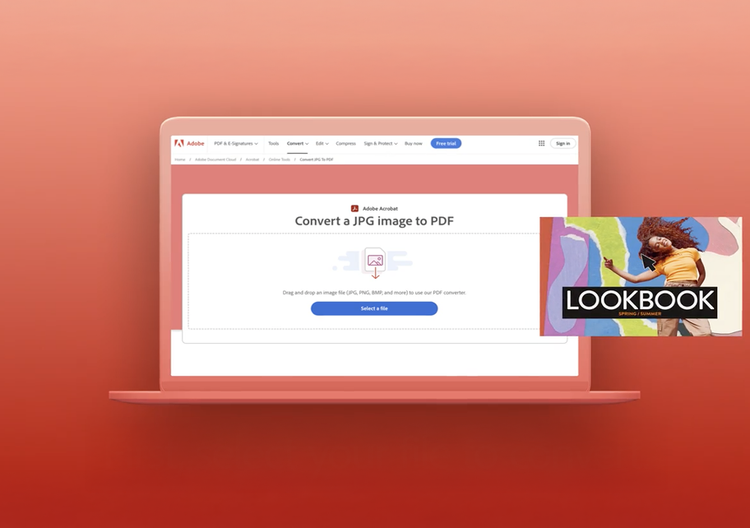
Learn how easy it is to use our image to PDF converter to save any image as a PDF, including JPG, PNG, BMP, GIF, or TIFF files:
https://main--dc--adobecom.aem.live/dc-shared/fragments/modals/videos/frictionless/how-to-convert-jpg-to-pdf#video | Play video: How to convert JPG to PDF | :play-medium

  • Click the Select a file button above or drag and drop files into the drop zone.
  • Select the image file you want to convert to PDF.
  • After uploading, Acrobat automatically converts the file from an image format to PDF.
  • Download your new PDF file or sign in to share it.

Try our free JPG to PDF converter

It's quick and easy to convert image to PDF with our online tool. With only a couple of clicks, you can convert a JPG to PDF on any device, and any browser. The tools also supports other image file formats, such as GIF, BMP or TIFF files.

https://main--dc--adobecom.aem.live/dc-shared/assets/images/shared-images/frictionless/seo-icons/convert-files.svg | Two document icons with arrows showing how to convert files between PDF and image.

Convert JPG to PDF online

When you use our image to PDF converter, you don't need to download any software or install anything. It's a free online tool with no size limits and no watermarks.

https://main--dc--adobecom.aem.live/dc-shared/assets/images/shared-images/frictionless/seo-icons/work-on-any-device.svg | A desktop and a mobile device showing that you can convert JPG files on any device

Convert images to PDF from any device

The image to PDF converter works from any laptop, tablet, or mobile phone, and on any operating system or web browser.

https://main--dc--adobecom.aem.live/dc-shared/assets/images/shared-images/frictionless/seo-icons/best-pdf.svg | A PDF icon representing the best JPG to PDF converter

Make your images smarter

When you convert an image to PDF, you can use Acrobat's OCR technology to recognize text and turn a plain image into an editable document. You can also adjust orientation and margins.

https://main--dc--adobecom.aem.live/dc-shared/assets/images/shared-images/frictionless/seo-icons/convert-images.svg | Three stacked image icons where the middle image has a red border

A secure image to PDF converter

Our JPG to PDF converter handles all your files securely and privately. All files are deleted unless you sign in and save them.

https://main--dc--adobecom.aem.live/dc-shared/assets/images/shared-images/frictionless/seo-icons/reliable-pdf.svg | An Adobe PDF icon with a vertical scale demonstrating high image quality

Retain high image quality

Our Acrobat online converter makes sure that image quality is high in the resulting PDF document. Your images will look as expected in the PDF file format.

https://main--dc--adobecom.aem.live/dc-shared/assets/images/shared-images/frictionless/seo-icons/work-wherever.svg | A desktop icon with a PDF check mark showing that you can convert image to PDF on any browser.

Do more with your PDFs

After using our JPG to PDF converter, you can add pages to the same PDF, edit your new document or merge with other files.

Frequently asked questions.

How do I convert a JPG to PDF with Adobe Acrobat?
To convert a JPG to PDF with Adobe Acrobat, open the online JPG to PDF tool, upload your image file, and click “Convert.” Your PDF will download in seconds. In the Acrobat desktop app, you can also go to File > Create > PDF From File and select your JPG. Acrobat preserves the image quality and dimensions of your original file in the resulting PDF.
Can Adobe Acrobat combine multiple JPG images into one PDF?
Yes, Adobe Acrobat lets you combine multiple JPG images into a single PDF by selecting all your image files and merging them in your specified order. In the desktop app, go to File > Create > Combine Files into a Single PDF and add all your JPGs. Acrobat's online tool also allows you to upload multiple images to convert JPGs to PDFs in batches.
Does Adobe Acrobat support other image formats besides JPG for PDF conversion?
Yes, Adobe Acrobat supports conversion of PNG, TIFF, BMP, and GIF image files to PDF in addition to JPG. You can mix different image formats in a single batch conversion, and Acrobat will merge them into one unified PDF.
Who uses Adobe Acrobat to convert JPGs to PDF?
Business professionals archiving receipts or forms, photographers converting image portfolios, and students scanning and submitting assignment photos commonly use Adobe Acrobat to turn JPGs into PDFs. The conversion is also popular for teams that need to send images in a non-editable, universally viewable format. Acrobat creates PDFs that open consistently across all devices and operating systems.
Does Adobe Acrobat reduce image quality when converting JPG to PDF?
Adobe Acrobat preserves the original resolution of your JPG when creating a PDF unless you request to compress your file during the conversion. The default JPG to PDF conversion in Acrobat does not degrade image quality, making it suitable for professional-quality print output. If you need smaller file sizes, Acrobat's compression tool can optimize your PDF after it is converted.
What is the maximum file size for JPG to PDF conversion in Adobe Acrobat?
The Adobe Acrobat online JPG to PDF tool is compatible with files up to 100MB per upload for free conversions. Higher file size limits are available with an Acrobat subscription. The desktop app has no practical file size restriction and is the recommended option for very large or high-resolution image files. If you need to convert large batches of images, Adobe Acrobat Pro's batch processing tools are the most efficient option.
Is Adobe Acrobat's JPG to PDF converter free?
Adobe Acrobat's online JPG to PDF converter is free to use for a limited number of conversions without signing in, but you must sign in to save or download your file. Unlimited conversions, batch uploads, and access to additional tools like merging and compression require an Acrobat subscription. See all plans here.

Image to PDF resources

Content as a Service v2 - jpg-to-pdf - Friday, May 24, 2024 at 15:58
Verb
jpg-to-pdf

Try these Acrobat online tools

Convert from PDF

Convert to PDF

Reduce file size

Edit

Sign & Protect

Generative AI

Convert from PDF
Convert to PDF
Reduce file size
Edit
Sign & Protect
Generative AI