


What is AI productivity?
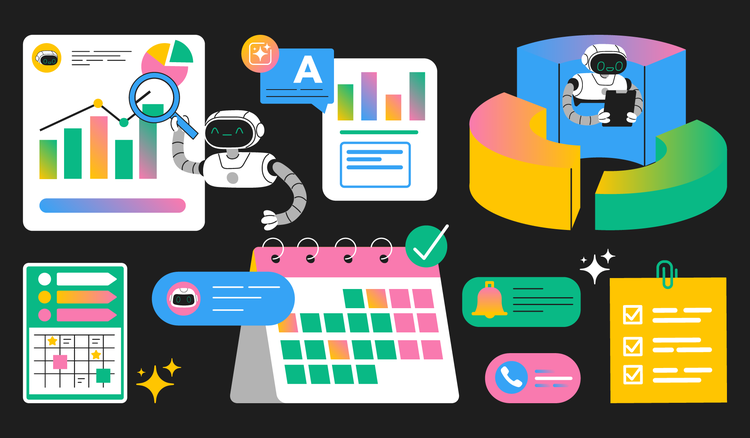
AI productivity refers to using artificial intelligence technologies to accomplish work tasks more efficiently, accurately, and with less manual effort. Rather than replacing human workers, AI tools augment human capabilities by handling time-consuming processes like document formatting, data entry, and information synthesis that once required significant mental energy and repetitive action.
How AI boosts productivity
According to recent workplace studies, over 75% of knowledge workers now use artificial intelligence tools in some capacity, with adoption rates doubling in just the past two years. This rapid shift signals a fundamental change in how professionals approach their daily tasks, from drafting emails to analyzing complex documents.
- Automating repetitive tasks like data entry, formatting, and file organization
- Summarizing and analyzing documents to extract insights quickly
- Managing schedules and priorities through intelligent time management assistance
This guide explores how AI enhances workplace efficiency, examines the major categories of AI productivity tools, and provides practical tips for integrating these technologies into existing workflows.
How AI reduces busywork and cognitive load
We are all familiar with busywork: tasks that consume disproportionate time relative to their strategic value. Data entry, document formatting, email sorting, and file organization represent hours of weekly effort that AI can dramatically reduce. AI tools excel at recognizing patterns in routine work and using the patterns to automate those tasks, turning processes that once took 30 minutes into actions completed in seconds.
- Research suggests knowledge workers spend up to 40% of their time on repetitive administrative tasks.
- AI automation can reclaim several hours each week for higher-value activities.
- AI assistants reduce the cognitive burden of constant task-switching by bringing information to users instead of forcing them to hunt for it.
Studies indicate that recovering full concentration after an interruption can take over 20 minutes. By minimizing context switching and handling routine tasks, AI helps professionals maintain focus and spend more time on work that requires judgment and creativity.
How AI helps you work with information faster
Modern professionals face an overwhelming volume of information. Reports, contracts, research papers, and internal documents pile up faster than anyone can reasonably process them. AI transforms this challenge by enabling rapid synthesis and extraction, condensing lengthy PDFs into key points within seconds and helping users quickly locate the most relevant sections.
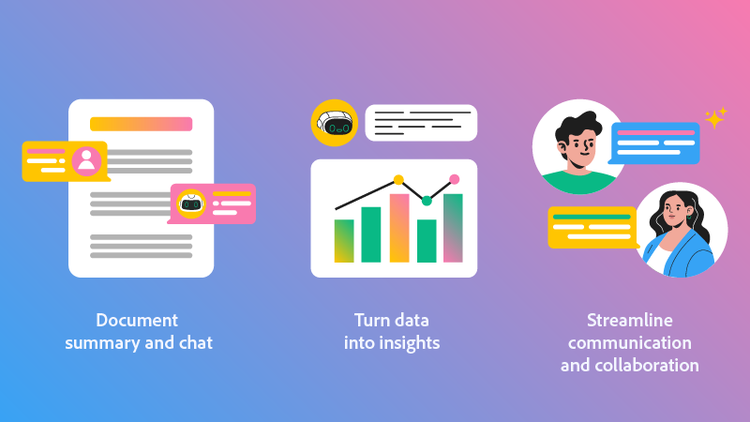
Document summary and chat
AI-powered document summaries can condense lengthy PDFs into key points within seconds. Tools like Acrobat AI Assistant make this capability accessible directly within your existing PDF workflow, allowing you to ask questions about document contents and receive instant, cited answers without reading every page.
Turn data into insights
Raw data holds limited value without interpretation. AI productivity tools identify patterns, flag anomalies, and surface actionable insights in financial reports, customer feedback, project metrics, and operational data, highlighting trends and generating visualizations that make complex information easier to understand and action.
Streamline communication and collaboration
AI also supports communication by generating content drafts and organizing information for easy retrieval. This helps teams stay aligned across documents, meetings, and shared knowledge bases.
Is AI really increasing productivity? Evidence suggests yes, especially when tools are integrated thoughtfully into existing workflows. The biggest gains come from reducing time spent on repetitive tasks, information retrieval, and manual data processing, allowing professionals to focus on higher-value strategic work.
AI productivity tools and examples
AI tools for productivity span numerous categories, each addressing specific workflow challenges. Understanding these categories helps professionals identify which solutions best match their needs and where AI can have the greatest impact on their day-to-day work.
- AI writing assistants for drafting, editing, and translating content
- AI scheduling and calendar assistants that optimize time and protect focus
- Meeting transcription and intelligence tools that record discussions to provide summaries and action items
- Research assistants, like those that allow you to chat with your PDFs, enable professionals to ask questions and receive answers drawn directly from source materials
How to use AI tools to boost productivity
AI delivers the strongest productivity gains when it’s applied to specific bottlenecks in your existing workflows. Rather than attempting wholesale transformation, start with document-related tasks and routine processes where AI can quickly save time while you maintain oversight.
- Identify repetitive tasks like formatting, summarizing, or data entry that consume disproportionate time.
- Introduce AI assistants to draft content, summarize documents, or analyze data, treating outputs as starting points rather than final results.
- Plan to review, edit, and verify AI outputs to ensure accuracy and quality. Take note of areas for opportunity and apply them where possible.
- Integrate AI tools with existing systems and document workflows so they fit naturally into how you already work.
Overcoming the challenges of AI workflows
Despite significant benefits, AI productivity tools introduce challenges that require thoughtful navigation. Effective use depends on learning how to prompt, guide, and verify AI outputs, and on building review steps into every workflow so quality and accuracy remain high. Some challenges to keep in mind include:
- AI outputs can contain factual errors, misinterpret source materials, or reflect biases in training data.
- New tools require time and training before they deliver meaningful productivity gains.
- Integrations and data security must be evaluated carefully, especially for sensitive documents.
Generative AI for documents works best when it integrates seamlessly with your current document management approach. Acrobat AI Assistant addresses this by working directly within the PDF format most businesses already use, reducing friction and improving adoption.
Frequently asked questions
AI productivity refers to leveraging artificial intelligence technologies to accomplish work tasks faster, more accurately, and with reduced manual effort. Unlike traditional productivity improvements that focus on better processes or time management, AI productivity specifically involves using machine learning, natural language processing, and automation to handle tasks that previously required human attention. The goal is augmenting human capabilities rather than replacing them entirely.
AI enhances productivity across numerous workflows: automating data entry and document formatting, transcribing and summarizing meetings, managing calendars and scheduling, generating draft content for review, analyzing large datasets for patterns, and organizing information for easy retrieval. The most effective implementations target specific bottlenecks in existing workflows rather than attempting wholesale transformation, with document-related tasks often delivering quick wins.
AI productivity tools generally fall into four functional categories:
- Generative tools that create new content like text, images, or code.
- Analytical tools that process existing information to extract insights and patterns.
- Automation tools that execute predefined workflows and trigger actions based on conditions.
- Assistive tools that augment human capabilities through suggestions, corrections, and real-time guidance.
Many modern applications combine multiple AI tool types to deliver comprehensive functionality.
The 30% rule suggests that professionals should allocate approximately 30% of the time saved by AI to reviewing, editing, and verifying AI outputs. This guideline acknowledges that AI-generated content requires human oversight to ensure accuracy, appropriateness, and alignment with specific needs. Rather than accepting AI outputs directly, effective users treat them as drafts that benefit from human refinement, maintaining quality while still capturing substantial efficiency gains compared to fully manual approaches.
Acrobat AI Assistant brings AI productivity directly into PDF workflows by enabling document summarization, question-and-answer interactions, and data extraction from complex files. By working within the PDF format most businesses already use, it reduces context switching, speeds up research and review tasks, and helps professionals find the information they need without manually scanning lengthy documents.
DISCLAIMER: This article is for informational purposes only. Adobe does not and cannot provide legal, financial, accounting or any other related professional advice. Laws and regulations frequently change. You should consult an attorney, accountant, or other appropriate professional advisor regarding questions specific to your situation. To the maximum extent permitted by law, Adobe provides this material on an “as is” basis. Adobe disclaims and makes no representation or warranty of any kind with respect to this material, express, implied, or statutory, including representations, guarantees, or warranties of merchantability, fitness for a particular purpose, or accuracy.
You may also like
title
How AI boosts productivity and how to use AI productivity tools
cardImageAltText
Abstract illustration representing AI productivity tools in Adobe Acrobat
cardImage
primaryTag
caas:content-type/article
Tags
caas:content-type/article,caas:products/acrobat,caas:topic/ai-chat-pdf,caas:topic/ai-assistant

