


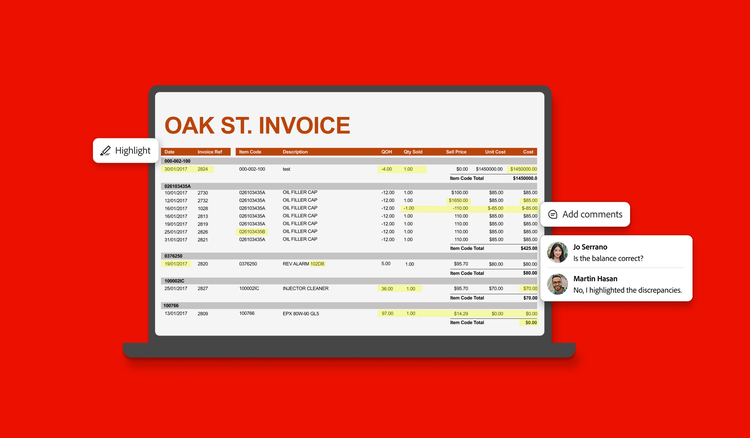
To dispute an error on your personal credit report, start by identifying the incorrect item. Common disputable errors include accounts you didn’t open, duplicate accounts, and incorrect balances or credit limits. Note any payments that are wrongly listed as late, or closed accounts reported as still open. Gather supporting documents, then submit your dispute information online or via mail.
Why you can’t ignore credit report errors.
Credit report errors can have real-life consequences. A payment wrongly marked late, a balance marked as unpaid that was actually paid, or someone else’s credit account appearing on your report can derail your loan application or increase your borrowing costs.
To dispute an error on your personal credit report, follow these three steps to ensure a clean submission and timely resolution. Download our fillable credit report checklist to document your progress.
Step 1: Pull your reports and mark the errors.
Check your credit reports from all three credit reporting agencies — Equifax, Experian, and TransUnion — because their information may differ. The only federally authorized website for requesting free credit reports is AnnualCreditReport.com. At that site, you can request free weekly credit reports from all three bureaus. Watch out for look-alike “free credit report” sites that charge for services or collect personal information.
Save or print each report and mark the items you believe are inaccurate or incomplete. You can dispute outdated negative information, but accurate negative information generally cannot be removed. If you discover an unfamiliar account, report it at IdentityTheft.gov.
Step 2: Gather what you need to send.
For each error, put together a packet for each bureau. The following copied documents may be relevant (never send the originals):
● Your credit report, with the disputed item circled or highlighted
● Copies of billing and account statements, payment records, canceled checks, or payoff confirmation that support your position
● Correspondence from the creditor, lender, collector, court, or other information provider
● A copy of your identification and proof of your current address, if the bureau requests them
● Other supporting documents, such as an identity theft report, police report, or related documentation
Make a list of what you’re sending so you’ll know exactly what each bureau received. Organize your records by the disputed item to help the investigator review your case quickly.
Step 3: Submit the dispute to the bureau.
Submit your dispute information to the credit reporting company online or by mail. Some bureaus also accept disputes by phone, though a written record is easier to refer back to.
Dispute online.
All three credit bureaus support online disputes, which is the fastest method since there’s no letter to write and no mail to wait on. Reference the dispute information for each bureau:
Each bureau’s online form asks for the same things a letter would: the disputed account, what’s wrong with it, and the correction you want. Save your report confirmation number and supporting documents as files before you start, since most forms let you upload them during the dispute.
Dispute by mail.
Disputing by mail requires creating a letter. Sample dispute letters from the Consumer Financial Protection Bureau (CFPB) show what a strong credit bureau dispute letter includes:
- Your full name, mailing address, and date of birth
- The credit report confirmation number
- The account number for each disputed item
- An explanation of the disputed item with the requested correction
- A list of the supporting documents enclosed
- Your signature and date
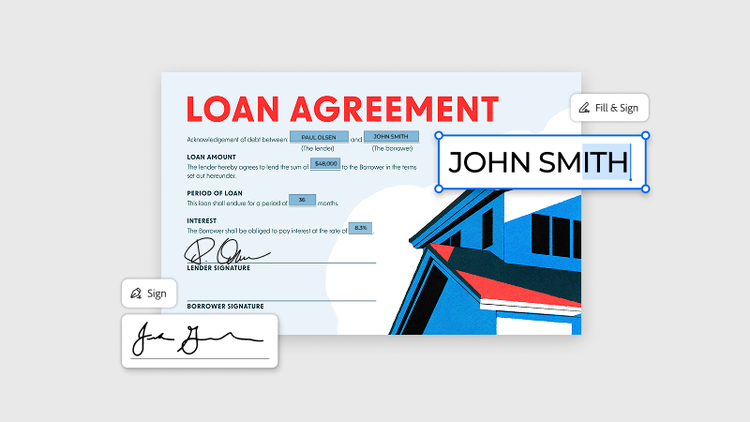
View each bureau’s dispute page for mailing information and full instructions. Experian and Equifax also provide downloadable PDF dispute forms.
For PDF files, no need to print the document to fill it out — use the free Adobe Acrobat Fill & Sign tool to fill out any PDF form directly in your browser — no software installation needed. Once you’ve opened the template, review all names, numbers, dates, and requested corrections, and then sign your name by typing, drawing, or uploading your signature. You can then reuse the same information for another bureau recipient.
If you create your letter in word processing software, convert your document file to PDF using the free tool from Acrobat.
Step 4: Submit the dispute to the furnisher.
Whichever way you dispute, contact the furnisher separately when you’re done — the bank, lender, landlord, or collector that supplied the information. The CFPB and FTC advise disputing with both, and the CFPB also publishes a sample furnisher letter with instructions. Writing to the furnisher is going straight to the source and prevents you from having to dispute the same item twice.
The content is largely the same, but the ask changes. You ask the bureau to investigate and correct your report, while you ask the furnisher to stop reporting the error and notify the bureaus. Reference your report confirmation number for the bureau and your account number for the furnisher.
The bureau’s investigation process.
The bureau investigates the disputed information and sends relevant details to the furnisher. The bureau isn’t required to investigate irrelevant disputes, such as those that don’t include enough information. The bureau will notify you within five business days if it makes that decision.
The furnisher investigates the information it supplied and reports its findings back to the bureau. Under the Fair Credit Reporting Act, furnishers must investigate and respond to valid disputes within 30 days. However, if you submit a dispute after receiving your free annual credit report, the investigation period is extended to 45 days. The bureau must forward relevant information to the furnisher and consider the furnisher’s response. Information found to be inaccurate, incomplete, or unverifiable must be corrected or deleted.
The furnisher will add or remove relevant information and notify the credit bureaus. However, they may determine that the information about you is accurate and should not be updated. If the error remains, review the bureau’s results carefully. If you disagree with a bureau’s results, you can request information about how it conducted its investigation, dispute the item again with new supporting documentation, ask the bureau to add a brief statement of dispute to your file, or submit a complaint to the Consumer Financial Protection Bureau.
Continue checking your reports. If a furnisher determines that information was inaccurate or incomplete, it must report the correction to every reporting company it supplied the information to.
Most disputes take more than one letter. Fill out and sign every copy of your dispute letter online with Acrobat.
Frequently asked questions
Filing a dispute does not lower your score, though leaving an error in place might.
All three bureaus accept online disputes. If you prefer to have a paper trail, though, it may be better to submit by mail.
Most accurate negative information remains on a credit report for 7 years, while bankruptcy information may stay for 10. You can file a dispute if negative information appears beyond the applicable reporting period.
You may dispute multiple errors, but identify and support each one separately so that every claim can be easily investigated. Use a credit report dispute checklist to dispute an error with greater confidence.
DISCLAIMER: This article is for informational purposes only. Adobe does not and cannot provide legal, financial, accounting or any other related professional advice. Laws and regulations frequently change. You should consult an attorney, accountant, or other appropriate professional advisor regarding questions specific to your situation. To the maximum extent permitted by law, Adobe provides this material on an “as is” basis. Adobe disclaims and makes no representation or warranty of any kind with respect to this material, express, implied, or statutory, including representations, guarantees, or warranties of merchantability, fitness for a particular purpose, or accuracy.
You may also like
title
Use an online template to dispute a credit error.
cardImageAltText
An invoice showing comments between two people noting discrepancies.
cardImage
Tags
caas:content-type/article,caas:products/acrobat,caas:topic/sign-pdf,topic/personal-documents

