https://main--da-cc--adobecom.aem.live/cc-shared/assets/img/firefly.svg Adobe Firefly

Free expression generator from Adobe Firefly.
Describe any emotion, expression or micro-expression and turn your idea into a detailed character face study, for free.

- image
- Describe the emotion, expression, lighting and facial feature focus you want.
- Adobe Generative AI Terms
- https://main--cc--adobecom.aem.live/creativecloud/animation/testdoc/unity/generate.svg Generate
- Describe the character expression you want to generate
- Prompt
- Tip
- Unable to process the request
- Please describe what you want to generate.
- Prompt exceeds the max length of 750 characters
- artGenerator


Capture emotion in characters' faces with precise facial expression control.
With Adobe Firefly, you can explore the exact emotion you need, from subtle micro-expressions to dramatic emotional arcs. Generate specific expressions quickly, iterate on facial features and build a complete emotional language for your character without starting from a blank canvas. All for free!
Generate specific emotions from joy to contempt.
Describe the exact emotion your character needs and Adobe Firefly will generate that expression with realistic facial features and subtle eye movement. Adjust emotional intensity from micro-expression to full expression and capture the precise moment your character needs.
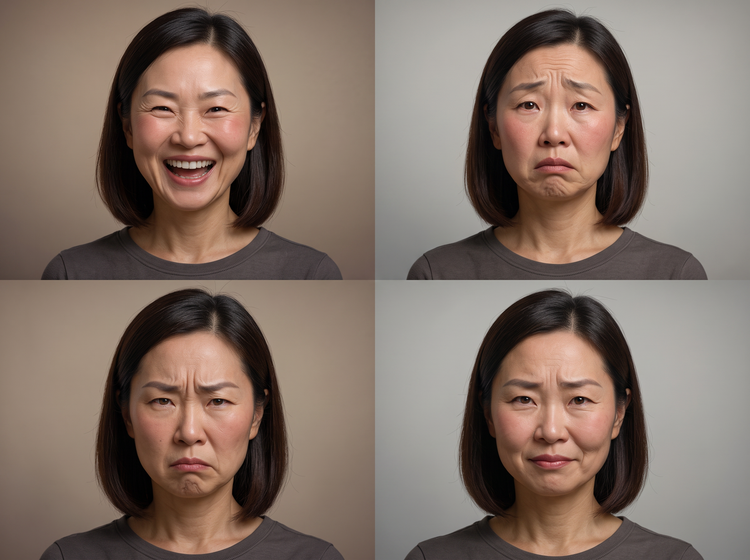
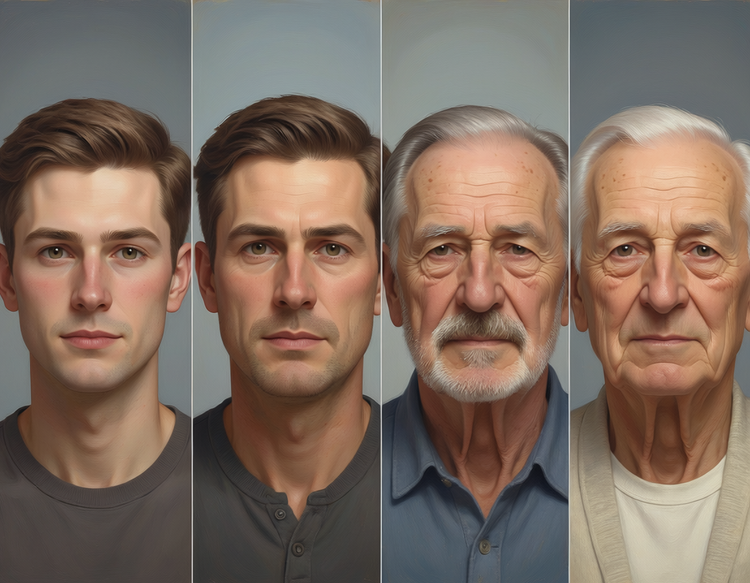
Control facial features alongside emotion.
Expressions aren't just about eyes and mouth. Use your prompt to control age, eye shape, facial structure and subtle details like smile lines or furrowed brows. Combine precise facial descriptions with emotional direction to get the exact character study you need.
Use your expression studies in professional work with confidence.
Firefly generative AI models produce commercially safe content, so you can bring your character expressions into animation production, comic book panels, game design documents and storyboard sequences without licensing concerns.
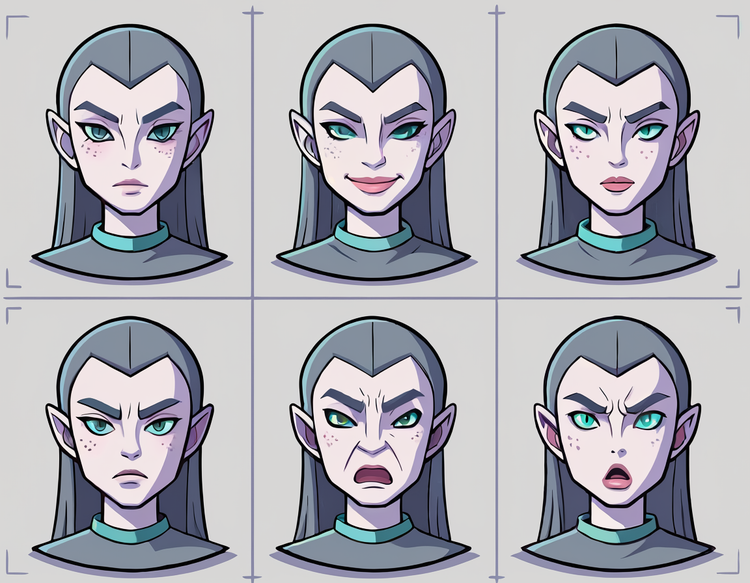
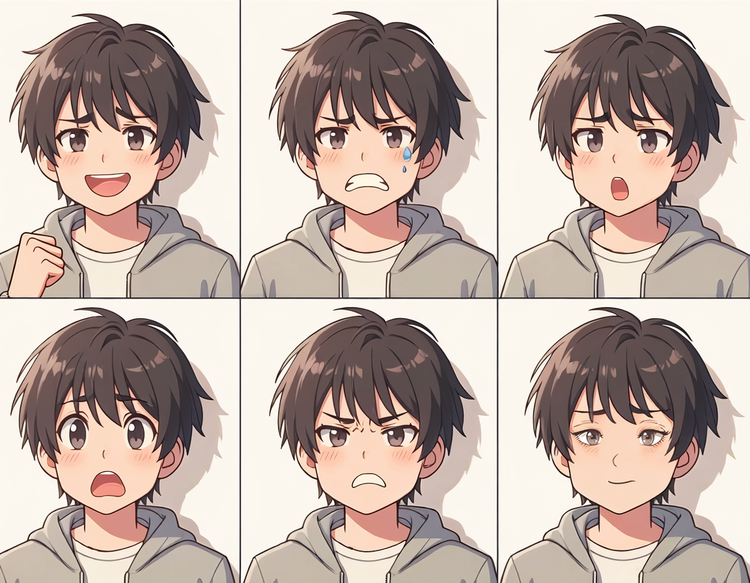
Build emotion libraries and expression sheets quickly.
Character development requires exploring emotional range. Adobe Firefly lets you generate multiple expressions for a character with a single prompt, compare variations and build a complete expression sheet for animation, rigging or storyboarding. Refine the strongest emotions and move into production faster.
How to use Expression Generator with Adobe Firefly.
Step 1
Open Adobe Firefly and select Generate Image.
Step 2
Describe your character's expression and facial features.
Step 3
Adjust style and lighting settings.
Step 4
Generate expression variations and compare.
Step 5
Download and integrate into your project.
Steps on how to generate character expressions using Adobe Firefly Generate Image.
PT3M
firefly

Emotional expression generation in moments
Describe the emotion you need and Adobe Firefly will generate that expression with realistic facial details. Simply describe the feeling and get a character face study.
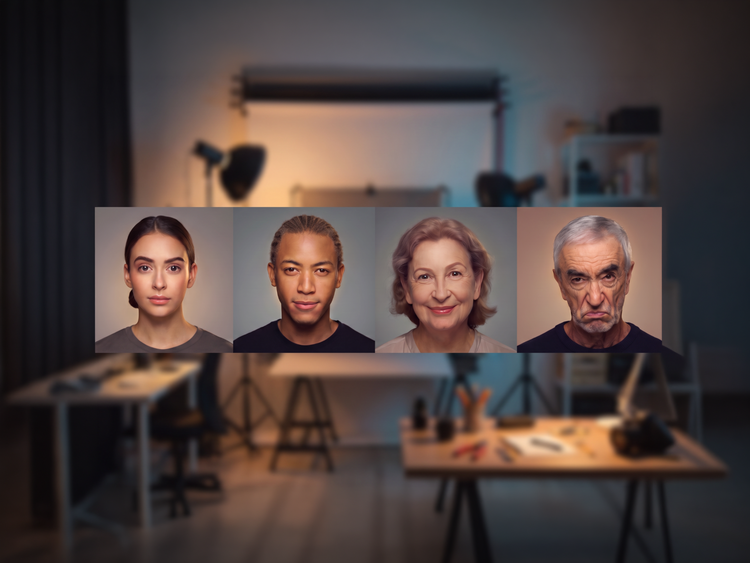
Precise facial feature control
Refine expressions by controlling age, facial structure, skin tone, eye shape, brow position and subtle micro-expressions. Direct your character's emotional intensity and capture the exact facial moment your story needs.

Your complete creative studio
Generate emotions and refine them with precision tools all in one place. Edit your expressions, build full emotion sheets and then iterate and animate without leaving Firefly.
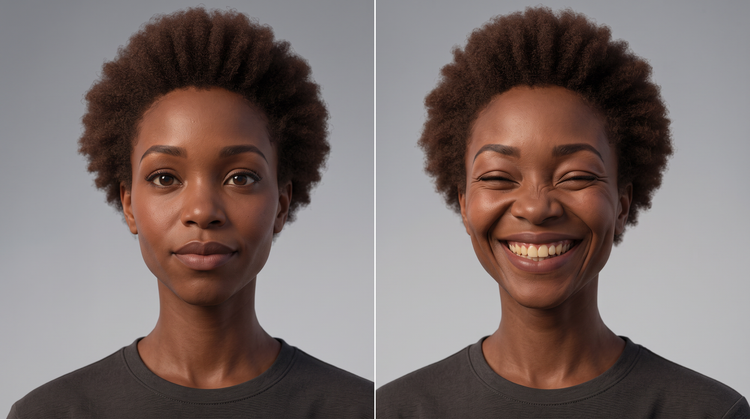
Built for creators
Get fast results when you need them using intuitive tools that automate common image edits. Dial in the details with precision tools when details matter. Firefly adapts to the way you create.