https://main--cc--adobecom.aem.live/cc-shared/assets/img/firefly.svg|AdobeFirefly Adobe Firefly
Create interactive designs with Firefly Builder, the AI website builder.
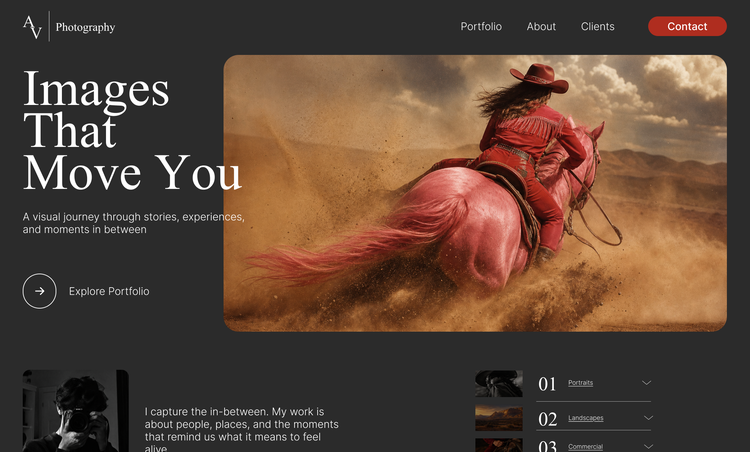
Easily visualise websites, apps and more with Firefly Builder, which turns your prompts and references into responsive designs you can preview and edit directly on the canvas.



Get consistency and control with design systems and on-canvas editing features.
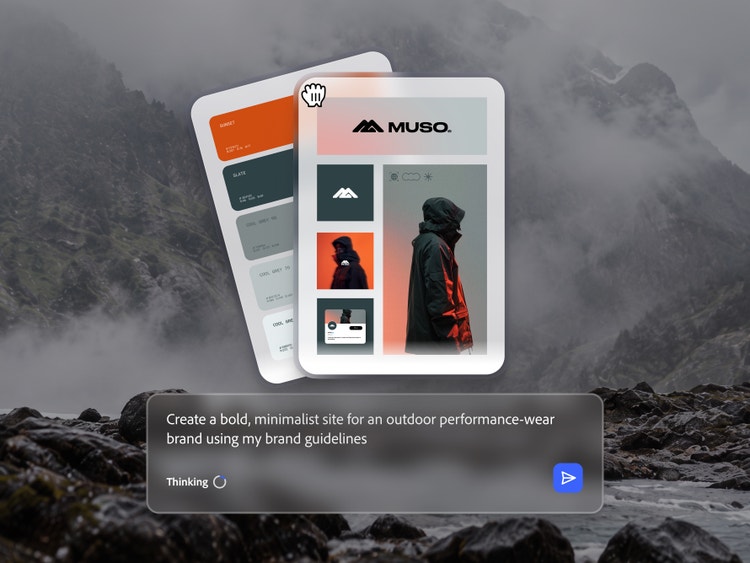
Simply type a prompt or upload your brand guidelines to generate a design system that will keep your look and feel consistent across versions. Edit your designs via the Properties panel or select any element with the Inspect tool and type a prompt to describe the changes you’d like to see.

Easily preview and share your designs.
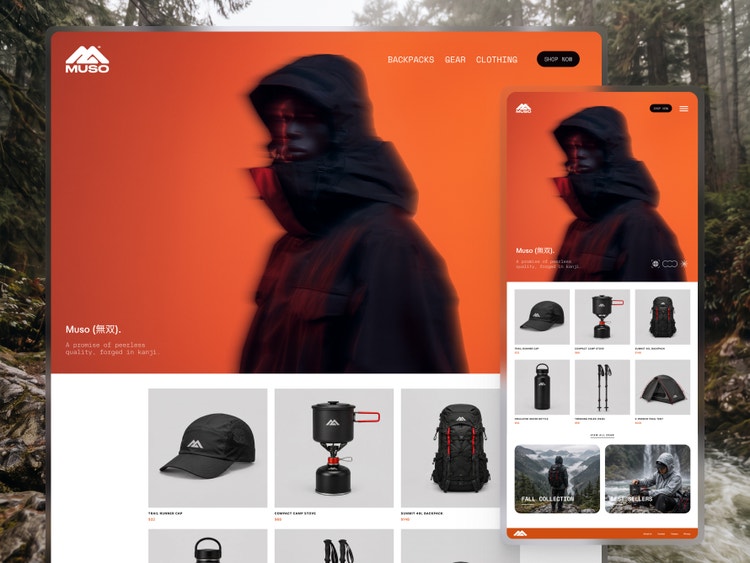
Firefly Builder brings your designs to life as clickable prototypes that you can test out right on the canvas. Send a link to stakeholders, clients and collaborators to get their feedback so you can revise and refine before development begins.
Export your experiences from the AI website builder.
Hand off clean HTML code bundles to a developer or import them into web coding tools to take your designs to deployment.
How to create interactive designs with Firefly Builder.
Step 1
Join the waitlist.
Step 2
Open Firefly Builder.
Step 3
Start generating your project.
Step 4
Preview your project.
Step 5
Refine your results.
Step 6
Optional: Generate another project.
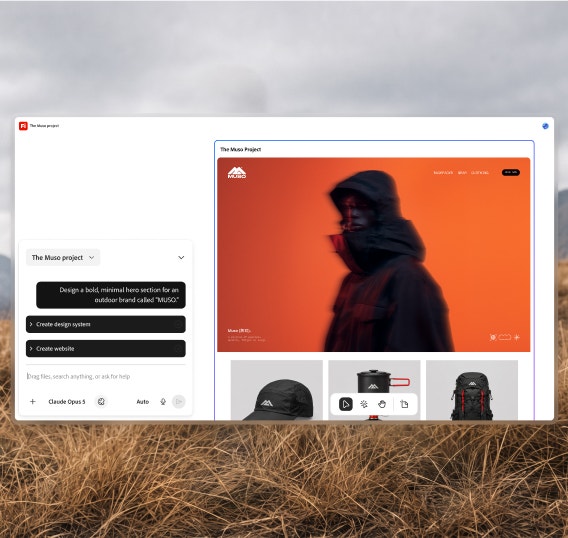
To create a new project, deselect the app frame and zoom out. Draw a new frame anywhere on the canvas using the Frame tool in the bottom toolbar. Then generate a new design inside this frame by selecting it and entering a new prompt.
Move from one project to another by selecting them on the canvas or in the drop-down menu in the top left area of the chat panel.
How to create interactive experiences with Firefly Builder.
Steps on how to create interactive experiences with Firefly Builder.
PT5M
firefly


Creative control
With the ability to generate design systems and edit all the details of your designs right on the canvas, Firefly Builder brings a new level of precision to vibe coding.
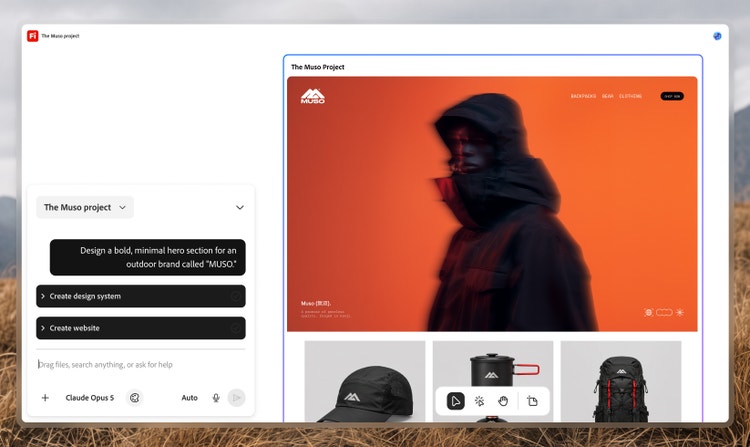
Code-free interactive design
Simply type descriptions, add visual references and upload your brand guidelines and the AI website builder will quickly generate interactive designs that match your vision.
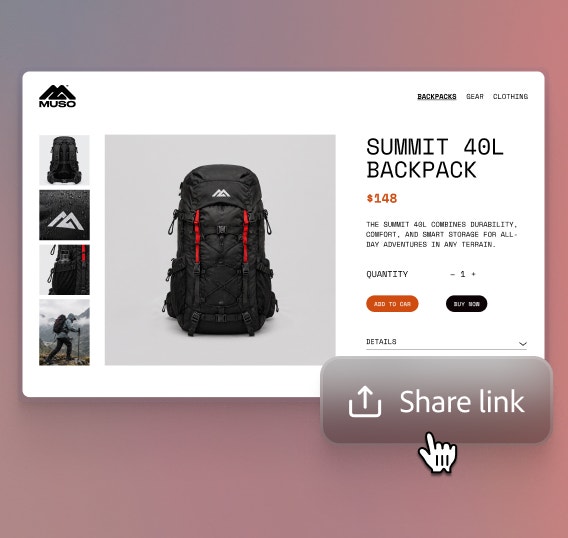
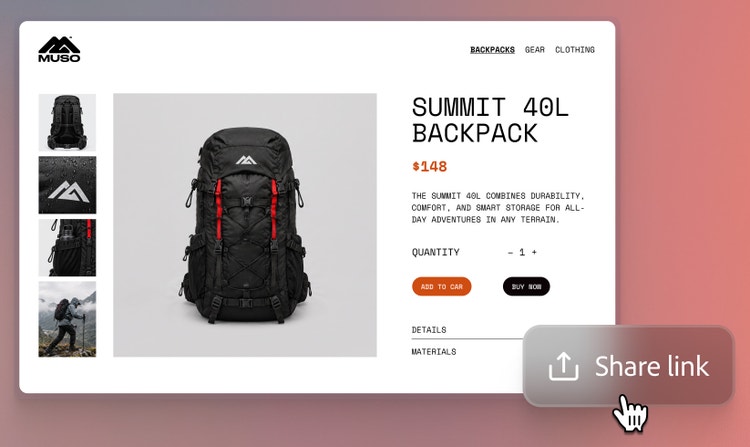
Easy sharing
Once a design is in a good place, get a shareable link to send to collaborators and stakeholders for review. No file exports or handoffs needed.


Production-ready output
Firefly Builder quickly produces clean code bundles that are ready to enhance further in web development tools.
See what you can do in Firefly Builder.