50 Ideas for how to make a recipe book worth keeping.
Turn your favorite recipes into a beautifully designed book.
Your recipes deserve better than a generic screenshot folder.
Some recipes are too good to live only in your head or a random app or folder. There's the one your grandmother made by just eyeballing measurements, the weeknight dish you've quietly perfected over three years, and the meal you'd want someone to cook for you on a hard day. Knowing how to make a recipe book means all of that survives and gets shared. Adobe Express makes the design part genuinely accessible, from the layouts, the fonts, and the cover to the print-ready export. No design background required, just the recipes worth keeping.
How to make a recipe book that’s useful and visually striking.
Getting started is often the hardest part when you're building a recipe book from scratch. These ten ideas on how to make a recipe book cover everything from categorization and photography to fonts and final formatting, giving you a concrete starting point regardless of how many recipes you're working with.
The templates and design tools from Adobe Express are built to help bring every idea on this list to life without a steep learning curve.
1. Start by organizing your recipes into categories like appetizers, mains, and desserts.
Grouping by meal type, cuisine, or occasion makes navigation intuitive, and with Adobe Express, you can use section dividers (under Design assets) and page layouts to reflect those categories visually from the very first page.
2. Use a clean and visually appealing layout to make your recipes easy to follow.
Stick to a consistent structure, like writing the ingredients on one side, steps on the other, and use generous white space to keep things readable. With the beginner-friendly drag-and-drop editor, Adobe Express makes it easy to lock in a clean format and apply it consistently across every page.
3. Add high-quality photos of each dish to make your book more engaging.
Natural lighting and a neutral background go a long way, and once you have your shots, Adobe Express lets you drop them directly into your recipe page or photo collage layout without any extra editing software.
4. Include a table of contents for quick navigation.
A table of contents is a small addition that makes a big difference, especially when the book grows to more than a dozen recipes and someone needs to find a specific dish fast.
5. Use decorative fonts and colors to match the theme of your recipe book.
The key here is balance. One display font for headings and one clean font for body text is usually enough. Adobe Express lets you preview combinations instantly, so you can experiment without risking readability.
6. Add personal notes or tips to make the recipes more relatable.
The "why" behind a recipe, such as why you toast the spices first or why the dough needs exactly 45 minutes, makes a recipe book feel genuinely useful instead of just decorative. Short margin notes, highlighted sections, or styled call-out boxes work well for this without disrupting the layout.
7. Include a section for measurement conversions or cooking basics.
This adds long-term usability, especially for beginners. Instead of forcing readers to look elsewhere, you’re keeping everything in one place. You can design a quick-reference page in Adobe Express using icons and simple layouts to make information easy to scan.
8. Use dividers or headers to separate sections clearly.
Visual breaks help prevent fatigue. In Adobe Express, you can duplicate and reuse divider designs across pages to maintain consistency while saving time.
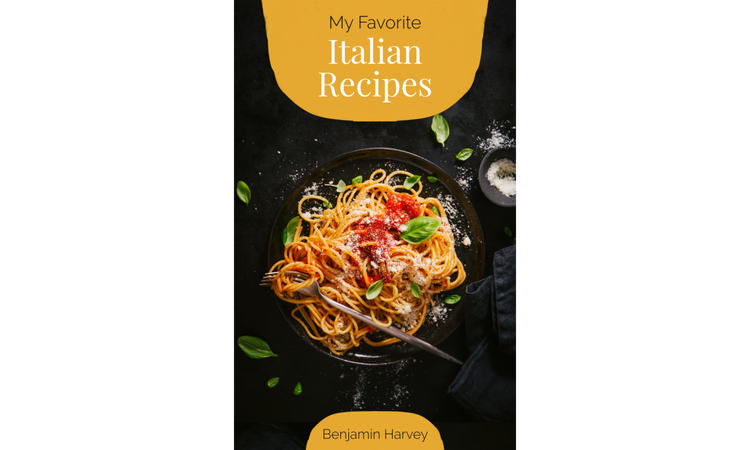
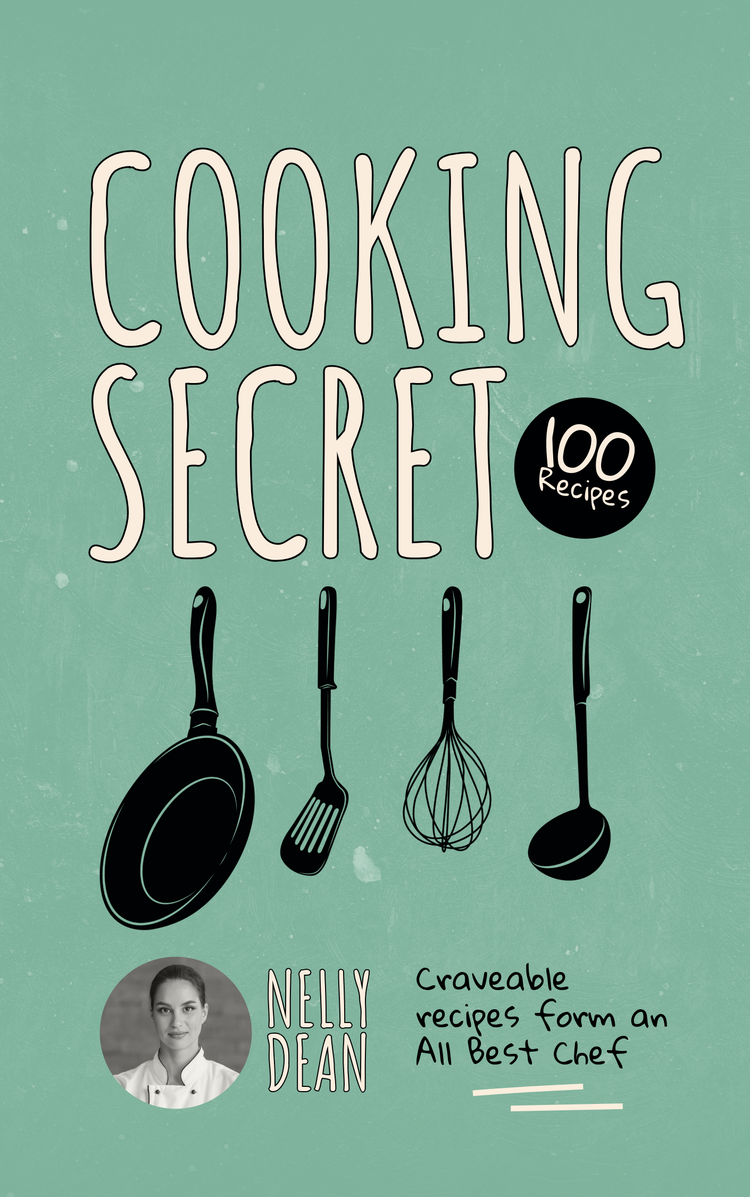
9. Create a cover design that reflects the theme of your recipes.
Your cookbook cover should give readers a glimpse of what’s inside. With easy-to-use design tools like the online poster maker and the free card maker, Adobe Express makes it easy to layer text, images, and texture overlays so your cover feels intentional and looks polished.
10. Print or share your recipe book in a polished, professional format.
Adobe Express lets you download high-resolution PDFs for print or optimized versions for digital sharing, so your final output stays stunning.
recipe
How to make a family recipe book that preserves cherished memories.
What makes a family recipe book special is the context around each recipe, such as who made the dish and why it stuck across generations. These ideas on how to make a family recipe book help you build a heartfelt project that works as a genuine keepsake.
Adobe Express makes it easy to incorporate photos, customize layouts for each contributor, and create a design that honors the personalities and memories behind every recipe.
1. Collect recipes from family members to preserve traditions.
Ask for recipes in any format, like texts, photos, or handwritten notes, then standardize them in Adobe Express so they follow the same layout while still letting you credit each contributor and tell their story.
2. Add stories or memories behind each recipe for a personal touch.
Adding a few sentences about when and why a dish was made spells the difference between a functional cookbook and a genuine family archive. Using the online banner maker or flyer maker, add text blocks or sidebars to keep these stories visually distinct from the instructions.
3. Use old family photos to complement the recipes.
Scanned or digitized family photos add a personal touch that stock images can never replicate. Adobe Express lets you drop them into your layout and adjust framing and scale without compromising quality, so older, lower-resolution photos still look beautiful on the page.
4. Organize recipes by family member or generation.
Structuring the book around people rather than food categories creates a more meaningful narrative. For example, chapter for each grandparent, parent, or sibling makes browsing the book feel like you’re moving through memories instead of just flipping through a recipe index.
5. Include handwritten notes or scanned recipe cards for authenticity.
Scanning old recipe cards and placing them alongside typed versions gives the book a tactile, personal quality that perfectly printed text simply can't match. Plus, these make your recipe book truly unique and irreplaceable.
6. Use a warm, nostalgic design theme to reflect family heritage.
Think sepia tones, classic serif fonts, and textured backgrounds. Adobe Express has easy-to-use design tools and templates you can adapt to give every page a consistent, nostalgic aesthetic without having to design each one individually from scratch.
7. Add a dedication page to honor loved ones.
This sets the emotional tone right away. Use a simple, centered layout in Adobe Express using the poster maker or card maker with thoughtful spacing so the message stands out.
8. Include a section for blank pages where future recipes can be added.
Leaving intentional space for future contributions turns the book into a living document. Design a few blank but styled pages in Adobe Express so they match the rest of the book when filled in later.
9. Create a family tree or timeline to connect the recipes to your history.
This adds depth and context. Adobe Express lets you build simple visual diagrams using shapes and text, making your recipe book project feel more complete and more like a family heirloom.
10. Print or share the book as a keepsake for family gatherings.
Printing physical copies for every household is the kind of gift that holds its value over time. Adobe Express lets you export print-ready files so the book looks polished.
recipe
How to make a digital recipe book that’s easy to share and update.
If you’re figuring out how to make a digital recipe book, think beyond static pages. A digital format should be easy to navigate, update, and share across devices without losing structure or visual quality. The goal is to create something that feels just as intentional as a printed book but with added flexibility.
Adobe Express helps you design responsive layouts, organize content efficiently, and export files that look consistent whether viewed on a phone, tablet, or desktop.
1. Organize your recipes into a digital folder for easy access.
Before designing, structure your files so you’re not constantly searching for content. Group recipes into folders by category, then mirror that structure inside your Adobe Express project to keep everything aligned from draft to final layout.
2. Use a clean, responsive layout that works on all devices.
Use larger headings, shorter paragraphs, and clear spacing. Also, prioritize simplicity by using single-column formats and larger fonts. Adobe Express templates are designed to adapt well visually, so your layouts remain readable even on smaller screens.
3. Add clickable links for navigation between sections.
A clickable table of contents lets readers jump straight to the recipe they need, which matters considerably when someone's hands are covered in flour and time is short.
4. Include high-resolution images to make your recipes visually appealing.
Blurry images can affect the reader’s experience. Use Adobe Express editing tools to sharpen, crop, and standardize your visuals so each recipe looks consistent and intentional.
5. Use bold headings and clear fonts for readability on screens.
Choose fonts in Adobe Express that remain legible at different sizes and avoid overly decorative styles for body text. Also, using high-contrast text, generous line spacing, and bold section headers helps reduce visual fatigue and makes your recipe book genuinely easier to use in real kitchen conditions.
6. Add interactive elements like videos or step-by-step guides.
One of the real advantages of going digital is the ability to link out to technique videos or step-by-step photo guides for complex methods. Even a single embedded link for a tricky recipe step adds meaningful value for the reader.
7. Include a search function or index for quick recipe lookups.
Even a simple alphabetical index at the back of a PDF speeds up the process of locating a specific recipe. For a more navigable build, a linked index within the table of contents effectively serves the same purpose without any additional technical complexity.
8. Use a consistent color scheme to create a professional look.
Digital books that use too many mismatched colors tend to look unfinished and hard to read. Choosing two or three colors and applying them consistently throughout the book creates a polished, intentional feel that signals care went into the design.
9. Save your digital recipe book in a shareable format like PDF.
PDF is still one of the most universally compatible formats for sharing designed documents. Adobe Express exports directly to PDF, which means your layout stays intact no matter who opens the file or on what platform.
10. Share your book online or via email for easy distribution.
Once exported, a digital recipe book is easy to send over email, upload to a cloud drive, or post as a shareable link.
How to make a recipe book using Adobe Express.
Once you have your ideas and your content ready, Adobe Express handles the design side without you having to learn complex software or start from a blank page. Here's how to make a recipe book from start to finish.
How to make a cute recipe book that’s full of personality.
Want to learn how to make a cute recipe book? Start by focusing on building its personality and visual charm without sacrificing the book’s usability. A playful design can make your book more engaging, especially for casual cooking, themed collections, or younger audiences. You want to keep the design cohesive so it feels intentional.
Adobe Express gives you the flexibility to experiment with colors, fonts, imagery, and layouts while keeping everything visually balanced and, of course, super cute.
1. Use pastel colors and playful fonts to create a cute aesthetic.
Pastels feel approachable and warm without being visually overwhelming. Pairing them with a rounded, casual font creates the kind of visual softness that works perfectly for a recipe book designed to feel inviting rather than authoritative.
2. Add hand-drawn illustrations or doodles to decorate the pages.
These elements add personality, but remember that their placement matters. Use Adobe Express to layer illustrations subtly around margins or headers, or resize and reposition them, so they enhance rather than distract.
3. Include fun icons like hearts, stars, or utensils to highlight sections.
Icons used consistently throughout the book create a practical visual shorthand, like a star for "favorites," a clock for prep time, or a chili pepper for heat level. Adobe Express lets you add, align, and duplicate them across pages in just a few clicks.
4. Use patterned backgrounds like polka dots or gingham for a whimsical touch.
A subtle background pattern adds texture and personality without distracting from the recipe content itself. When including patterns, lower their opacity or use them sparingly in Adobe Express to maintain readability.
5. Add stickers or labels to make the recipes pop.
Label-style callouts like "tried and true" or "family favorite" add a scrapbook quality to the pages and function as useful signposts. They're also a natural way to highlight the recipes that get pulled out most often.
6. Include a section for “favorites” with a cute design element.
A dedicated "favorites" section with a distinctive visual treatment gives the book a built-in recommendation system for readers who want a guided starting point.
7. Use decorative borders or frames around each recipe.
A consistent border treatment on every recipe page unifies the layout and adds a polished quality to each spread. Adobe Express has a wide range of frame and border options that you can customize to fit your unique personal style.
8. Add a playful cover design with a catchy title.
The title of your recipe book doesn't have to be serious to be memorable. Something personal and informal, paired with a bright, illustrated cover made with the online cookbook cover maker, makes your recipe book feel immediately like it belongs to someone and not like something pulled off a generic shelf.
9. Include fun quotes or sayings about food and cooking.
A short, well-chosen food-related quote at the top of a chapter page adds personality without competing with the recipe content.
10. Print your book with a spiral binding for a charming, handmade feel.
Spiral binding lets the book lie flat on a counter, which is genuinely useful while cooking, and it also adds a handmade, craft-store quality that suits a cute aesthetic particularly well.
How to make a recipe book for a gift.
Making a recipe book as a gift makes the project more intentional. The best recipe book gifts are the ones that feel made specifically for the recipient and are built around their tastes, their memories, and their relationship with cooking. Whether it's for a birthday, a wedding, a holiday, or a simple occasion that deserves something thoughtful, a custom recipe book is the kind of gift that doesn't end up forgotten in a drawer.
If you’re exploring how to make a recipe book for a gift, Adobe Express makes the personalization side of the project more accessible, with beginner-friendly tools for custom covers, personalized layouts, and print-ready formatting that's ready to send to a printer when you're done.
1. Personalize the book with the recipient’s favorite recipes.
Start with what they already love. Then use Adobe Express to format those recipes consistently so the book feels genuinely curated.
2. Add a dedication page with a heartfelt message.
Even a few well-chosen sentences about why you put the book together can transform the whole gift from a creative project into something that actually means something. Use a clean layout in Adobe Express with thoughtful spacing so your message stands out.
3. Include photos of shared meals or cooking moments together.
A photo of the two of you cooking together, or a picture of a meal you've shared at a meaningful moment, adds emotional weight. Adobe Express makes it easy to incorporate those images into the layout without disrupting your design.
4. Use a design theme that matches the recipient’s personality.
The book’s design should reflect them, not you. Tailoring the visual tone to the person is what elevates the project from a thoughtful gesture to a genuinely personal gift.
5. Add blank pages for them to write their own recipes.
This turns your gift into something interactive. Design reusable blank templates in Adobe Express so they match the rest of the book.
6. Include a section for tips or cooking hacks they’ll love.
Practical content, like beginner-friendly cooking techniques, increases long-term use, so consider adding callout boxes in Adobe Express to separate tips from main recipes.
7. Use decorative elements like ribbons or stickers for a special touch.
A ribbon bookmark, a personalized sticker seal on the cover, or a custom label on the spine adds tactile detail that elevates your gift.
8. Create a custom cover with their name or a meaningful title.
Seeing their own name on the cover or a title that references a shared memory or inside reference is the kind of detail that makes someone feel genuinely seen. The online banner maker and poster maker from Adobe Express make custom cover design accessible without requiring professional graphic design skills.
9. Package the book with a small kitchen tool or ingredient as a bonus.
Pairing the book with a specialty ingredient or a small kitchen tool that ties directly into one of the featured recipes makes the whole gift feel considered and complete. Use the card or label maker to make charming gift labels or cards.
10. Print the book in a high-quality format for a polished gift.
Adobe Express lets you export high-resolution PDF files, ensuring that the quality is there when you hand the file to a print shop.
Tips to make your recipe book more engaging and functional.
Once you’ve figured out how to make a recipe book, refining it is what makes it stand out. These tips will help you turn your recipe book project into something extra special and memorable.
- Small adjustments in structure, clarity, and design can significantly improve how people use and enjoy your book. Here, it helps to keep formatting consistent so readers always know where to find ingredients, steps, and notes.
- Use visual hierarchy, such as larger headings, spacing, and icons, to guide attention naturally and control how your recipe book delivers information, according to the Nielsen Norman Group.
- Avoid overcrowding pages; white space is just as important as content.
Turn your recipes into something worth keeping.
The best recipe books are the kind of thing people hold onto for years. Whether you’re building a practical everyday cookbook, a sentimental family heirloom, a thoughtfully designed gift, or a polished digital resource, making a recipe book that actually works comes down to a few consistent things: clear organization, intentional design, and content that feels genuinely personal.
Adobe Express brings all the tools you need into one platform, so the technical side of the project doesn’t get in the way of your storytelling and creativity.