


Choosing the right typography for your design is much more than just a tick-the-box exercise; it's essential to your overall design. Whatever you're designing — invitations, product packaging, or brochures — keep these 12 considerations in mind to make educated typeface decisions.
Design
12 Typography tips for any design project
Key considerations for using typography like a pro.

Adobe Express
11/10/2025
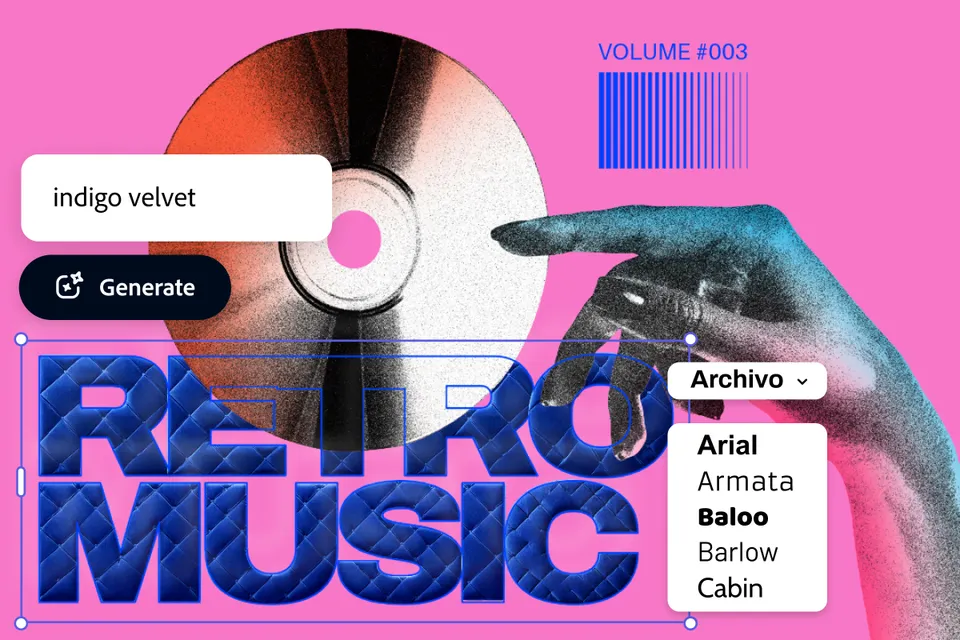
What is typography and why is it important?
Typography involves creating or selecting a system of typefaces and fonts to express the written word. When done correctly, typography helps convey emotion, be an expression of brand identity, communicate your message in your desired tone, direct the eye to the most important information first, and build brand recognition through consistency.
Things to consider when working on typography
1. Number of typefaces
There are lot of wonderful and fun fonts out there, but you need to practice restraint and not use them all at once. A maximum of three fonts is a good rule of thumb to avoid a cluttered design or a canvas that’s hard to make sense of. When it comes to picking fonts, contrast is key — especially in the fonts you use for headings versus body copy. Choosing fonts with contrast helps to break up your design and make your copy stand out.
2. Spacing and white space
Good spacing lets your typography breathe. While it can be tempting to squeeze a ton of design elements onto the page in the interest of ‘getting everything in,’ this will overwhelm your design. Some purposeful white space, as well as intentional spacing around the edges of your text, helps avoid this.
Further reading: 20 essential books for graphic designers
3. Grid systems
Grid systems help align text and other design elements to ensure that everything in your design is organized, easy to follow, and clean. The main grid systems include the column grid, the modular grid, and the baseline grid, so take a minute to explore the different types and pick the one that suits your project best.

4. Size
When it comes to font size, balance is key. While it’s natural to make headings larger and bolder (and we encourage this), there is such a thing as too large and too bold. Making fonts too large may appear immature or cheap, as if your design is desperate for attention. On the flip side, text that is smaller can appear classier and understated, but if it’s too tiny, it’ll be difficult to read.
5. Readability
A common mistake is to get so tied up in making your design look good that you lose sight of the entire purpose of your text, which is to communicate information. Make sure your text is easy to read. Common readability mistakes can include not using contrasting colors for your background and text, adding text over a photo or pattern without using an overlay, using a decorative font that is harder to read, or making your text way too small.
6. Color
Colored fonts can be part of a standout design. But some bright colors can be hard to read. Keep in mind that colored fonts with the saturation turned down are more readable. The background is an important element to consider when using color — avoid vibrating colors such as red on green or blue on orange.
7. Grouping
Grouping together relevant pieces of information in your design helps tidy up your design. It also makes it easier for your audience to read and digest information.
Further reading: 51 key words all designers should know
8. Hierarchy
Hierarchy is about prioritizing the most important information in your design to direct your audience to scan the page and consume your design in the correct order. As we all know, headings should be the largest part of your design, followed by subheadings, and then body text should be the smallest part of your design. White space, alignment, color, and different typefaces can also help reinforce the hierarchy and direct the audience’s eye to the most key information first.
9. Leading
The line height, or distance between a text line baseline and the baseline of the text above it is known as leading. In general, a line height that is 1.125 and 1.200 times the font size results in better readability.
10. Kerning
Kerning refers to the space between each individual letter. Good kerning means consistent spacing between letters, which improves the visual appearance of your design as well as the readability.
11. Tracking
While kerning refers to the space between individual letters, tracking applies to a line or block of text. In other words, tracking refers to character spacing — the overall spacing between letters in a word or line of text. Tracking can also be used to improve readability. For example, words in capital letters are often easier to read with increased tracking (i.e., more space between characters).
12. Spelling and punctuation
There’s nothing like an awkward typo to completely ruin a design. When it comes to spelling and grammar, check, and then double check again, ask a friend to do a quick proofread, and then check again anyway before finalizing your design (especially if it’s being sent to the printer).
Further reading: Designing for print versus for screen
Ready to get to work? Check out our range of templates in Adobe Express and put your newfound typography skills to the test on a brand-new project.


