
.
Adobe Acrobat

Compress PDF to 150KB

Drag and drop a PDF to reduce file size to 150KB. Free to use, no sign-up to try.

All the PDF tools you need, now 100% free

Enjoy unlimited PDF tools usage in India with a free account on Acrobat.com. No subscription or credit card required. Excludes AI features.

How to compress your PDF file to 150KB online

Follow these simple steps to reduce your PDF file size:

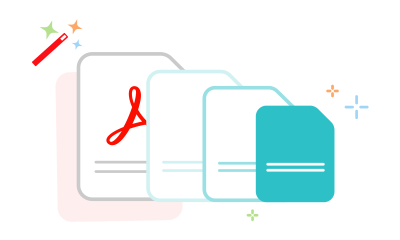
Three documents in decreasing size showing how to compress a PDF
  1. Click the "Select a file" button or drag and drop your PDF into the upload area.
  2. Choose the PDF you want to compress.
  3. After uploading, select the compression level that fits your requirement.
  4. Download your compressed PDF or sign in to share it across platforms.

Try our other tools to compress your PDF to a specific size

When do you need to compress a PDF to 150KB?

Cheerful women in formal office attire smiling and looking toward the camera.

For scholarship and entrance exam applications

Portals such as the NSP (National Scholarship Portal), CUET (Common University Entrance Test), and state scholarship systems often have strict upload limits for marksheets, income certificates, Aadhaar records, and supporting documents. Compressing your PDF to 150KB helps make uploads smoother and easier to manage.


Smiling male student stands in a library aisle, carrying a bag and a laptop with bookshelves behind him.

Services linked to the EPFO (Employees' Provident Fund Organisation), Employees' State Insurance Corporation (ESIC), and pension portals commonly require compact files for KYC documents, passbooks, identity proofs, and claim forms. A smaller PDF is easier to upload and share, especially when completing forms on mobile devices.

Confident woman and man in formal office wear smile at the camera, standing in a workplace setting.

For insurance and financial claim submissions

Whether you are uploading PAN cards, address proofs, bank documents, or policy paperwork, keeping your PDF compact and lightweight can help make online submissions quicker and more reliable across insurance providers such as LIC (Life Insurance Corporation of India) and other financial service portals.

Why choose Acrobat for PDF compression

Reliable PDFs at 150KB

Compress PDFs while keeping text clear and layouts structured. This helps keep certificates, ID proofs, visa forms, GST registrations, and Parivahan documents readable and ready to upload after compression.

Secure and private processing

Your files are processed securely to protect sensitive information throughout the compression process. They are also automatically deleted from servers, helping keep Aadhaar cards, PAN details, certificates, and official records private.

Flexible compression levels

You can choose High, Medium, or Low compression depending on your needs. This flexibility helps you balance between lightweight PDFs for portal uploads and higher visual detail for verification documents.

Works across browsers and devices

Compress your PDF to 150KB directly in Chrome, Firefox, Edge, or Safari without installing additional software. It works smoothly across desktop, tablet, and mobile so you can prepare and upload files from almost anywhere.

Compress your PDF file to 150KB online for free

Quick and easy to use

Upload your PDF, select a compression level, and download the optimised file in seconds through a simple, guided process.

Effortless sharing

Smaller PDFs up to 150KB reduce issues with limits, ensuring smooth uploads, faster sharing, and fewer delivery errors across platforms.

No installation required

Use the tool directly in your browser without downloads or setup, making it accessible anytime on any device.

Questions about compressing a PDF to 150KB? We have answers.

More resources

a text bubble, pencil icon and a stacked PDF icon representing free online Acrobat tools

Use Acrobat tools for free

  • Sign in to try 25+ tools, like convert or compress
  • Add comments, fill in forms and sign PDFs for free
  • Store your files online to access from any device

Rate your experience

Rate your experience
4.6/5-285389votes

Try these Acrobat online tools