
.
Adobe Acrobat

Compress PDF to 2MB

Drag and drop a PDF to reduce file size to 2MB. Free to use, no sign-up to try.

All the PDF tools you need, now 100% free

Enjoy unlimited PDF tools usage in India with a free account on Acrobat.com. No subscription or credit card required. Excludes AI features.

How to compress your PDF file to 2MB online

Learn how to compress a PDF in a few quick steps:

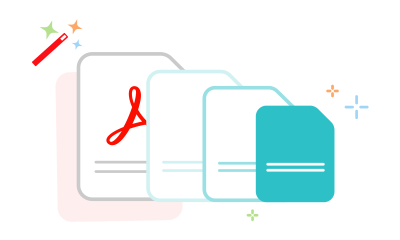
Three documents in decreasing size showing how to compress a PDF
  1. Click the “Select a file” button or drag and drop your PDF into the upload space.
  2. Select the PDF you want to compress.
  3. Once uploaded, choose a compression level that matches your preference.
  4. Save the optimised PDF or sign in to share it.

Try our other tools to compress your PDF to a specific size

When do you need to compress a PDF to 2MB?

Cheerful women in formal office attire smiling and looking toward the camera.

For business and regulatory submissions

Many job portals, such as Naukri, set 2MB file upload size limits for resumes and supporting documents. Compressing your resume under the required size helps ensure smoother uploads while keeping formatting, readability, and visual quality intact.


Smiling male student stands in a library aisle, carrying a bag and a laptop with bookshelves behind him.

For academic records and portfolio uploads

Compressing NAAC (National Assessment and Accreditation Council) annexures, UGC (University Grants Commission) inspection documents, portfolios, and other multi-page academic or creative files into compact, organised PDFs helps retain structured layouts, clearer visual details, and organised supporting documentation.

Confident woman and man in formal office wear smile at the camera, standing in a workplace setting.

For compliance and official document submissions

Official compliance and regulatory submissions, including State eProcurement tenders, DGFT IEC registration documents, Income Tax audit reports, and insurance claim files, often need to meet strict upload limits while remaining clear and readable.

Why choose Acrobat for PDF compression

Optimised 2MB PDF documents

Prepare PDFs with images, graphics, and multiple pages while keeping them structured after compression. This helps keep compliance records, portfolios, and supporting documents organised and easier to review.

Secure file handling

Your files are processed securely to protect sensitive information during compression. They are also automatically deleted from servers, helping keep portfolios, insurance records, registration documents, and client files private.

Adjust compression your way

Choose High, Medium, or Low compression depending on your needs. Whether you prefer smaller files for sharing or better visual detail, this helps you control PDF size, clarity, and document appearance efficiently.

Browser and device access

Compress your PDF to 2MB directly in Chrome, Firefox, Edge, or Safari without installing any software. It works smoothly across desktop and mobile devices for easier document preparation, uploads, storage, and sharing.

Compress your PDF file to 2MB online for free

Smooth compression for larger files

Upload and compress PDFs for official submissions that enforce file size limits, including image-heavy and multi-page documents.

Better sharing for rich documents

Optimised PDFs help reduce file size while keeping detail, making it easier to share presentations, portfolios, and reports without upload issues.

Works without installation

Use the tool directly in your browser without downloads or subscriptions, making it easy to access and use whenever needed.

Questions about compressing a PDF to 2MB? We have answers.

More resources

a text bubble, pencil icon and a stacked PDF icon representing free online Acrobat tools

Use Acrobat tools for free

  • Sign in to try 25+ tools, like convert or compress
  • Add comments, fill in forms and sign PDFs for free
  • Store your files online to access from any device

Rate your experience

Rate your experience
4.6/5-285331votes

Try these Acrobat online tools