
Convert Excel files to PDF online
Easily convert Excel files to PDF online using Adobe Acrobat. Keep your spreadsheet’s formatting intact after quick, secure conversion.
Enjoy unlimited PDF tools usage in India with a free account on Acrobat.com. No subscription or credit card required. Excludes AI features.
Follow these simple steps to convert Excel to PDF online using Acrobat:
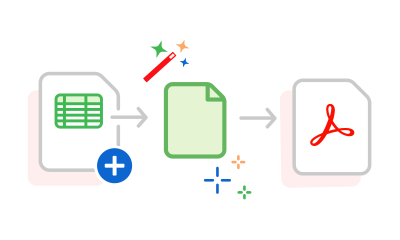
Easily convert Excel files to PDF online using Adobe Acrobat. Keep your spreadsheet’s formatting intact after quick, secure conversion.

With our online Excel to PDF converter, you can convert XLSX or XLS files to PDF in seconds. Drag and drop or upload your file easily.

Once you've converted your XLS or XLSX document to a PDF, sign in to Acrobat to review, comment, and collaborate in real time with @mentions.

Edit Excel spreadsheets online for free with Acrobat, then convert to PDF using Microsoft Excel for the web for quick, easy editing.

Adobe values your privacy. If you don’t sign in, your Excel to PDF file will be deleted from our secure servers automatically after processing.

Adobe’s Excel to PDF converter quickly and securely turns XLS/XLSX into PDFs while preserving your spreadsheet’s formatting.
Convert Excel invoices, GST bills, or receipts to secure PDFs for easy sharing and preserving formatting.
Convert Excel reports, trackers, or models to PDF for easy sharing, archiving, and printing without layout issues.
Convert marksheets, attendance, or logs from Excel to PDF for easy submission and consistent formatting.
Convert budgets or expense sheets from Excel to PDF for easy sharing, archiving, and collaboration.
Convert business plans or inventory from Excel to PDF for investor, bank, or formal presentations.
Convert government forms or registers from Excel to PDF for secure sharing in official formats.
The Acrobat online Excel to PDF converter tool allows you to convert Microsoft Excel to PDF directly online without the need to download any software to your device. You can access the online tool using any web browser and operating system, whether it's Mac, Windows or Linux. This makes it ideal for users who want a quick, cloud-based solution for converting XLS or XLSX to PDF files without installing additional applications.
If you need more advanced PDF tools, you can explore a free seven-day trial of Adobe Acrobat Pro, which gives access to:
These features can help you streamline your document workflows and repurpose existing content more efficiently.
To convert Excel to PDF effectively:



