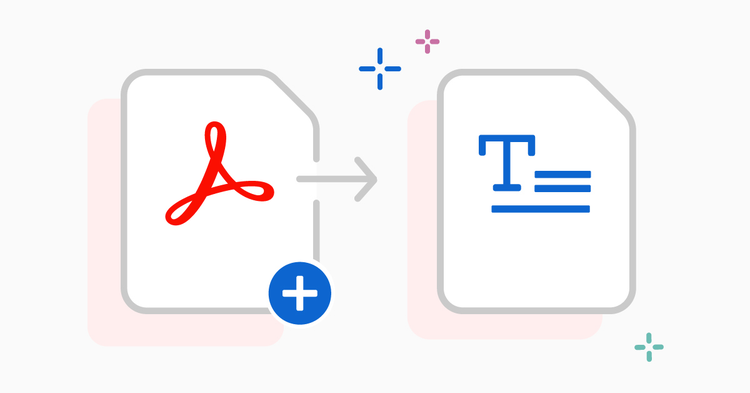
Convert PDF to Word

{{verb-widget-legal}}

https://main--da-dc--adobecom.aem.page/dc-shared/fragments/promo-banners/acrobat-studio

New! Unlimited Free Access to Convert PDF to Word

Enjoy unlimited free use of this tool—no sign-in or sign-up required. Convert your PDF to Word freely and effortlessly.

How to convert a PDF to Word online

Follow these steps to convert a PDF using Acrobat's online PDF to Word converter:
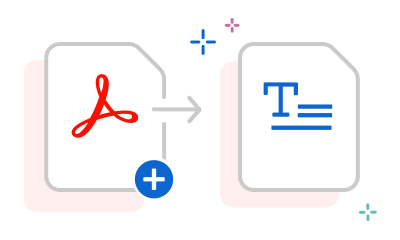
https://main--dc--adobecom.aem.live/dc-shared/assets/images/frictionless/how-to-images/pdf-to-word-how-to.svg | An Acrobat PDF with an arrow pointing to a Microsoft Word file showing how to convert PDF to Word

  • Click the "Select a file" button above or drag and drop a file into the drop zone.
  • Choose the PDF file you want to convert to the DOCX or DOC format.
  • Acrobat will automatically convert the file from PDF to an editable Word document.
  • After conversion, download the Word document or sign in to share it.
#ffffff

Features of the Acrobat PDF to Word converter tool

Accurate conversion

Convert PDFs to Word effortlessly with online tools from Adobe Acrobat, ensuring your converted content will look as expected when converting files into DOCX and preserving the original format and layout for smooth editing and sharing.

Easy access and sharing

The online PDF to Word converter provides access from any browser, easy file uploads, and instant sharing of converted documents through cloud storage or email.

Secure file handing

Protect documents during conversion with robust privacy measures from Adobe, ensuring that uploaded files are deleted after processing to maintain data security.

Try our free PDF to Word converter

https://main--dc--adobecom.aem.live/dc-shared/assets/images/shared-images/frictionless/seo-icons/word-pdf-converting.svg | An Acrobat PDF document and text document with arrows showing how you can convert a PDF to Microsoft Word

Turn PDFs into editable Word files in seconds

Drag and drop your PDF to quickly convert it using the online PDF to Word converter. Acrobat transforms your file into an editable DOC or DOCX in no time, preserving the original layout and formatting for seamless editing and sharing.

https://main--dc--adobecom.aem.live/dc-shared/assets/images/frictionless/how-to-images/s-illu-character-recognition-42.svg | Supports OCR and scanned PDFs

Supports OCR and scanned PDFs

Have a paper document that you want in Word format? Don’t worry, this converter supports scanned PDFs and OCR-converted documents and delivers accurate and reliable results every time.

https://main--dc--adobecom.aem.live/dc-shared/assets/images/shared-images/frictionless/seo-icons/edit-word.svg | A text document being edited online with a pen icon

Edit your Word file for free

After you use our PDF to Word converter tool, you can edit the converted file in Microsoft Word for the web right from Acrobat. All you have to do is sign in.

https://main--dc--adobecom.aem.live/dc-shared/assets/images/shared-images/frictionless/seo-icons/download-and-share.svg | A download arrow with a small cloud showing that you can easily download your converted file

Download or share your file

Download your converted file with a single click or by signing in, and easily share it with others once signed in.

https://main--dc--adobecom.aem.live/dc-shared/assets/images/shared-images/frictionless/seo-icons/work-anywhere.svg | A browser and an arrow to show that you can use Acrobat online with any web browser

Convert PDF to Word online from anywhere

You can use Adobe Acrobat online services in any web browser, such as Google Chrome or Microsoft Edge. It also works on Mac, Windows, iOS, Android and Linux operating systems.

https://main--dc--adobecom.aem.live/dc-shared/assets/images/shared-images/frictionless/seo-icons/best-pdf.svg | A PDF file ready to be converted to Word

Trusted PDF to Word converter by Adobe

As the creator of the PDF format, Adobe ensures the highest quality tools. Use our online PDF to Word converter with confidence to produce reliable Word documents.

#ffffff

Acrobat PDF to Word converter tool use cases

Managing invoices, quotes, and reports

Convert invoices, quotes, or financial reports from PDF to Word to update details, adjust figures, or rebrand before sharing them with clients or partners.

Updating client proposals and marketing files

Entrepreneurs and small businesses can quickly edit PDFs of client proposals or marketing materials in Word, keeping documents fresh and professional.

Turn contracts or agreements into editable Word files for easy revisions. Ideal for business owners, legal, or sales teams managing multiple clients.

Editing business and employee documents

Easily convert PDFs of employee forms or reports to Word for quick edits. Perfect for HR, admin, and finance teams who need accurate updates fast.

Convert PDFs to Word offline with Adobe Acrobat

Unlock advanced features with Adobe Acrobat. Convert PDFs to editable DOC or DOCX, batch convert multiple files, and preserve complex layouts, tables, and fonts perfectly, even offline.

Explore Adobe Acrobat now

Questions about PDF to Word? We have answers.

Do I need to install any software to convert my documents from PDF to Word?
You don’t need any other software to convert a PDF to Microsoft Word when you use the Adobe Acrobat online services. Open the Acrobat tool in Microsoft Edge, Google Chrome, or another browser to convert your files.
How do I convert a PDF to Word without losing the formatting?
As the creator of the PDF format, Adobe ensures that our Acrobat PDF to Word converter tool maintains your document’s original formatting. With our online tool, fonts, images, and alignments will look as expected. Your converted file becomes an editable Word document, ready to use immediately in Microsoft Word online.

You can also try Adobe Acrobat Studio free for seven days to convert files to and from Microsoft 365, edit PDF documents with PDF editor tools, edit scanned documents using optical character recognition (OCR) functionality, merge PDFs, organise or rotate PDF pages, split PDFs, reduce file size and convert HTML, TXT, RTF, PNG, JPG, BMP and other formats to PDF.
How precise is the PDF to Word converter?
The PDF to Word converter from Adobe Acrobat will ensure your converted content will look as expected. Not all PDF to Word tools offer this level of precision, so using a trusted converter is essential.
Does the PDF converter tool work with scanned documents?
Our standard PDF-to-Word converter is designed for regular PDFs. If you need to convert scanned documents or images containing text, you can try our OCR PDF online tool. It offers advanced OCR features to convert scanned documents into searchable PDFs.
Can I convert password-protected PDFs to Word?
Yes, Adobe Acrobat allows you to convert password-protected PDFs to editable Word files. Simply enter the password to unlock your PDF, then use the online PDF to Word converter.
Will my converted Word document be secure?
Yes, your converted Microsoft Word file will be secure. Adobe is known for its commitment to security and privacy, so you can take your PDF and convert to Word, PowerPoint or Excel with trust and confidence.
Can PDF to Word converters be used for free?
Yes, you can use Adobe Acrobat online to convert PDFs into editable Word files for free. For additional features like batch conversion, OCR, and offline access, Adobe Acrobat Studio provides a premium solution.
Can I convert multiple PDFs to Word for free?
Yes, the Adobe Acrobat online PDF to Word converter allows unlimited conversions. You can turn as many PDFs into editable Word files as you need, with no sign-in required.
Can I use the PDF to Word converter on my mobile device?
Yes, you can use Adobe Acrobat online on any mobile device or browser. Convert PDFs to Word on your iPhone, Android, or tablet without installing additional software.
Can I convert PDFs to other formats like PowerPoint, Excel, or JPG?
Absolutely. With Adobe Acrobat online, you can easily convert PDFs to PowerPoint, Excel, and JPG. Try our online tools to transform your PDFs into the format you need quickly and efficiently.

More resources

Content as a Service v2 - compress-pdf - Wednesday 17 July 2024 at 11:30

Verb
pdf-to-word

Try these Acrobat online tools

Convert from PDF

Convert to PDF

Reduce file size

Edit

Sign & Protect

Generative AI

Convert from PDF
Convert to PDF
Reduce file size
Edit
Sign & Protect
Generative AI