Adobe Acrobat

Convert PPT to PDF

Drag and drop a Microsoft PowerPoint file (PPTX or PPT) to convert to PDF.

Convert PPT to PDF

{{verb-widget-legal}}

https://main--da-dc--adobecom.aem.page/dc-shared/fragments/promo-banners/acrobat-studio

Looking to convert from PDF to PPT? Try the PDF to PPT converter here.

PDF to PPT Converter

How to convert a PPT to a PDF document

With Acrobat online services, you can easily convert your PowerPoint presentation into a PDF while maintaining the original design and layout:
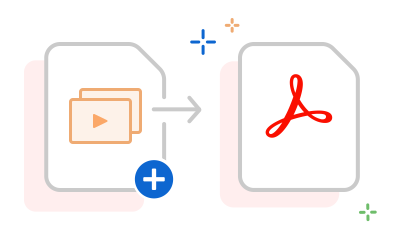
https://main--dc--adobecom.aem.live/dc-shared/assets/images/frictionless/how-to-images/ppt-to-pdf-how-to.svg | A Microsoft PowerPoint document with an arrow pointing to a PDF file, showing a pptx to pdf or powerpoint to pdf conversion.

  1. Click the "Select a file" button above or drag and drop a PPT file into the drop zone.
  2. Select the PPTX or PPT file you wish to convert to a PDF.
  3. After that, Acrobat will instantly convert your PowerPoint to a high-quality PDF while preserving its formatting.
  4. Finally, download your new PDF or sign in to share it across platforms. Give it a try now!

Explore our free PPT to PDF converter

https://main--dc--adobecom.aem.live/dc-shared/assets/images/shared-images/frictionless/seo-icons/ppt-pdf-converting.svg | A PPT file being converted to a PDF file

Switch from PPT to PDF online

Now you can turn any Microsoft PowerPoint presentation into a PDF file with the Adobe Acrobat PPTX to PDF converter. Download the converted file with a click or sign in to share your PDF.

https://main--dc--adobecom.aem.live/dc-shared/assets/images/shared-images/frictionless/seo-icons/fast-pdf.svg | A clock in grey and red representing how fast PowerPoint to PDF conversions are

Quick and easy PPTX to PDF conversion

Easily convert PPTX to PDF in seconds. Simply drag and drop a file into the online tool and get a professionally formatted PDF in a matter of seconds.

https://main--dc--adobecom.aem.live/dc-shared/assets/images/shared-images/frictionless/seo-icons/reliable-pdf.svg | An Acrobat PDF with a scale showing that you can convert to a high-quality PDF

Convert files with confidence

When you convert a PPT file to PDF with Acrobat, you retain its original styling and formatting. Your content will also look the same for everyone viewing the file.

https://main--dc--adobecom.aem.live/dc-shared/assets/images/shared-images/frictionless/seo-icons/document-reviews.svg | A PDF with a comment representing how easy it is to review PDFs

Get everyone on the same page fast

It’s easy to share your PDF file with others for review by signing into Acrobat. Everyone can comment in the same PDF online and you can @mention people and reply to comments.

https://main--dc--adobecom.aem.live/dc-shared/assets/images/shared-images/frictionless/seo-icons/edit-ppt.svg | A PowerPoint file with a pen showing how you can edit your PPT online for free

Edit for free in PPT online

With Acrobat, you can edit Microsoft PowerPoint presentations online for free when you sign in. Simply allow Acrobat to open a PPT file in Microsoft PowerPoint for the web.

https://main--dc--adobecom.aem.live/dc-shared/assets/images/shared-images/frictionless/seo-icons/best-pdf.svg | A PDF showing how Adobe Acrobat online services offer the best PPT to PDF converter

A trusted PPT to PDF converter

Adobe invented the PDF format. Our PowerPoint to PDF converter delivers high-quality and professional results to let you share your work confidently with others.

#ffffff

PPT to PDF converter tool uses

Easily share presentations

PDFs are a widely accepted file format for sharing as they keep a document looking the same, no matter how it is viewed. Show your professionalism by converting PowerPoint to a PDF file when sharing your presentation.

Preserve file content and formatting

PDFs maintain their content and formatting regardless of the device or browser (including Mac, Windows, iPhone, or Android) you use. You can rest assured knowing your PPT presentation will appear as expected after you convert PPT to PDF high quality.

Enhance security through password protection

With PDFs, you can password-protect your document allowing you to restrict editing access and safeguarding your privacy.

PPT to PDF FAQs.

What is the difference between PPT and PPTX files?
A PPT file is an older PowerPoint format used in versions before 2007, while a PPTX file is the newer version that saves presentations in a more modern and efficient way. You can convert both file types to PDF with our online tool.
Why convert PPT to PDF?
Converting a PowerPoint presentation to PDF ensures that your slides, fonts, images, and layouts remain consistent for every viewer. PDFs are widely compatible across devices and browsers, making it easier to share professional presentations securely and maintain their original formatting.
How do I convert a PPT file with multiple slides into a PDF?
When you use the Acrobat online tool to convert PowerPoint files to PDF, each slide will be turned into an individual PDF page in the converted file.

If you need more PDF functionality, you can try Adobe Acrobat Studio for free for seven days on Mac or Windows. With Acrobat, you can convert PDF files back to PowerPoint, convert Microsoft Office files including Microsoft Word documents and Excel spreadsheets, edit PDFs, organise and rotate PDF pages, split PDFs, reduce file sizes and more. The Acrobat Pro Create PDF tool also lets you turn HTML, BMP, GIF, TIFF, JPG, PNG, RTF and TXT files into PDFs.
How to save a PowerPoint presentation as a PDF?

Follow the below steps to learn how to save a PowerPoint presentation as a PDF:

  1. 1. Select File > Save As from the menu ribbon at the top of the software.
  2. Give the PPT file a name and select which folder to save your converted file to.
  3. Click Save.

You can now open your freshly converted PDF file and share as you wish.

Can I convert multiple PPT files to PDF at the same time?
Yes, you can convert multiple PPT or PPTX files to PDF using Adobe Acrobat. The free online tool allows you to convert individual files one at a time. However, if you need to convert multiple files simultaneously, the Adobe Acrobat Studio version offers a batch conversion feature.
Can I convert a large PowerPoint file to PDF online?
Yes, Adobe Acrobat's free online tool supports the conversion of large PowerPoint files, with a maximum file size of 2GB.
Will images and fonts in my deck stay the same when I convert from PPT to PDF?
Yes. Acrobat preserves document formatting and images when it converts from PPTX or PPT to PDF.
Will special PowerPoint animations be carried over when exporting PPT to PDF?
While special animations native to Microsoft PowerPoint aren't available when using the PDF version, Acrobat does support transitions between the slides of your presentation. PDFs are essentially static documents.
How does Adobe Acrobat ensure my PowerPoint files remain secure and private during conversion?
When you use Adobe Acrobat online, your PowerPoint files are processed with industry-standard encryption. Files are not shared with third parties, and your content remains private during conversion. You can confidently convert PPT or PPTX files to PDF knowing they are handled securely and privately.
How can I convert a PowerPoint to PDF on mobile?

Use Adobe Acrobat online services on any device or browser to convert PPT to PDF in a few seconds. Alternatively, here's how to convert PPT to PDF on a mobile device:

  1. Download the Adobe Acrobat Reader app on your phone for quick and easy PDF access!
  2. Go to the "tools" section and choose the "convert PPT to PDF" option.
  3. Browse the PPT by clicking on the "select a file" option.

Acrobat Reader will instantly convert your file into a high-quality PDF.
What operating systems can I use to convert PPT to PDF?
You can use any operating system to convert a PowerPoint presentation to PDF using the Acrobat PPT to PDF online tool. You just need an Internet connection and browser software for the file conversion to PDF.

More resources

Content as a Service v2 - ppt-to-pdf - Monday 22 July 2024 at 16:51

Verb
ppt-to-pdf

Try these Acrobat online tools

Convert from PDF

Convert to PDF

Reduce file size

Edit

Sign & Protect

Generative AI

Convert from PDF
Convert to PDF
Reduce file size
Edit
Sign & Protect
Generative AI