Acrobat
How to customise Indian digital wedding card PDFs using Adobe Acrobat.
Learn how to create unique digital wedding invitations using Adobe Acrobat in a few easy steps.


Acrobat
Learn how to create unique digital wedding invitations using Adobe Acrobat in a few easy steps.
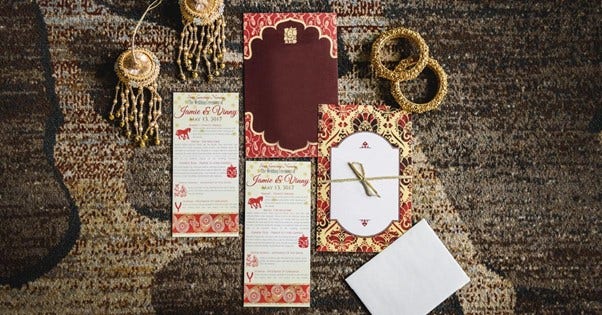
The grand Indian wedding is nothing short of a dream come true. In our culture, weddings are not just events—they are a celebration of family, tradition, and opulence. From elaborate décor to luxurious attire, every detail is meticulously planned, and the wedding invitations are no exception. The recent Ambani wedding has further set the bar high, influencing the Indian wedding landscape with its blend of tradition and grandeur. In this context, it’s natural for Indian families to desire wedding invites that reflect their cultural richness and elegance. But how do you showcase this level of creativity and magnificence on a digital platform? With the shift towards e-invites replacing traditional wedding cards, crafting beautiful and ornate digital wedding cards and sharing them as PDFs is the perfect way to blend tradition with modern convenience.
Let’s explore how Acrobat can help you craft a masterpiece in no time!
Digital wedding invitations are quickly replacing traditional physical cards in India, where invites often resemble festive gift hampers. The convenience of e-invites lies in their ease of distribution—whether via email or WhatsApp—making it simple to reach loved ones across the globe without the hassle of mailing or hand-delivering. This digital approach became even more popular during the COVID-19 pandemic, as small, intimate weddings made e-invites the practical and safe choice. Plus, digital cards are easy to edit and share, saving time and effort while also offering the flexibility to repurpose designs for future events.
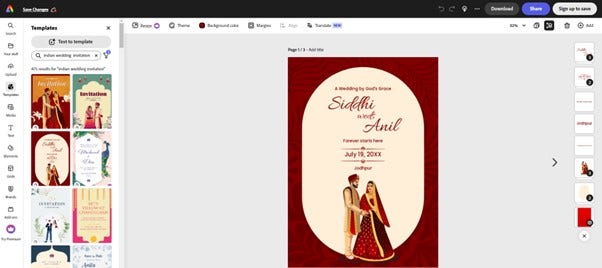
The days of manually creating design templates with text boxes and colour schemes in MS Office are over. Now, you can instantly download card templates from any online creative editor and customise them to your heart’s content.
A quick search on Adobe Express will generate numerous wedding templates you can download and import. With Adobe Express, you can customise the text boxes, add images, change colours, and more!
Using PDFs for your wedding invitations ensures consistency and quality across all devices, preserving your design exactly as intended. PDFs are universally compatible, making them easy to share and print without any loss of formatting. They also offer robust security features, like password protection, to safeguard your sensitive information. Plus, with tools like Acrobat, making last-minute edits or personalising invitations for different guests is quick and hassle-free. While design tools are great for creativity, PDFs are the gold standard for ensuring consistency, security, and ease of distribution, making them the ideal choice for creating and managing your wedding invitations.
With Acrobat, you can customise the design of your wedding cards and personalise them for your guests in just a few easy steps.
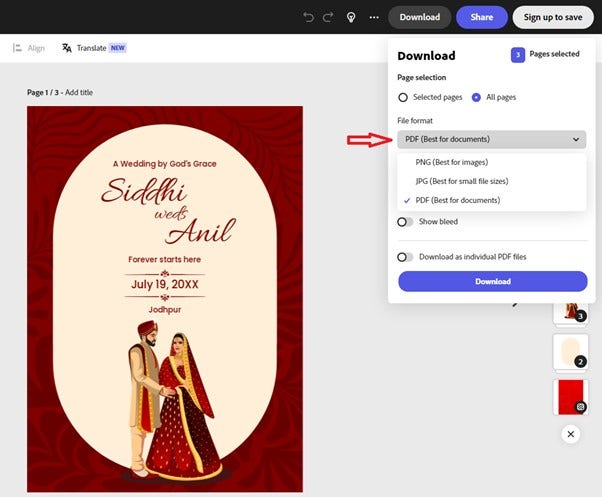
Find unique and creative templates online on several platforms. You can directly import them or download them as images or PDF versions.
Open Acrobat online services in your browser and upload your file format for further edits. If your file is in an image format, you must first convert it from image to PDF, then continue editing.
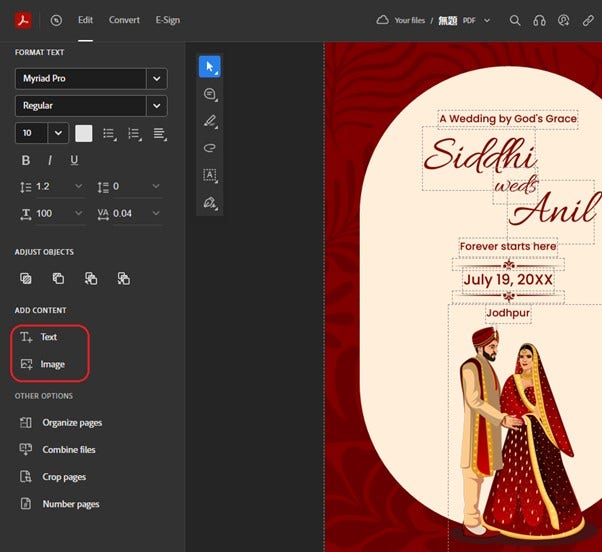
If you have downloaded a card design in PDF, you can continue editing after uploading it and signing in. You can add text boxes, change fonts, move items, replace icons, or enhance colours—there is much to try with Acrobat! Create stunning invitations with photo editing features. Simply upload your PDF file to Adobe PDF editor tool and change the size, fix the orientation, crop margins, or add text or images with the tool.
Use Acrobat as your custom wedding card maker and enhance your invites by adding images, icons, highlighting text, and more.
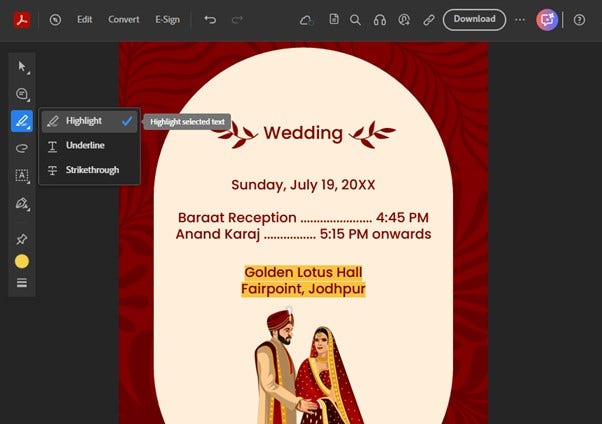
Now that you know how to create and edit wedding card PDFs online, let’s talk about sharing them. While PDF is the most widely used format, sometimes it is easier to share your invite as an image. In such cases, you can easily convert your PDF into other formats.
Upload your newly created wedding card to Acrobat online and choose the PDF to JPG converter. Other image formats are available too. Once uploaded, you can sign in to download the file.
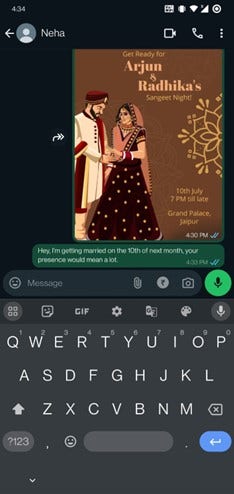
You can easily share the downloaded file with your guests or get a shareable link. PDFs are compatible with all devices. To upload your invitation on social platforms like WhatsApp, use the image version of your e-invite. If sending via email, attach the PDF file to your email or compress it before sending it if it is too large.
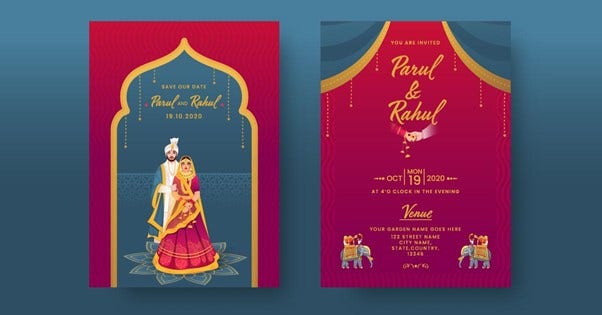
Acrobat offers a variety of customisation options. The best part? Our cloud storage lets you access old files and start working on them immediately without creating new ones. Here’s a quick look at other features.
Merge different designs and combine pages to create one cohesive card. This makes saving and sharing easier.
As mentioned earlier, you should compress your larger invitations before sharing them via email. For wedding invitations, it’s especially important to maintain the quality. Acrobat offers high, medium, or low compression options, ensuring your invitations remain crisp and clear.