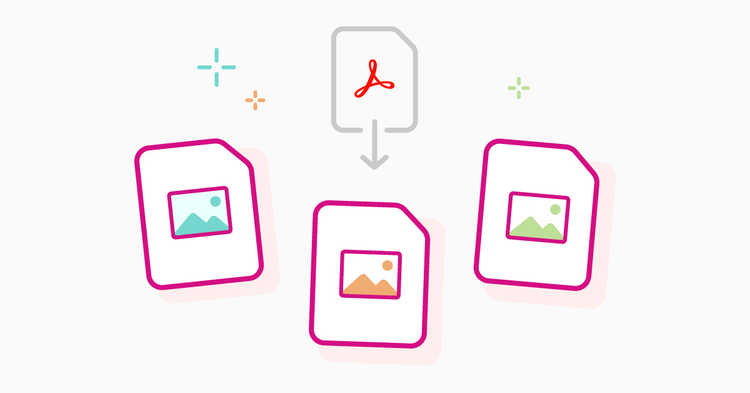
Convert a PDF to JPG image

{{verb-widget-legal}}

Best in class PDF conversion from the makers of PDF.

Trusted by millions.

How to convert PDF to JPG

Follow these easy steps to change a PDF to JPG, JPEG or TIFF with the Acrobat image converter:
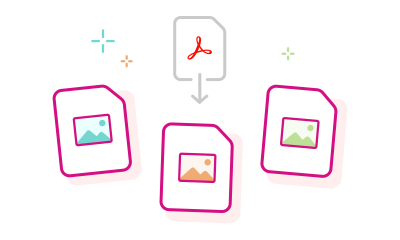
https://main--dc--adobecom.aem.live/dc-shared/assets/images/frictionless/how-to-images/pdf-to-jpg-image-how-to.svg | An Adobe Acrobat document pointing to JPG or PNG image files showing the PDF into image conversion process.

  1. Click the "Select a file" button above or drag and drop your PDF document into the drop zone.
  2. Choose the PDF you want to convert to an image using our PDF to JPG converter online.
  3. Select the image file format for your converted PDF and click "Convert to JPG".
  4. You can now download your newly created image file or sign in to share it with others in seconds.

Try our free PDF to JPG converter

https://main--dc--adobecom.aem.live/dc-shared/assets/images/shared-images/frictionless/seo-icons/convert-files.svg | Two document files with arrows showing how you can easily convert PDF files online

Convert PDFs into high-quality JPGs

Use the Acrobat PDF to JPG converter tool to convert your PDF into high-quality JPG, JPEG, or TIFF formats, ensuring clarity and accessibility from any device with an internet connection.

https://main--dc--adobecom.aem.live/dc-shared/assets/images/shared-images/frictionless/seo-icons/fast-pdf.svg | Fast PDF Conversion

Quick image conversion from PDF documents

Simply drag and drop or upload your PDF document to convert it into an image. Choose from JPG, JPEG, or TIFF formats, and let Acrobat quickly handle the conversion within seconds.

https://main--dc--adobecom.aem.live/dc-shared/assets/images/shared-images/frictionless/seo-icons/download-and-share.svg | A download arrow showing how easy it is to download and share your converted JPG file

Simplified downloads and sharing

To share your newly created image files, all you need to do is sign into your Acrobat account. After Acrobat converts your PDF to an image file, you can download it with a click or sign in to get a link.

https://main--dc--adobecom.aem.live/dc-shared/assets/images/shared-images/frictionless/seo-icons/work-wherever.svg | A desktop icon with a checkmark demonstrating that you can convert PDF to JPG using any platform or browser

Use your favourite browser and OS

Our Acrobat PDF to image converter works in any browser, including Microsoft Edge and Google Chrome, and is compatible with major operating systems like Windows, macOS, iOS and Android.

https://main--dc--adobecom.aem.live/dc-shared/assets/images/shared-images/frictionless/seo-icons/private-pdf.svg | A badge with a lock inside of it representing that Adobe respects your privacy

Ensure confidentiality of your data

Adobe prioritises privacy and data security for all. If you don’t sign in to Acrobat to save your file, it will be deleted from our servers.

https://main--dc--adobecom.aem.live/dc-shared/assets/images/shared-images/frictionless/seo-icons/best-pdf.svg | web browser with red checkmark representing that the JPG to PDF tool can be used on any platform.

A trusted PDF to JPG converter

Adobe invented the PDF format so you can trust our tools. Our free PDF to JPEG or JPG converter lets you create high-quality JPG image files that will look as expected.

#ffffff

Make the most of the Acrobat PDF to JPG converter

Bank statements and credit reports

You can convert PDF bank statements or credit reports into JPG images easily to easily extract the information you need.

PAN and Aadhaar cards

You may need to convert your Aadhaar PDF, PAN card, license, Voter ID, or other government ID cards to a JPG image for convenience purposes.

Questions about the PDF to JPG converter? We've got answers.

What other image file formats can I convert PDFs into?
Along with JPG, the Acrobat online converter tool lets you quickly convert a PDF to JPEG or TIFF image using any web browser. Just choose your preferred file format. The Acrobat JPG conversion process happens in seconds, delivering image quality you can trust.

You can also try Adobe Acrobat Studio for free for seven days on Mac or Windows. Alternatively, Acrobat PDF tools let you convert JPG, BMP, GIF, Microsoft Word, PowerPoint, Excel and other file formats to PDF. Other Acrobat Pro tools let you edit PDFs, merge PDFs, delete PDF pages and reduce PDF file sizes.
Will the image quality change when I convert a PDF to JPG?
The Acrobat PDF to JPG converter is designed to produce clear, high-quality images, keeping text sharp and graphics well-defined during conversion.
Is there a limit to the file size when converting a PDF to JPG online?
There may be a size limit depending on whether you are signed in. Signing in to your Acrobat account can allow you to convert larger files and access more features.
How do I convert a PDF to JPG on my phone?
Follow the same steps to convert a PDF to a JPG file on your phone or tablet. Select the PDF file you want to convert, select the desired image file format and tap "Convert to JPG". The Acrobat PDF to JPG converter works on both Android and iPhone devices in your mobile browser.
How do I save a PDF as a JPG image?
  1. Open the Adobe Acrobat online PDF to JPG converter.
  2. Click “Select a file” or drag and drop your PDF into the tool.
  3. Choose JPG as your output format.
  4. Acrobat will convert your PDF into high-resolution images.
  5. Download your JPG files or sign in to share them.
Can I convert only selected pages from a PDF to JPG?
To convert specific pages, first extract or save those pages as a separate PDF, then upload that new file to the Acrobat PDF to JPG converter.
Can I extract individual images from a PDF?
Yes. After converting your PDF to JPG, you can download each page as a separate image, which lets you save individual visuals from the document.
How can I convert a PDF to JPG without an internet connection?
Once you become an Acrobat Pro subscriber, you can easily download the necessary software to turn PDFs into JPG files offline. Acrobat Pro has a huge range of tools that can help you customise your file as you'd like.
How do I combine multiple PDFs before converting them to images?
If you have multiple PDFs you need to merge, try Acrobat's PDF merge tool to combine them into a single document. Once merged, you can convert the combined PDF into JPG, JPEG, or TIFF files using the PDF to JPG Converter.
Can I compress the image size after converting my PDF?
Yes! After converting your PDF to JPG, you can use the Adobe PDF compressor tool to reduce the size of your image files, ensuring quicker sharing and optimised storage without compromising quality.
What is the difference between JPG and PNG?
PNG offers lossless compression while JPG uses lossy compression, which means PNG preserves full image quality even after multiple saves, whereas JPG produces smaller, more storage-efficient files. If you need high-clarity graphics or text-based images, PNG is usually the better choice. For faster loading and reduced file size, JPG works well.

If you want to turn PDF documents into PNG images, you can use Acrobat's online PDF to PNG tool.

More resources

Content as a Service v2 - compress-pdf - Wednesday 17 July 2024 at 13:28

Verb
pdf-to-jpg

Try these Acrobat online tools

Convert from PDF

Convert to PDF

Reduce file size

Edit

Sign & Protect

Generative AI

Convert from PDF
Convert to PDF
Reduce file size
Edit
Sign & Protect
Generative AI