How to convert an image to PDF online
Turn JPG, PNG, BMP, HEIC, TIFF or other image files into polished PDFs in just a few clicks with free Acrobat online tools. Whether you’re organising documents, sharing visuals or preparing files for print, converting photos to PDF is fast and easy.
Follow these steps to convert pictures to PDF:
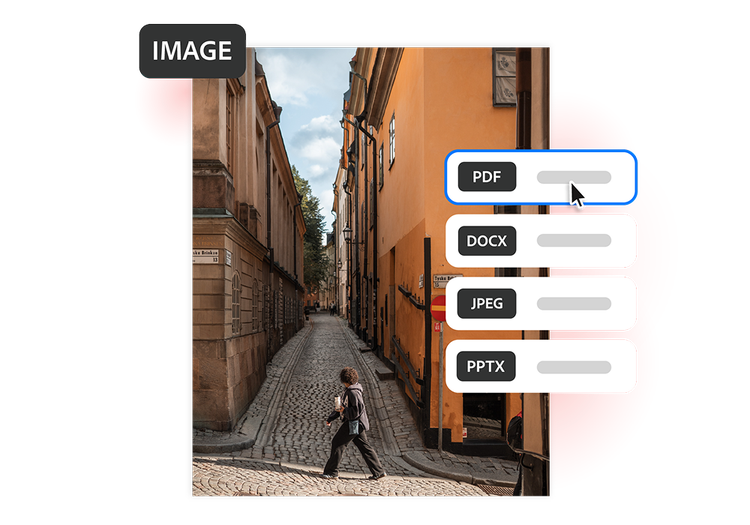
- Upload your photo or image: Use the tool above to select or drag and drop your image file into the converter.
- Convert the file: Your image is automatically converted into a high-quality PDF while preserving image quality, formatting, and visual details.
- Download and share your PDF: Download your newly converted PDF file, then save, print, or share it across devices for work, study, or personal use.
Try our free image to PDF converter
Discover the benefits of turning images into PDFs with Acrobat online tools.
https://main--da-dc--adobecom.aem.page/dc-shared/assets/images/frictionless/icons/share.svg

Easier file sharing
Convert photos, screenshots and document images into PDFs that are easier to share by email, WhatsApp or cloud storage. Ideal for assignments, job applications and everyday file sharing.
https://main--da-dc--adobecom.aem.page/dc-shared/assets/images/frictionless/icons/image-quality.svg

Preserve image quality
Maintain colour, sharpness and visual detail when turning photos into PDF files. Ideal for photography portfolios, creative projects, product images and visuals that need a professional presentation.
https://main--da-dc--adobecom.aem.page/dc-shared/assets/images/frictionless/icons/combine.svg

Combine multiple images
Combine multiple photos, screenshots or document images into one PDF. Useful for receipts, certificate compilation, banking procedures, government applications and admission documents.
https://main--da-dc--adobecom.aem.page/dc-shared/assets/images/frictionless/icons/print.svg

Print-friendly formatting
Not all image files print consistently. Converting photos to PDF helps preserve sizing and layout, making them easier to print for study materials, office handouts, posters and forms.
https://main--da-dc--adobecom.aem.page/dc-shared/assets/images/frictionless/icons/organize.svg

Better organisation
Keep photos, screenshots and document images organised in searchable PDF files. Helpful for managing personal files, project work, onboarding documents, reference materials and study notes.
https://main--da-dc--adobecom.aem.page/dc-shared/assets/images/frictionless/icons/more.svg

Do more with your PDFs
After converting images to PDF, edit pages, combine files, compress large documents and add password protection to help keep important information secure and easy to manage.
More ways to work with PDFs
Try our online tools to convert image and design files to PDF documents. Acrobat can do it all.

Turn TIFF images into PDFs

Share BMP images as PDFs

Create PDFs from GIF images

Convert PSD designs to PDF
Questions about the image to PDF converter? We have answers.
Use Acrobat tools for free
- Sign in to try 25+ tools, like convert or compress
- Add comments, fill in forms and sign PDFs for free
- Store your files online to access from any device
Create a free account | Create a free account Adobe Acrobat Sign in


