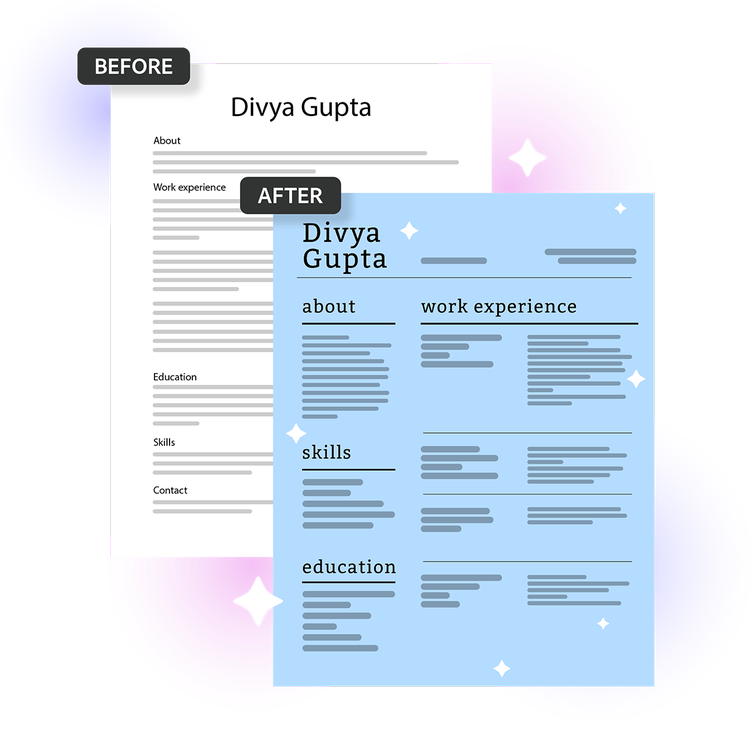
The AI resume builder from Acrobat helps you to create a professional resume in minutes using AI-powered formatting and customisable templates. Upload your existing resume, choose a template and Acrobat organises your content into a polished layout you can customise and download. Whether you're applying for internships, graduate roles or experienced positions, you can tailor your resume to suit different opportunities.
Yes, the AI resume builder from Acrobat includes customisable resume templates that let you adjust fonts, colours, layouts and sections to match your style or industry. Whether you're applying for roles in IT and software, marketing and creative fields, or finance and business operations, you can choose a template that reflects your professional profile. The AI resume builder is built with Adobe Express design tools so you can refine as needed.
The AI resume builder from Acrobat lets you download your finished resume as a PDF, the format most employers and applicant tracking systems (ATS) require. PDF resumes are widely accepted across job portals such as LinkedIn, Naukri and Indeed, making it easy to apply for opportunities online. You can also convert your downloaded PDF into additional formats such as DOCX/DOC, PNG and PPTX using
Adobe's free PDF Converter online.
Yes, resumes created with the AI resume builder work on popular job platforms such as Naukri, LinkedIn and others. Upload requirements can vary by platform, so it is always worth checking the latest guidelines before applying. For example, LinkedIn recommends resume files under 2 MB, while Naukri may require resumes to be 300 KB or smaller. If needed, you can use Acrobat's PDF
compression tools to reduce the file size before uploading your resume.
Yes, with the AI resume builder from Acrobat you can duplicate your resume, customise it for different roles or industries and export multiple versions without starting from scratch each time. For example, an IT professional can highlight technical skills, certifications and project experience for software development roles, then create another version that emphasises leadership and delivery experience for project management positions.
The AI resume builder from Acrobat combines professional design templates with Adobe Express tools so you can create a polished, professional resume. Simply select a template and let the AI resume builder do the rest. Because it's connected to Adobe Express, you can also create matching career materials like portfolios, presentations and personal branding assets.
The AI resume builder from Acrobat is ideal for a wide range of job seekers looking to create a professional resume with less time spent on formatting:
- Students and fresh graduates preparing for internships, campus placements and entry-level roles.
- Job seekers applying for roles across industries and looking for a polished, professional resume.
- Professionals updating their resumes for promotions, new opportunities or career growth.
- Career changers tailoring their experience and transferable skills for a new field.
- Applicants applying to multiple roles who need customised versions of their resume.
- Busy professionals who want to create or refresh a resume quickly without starting from scratch.
The AI resume builder from Acrobat is well-suited for career changers because it gives you full control over how your experience is framed and which skills are emphasised. You can choose a template with a layout that highlights what matters most for your new field, making it easy to put transferable skills and relevant experience front and centre.
The AI resume builder from Acrobat is designed to help produce clear, professional resume content based on the information provided. You should still review and personalise every section to ensure your resume accurately reflects your experience, achievements and communication style.
The AI resume builder from Acrobat is secure and private by design. Your file is securely processed and automatically deleted unless you choose to sign in and save it. You can learn more about Adobe's privacy practices and account protections at
adobe.com/privacy.
The AI resume builder from Acrobat is designed for English-language resume creation, while
Adobe Express supports multiple interface languages across regions. You can also create resumes in Hindi or other regional languages when applying for local government roles, regional public sector opportunities or community-based positions where local language proficiency may be valued.
Yes, the AI resume builder from Acrobat works across mobile devices, tablets, laptops and desktop computers. Whether you're using an Android phone or iPhone (iOS), you can create, customise and update your resume using a supported web browser, making it easy to work on applications wherever you are.
The AI resume builder from Acrobat is free to use with no sign in or credit card required. It includes core resume creation and editing features, including access to resume templates and basic design tools. This makes it a convenient option for students, freshers and job seekers looking to create a professional resume at no upfront cost. To unlock additional templates, design assets and advanced features, consider an
Adobe Express plan.