How to convert PSD to PDF online
Convert your Adobe Photoshop files into easy-to-share PDFs in just a few steps with free Acrobat online tools. Whether you’re presenting designs, preparing proofs, or archiving creative work, you can convert PSD files without installing extra software.
Follow these steps to convert PSD to PDF:
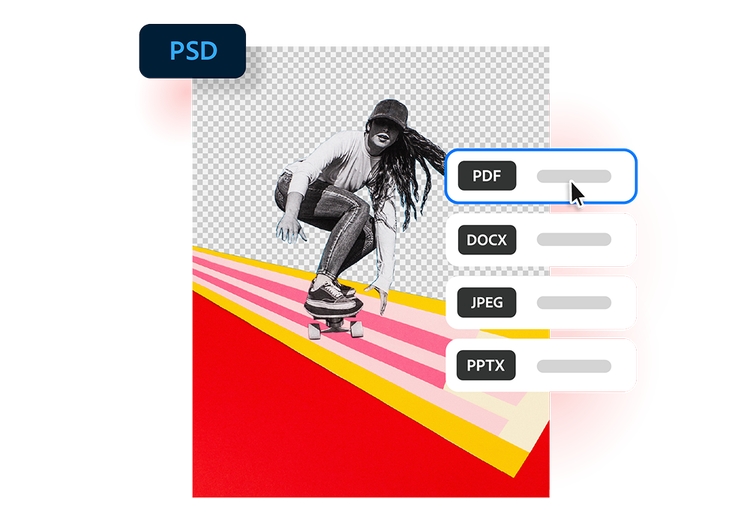
- Upload a PSD file: Upload or drag and drop your PSD file into the PSD to PDF converter tool above.
- Convert the file: Your PSD file is processed and converted into a PDF in seconds.
- Download your file: Download your newly converted file, then save, print, or share your PDF.
Try our free PSD to PDF converter
See how converting PSD files to PDF can simplify your creative workflow.
https://main--da-dc--adobecom.aem.page/dc-shared/assets/images/frictionless/icons/share.svg

Share designs easier
PDFs are an accessible and widely compatible cross-team tool. Share Photoshop mockups, brand concepts and marketing creatives with clients and stakeholders without requiring Photoshop.
https://main--da-dc--adobecom.aem.page/dc-shared/assets/images/frictionless/icons/image-quality.svg

Preserve visual quality
Converting PSD to PDF helps maintain the appearance of your design, including images, typography, colours and layout details when sharing photo edits and creative concepts.
https://main--da-dc--adobecom.aem.page/dc-shared/assets/images/frictionless/icons/comment.svg

Streamline approvals and feedback
PDFs are ideal for reviews and collaboration. Clients and coworkers can comment on campaign creatives, website mockups and presentation designs without needing Photoshop.
https://main--da-dc--adobecom.aem.page/dc-shared/assets/images/frictionless/icons/print.svg

Create print-ready files
Turn layered Photoshop projects into polished PDFs that are easier to print and distribute for brochures, retail signage, product packaging, event materials and marketing collateral with confidence.
https://main--da-dc--adobecom.aem.page/dc-shared/assets/images/frictionless/icons/compress.svg

Reduce file complexity
PSD files often contain layers and editing data that make them large and difficult to share. PDFs create a cleaner, more portable version that is easier to store, access and distribute across teams.
https://main--da-dc--adobecom.aem.page/dc-shared/assets/images/frictionless/icons/more.svg

Do more with your PDFs
Edit, organise and sign your PDFs with all the Acrobat online tools. Combine PSD designs with project briefs, compress large files and protect client-ready documents with password protection.
More ways to work with PDFs
Try our online tools to convert image and design files to PDF documents. Acrobat can do it all.

Convert Adobe InDesign files to PDF

Prepare Adobe Illustrator files for PDF

Turn TIFF scans into PDF documents

Create PDFs from image files
Questions about the PSD to PDF converter? We have answers.
Use Acrobat tools for free
- Sign in to try 25+ tools, like convert or compress
- Add comments, fill in forms and sign PDFs for free
- Store your files online to access from any device
Create a free account | Create a free account Adobe Acrobat Sign in


