How to convert GIF to PDF online
Turn GIFs into easy-to-share PDF documents in just a few steps with free Acrobat online tools. Whether you want to share visuals more easily, improve compatibility across devices or organise content in a document format, you can convert GIF to PDF without downloading additional software.
Follow these steps to convert GIF to PDF:
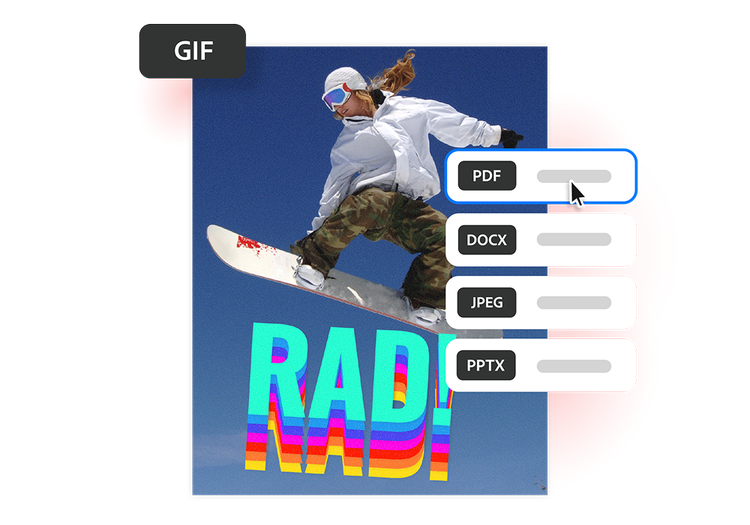
- Upload a GIF file: Upload or drag and drop your GIF file into the converter tool above.
- Convert the file: Your GIF file is processed and converted into a PDF in seconds.
- Download your file: Download your newly converted PDF file, then save, print or share it wherever you need.
Try our free GIF to PDF converter
See how converting GIF files to PDF can help to simplify file sharing and document organisation.
https://main--da-dc--adobecom.aem.page/dc-shared/assets/images/frictionless/icons/pdf.svg

Make image sharing more professional
GIFs are often used for animations, graphics and visual content shared online. Converting GIF to PDF creates a more professional format for design portfolios and presentation handouts.
https://main--da-dc--adobecom.aem.page/dc-shared/assets/images/frictionless/icons/device.svg

Improve compatibility across devices
Device compatibility can vary when sharing GIFs across platforms. Converting a GIF file to PDF helps ensure content remains accessible on desktops, smartphones and tablets.
https://main--da-dc--adobecom.aem.page/dc-shared/assets/images/frictionless/icons/organize.svg

Organise visuals into documents
Social media marketers and content creators can convert GIF to PDF to document campaign assets, memes and creative concepts, making it easier to keep supporting materials together in one file.
https://main--da-dc--adobecom.aem.page/dc-shared/assets/images/frictionless/icons/print.svg

Simplify printing
Static GIFs containing graphics, illustrations and visual references can be easier to manage in PDF format. Converting GIF files to PDF helps create print-ready documents with consistent formatting.
https://main--da-dc--adobecom.aem.page/dc-shared/assets/images/frictionless/icons/share.svg

Reduce friction in file sharing
GIF files may not always be the most practical format for sharing visual content. Convert GIF to PDF for easier sharing of campaign visuals, creative work and supporting documents.
https://main--da-dc--adobecom.aem.page/dc-shared/assets/images/frictionless/icons/more.svg

Do more with your PDFs
Edit, organise and sign your PDFs with all the online tools that Acrobat has to offer. After you convert GIF to PDF, you can combine files, compress documents and protect them with password protection.
More ways to work with PDFs
Try our online tools to convert image and design files to PDF documents. Acrobat can do it all.

Create PDFs from photo files

Keep TIFF scans easy to share

Turn bitmap images into PDFs

Convert PSD projects as PDFs
Questions about the GIF to PDF converter? We have answers.
Use Acrobat tools for free
- Sign in to try 25+ tools, like convert or compress
- Add comments, fill in forms and sign PDFs for free
- Store your files online to access from any device
Create a free account | Create a free account Adobe Acrobat Sign in


