All the PDF tools you need, now 100% free
Enjoy unlimited PDF tools usage in India with a free account on Acrobat.com. No subscription or credit card required. Excludes AI features.
How to compress a PDF file to 200KB online
Follow these easy steps to learn how to make a PDF 200KB or smaller:
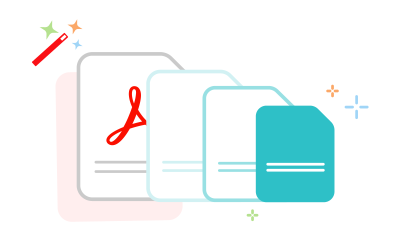
- Click the Select a file button above, or drag and drop files into the drop zone.
- Select the PDF file you want to make smaller.
- After uploading, select compression level.
- Download your compressed PDF file or sign in to share it.
Try these other Compress PDF options for different sizes of files

When do you need to compress a PDF to 200KB

For scheme and service uploads
A 200KB PDF helps keep Aadhaar proofs, trade certificates, hospital registration records, and supporting documents ready for uploads on Ayushman Bharat, PM Vishwakarma, and UIDAI portals with fewer submission issues and smoother document verification processes.

For entrance exams and admissions
Many portals such as NEET UG and AISSEE require marksheets, certificates, supporting documents, and identity proofs to stay within upload limits. Compressing files to 200KB helps ensure smoother submissions, verification, document approval processes, and fewer upload-related errors.

For insurance and complaint records
A 200KB PDF keeps claim forms, prescriptions, discharge summaries, and supporting financial documents manageable for uploads on LIC, insurance company portals, and SEBI SCORES complaint systems with smoother processing, review, and verification workflows.
Why choose Acrobat for compressing PDFs
High-quality 200KB PDF compression
The more you compress a PDF, the more visual detail may be reduced. With Acrobat, you can optimise 200KB PDFs to keep text clear and layouts well structured for official uploads and document verification.
Secure and private document processing
After compression, Aadhaar cards, PAN cards, educational records, insurance forms, and financial documents are automatically removed from servers unless you choose to save them by logging in.
Compatibility across browsers and devices
Compress PDFs to 200KB directly in Chrome, Firefox, Edge, or Safari without installing additional software, ensuring smoother access and document preparation across desktop and mobile platforms.
Choose the right compression level
Select from preset compression levels to optimise your PDF based on your needs. This helps prepare 200KB documents for applications, verification records, insurance forms, and supporting submissions.
Compress your PDF file to 200KB online for free
Compress PDFs quickly online
With Adobe Acrobat’s online PDF compression tool, you can reduce file sizes directly from your web browser, no installation needed. Easily downsize bulky PDFs for quicker sharing and storage. Want more features? Try Adobe Acrobat Pro free for seven days to optimise your documents even further.
Balance file size and document detail
Pick higher or lower compression levels depending on your priority. This helps you manage file size while keeping documents clear and suitable for multi-page files and structured content.
Share files and collaborate with ease
When you compress your PDF to 200KB, it makes it much easier to distribute. Smaller files are quicker to upload, send, and share—especially via email, where size restrictions can be a hurdle. It’s a smart way to streamline collaboration and speed up delivery.
Questions about compressing a PDF to 200KB? We have answers.
Adobe Acrobat Pro also offers custom PPI optimisation settings, PDF editing, page rotation, PDF splitting, PDF page extraction, and conversion options including PDF to PPT and Excel to PDF. Acrobat can be used on Windows, Mac, Linux, iOS, and Android devices.
Use Acrobat tools for free
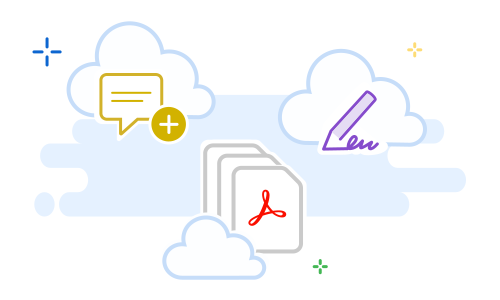
- Sign in to try 25+ tools, like convert or compress
- Add comments, fill in forms and sign PDFs for free
- Store your files online to access from any device
Try these Acrobat online tools