How to summarise text online
Save time reading documents by creating AI-powered summaries in just a few clicks with Acrobat online tools. Whether you’re reviewing reports, studying a research paper or catching up on meeting notes, you can quickly identify the most important information without reading every page.
Follow these steps to summarise text:
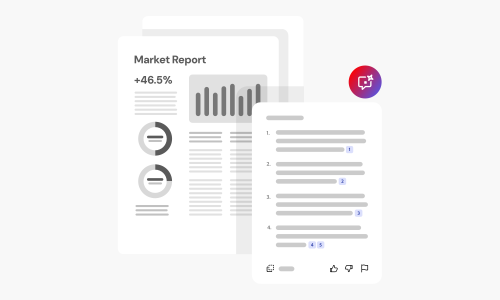
- Drag and drop your PDF document above.
- Acrobat AI analyses your document and generates a concise summary of the key points.
- Review your summary and explore important topics from the original document.
- Continue working with your PDF by saving, sharing or asking follow-up questions with Acrobat AI.
Sample prompts to try with our AI Summariser.
Prompts provide guidance to AI Assistant so you can accomplish tasks fast. Here are a few example prompts. Click to copy, then select a file to paste into AI Assistant and get started quickly.
More ways to work with PDFs
Try our online tools to convert, compress and merge PDF files — Acrobat can do it all.

Try our free PDF to Word converter

Try our free JPG to PDF converter

Try our free Word to PDF conversion tool

Combine PDF files any time, anywhere
Questions about the text summariser? We have answers.
Try our free text summariser
Discover how AI-powered summaries can help you to work faster and stay focused with Acrobat online tools.
https://main--da-dc--adobecom.aem.page/dc-shared/assets/images/frictionless/icons/save.svg

Save time reading
Quickly understand the main ideas in lengthy documents without spending time reading every page. Summaries help you to find the information you need faster.
https://main--da-dc--adobecom.aem.page/dc-shared/assets/images/frictionless/icons/focus.svg

Focus on key information
Acrobat AI highlights the most important points, making it easier to identify takeaways, action items and essential details from reports, articles and other documents.
https://main--da-dc--adobecom.aem.page/dc-shared/assets/images/frictionless/icons/improve.svg

Improve productivity
Spend less time reviewing documents and more time acting on what matters. Generate summaries for business documents, research papers, presentations and more.
https://main--da-dc--adobecom.aem.page/dc-shared/assets/images/frictionless/icons/study.svg

Study more efficiently
Turn dense readings into short, skimmable summaries to prepare for exams, review key concepts or catch up quickly.
https://main--da-dc--adobecom.aem.page/dc-shared/assets/images/frictionless/icons/review.svg

Review long reports with confidence
Use your summary to see how a document is structured, then jump to the sections that matter most before reading the full text.
https://main--da-dc--adobecom.aem.page/dc-shared/assets/images/frictionless/icons/more.svg

More PDF features
Acrobat online tools offer more than AI summaries. Edit PDFs, organise pages, combine multiple files, compress large documents, collect signatures and protect sensitive information with password protection.
Use Acrobat tools for free
- Sign in to try 25+ tools, like convert or compress
- Add comments, fill in forms and sign PDFs for free
- Store your files online to access from any device
Create a free account | Create a free account Adobe Acrobat Sign in | Sign in Adobe Acrobat


