How to use AI logo generators to improve brand identity.
Get tips on how to use AI logo generators to create professional, cohesive brand identities that work across all platforms and applications.
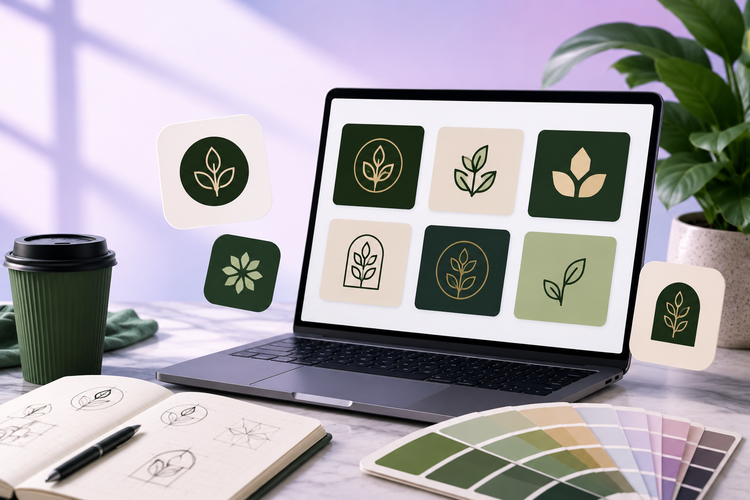
AI logo generators are a game-changing tool for businesses of all sizes, from start-ups to established brands that choose to rebrand. They can help businesses produce high quality, unique logos while maintaining brand consistency.
In this guide, we’ll cover how to use AI logo generator tools effectively and what makes these logos successful. Read on to discover how Adobe Express can help bring your brand vision to life.
How can an AI logo generator strengthen your brand identity?
AI logo generators use artificial intelligence (AI) to generate multiple logo variations based on user input. They play a key role in helping SMEs and entrepreneurs build strong brand identities quickly and affordably.
The key ways that AI logo generators can help strengthen your brand identity include:
- Creating a cohesive brand feel. With AI logo generators, brands can quickly generate multiple logo design variations while maintaining professional quality and consistency.
- Creating memorable designs. Anyone can use AI generators to create standout designs. Simply describe what you want to create and watch the magic happen. This can reduce costs spent on bespoke design services and make logo design more accessible to all.
- Building brand recognition. AI logo generators can help brands create strong logo designs that drive brand recognition, customer trust and market differentiation. A strong logo design helps customers instantly recognise your brand in a crowded and competitive market. This can make them more likely to choose your brand over competitors.
Things to consider when using an AI logo generator for your brand.
While AI logo generators can help strengthen your brand identity, there are a few considerations to keep in mind when using one:
- Brand differentiation concerns. It’s important to ensure that your logo doesn’t resemble competitor logos, especially in saturated industries. Try to make your logo unique by customising it with distinct features and elements.
- Industry-specific design expectations. Before you get started, you might want to do some research into industry-specific design expectations. For example, finance logos may benefit from clean fonts and specific colours to help convey trust and professionalism. While beauty brand logos may offer more creative scope.
- Future-proofing your logo against design trends. Ensure your logo is timeless by prioritising simple, scalable designs over short-term design trends. This can help ensure your design stays relevant for years to come.
- Test your logo with your target audience. Trial different variations of your logo with your target audience to see which design they prefer. This can help ensure it communicates your brand effectively and resonates with the right people. This can be achieved through various methods, such as A/B testing, focus groups or online surveys.
recipe
How to customise AI logos to make them visually distinctive and unique.
Thoughtful customisation can transform generic AI-generated logos into distinctive, memorable brand identities. This can help prevent your logo from looking generic or templated.
Here are some practical customisation techniques to help you move beyond AI suggestions to create a logo that’s truly unique to your brand:
Choose distinctive typography.
Choose distinct typography, custom lettering and font combinations. This can help ensure that any text on your logo is unique to your brand.
Refine colours.
Refine your colour palettes for visual impact and brand recognition. Understanding colour psychology and how different colours trigger different emotions might be helpful here.
Personalise symbols.
Personalise symbols and icons for a more personal touch. Incorporate your brand story into logo symbolism for uniqueness.
Balance elements.
Strategically distribute text, shapes and icons on your logo design for visual balance. Learning how to make AI logos visually balanced can help your design look cohesive and professional.
Experiment with negative space and visual breathing room.
Negative space refers to the background areas around the primary elements of your logo design. Used strategically, empty space can convey additional meaning or portray a deeper brand story in your logo.
You don’t have to fill the empty space, you could deliberately leave ‘quierter’ areas between design elements instead. This can help to reduce clutter and direct attention to the most important parts of your design.
Test customisations across different contexts.
Testing customisations across different contexts can help ensure your logo is versatile and impactful, no matter the context. This could include testing different customisations across:
- Digital spaces. Your YouTube banner, social media profile picture, website banner etc
- Print. Your business cards, posters, packaging
- Merchandise. T shirts, mugs etc.
Make your logo authentic to your brand values.
Create an authentic logo that reflects your brand values rather than relying on cookie-cutter solutions. Your logo serves as a visual cornerstone of your brand identity and is often the first thing that your audience sees. End up too cliché and your logo may lack the authenticity and uniqueness needed to build a strong brand image.
How to bring your logos to life.
How to build a consistent brand identity across all platforms with AI logos.
Read on to discover tips to make sure your AI logo works cohesively across every touchpoint, from how to create AI logos for mobile apps to print materials.
Optimising AI logos for mobile app icons and small screens.
Mobile apps require clarity at small sizes and high contrast designs. Focus on:
- Clean shapes
- Minimal elements
- Limited text
- Bold fonts
- Increased font spacing
- Dark on light and light on dark contrasts.
Preparing AI logos for high-quality print and merchandise.
Print designs require high resolution, as merchandise needs durability in design translation. Focus on:
- Simple designs – intricate details may get lost in the final product
- Avoiding gradients that could translate poorly
- Creating vector graphics using programs like Adobe Illustrator can help you scale your logo without pixelation
- Ensuring lines are thick enough to show.
Scaling logos for websites and digital platforms.
To scale logos for websites and digital platforms, focus on the right formats, and optimise for screen size:
- Learn when to use vector vs raster images
- Consider different variations for different platforms. E.g. a simplified version for mobile apps
- Consider sizing to ensure versatility across different websites and platforms.
Maintaining consistency across social media profiles.
Your logo design should be consistent across your social profiles. This is essential to building brand recognition, establishing trust and building a professional brand image.
Creating a brand guidelines document from your AI logo.
Your AI logo can form the foundation of a comprehensive visual identity system and feed into your brand guidelines. Your brand guidelines help shape how your company is visually represented to ensure consistency across all touchpoints. This includes everything from marketing materials to products and communications.
recipe
How can Adobe Express help you develop a distinctive brand identity with AI logos?
Adobe Express makes it easy to develop a distinctive brand identity by helping you create AI-generated logos for free. Then refine the logo to make it your own with powerful customisation tools.
1. Generate multiple logo concepts to match your brand identity.
Use the AI Logo Generator to generate multiple logo design concepts. Experiment with different keywords and brand descriptions to create different design styles, and concepts that perfectly capture your brand identity.
2. Customise with your own fonts, colours and elements.
Go beyond the initial AI suggestions by customising every element of your logo. Adjust colour palettes to match your brand personality, refine typography and personalise symbols and icons to create a truly distinctive logo that sets you apart from competitors.
3. Export logos in different formats for brand consistency.
Download your finalised logo in multiple formats (including PNG, SVG, PDF). The Adobe AI Logo Generator helps to ensure consistency across every platform, from social media to print and merchandise. This helps to strengthen your brand recognition and build customer trust across every touchpoint.
4. Collaborate and refine your logo.
Share your AI-generated logo variations with your team members for valuable feedback. Tweak and refine your logo design together before finalising, ensuring everyone's vision is represented.