Content as a Service v3 - aem-sites-carousel - Friday, May 15, 2026 at 14:10
Ask



Explore the features and capabilities of Adobe Experience Manager Sites.
A CMS built for how digital experience works today. Experience Manager Sites combines powerful agentic execution with a modern decoupled architecture to deliver structured, high-performing pages to any channel, front end, or agent — giving your brand the presence it needs in every experience, including AI-generated answers.

Accelerate content creation with agentic capabilities.
Give marketers the ability to quickly create, update, and scale digital experiences faster with flexible authoring tools and built-in agentic support, all grounded in context, including a governed source of brand truth that tells every agent and model what your brand is, what it can say, and how it shows up.
- Ground every agent and AI model in context, your brand’s voice, claims, product facts, design standards, and compliance rules, so generated content is on-brand and in-policy by default, not corrected after the fact.
- Modernize legacy content and use agentic workflows to automate updates, enforce governance and streamline optimization across sites.
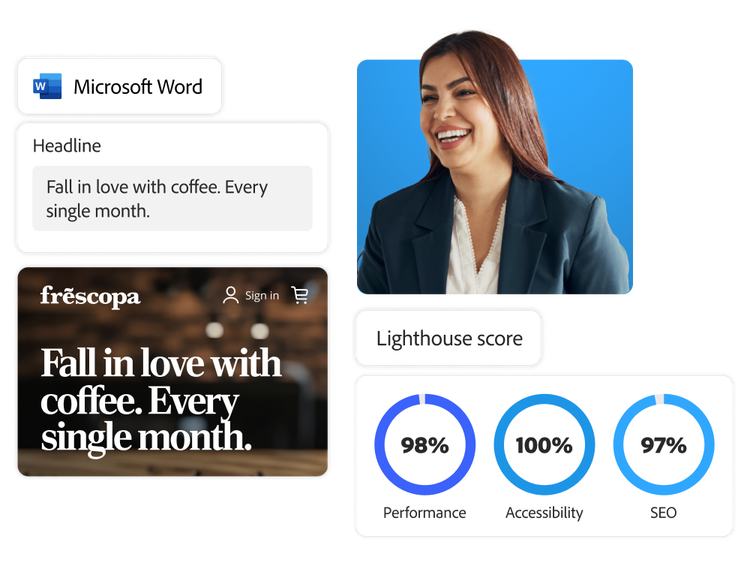
- Use flexible authoring to create and publish content directly from Microsoft Word or Google Docs, or use a visual editor for real-time, in-context page editing.
- Instantly create on-brand copy and image variations, test performance, and personalize content using integrated generative AI capabilities.
- Reuse content across properties, manage metadata, and streamline translation to deliver consistent global experiences.

Increase site discoverability, performance, and conversion.
Improve load times and responsiveness to boost search rankings, traffic, and conversion. Experience Manager Sites is the only scalable CMS on the market with the out-of-the-box capabilities to achieve maximum performance.
- Dramatically improve Core Web Vitals and Google Lighthouse scores.
- Modernize experiences by creating structured content that is optimized for both search engines and LLMs.
- Deliver pages quickly to reduce bounce rates and keep your customers engaged.
- Identify the content and pages driving the most impact with built-in testing and experimentation.

Accelerate web development.
Fast-track website development by enabling authoring, design, and coding to happen in parallel. Experience Manager Sites is compatible with JavaScript and CSS and lets developers use a build-less approach with built-in features for strong performance with minimal manual management.
- Leverage pre-optimized boilerplate code for the best starting point.
- Maintain fast page load times with degradation auto-reporting.
- Migrate any CMS to Experience Manager Sites in days — converting pages to clean semantic HTML with fast core web vitals and structured content, no rebuild required.
- Utilize agents to help developers build and troubleshoot pages and improve overall experience quality.

Create pages that excite your customers, wherever they are.
Create, govern, and activate reusable content across every touchpoint — connecting audience intelligence and journey orchestration to deliver optimal experiences for people and AI agents alike.
- Collaborate globally with consistent design systems, reusable content components, direct access to governed assets, and translation workflows.
- Use responsive design tools to create consistent experiences throughout web, mobile, and app journeys.
- Personalize and activate experiences on a unified customer profile, connected to Adobe Real-Time CDP and Adobe Journey Optimizer, so content decisions draw on real behavioral, transactional, and engagement signals — not assumptions — and orchestrate seamlessly across every channel.

Flexibility to work with all your technology.
Create and govern reusable structured content from a central source of truth—with visual authoring and flexible front-end delivery for headless, headful, or hybrid experiences.
- Scale content operations effortlessly across teams and geographies with centralized content governance and flexible publishing workflows.
- Access a catalog of ready-made extensions or build your own integrations with our third-party extensibility framework.
- Work with intuitive and comprehensive APIs.
Adobe Experience Manager Sites use cases.

Accelerate website production.
Empower any team to build and publish high-quality websites with easy-to-use tools and AI.

Scale experiences across brands and regions.
Expand web experiences across brands, regions, and languages using a shared foundation that balances consistency and local flexibility.

Deliver high-performance experiences by default.
Deliver fast, reliable web experiences without requiring ongoing manual optimization.
Forrester names Adobe a Leader in CMS.

Helping global brands drive business impact with personalization.
Learn more about Experience Manager Sites.
Unlock more with Adobe integrations.
Connect Adobe products to create experiences that are right on time and just right for your customers.

Experience Manager Sites + Adobe Experience Manager Assets
Update assets and digital content everywhere automatically, saving time for developers and marketers.

Experience Manager Sites + Adobe Commerce
Create immersive shopping experiences by enriching product pages with content, and manage both content and commerce with a single integrated system.

Experience Manager Sites + Adobe Analytics
Fuel content with real-time, omnichannel insights for better optimization and to make each customer interaction relevant.
FAQs
Content Personalization is a marketing strategy that uses data about consumers to individualize their experiences when they interact with brands. It helps brands meet their customers' needs and drives engagement and sales.
Adobe Experience Manager Content Services leverages traditional Experience Manager Pages to compose headless REST API endpoints and Experience Manager Components to define or reference the content to expose on these endpoints. Experience Manager Content Services allows the same content abstractions used for authoring web pages in AEM Sites to define the content and schemas of these HTTP APIs. The use of Experience Manager Pages and Experience Manager Components empowers marketers to quickly compose and update flexible JSON APIs to power any application.
A headless CMS is a content management system (CMS) that lets you take content from the CMS and deliver it to any front end using any framework of choice. It separates content from the presentation layer (the head), creating blocks of content that can be delivered in a channel-neutral format to power any channel or experience. This allows the user to create content once and reuse it everywhere.
Content as a Service lets you use any content in Experience Manager and deliver it to any channel. You can set the content for delivery to different types of devices with just a few keystrokes, and your developers don’t need deep knowledge of the Experience Manager repository structure.
Customer experience (CX) is the overall perception a customer has of their interactions with a company or brand across all touchpoints and channels — before, during, and after a purchase or engagement. A positive customer experience can lead to increased loyalty, repeat business, and positive word-of-mouth referrals or recommendations.
Experience Manager Sites is built for enterprise-scale growth, whether you manage hundreds or hundreds of thousands of pages. This cloud-native CMS delivers elastic performance, automated scaling, and global content delivery without slowing down. As your audience expands, it seamlessly adapts to traffic spikes and supports high-volume content operations with built-in reliability and speed, ensuring consistent performance at any size.
Let us show you the full power of Adobe Experience Manager Sites.
title
Improve content velocity with Adobe Experience Manager Sites
CardDescription
With marketing-friendly templates and AI-enhanced scalability, Experience Manager Sites helps create personalized experiences without the heavy lifting.
cardDate
2026-01-28
cardImage

primaryTag
caas:content-type/product-page
Tags
caas:content-type/product-page,caas:products/adobe-experience-manager-sites
Let’s talk about what Adobe Experience Manager Sites can do for your business.