How to read a business contract before you sign it: A non-lawyer’s checklist.
Use a practical checklist to review contract terms before you sign.
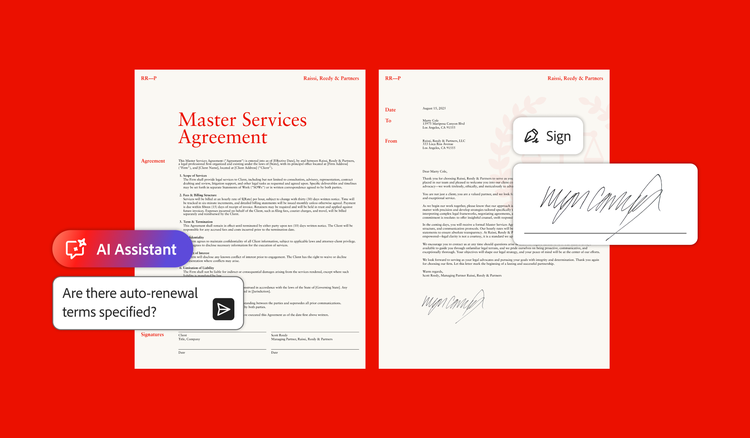
Don’t sign before you read.
A 2025 Adobe contracts survey noted that most people don’t read a contract before signing, with 69% of respondents and 62% of small business owners admitting they sign without fully understanding or knowing all the details.
Skipping the fine print carries real risk. The same Adobe study revealed that two-thirds of consumers found unexpected, disadvantageous terms after signing, with 15% describing those terms as “horrifying.” It’s no surprise that 64% of small business leaders admitted to avoiding signing a contract entirely because they lacked confidence in understanding its terms, and 32% of knowledge workers faced negative workplace consequences due to contract oversights.
3 things to establish before you start reading.
Before you begin your contract review, establish these three foundational elements:
- Identity. Verify the exact legal entities involved. The contract should list official legal business entity names, not casual trading names or doing-business-as (DBA) aliases. Confirm that the person signing on the other side has the legal authority to do so.
- Scope. Review the complete document scope. Check if the agreement references external attachments, exhibits, schedules, or linked online terms. Terms referenced in a contract can be as binding as the text on the page, so ask for anything the agreement points to.
- Completeness. Never let a blank space remain. Don’t sign a contract with blank fields or incomplete sections. Fill in every blank, strike through clauses you do not agree to, and initial any edits before signing.
7 items to find before you sign.
Before you sign a PDF contract, review the following seven tasks and confirm the agreement reflects your understanding. Use the fillable PDF checklist to record important terms and deadlines, flag anything unclear or unexpected, and track questions or changes to address before signing.
1. Scope, deliverables, and change orders.
Identify what products, services, or outcomes are being delivered. A strong agreement outlines the exact deliverables, project milestones, and a clear “change order” process that details how out-of-scope work will be requested and priced.
2. Payment terms, schedules, and late fees.
Confirm exact payment amounts, due dates, accepted payment methods, and any penalties for late payments. Explicitly define whether there will be expense reimbursements or not, and if so, how to track and request them.
3. Term, renewal, and auto-renewal.
Find out how long the contract lasts and how it renews. Pay close attention to any automatic renewal clauses that could lock you into another term. The FTC’s guide to auto-renewals and negative option subscriptions explains what to watch for. Locate cancellation windows and put them on your calendar. Note if prices increase at renewal.
4. Termination and notice periods.
Understand how either party can exit the contract early. Look for key phrases like “termination for cause,” also known as breach of contract, and “termination for convenience.” Most exit clauses also require advance written notice and set a specific notice period, such as 30 or 60 days.
5. Liability, indemnity, and warranties.
Know what happens if something goes wrong. Warranties are like performance guarantees. Indemnification clauses state who pays for legal damages if a third party sues over the work. Look out for the phrase “limitation of liability,” which shows how much you can recover in certain situations.
6. Dispute resolution and governing law.
Know what happens if something goes wrong. Warranties are like performance guarantees. Indemnification clauses state who pays for legal damages if a third party sues over the work. Watch for the phrase “limitation of liability,” which shows how much you can recover in certain situations.
7. Intellectual property and confidentiality.
Determine who owns the work created under the contract. Know whether intellectual property (IP) transfers upon creation or only after full payment. Review any non-disclosure obligations to protect proprietary business information.
The 3-pass reading method.
The three-pass reading method helps you understand a business contract without reading a multipage document line by line. Here’s how it works:
- Pass 1: Structural scan. Skim headings, section titles, and schedules to understand the document’s overall layout and flow.
- Pass 2: Definition section. Find the contract’s definitions section and read it carefully. Defined terms alter the meaning of every clause that follows. You will see these defined terms throughout the agreement.
- Pass 3: Targeted verification. Find and review the key operational clauses that govern your money, the deliverables, and liability.
Look for legal signal words.
Watch for key transition words like these that signal significant legal obligations or exceptions:
- Provided that. This phrase introduces an important condition or exception to the rule that came before.
- Notwithstanding. This phrase overrides other clauses in the agreement (e.g., “Notwithstanding anything to the contrary…”).
- Subject to. This phrase makes the preceding clause conditional on another section of the contract.
- Sole discretion. This phrase grants one party absolute power to decide without needing approval.
Where AI helps with contract review.
AI tools can significantly streamline contract analysis. Adobe’s 2024 contract survey shows that 71% of small business owners and 72% of consumers say AI tools increase their confidence when reviewing agreements.
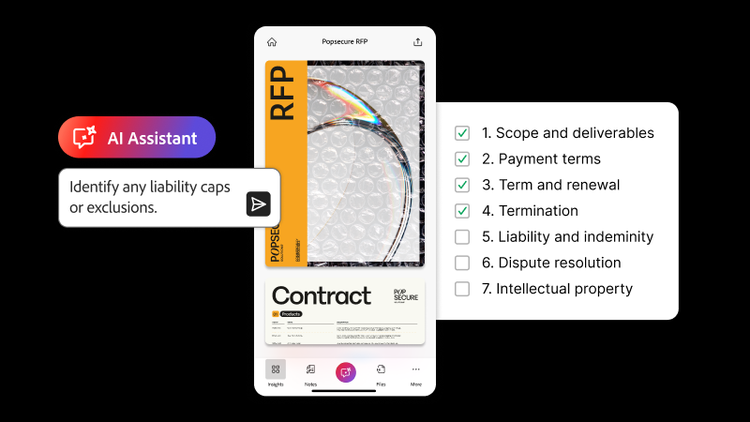
Generative AI features can summarize long agreements, answer specific questions about obligations, and extract key metadata from dense documents. For example, using Acrobat AI Assistant lets you ask natural-language questions about a PDF contract. You could ask, “What is the cancellation window?” or “Are there auto-renewal terms?” Crucially, AI Assistant provides clickable attributions that link directly to the source location in the contract, so you can verify every answer against the original text.
What AI can’t do in contract review.
Generative AI tools are excellent at retrieving information, but they can’t replace human judgment. The July 2026 Adobe Digital Insights State of AI in Documents report found that 78% of professionals say they would trust AI more if every answer linked back to its original source. AI can’t assess whether contract terms align with your business goals and strategy, and it can’t determine if a liability cap is fair in your particular market. Your personal, human oversight is still essential.
When to stop and consult a lawyer.
While a checklist and review strategy can help you understand standard operational agreements, you should still pause and consult a licensed legal professional in many instances, such as:
- Personal guarantees that make you personally liable for corporate debts
- Non-compete clauses that restrict your future employment or business activities
- Full IP assignments that transfer pre-existing patents, software, or trademarks
- Uncapped liability clauses or financial stakes that could endanger your business if a dispute arises
You don’t have to read a contract cold. Ask AI Assistant where the renewal terms are, then click through to the clause and read it yourself.
Frequently asked questions
Can I change a contract after it is generated?
Is an e-signature legally binding on a contract?
What is the difference between a contract and an MOU?
What is the difference between termination for cause and termination for convenience?
What if the other party won’t negotiate?
Do I need to initial every page?
How do e-signatures prove who actually signed the document?
You may also like