How to convert an image to PDF online
Turn images and photos into high-quality PDFs in just a few clicks with Acrobat online tools. Whether you’re organising documents, sharing visual content or preparing files for printing, converting an image to PDF is quick and easy.
Follow these simple steps to convert an image to PDF online:
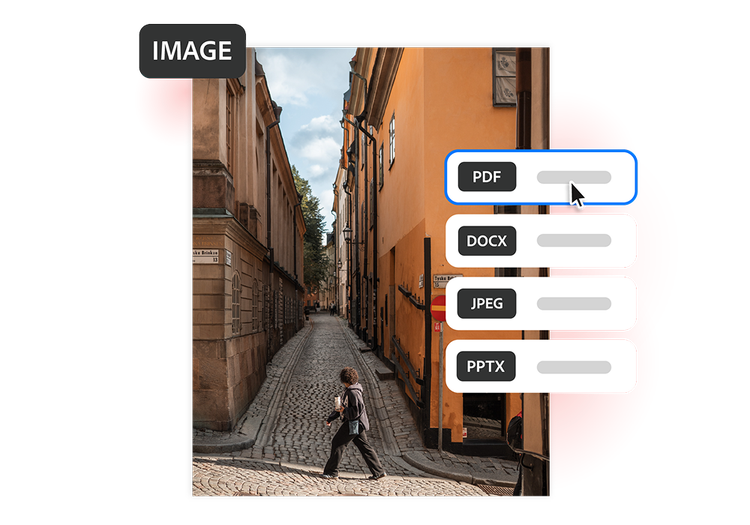
- Upload your image: Drag and drop a photo or image file into the image to PDF converter above.
- Convert to PDF: Acrobat automatically converts your image into a high-quality PDF while preserving its appearance.
- Download and share: Download your PDF, then save, print or share it from any device.
Try our free image to PDF converter
Discover the benefits of using our image to PDF converter to turn photos and images into high-quality PDFs for sharing, printing and organising documents.
https://main--da-dc--adobecom.aem.page/dc-shared/assets/images/frictionless/icons/share.svg

Easier file sharing
PDFs are easy to send, open and view across devices. Convert photos and images into a professional format that can be shared confidently for work, study or everyday documents.
https://main--da-dc--adobecom.aem.page/dc-shared/assets/images/frictionless/icons/image-quality.svg

Preserve image quality
The appearance of your original image remains intact after conversion. Preserve colour, sharpness and visual detail when turning photos into PDFs for printing, sharing or long-term storage.
https://main--da-dc--adobecom.aem.page/dc-shared/assets/images/frictionless/icons/combine.svg

Easily combine images
Combine multiple photos, scans or screenshots into a single PDF. Ideal for organising receipts, project images, portfolios, school assignments or university coursework in one document.
https://main--da-dc--adobecom.aem.page/dc-shared/assets/images/frictionless/icons/print.svg

Print-friendly formatting
PDFs maintain consistent sizing and formatting when printed. Create reliable print-ready files for assignments, forms, photos, travel documents and other important records.
https://main--da-dc--adobecom.aem.page/dc-shared/assets/images/frictionless/icons/organize.svg

Better organisation
Instead of managing scattered image files, convert images to PDF for easier organisation. Keep related pages together in one document that's simpler to store, search and share.
https://main--da-dc--adobecom.aem.page/dc-shared/assets/images/frictionless/icons/more.svg

Do more with your PDFs
After converting a photo to PDF, use Acrobat online tools to organise pages, combine files, compress documents, add password protection and prepare PDFs for sharing.
More ways to work with PDFs
Try our online tools to convert, compress and organise PDF files. Acrobat helps you edit, manage and share PDFs with ease.

Try our free PDF to Word converter

Try our free JPG to PDF converter

Try our free Word to PDF conversion tool

Combine PDF files any time, anywhere
Questions about the image to PDF converter? We have answers.
Use Acrobat tools for free
- Sign in to try 25+ tools, like convert or compress
- Add comments, fill in forms and sign PDFs for free
- Store your files online to access from any device
Create a free account | Create a free account Adobe Acrobat Sign in


