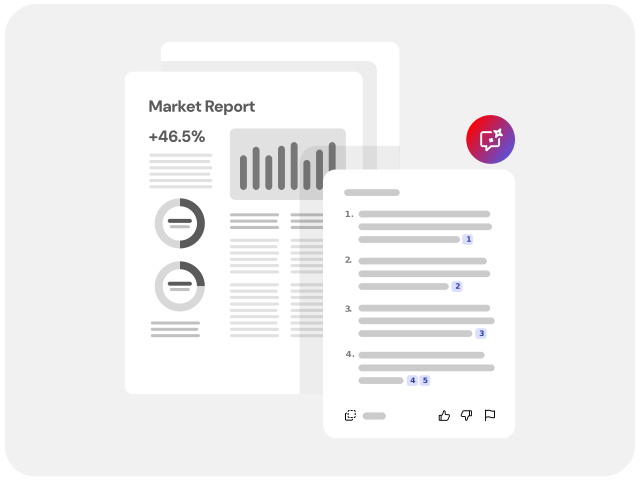
Obtén resúmenes concisos con nuestro resumidor de PDF impulsado por IA para comprender los datos y aspectos clave.
Arrastra y suelta un archivo PDF, DOCX, PPTX, TXT o RTF.
¡Más de 110 millones* de resúmenes generados! Únete a millones de personas que han generado con éxito resúmenes de sus PDF con Acrobat.
* Durante un periodo de 18-22 meses.
style
background
#F8F8F8
Cómo usar IA para hacer resúmenes: paso a paso
Puedes resumir textos con IA de Adobe Acrobat muy fácilmente:
Selecciona o arrastra tu archivo.
Revisa el resumen generado.
Chatea con el asistente de IA.
style
roc-180510
background
#fff
Indicaciones de muestra que puedes probar con nuestro generador de resúmenes con IA
Las indicaciones orientan al Asistente de IA para que puedas sacar adelante el trabajo en menos tiempo. A continuación, se muestran ejemplos de indicaciones. Haz clic para copiarlas, selecciona un archivo para pegarlas en el Asistente de IA y ponte manos a la obra rápidamente.
background
#F8F8F8
Preguntar
Resumen ejecutivo
Resume esta presentación para que mi responsable pueda leerla en menos de un minuto.
Copiar
Preguntar
Elementos de acción
¿Cuáles son los elementos de acción principales para quienes asistan a esta presentación?
Copiar
Preguntar
Resumir
Resume este documento en tres oraciones.
Copiar
Preguntar
Términos del contrato
Resume las condiciones de pago expuestas en este contrato.
Copiar
style
four up, center
background
#F8F8F8
background
#fff
style
Por qué elegir el resumidor de textos de Adobe Acrobat
background
#fff
style
Resúmenes concisos
Solo tienes que pedirlo. Carga tu archivo, inicia sesión y solicita un resumen inteligente. Con el Asistente de IA de Acrobat, puedes resumir textos largos y comprender los puntos claves en segundos, optimizando tu flujo de trabajo.
Longitud personalizable
Tú controlas el nivel de detalle. Nuestro generador de resúmenes con IA te permite acortar o ampliar la síntesis según tus necesidades, destacando siempre la información más relevante de tus documentos PDF o Word.
Encuentra respuestas rápidas con IA
Utiliza la vista potenciada por IA para obtener una comprensión inmediata. Nuestro resumidor de documentos mejora la legibilidad y te ofrece respuestas precisas. Si además deseas interactuar con tu documento para hacer preguntas específicas, prueba nuestro servicio de chat con PDF gratis online.
Fuentes vinculadas
Verifica la información al instante. Las respuestas de nuestra IA incluyen atribuciones numeradas que te llevan directamente a la fuente dentro del documento. Es la herramienta de resumen de textos más transparente y fiable del mercado.
Analiza textos extensos fácilmente
Nuestra IA utiliza algoritmos avanzados para procesar rápidamente artículos académicos y de investigación, documentos legales o resúmenes ejecutivos.
Confianza y seguridad
Como inventor del formato de archivo PDF, Adobe ofrece una seguridad de documentos y tecnología de IA en la que puedes confiar con la máxima protección de datos y confidencialidad. Así pues, puedes usar nuestra herramienta online con total confianza.
background
#fff
style
xl spacing, three-up
¿Alguna pregunta sobre la herramienta de resumen de textos? ¡Tenemos las respuestas!
Puedes resumir un PDF automáticamente cargándolo en Acrobat online o en la aplicación de escritorio y activando el Asistente de IA. La herramienta analiza el contenido en segundos y genera un resumen claro con los puntos principales.
También puedes interactuar mediante el chat para ajustar la longitud o pedir resúmenes por secciones específicas.
Sí. Acrobat ofrece una versión online que permite resumir documentos directamente desde el navegador, sin necesidad de descargar programas adicionales.
También está disponible en la aplicación de escritorio y en la extensión para Chrome.
El generador de resúmenes con IA de Adobe Acrobat es una herramienta online inteligente que analiza automáticamente el contenido de un documento PDF para extraer sus puntos clave y conclusiones. Utiliza modelos avanzados de lenguaje natural para ofrecer resúmenes claros, estructurados e interactivos en segundos. Además, puedes acceder a la prueba gratuita de Adobe Acrobat Pro para disfrutar de capacidades completas de análisis.
El Asistente de IA de Adobe Acrobat permite resumir archivos PDF, documentos de Microsoft Word (DOCX), presentaciones de PowerPoint (PPTX) y archivos de texto plano (TXT). La herramienta online convierte automáticamente los archivos compatibles a formato PDF para poder analizarlos, permitiéndote además utilizar soluciones para reorganizar páginas de PDF antes de generar el resumen final.
Sí. Acrobat ofrece acceso limitado gratuito al Asistente de IA para generar resúmenes de documentos. Para un uso más intensivo, preguntas ilimitadas y funciones avanzadas de análisis, puedes adquirir la suscripción al complemento Asistente de IA de Acrobat.
La seguridad es primordial para Adobe. Los documentos cargados se gestionan con protocolos de cifrado de nivel empresarial y se eliminan automáticamente de los servidores al finalizar si no inicias sesión. Además, Adobe no utiliza el contenido ni los documentos de los clientes para entrenar sus modelos de IA.
El generador de resúmenes con IA de Adobe Acrobat admite documentos y consultas en español, inglés, francés, alemán, italiano, portugués y japonés. Además, incluye funciones de traducción integradas para procesar resúmenes entre los idiomas compatibles.
Sí. No estás obligado a resumir todo el archivo. Puedes solicitar al Asistente de IA que genere un resumen de capítulos específicos, páginas seleccionadas o apartados concretos indicándoselo en la ventana de chat.
You can control how Adobe websites use cookies and similar technologies by making choices below. But note that if you disable cookies and similar technologies entirely, Adobe websites may not function properly.
Cookies are small text files stored by your web browser when you use websites. There are also other technologies that can be used for similar purposes like HTML5 Local Storage and local shared objects, web beacons, and embedded scripts. These technologies help us do things like remembering you and your preferences when you return to our sites, measure how you use the website, conduct market research, and gather information about the ads you see and interact with.
You can make choices in the menu below about what cookies and other technologies you want us to use on Adobe sites when you visit them from this browser. You can always change those choices later by clicking on the Cookie Preferences link at the bottom of the page.
If enabled:
We can improve your experience by tailoring the site and the content to things we think might be of interest
We can better keep track of your preferences — like what language you prefer to use
We will better understand your likely interests so we can provide you more relevant Adobe ads and content on non-Adobe websites and in non-Adobe apps
It will help us improve the performance of our website and those of our partners who use the Adobe Experience Cloud
If disabled:
We won’t be able to remember you from session to session so the experience may not be tailored to your interests
You’ll still have access to the content of the site but certain features that depend on cookies may not function
You’ll still see ads, they just may not be as relevant to you
General information
You can control how Adobe websites use cookies and similar technologies by making choices below. But note that if you disable cookies and similar technologies entirely, Adobe websites may not function properly.
Cookies are small text files stored by your web browser when you use websites. There are also other technologies that can be used for similar purposes like HTML5 Local Storage, web beacons, and embedded scripts. These technologies help us do things like remembering you and your preferences when you return to our sites, measure how you use the website, conduct market research, and gather information about the ads you see and interact with.
You can make choices in the menu below about what cookies and other technologies you want us to use on Adobe sites when you visit them from this browser. You can always change those choices later by clicking on the Cookie Preferences link at the bottom of the page.
If enabled:
We can improve your experience by tailoring the site and the content to things we think might be of interest
We can better keep track of your preferences — like what language you prefer to use
We will better understand your likely interests so we can provide you more relevant Adobe ads and content on non-Adobe websites and in non-Adobe apps
It will help us improve the performance of our website and those of our partners who use the Adobe Experience Cloud
If disabled:
We won’t be able to remember you from session to session so the experience may not be tailored to your interests
We’ll still count your use of our site and services
You’ll still have access to the content of the site but certain features that depend on cookies may not function
You’ll still see ads, they just may not be as relevant to you
Operate the site and core servicesOperate site and measure engagement
Always active
These cookies are required, and they are used to enable the site and related services core functionality. Without them the site could not operate, so they cannot be disabled.
These cookies enable the site and related services’ core functionality and collect statistics about user engagement, such as counting active use to help us understand trends. These cookies cannot be disabled.
Measure performance
These cookies are used to analyze site usage to measure and improve performance. Without them Adobe cannot know what content is most valued and how often unique visitors return to the site, making it hard to improve information we offer to you.
These cookies are used to analyze site usage to measure and improve performance. Without them Adobe cannot know what content is most valued, making it hard to improve information we offer to you.
Extend functionality
These cookies are used to enhance the functionality of Adobe sites such as remembering your settings and preferences to deliver a personalized experience; for example, your username, your repeated visits, preferred language, your country, or any other saved preference.
Personalize advertising
These cookies are used to enable Adobe and our partners to serve ads more relevant to your interests. Without them you will still see ads, but they might not be as relevant to you.