#1e1e1e

DESIGN

Mastering matte painting for stunning visual effects.

Learn essential Photoshop matte painting techniques to create stunning visual effects backgrounds, accelerate your workflow and elevate your portfolio.
Explore Photoshop

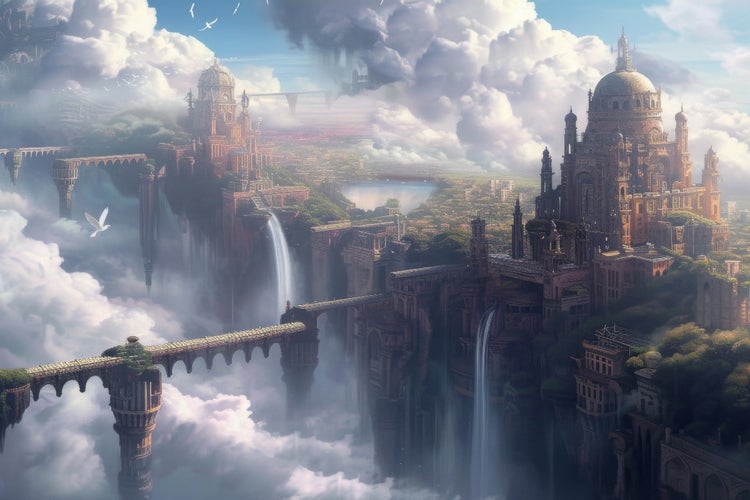
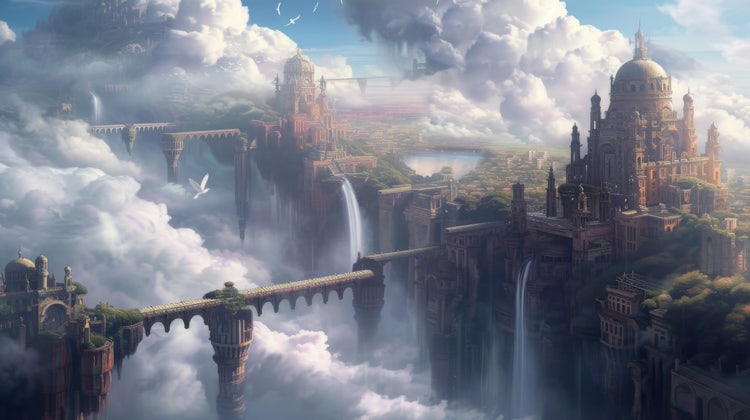
Matte painting of a majestic city built among the clouds, featuring intricate bridges and towering architecture set against a dreamy sky.
#F5F5F5
Matte painting is a cornerstone of visual effects, enabling artists to craft breathtaking landscapes, intricate cityscapes and fantastical worlds that transport audiences beyond the limits of reality. From classic cinema backdrops painted on glass to sophisticated digital composites created in Adobe Photoshop, matte painting has evolved into a vital tool for creative professionals. In this article, we explore what is digital matte painting, trace its history and evolution, outline essential skills such as composition, lighting and blending techniques, and offer practical tips, examples and troubleshooting advice. We also showcase creative use cases to showcase how Creative Cloud supports freelancers, micro business owners, desktop publishers, video producers, animators, graphic designers and multimedia artists to grow their brand, work faster, deliver polished results and justify tool investments through clear return on investment (ROI).

What is digital matte painting and how does it differ from traditional techniques?

Digital matte painting is the process of creating background environments and visual extensions using software rather than painting on physical surfaces. It combines photographic elements, 3D renders and hand-painted details to produce seamless composites that integrate with live-action footage.

Key differences between traditional and digital matte painting.

Traditional Matte Painting
Digital Matte Painting
Surface and medium
Painted on glass or canvas using oils, acrylics or gouache
Created within software such as Photoshop, with layers, masks and digital brushes
Flexibility and revisions
Corrections require repainting sections and photographing the result
Non-destructive edits via layers, smart objects and adjustment layers
Integration
Combined in-camera or during optical printing, with limited control over colour grading
Composite directly in editing software ({{premiere}}, After Effects), with precise colour matching and keying
Resources
Physical paints, brushes, glass panels, studio space
Computer hardware, stylus/tablet, Creative Cloud subscription

Tip: When starting a digital matte painting, organise your document into clear layer groups (foreground, midground, background) to maintain a structured workflow.

https://www.youtube.com/watch?v=Nm7ydNytjmo

How did matte painting evolve from hand-painted backdrops to modern workflows?

The history of matte painting spans nearly a century, reflecting advances in both artistic techniques and technology.

1. Early cinema (1900s–1930s).

  • Painters created detailed glass shots by painting on large glass panels placed in front of the camera.
  • Artists such as Norman Dawn pioneered the technique in films like The Courtship of Miles Standish (1919).

2. Golden age techniques (1940s–1960s).

  • Technicians refined glass painting methods for films including Gone with the Wind (1939) and The Wizard of Oz (1939).
  • Optical printers allowed the combination of live-action and glass plates.

3. Shift to photorealism (1970s–1980s).

  • Introduction of blue-screen and green-screen compositing enhanced integration of painted elements.
  • Matte artists such as Peter Ellenshaw contributed to Mary Poppins (1964) and Star Wars (1977).

4. Digital revolution (1990s–2000s).

  • Software like Adobe Photoshop and Autodesk Flame replaced physical paint and optical printers.
  • Milestone films: Jurassic Park (1993) used digital matte environments for dinosaur habitats.

5. Contemporary workflows (2010s–present).

  • 3D modelling and projection mapping blend with traditional painting for dynamic camera moves.
  • Virtual production (LED volumes) leverages real-time rendered environments complemented by digital matte extensions.

Example: In Blade Runner 2049 (2017), artists combined 3D projections with painted sky extensions to create the iconic dystopian skyline.

What essential skills do you need for effective matte painting?

Creating convincing matte paintings requires mastery of several technical and artistic principles.

1. Composition.

  • Rule of thirds: Position key elements at intersections for balanced frames
  • Leading lines: Guide the viewer’s eye through the scene
  • Depth cues: Use atmospheric perspective and overlapping forms to convey distance

2. Lighting and colour.

  • Identify the scene’s light source (sun, artificial light) and match shadows and highlights
  • Use colour harmony to unify photographed and painted elements
  • Apply gradients and colour lookup tables (LUTs) for subtle mood adjustments

3. Blending techniques.

  • Layer masks: Blend transitions between live-action plates and painted areas
  • Texture brushes: Mimic natural surfaces such as rocks, foliage or weathered metal
  • Photo-bashing: Integrate photographic snippets for realistic detail

4. Perspective and scale.

  • Establish a consistent vanishing point and horizon line
  • Reference known objects (trees, buildings) to maintain believable proportions

5. Software proficiency.

  • Photoshop: Layers, smart objects, adjustment layers, custom brushes
  • After Effects: Composite matte paintings into motion shots, track cameras and stabilise footage
  • Optional: 3D packages (Cinema 4D, Blender) for projection mapping and dynamic plates

Tip: Create custom brush presets that emulate natural media textures to speed up painting and maintain cohesion.

Beginner-friendly matte painting workflow for Indian creators.

If you're new to creative matte painting, here’s a practical, beginner-friendly approach to help you build a strong foundation in digital artistry, whether you're working from a home studio or aiming for a career in India’s growing VFX and animation industry.

1. Gather reference material.

  • Compile photographs of real environments that match your envisioned scene
  • Study classical and contemporary matte paintings for compositional ideas

2. Set up your document.

  • Create a high-resolution canvas (e.g., 4 000 × 2 250 pixels) with a 16:9 aspect ratio
  • Organise layers into labelled groups: foreground, midground, background, colour correction

3. Block in basic shapes.

  • Use large brushes to establish silhouette and major forms
  • Indicate light direction with simple value overlays (midtones, highlights, shadows)

4. Refine details progressively.

  • Focus on one area at a time, moving from background to foreground
  • Incorporate photographic textures through photo-bashing for realistic surfaces

5. Integrate live-action elements.

  • Match colour and contrast using adjustment layers (Curves, Colour Balance)
  • Apply grain or noise filters to unify plate and paint

6. Conduct iterative reviews.

  • Zoom out frequently to assess overall composition
  • Ask peers or clients for feedback at key milestones

7. Export and deliver.

  • Save PSD masters and export flattened TIFF or EXR files for final compositing
  • Deliver layered files when further adjustments or animation is required

Troubleshooting advice: If painted edges appear too crisp against blurred live footage, apply a subtle Gaussian blur (1–2 px) to the paint layer to match depth-of-field.

Creative scenarios where matte painting adds serious value.

Matte painting extends beyond blockbusters into diverse media. Here are six illustrative scenarios:

1. VFX in film and OTT series.

  • Use matte painting as a core VFX technique to extend real sets and create large-scale environments
  • Seamlessly integrate painted backgrounds with 3D elements and live-action footage using compositing tools

2. Social media videos.

  • Create stylised backgrounds for Instagram Stories or YouTube Shorts to enhance brand identity
  • Animate subtle parallax effects in After Effects, bringing depth to static images

3. Voiceovers for reels or animations.

  • Combine painted panoramas with character animations for short promotional clips
  • Synchronise camera moves and animated elements within matte-painted environments

4. Short-form branded content.

  • Craft immersive product reveal scenes set in fantastical locations
  • Use painted extensions to place products in unique settings without location shoots

5. Narrated client proposals.

  • Embed matte paintings into pitch decks to illustrate envisioned campaign concepts
  • Provide dynamic mock-ups that convey scale and mood to stakeholders

6. Remote collaboration via document sharing.

  • Share layered PSD files through Adobe Creative Cloud Libraries for asynchronous feedback
  • Use version history to track design iterations and maintain a clear audit trail

Example: A micro business owner selling handcrafted furniture can showcase products in opulent, digitally painted interiors without expensive photoshoots.

Where can matte painting take you? Career scope in India.

Matte painting offers strong career prospects across India’s expanding film, OTT, gaming and advertising industries. Studios in cities like Mumbai, Hyderabad and Bengaluru regularly hire matte painters for creating realistic or fantastical environments in both live-action and animated projects.

Career paths include working with VFX and animation studios, creative agencies, or as a freelance artist for global clients. With growing use of virtual production and digital sets, there’s also demand for artists skilled in integrating matte paintings into real-time workflows.

Learning apps like Adobe Photoshop and After Effects through Creative Cloud can help you build a professional portfolio and access opportunities both locally and remotely.

How matte painting delivers real creative and financial returns.

Investing in digital matte painting delivers tangible returns across multiple areas:

  • Reduced location costs: Replace expensive on-site shoots with painted backgrounds and simple green-screen setups
  • Faster turnaround: Iterate concepts digitally in hours rather than days required for practical sets
  • Enhanced portfolio value: Demonstrate high-end production quality to attract premium clients
  • Broad service offerings: Upsell visual effects, animation and design services alongside matte painting
  • All-in-one toolkit: Leverage Adobe Creative Cloud: Photoshop for painting, After Effects for compositing, {{premiere}} for editing
  • ROI illustration: A freelance visual effects artist who charges ₹50,000 for a location build may save 60% on costs by using digital matte painting, thereby increasing profit margins and client capacity.

What troubleshooting challenges might arise and how can you resolve them?

Even seasoned matte painters encounter hurdles; below is a list of issues along with two solutions.

1. Colour mismatch between plate and paint.

  • Use Curves or Levels to match histograms
  • Sample key shadow and highlight colour points

2. Harsh edges on painted elements.

  • Apply small-radius Gaussian blur (1–2 px)
  • Feather layer masks to soften transitions

3. Perspective inconsistencies.

  • Establish vanishing points with the Perspective Crop tool
  • Use Photoshop’s Vanishing Point filter

4. Excessive texture tiling.

  • Introduce variation with brush-painted overpainting
  • Break up repeating patterns with offset masks

5. Slow file performance on large PSDs.

  • Convert heavy layers to Smart Objects
  • Disable unused layer visibility during painting

6. Layer organisation becomes chaotic.

  • Colour-code layer groups
  • Use descriptive layer names and regularly collapse groups

Tip: Save incremental versions (e.g., scene_v01.psd, scene_v02.psd) to preserve earlier stages and easily revert if needed.

Matte painting made efficient with Adobe Creative Cloud.

Seamless integration across Adobe apps ensures consistency, speed and creative control throughout the matte painting process:

  • Template creation: Build reusable Photoshop templates with structured layer groups and adjustment layers to maintain consistency.
  • Asset management: Store essential brushes, textures and stock assets in Creative Cloud Libraries for quick access across projects.
  • Cross-app compositing: Import PSD files directly into After Effects using Dynamic Link for real-time updates without re-rendering.
  • Version control: Enable version history in Creative Cloud to track changes and add meaningful comments for collaboration and review.
  • Team collaboration: Share Libraries with team members using permission controls to streamline joint creative work.
  • Final delivery: Export high-quality matte paintings as TIFF or EXR for HDR compositing in {{premiere}} or After Effects.

Example: A video producer can animate a matte-painted background in After Effects while staying entirely within the Adobe ecosystem - ensuring colour accuracy, creative flexibility and rapid turnaround.

Elevate your creative journey with digital matte painting.

Mastering digital matte painting empowers creative professionals to push the boundaries of visual storytelling. By understanding what digital matte painting is, honing skills in composition, lighting and blending, and leveraging Adobe Creative Cloud apps, you can produce stunning, cost-effective backgrounds that elevate your projects. Whether you are a freelancer, micro business owner, desktop publisher, video producer, animator, graphic designer or multimedia artist in India, adopting matte painting techniques will help you grow your brand, work smarter and deliver professional-quality results, all while maximising return on investment. Embrace this versatile art form today to bring your imaginative visions to life.

Frequently asked questions.

Do I need strong drawing skills to become a matte painter?

Not necessarily. While traditional drawing skills can help with composition and perspective, modern matte painting relies heavily on digital tools like Adobe Photoshop. Artists often use photo-bashing, 3D elements, and texture blending - making it more about visual storytelling than fine sketching. A good eye for lighting, colour, and depth is more critical than being a skilled illustrator.

Is matte painting commonly used in Indian films and web series?

Yes, matte painting is widely used in Indian cinema and streaming content. From larger-than-life sets in Bollywood films to mythological and fantasy scenes in South Indian productions and OTT series, matte painting helps create grand visuals without building physical sets. Popular titles like Baahubali, Brahmāstra, and many web series on platforms like Netflix India and Hotstar have used matte painting as a core VFX technique.

What are some common mistakes beginners make in matte painting?

Beginners often overlook scale consistency, perspective accuracy, and colour matching. Paying close attention to these details helps ensure that the matte painting integrates seamlessly with the rest of the scene. For artists looking for an all-encompassing suite of tools, Adobe Creative Cloud offers a variety of applications to support every step of the matte painting process, from ideation to final compositing.

How important is understanding photography for matte painting?

A basic understanding of photography concepts like framing, depth of field, and exposure helps matte painters create more believable and dynamic backgrounds that respond well to lighting and camera movement. Additionally, Adobe’s photography tools can help enhance the final product by allowing artists to adjust and manipulate photographic elements seamlessly.

Which is the best software for beginners in India to start matte painting?

Adobe Photoshop is widely used for building detailed matte paintings thanks to its advanced brush, layer, and compositing features. It provides full control over textures, lighting effects, and photo manipulation. For those who prefer an integrated platform, Adobe Creative Cloud offers a range of apps for every creative need, including Photoshop and After Effects.

Is matte painting a viable career path in India?

Yes. With India's booming film, OTT, and gaming industries, skilled matte painters are in demand for visual effects, animation, and virtual production. Studios in Mumbai, Hyderabad, and Bengaluru often seek specialists in this field. If you’re looking to further your career, Adobe Creative Cloud’s Student Plans offer an affordable way to access the necessary apps for professional matte painting.

Can I use stock images in my matte paintings?

Yes. Many artists use licensed stock photos as part of their compositions. Adobe Stock offers high-quality, royalty-free images and textures suitable for matte painting and visual effects projects. You can browse through thousands of stock images to find assets that perfectly match your vision.

How does matte painting differ from 3D environment design?

Matte painting typically involves creating 2D backgrounds that appear 3D through visual illusion, while 3D environment design uses full 3D modelling and rendering. Matte painting is often more efficient for static or limited-motion shots, especially when you are looking for a faster turnaround. For more complex 3D environments, Adobe’s 3D animation software can be a great asset.

What is the role of colour grading in matte painting integration?

Colour grading helps unify the mood, lighting, and tone between the live-action footage and the matte painting. Apps like Adobe After Effects are ideal for adjusting hues and adding visual harmony during compositing. Adobe offers excellent resources for learning colour grading techniques, which can significantly enhance the realism of matte paintings.

Are there community platforms in India where I can showcase or get feedback on my matte paintings?

Yes. Indian digital art communities like Pixopus, Behance India, and various Facebook groups regularly host challenges and offer feedback. Behance is integrated into Adobe Creative Cloud, making it easy to share your projects directly. Behance is a global platform for creatives, where you can showcase your matte paintings and gain valuable exposure.

Can I animate elements within a matte painting?

Yes. While matte paintings are typically static, you can animate specific elements like fog, light rays, or sky movement using apps such as Adobe After Effects, adding subtle life to the environment without fully transitioning to 3D. Adobe’s animation tools are ideal for bringing these static scenes to life.

How can Adobe Creative Cloud help streamline my matte painting workflow?

Adobe Creative Cloud provides an ecosystem of integrated apps like Photoshop, After Effects, and Lightroom that work seamlessly together, helping artists manage projects, assets, and revisions efficiently. The all-apps subscription provides access to all the tools you need in one package.

https://main--cc--adobecom.aem.page/cc-shared/fragments/creativity-for-all/default

You may also like

Content as a Service v3 - file-type graphic design collection - Monday 7 July 2025 at 18:12

https://main--cc--adobecom.aem.page/cc-shared/fragments/seo-articles/do-more-photoshop-color-blade