
Creativity for all
Photography, video, graphic design, illustration and so much more. Everything you need, wherever your imagination takes you.


PHOTOSHOP
Start learning Photoshop with confidence using built-in AI guidance that supports you from your first edit to core fundamentals. Discover AI-powered tutorials that help you follow steps, practise skills, and build confidence from your first project.

JUMP TO SECTION
Why Photoshop is easier to learn than ever before.
Why creatives in India are learning Photoshop with AI guidance.
How does Adobe Photoshop help you learn faster with AI?
What are the first Photoshop skills you learn with AIassistance?
What ifI’m just looking for a Photoshop tutorial to follow?
How Photoshop AI learning fits into the Adobe creative workflow.
Frequently asked questions about learning Photoshop with AI.
Learning design tools used to require patience, watching long videos, pausing tutorials, and guessing what to do next, often while managing studies at the same time. Now, with Adobe Photoshop’s built-in AI guidance, you get personalised nudges, tips, and suggestions while you work. From first-time users to learners at different skill levels, Photoshop makes it easier to practise real skills with AI that responds as you work.
This guide explores how AI-powered features help you learn Photoshop faster and progress from beginner to expert, even with no prior experience.
From classroom projects to personal creative work, more learners across India are using Photoshop’s AI-powered guidance to build skills quickly and confidently.
By learning with AI, you can:
With Photoshop’s AI support, learning becomes more hands-on, helping you move beyond following tutorials to building real creative skills.
Photoshop’s AI features are powered by Adobe Sensei, which means the platform learns what you're trying to do and offers suggestions to help you do it better. No need to search through menus or dig through complex tutorials learning happens while you create.
Here are the top features that make it easier to get started:
Each of these tools supports your learning journey with just-in-time guidance helping you build real skills without leaving your canvas.
Here are the foundational skills that most users learn first now enhanced with Photoshop AI support:
1. Cropping and straightening your images
One of the first things every Photoshop tutorial covers is how to crop and level an image. Photoshop AI detects tilted horizons or extra space and suggests how to fix them in one click.
Skill benefit: Helps you create well-framed, professional-looking images for assignments and projects.
2. Working with layers and selections
Understanding layers is key to Photoshop. AI Learning Prompts walk you through how to create, rename, and organise layers while Task Suggestions show when to use Select Subject or Object Selection tools.
Skill benefit: Teaches you how to edit flexibly and manage complex coursework designs without starting over.
3. Retouching and cleanup tools
Using the Spot Healing Brush or Clone Stamp can be intimidating at first. Now, Smart Training provides tips and visual overlays to guide your first few uses, making it easier to follow even the most detailed Adobe Photoshop tutorial.
Skill benefit: Enables you to improve image quality for presentations, portfolios, and submissions.
4. Adding text and simple effects
Learn how to add headlines, adjust fonts, and apply layer styles like drop shadows or strokes all with live prompts that help you try effects safely without ruining your work.
Skill benefit: Helps you design clear, engaging visuals that communicate ideas effectively in academic and creative work.
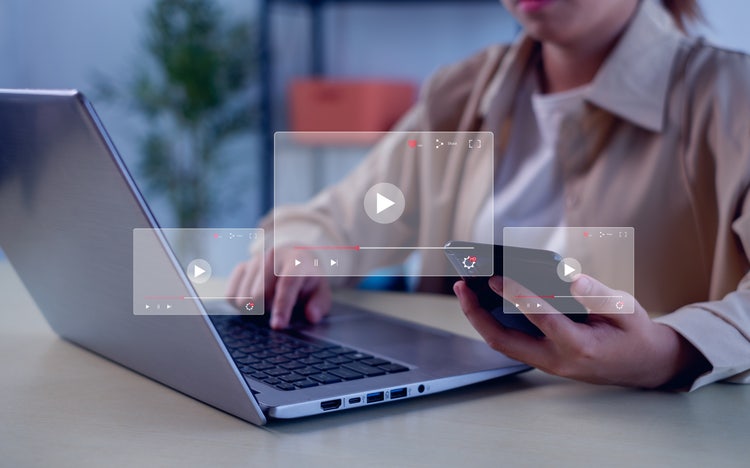
If you prefer structured learning while managing classes, assignments, or independent practice, here are your options:
These options give you flexibility and pricing plans to learn at your own pace, whether you are balancing coursework, projects, or personal creative goals.
As your Photoshop skills develop, you can apply what you learn across other Adobe Creative Cloud apps to support coursework, projects, and creative practice:
Using these tools together helps you practise consistently, build a stronger creative workflow, and apply Photoshop skills to real academic and personal projects. With Creative Cloud Pro, you also get access to advanced AI features across apps, making it easier to connect your Photoshop practice with professional workflows.


“I work across multiple apps for my branding projects. With Illustrator and Photoshop, I can move seamlessly between the two, without hampering my productivity.”
Nisha Droch, Designer & Co-founder, Creative Hatti
Get 20+ apps to create anything you can imagine, from simple social posts to standout portfolios. ₹398.99/moincl. GST for the annual billed monthly plan for the first year. See terms.

Photography, video, graphic design, illustration and so much more. Everything you need, wherever your imagination takes you.

Based on your location, we think you may prefer the United States website, where you'll get regional content, offerings, and pricing.



