














#1E1E1E

https://www.adobe.com/cc-shared/assets/img/product-icons/svg/firefly-appicon-64-new.svg

{{Adobe Firefly}}

The next evolution of creative AI is here for all your ideas, with image, video, audio and vector tools.

Generate sound effects

https://www.adobe.com/cc-shared/assets/img/product-icons/svg/firefly-appicon-64-new.svg

{{Adobe Firefly}}

The next evolution of creative AI is here for all your ideas, with image, video, audio and vector tools.

Generate sound effects

Create showstopping sound effects, fast.

As a web-based AI sound effect generator, Adobe Firefly lets you create customised audio effects for any creative project. With intuitive input and adjustment controls, it’s easy to get started and achieve professional, cinematic sound. Whether you're a content creator, sound designer, or marketer in India, this sound effect maker online makes high-quality sound design more accessible than ever.

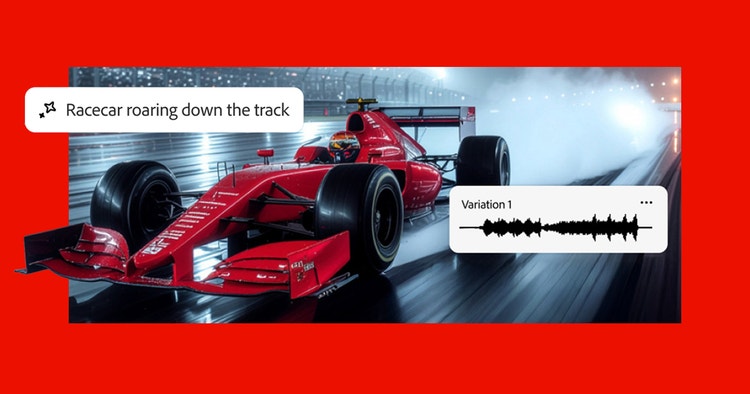
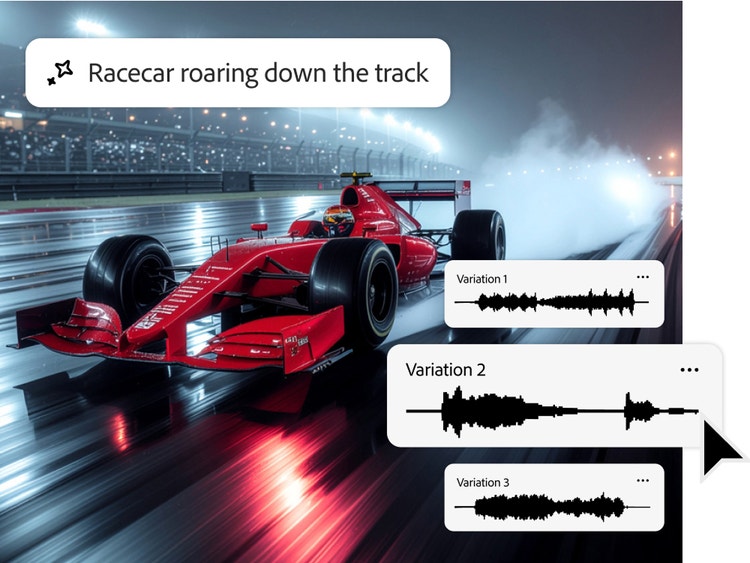
Photo of a red race car with audio waveform overlays suggesting use of a sound effect generator to sync motor audio.

Less searching. More cinematic sound.

Go beyond traditional sound effect libraries and start creating your own with an AI SFX generator. No more endless searches for sounds that don’t match your vision. Create custom AI sounds that align perfectly with your visual storytelling.

Describe the sound or sound it out.

Type in your description — glass shattering, a lion’s roar, thunder clapping — or act it out into your mic. The text to sound AI will use both input types to craft sound effects with precise timing and dynamic intensity.

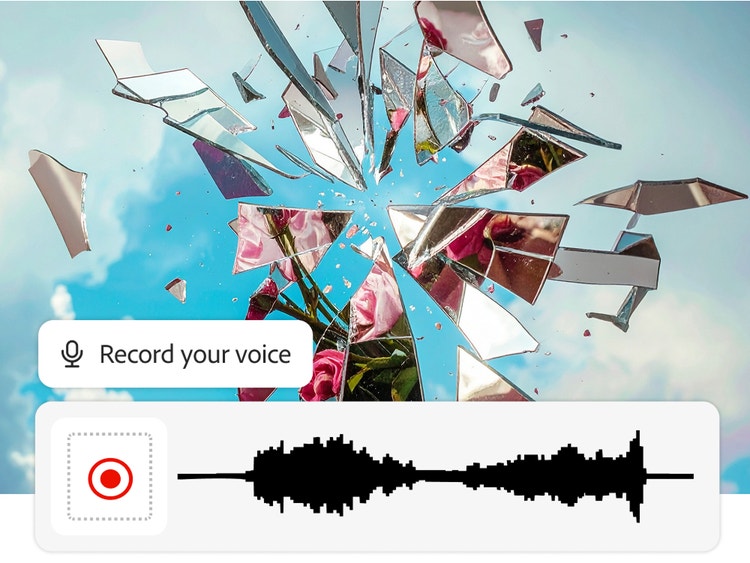
visual of shattered glass flying outward, revealing pink flowers and blue sky. A voice recording interface is shown below with a waveform suggesting to use of a sound effect generator to capture or simulate the sound of glass breaking.
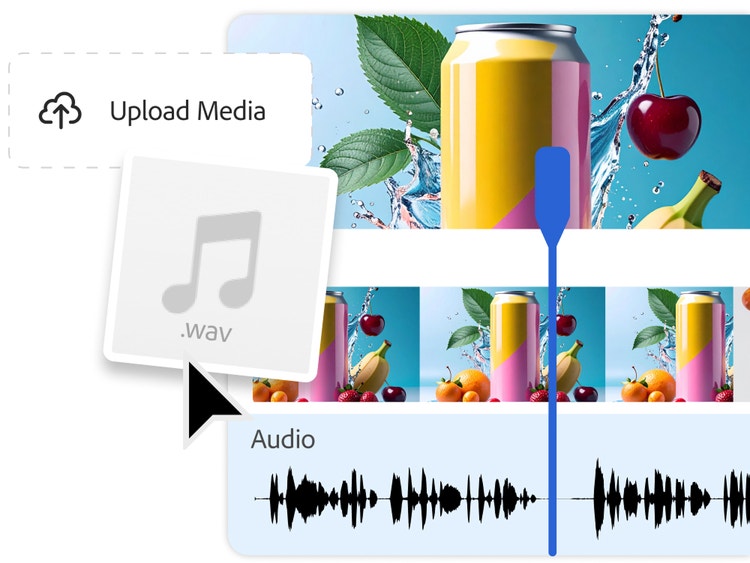
a visual of a can with multiple fruits around it and blue background and an option of uploading your voice recording to generate sound effects based on the reference audio

Upload and level it up.

Upload your own video or audio files and use the AI sound maker to place effects exactly where you want them. You can even layer multiple sounds to create a richer, more immersive soundscape, whether it’s ambient rain, footsteps, or quirky game effects.

Captivate in a sound-on world.

From podcasts to games to films to social media, Adobe Firefly's AI sound effect generator can help you to explore and create your most impactful work. Laughing crowds, sci-fi lasers, room tone, effects for a colorway drop — this sound creator AI lets you imagine and deliver.

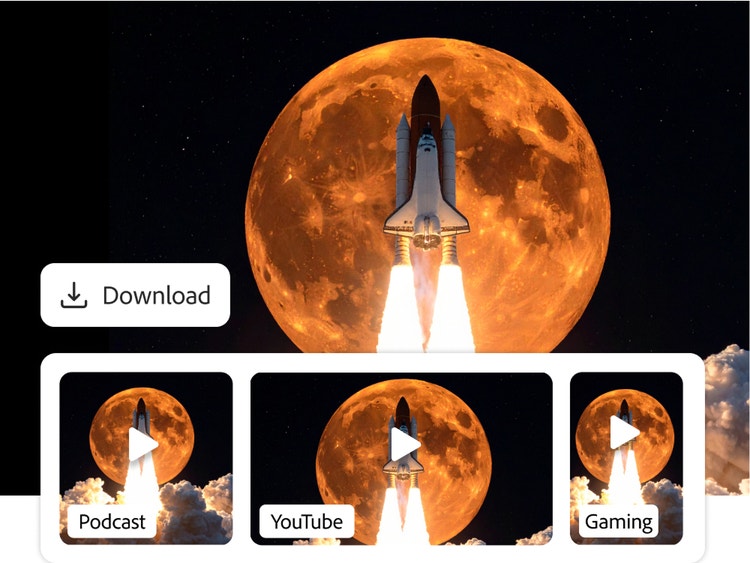
A snapshot of a video about a rocket launch with an orange moon and various video download options.

How Adobe Firefly helps creators bring sound to every story

Whether you’re creating for fun or for a living, Adobe Firefly’s AI sound generator helps you craft immersive audio without a studio setup.

Sound design made simple for students and aspiring creators

Students and hobbyists can explore sound design without needing expensive gear. Adobe Firefly makes it easy to turn ideas into high-quality AI sounds for school projects, short films or creative portfolios.

Adding impact to social media with custom sound effects

From Instagram reels to YouTube shorts, Firefly’s AI sound effect generator helps influencers and content creators in India add energy, humour or drama to their posts with sounds that match the moment.

Cinematic audio for independent filmmakers and video editors

Filmmakers and editors working on tight budgets can use Adobe Firefly to produce cinematic audio effects and sound effects. With text and voice input, creators can generate soundscapes that fit local scenes, from busy Indian markets to quiet monsoon evenings.

Enhancing professional projects with custom SFX

Graphic designers, motion artists and brand storytellers can use Adobe Firefly to elevate their multimedia work. The AI SFX generator fits smoothly into fast-paced workflows, helping professionals meet client needs with custom sound.

How to generate sound effects in Firefly.

Easily create sound effects following these quick steps:

  • Open Firefly.
    On the Adobe Firefly homepage, go to the Audio module and select Voice to sound effects.
  • Upload your media.
    On the Generate Sound Effects page, upload a video or audio file that you want to add sound effects to.
  • Sound it out.
    Position the playhead where you need your effect, select Record voice and wait for the countdown — then act out your sound effect into your mic. This will help the model gauge timing, volume and intensity.
  • Give some direction and generate.
    Preview your recording, add a text description for additional context and select Generate.
  • Pick and place it in your timeline.
    Preview output variations, select your favourite and it’ll be added to the timeline at your playhead. Repeat the process to layer in more sound effects.
  • Fine-tune and finesse.
    Make easy adjustments right from the timeline — reposition, mute, change volume and more.
  • Ship it out.
    Preview and download your final composition for any creative project.

Generate studio-grade sound effects.

Craft studio-quality sound effects using Firefly’s AI sound generator. Whether you're creating keyboard clicks for an office scene, a meowing cat for your next product launch, or cartoonish pops for a video reel, Firefly makes it easy to bring sounds to life. Perfect for content creators, marketers, game designers and podcast hosts across India.

Start generating sound effects

Questions? We have answers.

How do I start using the AI sound effect generator?

To begin, visit the Adobe Firefly homepage and open the Generate Sound Effects tool under the Audio module. You can either type a description, record your voice, or upload audio to create unique effects with the AI sound effect generator. No prior experience in sound design is required.

How can I use Firefly’s AI sound generator on mobile?

You can use Adobe Firefly’s AI sound generator directly on your mobile device through a web browser. It works on both iOS and Android without needing to install an app. Just open the Generate Sound Effects tool and start creating sounds using text, voice input or uploaded audio.

What types of sound effects can I create?

Using Firefly’s AI sound maker, you can generate a wide range of sound effects including natural sounds, sci-fi noises, ambience, vocal cues and more. Whether you need a subtle background hum or a dramatic cinematic impact, Firefly can produce the right sound for your project.

Can I customise the sound effects using AI?

Yes, Firefly unlocks new audio storytelling possibilities by allowing users to generate customised sound effects using AI, enhancing video generation. An AI sound effect generator lets creators produce audio using dual-input control methods. They can guide the generation with both text prompts and recorded audio hints, while preserving the intended sound characteristics. This method can help produce accurate and dynamic AI-generated sounds for videos, podcasts, and games.

Can I use my voice or audio to create AI sound effects?

Yes, with Firefly’s text to sound AI, users can use their voice and/or audio recordings alongside text prompts to guide generation — providing greater control over the timing and loudness of generated effects. It’s ideal for content creators seeking authentic and expressive AI sounds.

What file formats are available for download?

With Firefly’s sound effect maker online, you can download audio-only files in WAV format and video files with embedded audio in MP4 format. These high-quality formats ensure your AI-generated sounds are ready for integration into any project, from short films to social media reels.

Are the AI-generated sound effects royalty free?

Yes, sound effects generated with Adobe Firefly’s AI sound maker are royalty free for commercial use, as long as they’re created using the commercially released version of Firefly and comply with Adobe’s usage guidelines. All Firefly tools are designed to be safe for commercial use.

Why is Firefly useful for Indian creators making high-quality audio without expensive equipment?

Adobe Firefly helps creators produce high-quality sound effects without the need for costly equipment or complex software. Using the AI sound effect generator, you can describe a sound or use your voice to create realistic, studio-quality audio with ease.

Can I use Indian sound references like tabla or autorickshaw horn?

Absolutely. You can type prompts like “tabla rhythm” or “autorickshaw horn in traffic” into the text to sound AI to create uniquely Indian sound effects. You can also use your mic to act out or upload audio from Indian environments for reference.

Are there any regional language options in Adobe Firefly?

While Firefly currently supports prompts in English, Indian users can describe sounds from any culture or setting, such as “Tamil wedding crowd” or “Diwali fireworks”. The model understands context and can generate relevant AI sounds even with culturally specific prompts.