



Generate commercially safe, professional quality 2D and 3D animation from a photo, sketch or simple text prompt in seconds. Perfect for social content, marketing videos and storyboards, with style and motion controls that fit straight into your existing workflow.
Adobe Firefly’s AI animation generator is a tool that turns images and text prompts into animated videos. Start with an existing image or describe your idea, then use Firefly to add movement and create dynamic animations in just a few clicks.
Start with a sketch, a finished character design or just a few words. The AI video generator makes it easy to bring characters to life. From subtle expressions to life-like gestures, you can animate directly from images or text prompts — no complex tools or advanced skills required.
Create AI animation in any style that fits your vision, whether it's 2D, 3D or a mix of both. With simple text-to-image prompts, you can generate characters, scenes and motion quickly. It’s a fast, easy way for beginners and pros alike to explore different looks and styles.
Wherever you make content, your animations will fit right in. The AI animation generator makes it easy to create videos in a variety of formats without extra editing or resizing. Create vertical videos for social media, horizontal animations for presentations and marketing campaigns, animate static images with image-to-video and rearrange clips, add audio and more with Firefly AI video editing tools.
Create AI animations instantly to save time and budget. Transform sketches, photos, images or text into animated content. Create characters in 2D and 3D AI animation with style options that support everything from AI anime cartoons to cinematic scenes. Work in horizontal and vertical formats and easily bring your animated content into other Creative Cloud apps like Premiere or After Effects.
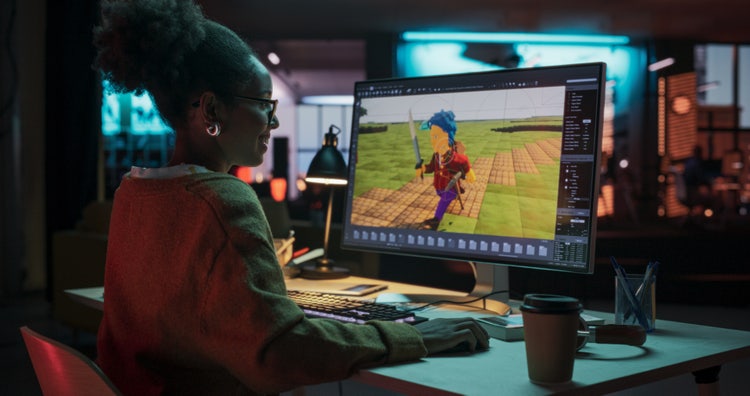
Visualised 2D and 3D characters, environments, and scenes before full scale productions.
Animated product explainers, social media content, and promotional videos for digital campaigns.
Visual concepts, historical recreations, or whiteboard animations for online learning.
Scroll stopping clips for TikTok, Instagram Reels, YouTube Shorts, and other channels.
Upload an existing image, sketch or character design or simply enter a text prompt to describe the scene or character you have in mind. Adobe Firefly’s AI animation video generator understands natural language and visual inputs, so you can start however you’re most comfortable.
Select the desired resolution (up to 1080p) and aspect ratio that fits your project. Whether you’re creating content for social media, the web or pitches and presentations, it’s easy to tailor the output format.
Choose an art style early and keep it consistent throughout your project. If you start with a 2D illustrated look, anime-inspired visuals, or 3D animation, use the same style references and prompt language across every scene. Consistency helps the AI animation generator create cohesive animations with fewer visual changes between clips.
Upload reference images or mood boards whenever possible. Reference images can help maintain consistent character designs, colours, and visual themes throughout the animation. For example, if you're creating an animated retelling of the Ramayana, upload character references for Rama, Sita, and Hanuman, along with examples of your preferred art style.
Rather than creating a long sequence in a single generation, create shorter clips and combine them later. For example, generate an opening scene, character close-up, and final reveal separately. This gives you more control over continuity and makes it easier to replace or refine individual scenes without regenerating the entire animation.
After generating your animation, add voiceovers, music, and sound effects to strengthen storytelling and improve engagement. For example, you can combine regional language narration with background music to help animated social content feel more immersive and relevant to Indian audiences.
A rough character sketch or mood board can be turned into a short moving preview in the time it takes to brief a client, which is useful when a studio or agency wants to see a direction come to life before committing to a full production.
A single character design or intro graphic can become a recurring animated element for a channel, so building a consistent visual identity across videos does not require hiring an animator for every upload.
A book cover or key illustration can be animated into a short teaser for social media or a launch page, giving a story movement and presence without commissioning a separate animation studio.
A childhood drawing, a pet photo or a doodle from a birthday card can be turned into a short animated clip worth sharing with family, with no animation experience needed to get something that feels alive.
Switch between Adobe AI video models and partner models to experiment with different styles, types of motion and generation speeds.
Switch between models, generate variations with subtle prompt revisions and use Firefly Boards to compare outputs side by side and collaborate more easily.
Easily bring your animated content into other Adobe Creative Cloud apps like Premiere, After Effects or Photoshop to refine, edit or build on your project.
Adobe Firefly video models are trained on licensed and public domain content so you can confidently use your outputs for professional projects.
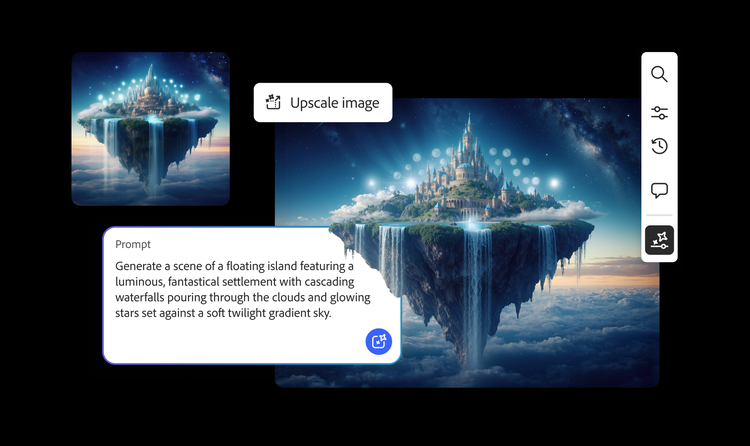
From the way we explore ideas to the way we bring concepts to life, generative AI is transforming creative work. Explore generative AI examples of visuals, video and sound created with Adobe Firefly to see what’s possible and spark ideas for whatever you create next.
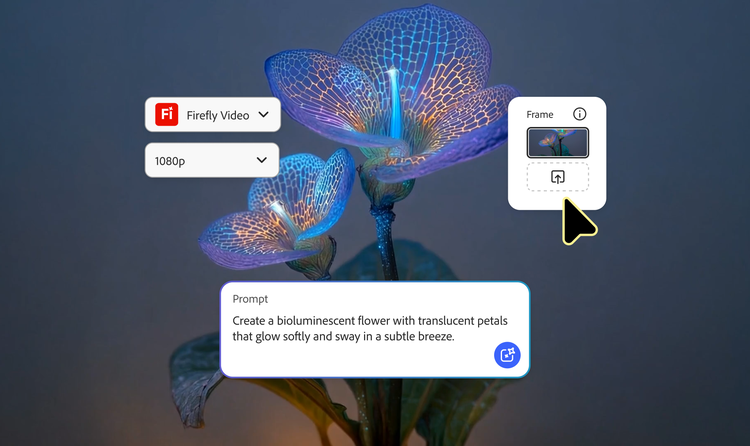
From GIFS and cartoons to explainers and ads, generative AI is transforming how creators produce animated videos. Explore AI animated video examples across styles and use cases and see how Firefly can help you to bring your vision to life.
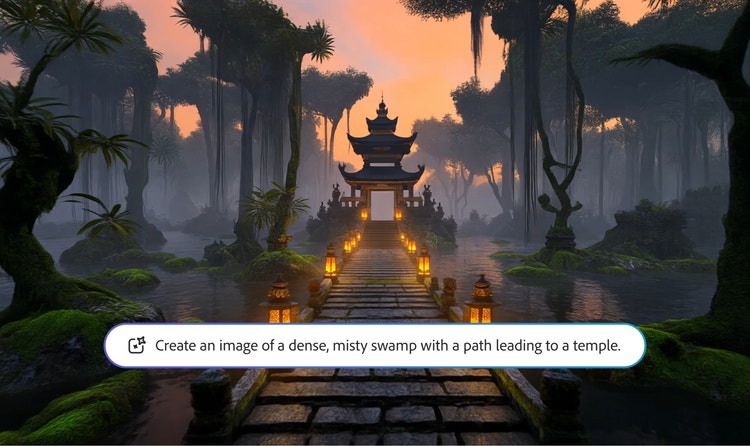
Adobe Firefly makes it easy to create AI generated videos for ads, film, animation and so much more. Keep reading to explore examples, prompts and tools that can help you to bring any idea to life.
Generative AI is all over the headlines and that’s not empty hype. This new technology is likely to be part of your life soon — if it’s not already. Learn how generative AI works and start streamlining your workflow


