


Free AI music video generator: Turn ideas into music videos.
Turn songs and ideas into engaging music videos with Adobe Firefly. Generate video scenes from text prompts, customise visual styles and edit clips for social content, performances and music promotion.

Give your music a visual story.
A free AI music video generator is a tool that helps you create AI music video content from songs, ideas and creative prompts. It uses generative AI to generate video scenes with customised visuals and motion. With Adobe Firefly, you can generate video clips, add a soundtrack, and use its video generator tools to bring your music video vision to life.
https://main--cc--adobecom.aem.live/cc-shared/assets/img/product-icons/svg/firefly-80.svg

Adobe Firefly
https://main--cc--adobecom.aem.live/cc-shared/assets/img/product-icons/svg/firefly-80.svg
Adobe Firefly
Use everyday language to create extraordinary results with generative AI.
Create AI music videos from text, fast.
Describe your creative vision and Adobe Firefly can help to bring your music video to life in minutes. With the AI music video generator online, you can turn any idea from “a neon city at night pulsing to electronic beats” to “a painterly dreamscape in sync with a soft piano melody” into dynamic video scenes. The AI video generator in Firefly can produce 5 or 8 second video clips ranging from realistic performances to surreal, abstract motion, giving you endless ways to match visuals to your sound.


Control angles & lighting with precision.
With Adobe Firefly, anyone can experiment with camera angles, motion and lighting to direct and shape their story. Try a dramatic close-up, a sweeping wide shot or a smooth pan across the scene. Adjust the atmosphere with soft cinematic light, glowing neon or bold studio backlight. The AI video generator gives you intuitive controls to explore creative possibilities — no video production experience required.
Edit AI videos fast.
Once your scenes are generated, Adobe Firefly makes fine-tuning simple with the AI video editor. Adjust shot angles, camera motion and lighting, all in one workspace so every moment feels perfectly timed and visually cohesive. The AI music video generator lets you experiment, refine and remix ideas fast, without endless render times or complex software. Edit quickly, iterate in real time and focus more on your creative flow.


Create music videos without a steep learning curve.
Turn creative concepts into music videos using intuitive AI-powered tools that make video creation more approachable. Generate scenes, explore different visual directions and refine your content without mastering complex video production software. Focus on shaping your creative vision while Firefly helps simplify the video creation process.
Spark new AI music video ideas with Firefly.
With Adobe Firefly, anyone can bring a music video concept to life when inspiration hits. Start by visualising your ideas with the Firefly storyboard generator or spark ideas using the mood board maker to shape your video’s tone and colour palette. Then build out scenes, add AI-generated sound effects or music and refine everything directly in your browser. Connected Adobe tools make it simple to plan, produce and polish your video without extra software or a steep learning curve.

Create music videos for a range of content types.
Create AI music videos, lyric videos, promotional content and visual storytelling projects faster with AI-powered video creation tools.
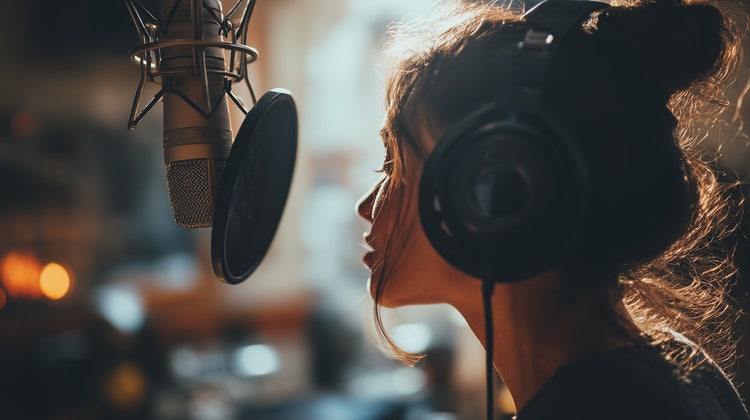
Music and entertainment.
Create lyric videos, promotional clips, album visuals and music video concepts that bring soundtracks to life.
Events and live performances.
Create promotional videos and stage visuals that help build excitement before, during and after live events.
Advertising and marketing.
Develop branded video content, teasers and promotional visuals designed to capture attention across digital channels.
Social media.
Produce short-form music video clips, reels and engaging visual content tailored for today's social-first platforms.
How to create a music video with AI.
With Adobe Firefly, you can create AI music videos quickly — no studio set-up or complex software required. Type your video concept, preview results and fine-tune visuals and sound in real time. It’s a fast, flexible way to explore ideas, test styles and realise your creative ideas from any device.
- Open the Firefly AI video generator.
Open Adobe Firefly and select the AI Video Generator tool. - Describe your music video and give direction.
Enter a text prompt that captures your vision, like “an indie rock band in a dimly lit garage with handheld camera motion” or “a lo-fi acoustic session filmed in a cosy bedroom with natural window lighting.” Firefly uses text-to-video AI to generate visuals that match your creative tone. - Preview your video and adjust lighting, angles and motion.
Preview your scene and experiment with cinematic lighting, camera pans or close-ups to create depth and emotion that enhance your soundtrack. - Add a soundtrack.
Compose or upload a track using the AI music generator, then combine it with your visuals. - Download and share.
Once you’re happy with the result, export your AI-generated music video and share it directly to social platforms, digital portfolios or your audience. Firefly makes every step, from ideation to final upload, simple, creative and fun.
Tips for creating better AI music videos.
Create more engaging music videos with stronger visual consistency, storytelling and creative direction. Use these practical tips to improve scene quality, maintain continuity and produce videos that better support your music.
Match visuals to the mood of the music.
Describe the tone, energy and atmosphere of your music when generating clips. Upbeat tracks may suit vibrant colours and dynamic motion, while slower songs often benefit from softer lighting and cinematic visuals.
Keep visual styles consistent across clips.
Use similar colours, aesthetics and prompt language throughout your project. Consistent visual direction helps separate clips feel connected and creates a more cohesive music video from start to finish.
Generate videos one scene at a time.
Create shorter clips for key moments, transitions and reveals instead of generating an entire sequence at once. This provides greater creative control and makes individual scenes easier to refine or replace.
Use reference images to guide your vision.
Upload reference images or mood boards to establish visual themes, colour palettes and artistic styles. References help maintain consistency across scenes and make it easier to achieve your desired creative direction.
Designed for creators across industries.
Create music video concepts, promotional content and visual stories faster with AI-powered workflows. See how different creative professionals use Firefly to develop ideas, refine visuals and accelerate production.
Music artists and performers.
Transform songs into visual concepts, test creative directions and create music video clips before committing to production. Explore different styles and refine ideas throughout the creative process.
Filmmakers and video producers.
Explore visual styles, pre-visualise scenes and evaluate creative treatments before filming. Generate sample clips to refine concepts, communicate ideas and support production planning.
Marketing and creative teams.
Develop campaign visuals, branded video concepts and promotional content more efficiently. Quickly test creative approaches, present ideas and align stakeholders before moving into production.
Everyday creators and hobbyists.
Turn personal music projects and creative ideas into engaging video content. Experiment with styles, explore new concepts and create polished visuals without advanced production skills.
Questions about AI music video generator? We have answers.
Can I make a music video with AI?
Who is the AI music video generator for?
How long does it take to generate a music video?
Can I use AI music videos created with Firefly for commercial purposes?
Can I create vertical AI music videos for Reels and Shorts?
Yes. Adobe Firefly lets you create AI music videos in a range of aspect ratios for social media, video platforms and other digital channels. To optimise your content for different viewing experiences, try these formats:
- Vertical (9:16) for Reels, Shorts and mobile-first video content.
- Widescreen (16:9) for YouTube, websites and presentations.
- Square (1:1) for social posts and platform feeds.
Can AI edit a music video for me?
Is the AI music video generator free to use?
Can I add reference images for my AI music video?
Learn more about generative AI.

Generative AI vs. other types of AI.
Discover the different types of artificial intelligence (AI), how they compare to generative AI and how Adobe uses generative AI in Adobe Creative Cloud apps.
Learn more | Learn more - Generative AI vs. other types of AI

Generative AI is changing creative work.
Generative AI can mimic — but not replace — human intelligence. Learn how it can help you to take your creativity to new places.
Learn more | Learn more - Generative AI is changing creative work

Adobe Firefly vs. Midjourney: How Firefly can help to speed up creative workflows.
Learn how the latest in generative AI will help you to visualise any idea with AI creations.

Adobe Firefly vs. Stable Diffusion: Bring more ideas into your workflows quickly with Firefly.
Explore how creative dreams and experiments can become AI creations.