How to convert GIF to PDF online.
Turn GIFs into easy-to-share, high-quality PDF documents in just a few steps with Acrobat online tools. Whether you’re saving visual content, preparing files for presentations or organising image assets, you can convert GIF to PDF without downloading additional software.
Follow these steps to convert GIF to PDF online for free:
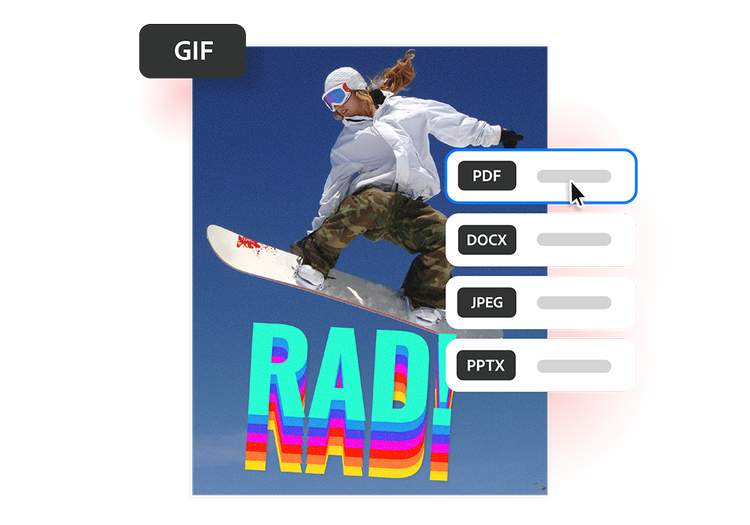
- Upload a source: Upload or drag and drop your GIF file into the converter tool above.
- Convert the file: Your GIF file is processed and converted into a PDF in seconds.
- Download your file: Download your newly converted PDF file, then save, print or share your PDF.
Why use our free GIF to PDF converter?
Convert GIF to PDF using Adobe Acrobat to simplify file sharing and document organisation. Simple to use, the tool makes it easy to convert files from anywhere.
https://main--da-dc--adobecom.aem.page/dc-shared/assets/images/frictionless/icons/pdf.svg

Make image sharing more professional
PDFs provide a polished and reliable format for sharing visual content. Converting GIFs to PDF makes it easier to include graphics in reports, presentations, portfolios and business documents.
https://main--da-dc--adobecom.aem.page/dc-shared/assets/images/frictionless/icons/device.svg

Improve compatibility across devices
GIFs tend to display differently depending on the app or browser being used. PDFs, however, preserve your content in a consistent format that’s easy to open on desktops, tablets and mobile devices.
https://main--da-dc--adobecom.aem.page/dc-shared/assets/images/frictionless/icons/organize.svg

Organise visuals into documents
Convert stand-alone GIF images into PDFs that are easier to archive, categorise and combine with other files. PDFs help keep visual assets organised for work, school or personal use.
https://main--da-dc--adobecom.aem.page/dc-shared/assets/images/frictionless/icons/print.svg

Simplify printing
PDFs are optimised for printing and sharing physical copies. A PDF to GIF converter like Adobe Acrobat can make it easier to print graphics, illustrations, diagrams and visual references with reliable formatting.
https://main--da-dc--adobecom.aem.page/dc-shared/assets/images/frictionless/icons/share.svg

Reduce friction in file sharing
Some platforms restrict image uploads or compress GIFs during sharing. PDFs offer a convenient alternative for sending visuals through email, cloud storage or collaboration tools.
https://main--da-dc--adobecom.aem.page/dc-shared/assets/images/frictionless/icons/more.svg

Do more with your PDFs
Edit, organise and sign your PDFs with all the online tools that Acrobat has to offer. You can combine multiple files into a single PDF, compress large documents and protect sensitive information by adding password protection.
More ways to work with PDFs
Try our online tools to convert, compress and merge PDF files — Acrobat can do it all.

Try our free PDF to Word converter

Try our free JPG to PDF converter

Try our free Word to PDF conversion tool

Combine PDF files any time, anywhere
Questions about the GIF to PDF converter? We have answers.
There are two main methods to email a GIF:
- Embed it inside the message. Drag and drop the GIF directly into the email body or click the Insert Photo icon and choose Inline.
- To send it as a downloadable file. Click the Paperclip icon, select your GIF file, and send it as a standard attachment.
You can also convert a GIF to PDF to make it smaller and easier to email.
More resources
Learning How to Add an Image to a PDF
We have the how-to guide to insert an image into a PDF.
Insert a PDF into PowerPoint with Adobe Acrobat
Inserting your PDF into PowerPoint is a great way to share and showcase a PDF you've recently created using Adobe Acrobat. Discover how to insert a PDF into PowerPoint in our handy step-by-step guide.

How to Compress a PDF to Less Than 1MB
PDFs can take up a lot of space. Learn how to compress a PDF to 1 MB for free and get hefty files ready to send, save and store with ease.
How to Convert JPG to PDF on a Mac
PDF files are designed to be readable on any device, making them a great way to share information. Learn how to convert a JPG to PDF on a Mac using our handy guide.
Use Acrobat tools for free
- Sign in to try 25+ tools, like convert or compress
- Add comments, fill in forms and sign PDFs for free
- Store your files online to access from any device
Create a free account | Create a free account Adobe Acrobat Sign in


