FAQs.
How do you create good stories with AI?
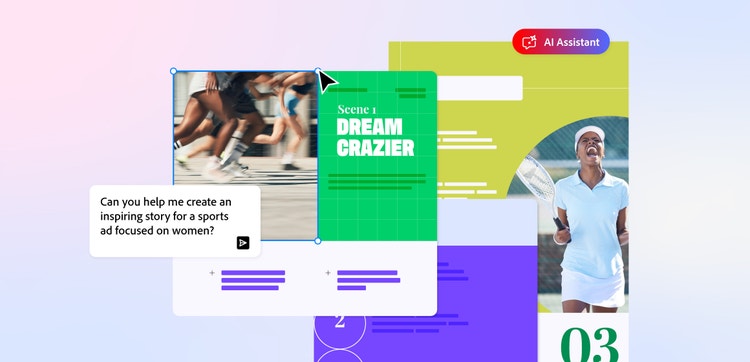
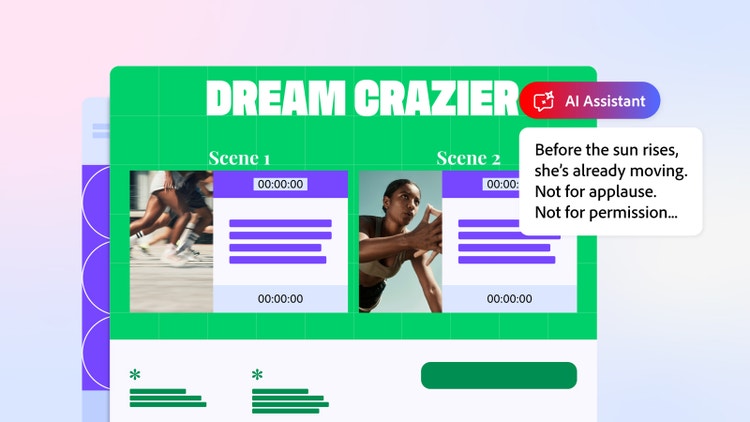
You can create good AI story ideas by using the Acrobat AI Assistant to help you brainstorm, build a structure and edit.
Start with a detailed prompt that provides the AI Assistant with plenty of background information. Then work with the tool to build out your idea and structure your storyline.
Once you’ve got your initial draft, you can use AI sentence generator tools to make smaller tweaks and rewrite to fit your project goals.
What is the best AI story generator?
The best AI story generator will depend on your individual needs and what you want to use it for. The Adobe Acrobat AI Assistant works within your documents to help you come up with ideas, flesh things out and find mistakes. It’s a helping hand in the creative process, working seamlessly alongside your projects.
Is the AI story generator free to use?
You’ll need to have an Acrobat Studio membership to access the AI Assistant with PDF Spaces. However, you can sign up for a free 7-day trial to test out the story generation tools and see how the AI Assistant could help you write your own stories.
What are some good AI story generator prompts?
The prompts you use with AI story generator tools depend on the type of story or project you’re working on. Start simple, maybe asking Acrobat’s AI Assistant to pull out some key plot point ideas or the basic structure of your story. From there, you can ask it to provide dialogue suggestions or identify any inaccuracies.
Can I legally publish writing written by AI?
Yes, you can legally publish content written by AI, but you must disclose that that was how it was created. However, if a book or script was solely written using AI generators, you won’t be able to claim full legal copyright for yourself. You need to ensure substantial human creative input in order to do this.
Can you use AI to write a script?
Yes, you can use an AI writing generator to create scripts. For example, you could use the Acrobat AI Assistant to write a script from scratch, or ask it to analyse and improve your existing structure. You could even ask the assistant to help you generate several script ideas as part of the brainstorming process. How you use artificial intelligence tools to create stories, scripts and other creative content is completely up to you.
Can the AI story generator write a full novel?
No, you can’t use the Acrobat AI Assistant to write a full story or novel. However, it can help you generate ideas for the initial structure and come up with suggestions for different chapters and sections of copy. You can then edit, tweak and refine the AI-generated copy to fit your tone of voice, characters and narrative.
If you have a complete first draft for your novel, you can use the AI Assistant to review your document and suggest any improvements.